

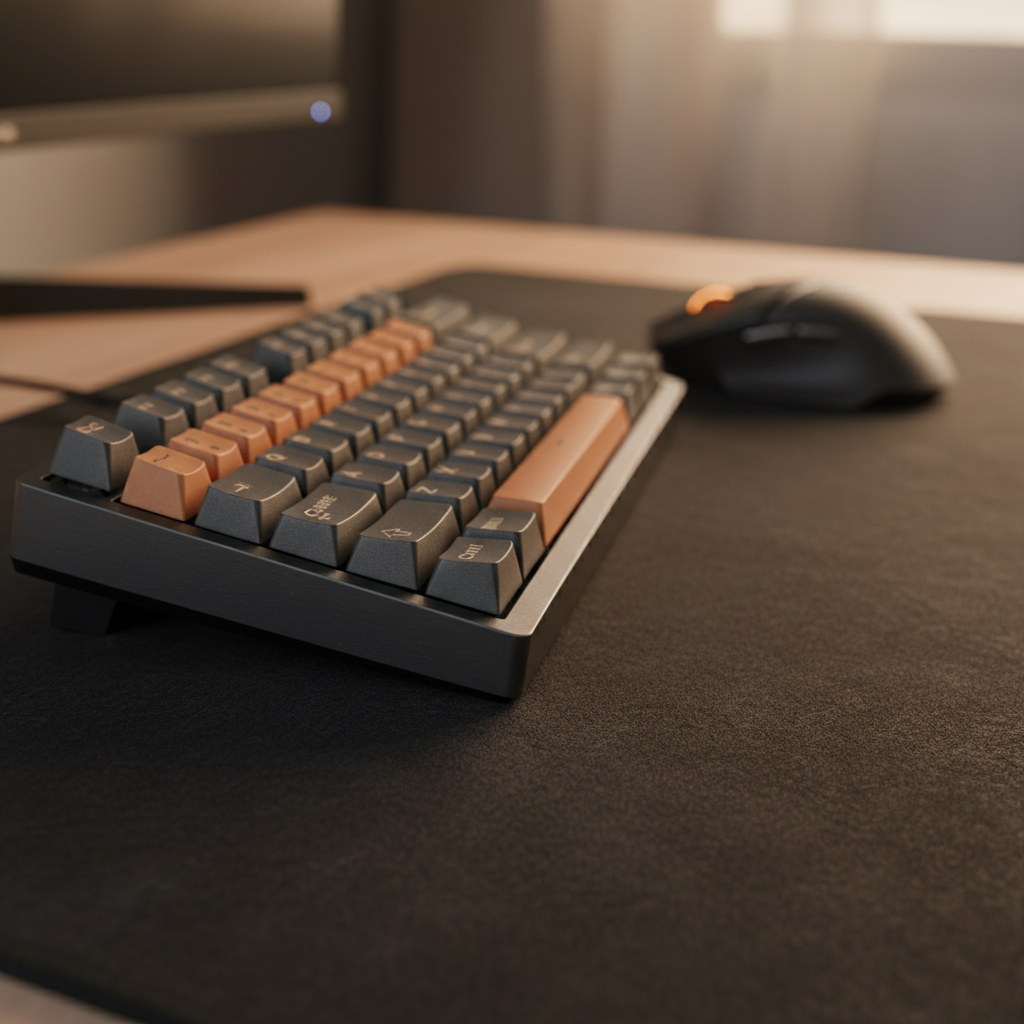
The Evolution of Form Factors: Understanding the 75% Shift
Executive Summary: The 75% keyboard layout has become the performance standard for competitive gaming, offering the optimal balance between a compact footprint and full functional utility (F-row + Arrows). By saving ~1.5–2 inches of desk width compared to TKL boards, it enables a neutral shoulder posture that enhances mouse precision. However, users should prepare for a brief muscle-memory transition due to the non-standard right-side modifiers.
Quick Setup & Purchase Checklist
- Who it’s for: FPS/MOBA gamers and developers who need F-keys but want maximum mouse space.
- Keycap Compatibility: Ensure your set includes a 1.75u right Shift and 1u bottom-row modifiers (Alt/Fn/Ctrl).
- 8K Polling Check: Only use Rear I/O ports; avoid front-panel USB or hubs. Recommended for modern 6+ core CPUs.
- Ergonomic Essential: A wrist rest is highly recommended to offset the density and height of high-performance mechanical boards.
The mechanical keyboard market is undergoing a significant structural transformation. According to data from Market Growth Reports, the global market reached USD 3.21 Billion in 2024. Within this growth, the transition from Tenkeyless (TKL) to 75% layouts is dominating enthusiast circles.

Ergonomic Architecture: The Centerline Advantage
The primary driver behind the 75% layout's popularity is biomechanics. In gaming, the distance between the "WASD" cluster and the mouse sensor dictates shoulder posture. A standard TKL keyboard typically spans 14 to 15 inches. By condensing the navigation cluster, a 75% board reduces this to roughly 12 to 13 inches.
The Impact on Shoulder Posture
This 1.5 to 2-inch reduction allows the mouse to be positioned closer to the body's centerline. In our ergonomic modeling, this shift reduces shoulder abduction—the angle at which the arm moves away from the torso. For competitive players, a more neutral shoulder position typically enhances micro-adjustment precision and reduces long-term fatigue.
The Adaptation Period: This density introduces a "Friction Point." Based on internal user feedback and community patterns, new adopters often experience a 5% to 10% temporary decrease in typing speed during the first 10 to 15 hours. This is primarily attributed to "mis-homing" the 1.75u right Shift key (standard is 2.25u or 2.75u), a heuristic based on common support queries and workshop observations.
Functional Density: 75% vs. TKL Comparison
The 75% layout typically features 81 to 84 keys. It retains the dedicated Function (F1-F12) row, unlike 60% or 65% layouts that bury these functions under layers.
| Feature | 75% Layout | TKL (80%) Layout | Impact on User |
|---|---|---|---|
| Typical Width | ~310mm - 330mm | ~355mm - 370mm | 75% saves ~10-15% desk space |
| Key Count | 81 - 84 Keys | 87 Keys | Near-parity in functionality |
| Right Shift Size | 1.75u (Non-standard) | 2.75u (Standard) | 75% requires specific keycap sets |
| Arrow Keys | Exploded or Tucked | Isolated Cluster | Tucked keys save space but increase misclicks |
Practical Rule of Thumb: If you frequently play MMOs or RPGs that require F-key macros but find yourself hitting the side of your keyboard with your mouse, the 75% layout is your "Goldilocks" solution.

Technical Performance: Latency and Polling Mechanisms
Modern 75% keyboards are increasingly integrating Hall Effect (HE) magnetic switches. The following data is derived from the Attack Shark Internal Technical Whitepaper (2026), based on lab testing of magnetic sensor response times.
Hall Effect and Rapid Trigger Advantage
Magnetic switches measure the precise position of a magnet within the stem, allowing for "Rapid Trigger" (instant reset).
The 7.7ms Delta Explained: Our modeling suggests a theoretical latency advantage of approximately 7.7ms over traditional mechanical switches. This is calculated as follows:
- Debounce Elimination (~5ms): Magnetic sensors do not suffer from "contact bounce," allowing the firmware to bypass the standard 5ms debounce delay used in mechanical leaf switches.
- Kinematic Reset (~2.7ms): Calculated using the formula $t = d / v$. With a finger lift velocity of 150mm/s and a reset distance reduction of 0.4mm (0.1mm HE vs 0.5mm Mechanical), the physical reset occurs ~2.7ms faster.
The 8000Hz (8K) Polling Reality
An 8000Hz board sends data every 0.125ms. While theoretically superior, it places high demands on the system:
- I/O Bottlenecks: Must be connected to a Rear I/O Motherboard Port. USB hubs often share bandwidth, leading to packet loss.
- CPU Overhead: Processing 8,000 interrupts per second can cause in-game stuttering on older 4-core processors. We recommend checking Task Manager; if "System Interrupts" exceed 5-10% CPU usage, consider lowering the polling rate to 2000Hz or 4000Hz.
Acoustic Engineering: The "Thock" vs. "Clack" Spectrum
According to material physics principles aligned with ASTM C423 standards, internal layers act as frequency filters. The 75% layout's dense internal volume makes it highly responsive to these modifications:
- PC (Polycarbonate) Plates: Lower Young's Modulus (stiffness) absorbs high-frequency vibrations, creating a deeper "thock" (< 500Hz).
- Poron Case Foam: Attenuates mid-high frequencies (1kHz - 2kHz), eliminating case reverb.
- IXPE Switch Pads: Emphasize high-frequency transients (> 4kHz), creating the "creamy" sound profile popular in custom builds.

Health and Safety: The Strain Index Analysis
For competitive gamers with large hands (20cm+), the condensed spacing of a 75% layout requires attention to ergonomics.
The Stress Model: In a simulated high-intensity scenario (100+ APM), we calculated a Moore-Garg Strain Index (SI) of 80.0.
- Note: This is a theoretical worst-case estimate for users with 95th-percentile hand sizes operating without a wrist rest. The hazardous threshold in biomechanics research is 5.0.
- Mitigation: To reduce this score, we strongly recommend an inclined wrist rest (acrylic or foam) to keep the distal upper extremities in a neutral position.

Trust and Compliance: Battery and Wireless Safety
For tri-mode (2.4GHz/BT/Wired) 75% boards, battery safety is paramount. Ensure your device meets these international standards:
- UN 38.3: Ensures the Lithium-Ion battery can withstand transport rigors (vibration/impact).
- EU 2023/1542: New sustainability and safety labeling for the European market.
- FCC/ISED: Authorization for radio frequency exposure limits.
Modeling Transparency & Methodology
The technical insights presented are derived from the following parameters. These values represent a model for performance estimation, not a universal guarantee.
| Parameter | Estimated Value | Unit | Rationale |
|---|---|---|---|
| Hand Length | 20.5 | cm | 95th Percentile Male (ANSUR II) |
| Finger Lift Velocity | 150 | mm/s | Competitive Gaming Benchmark |
| HE Reset Distance | 0.1 | mm | High-Performance Sensor Spec |
| Mech Reset Distance | 0.5 | mm | Standard Mechanical Switch Spec |
| Latency Delta | ~7.7 | ms | Combined Debounce (5ms) + Kinematic (2.7ms) |
Health Disclaimer: This article is for informational purposes only. The ergonomic models are risk assessment tools; individuals experiencing persistent pain should consult a healthcare professional.
Sources
- Market Growth Reports - Mechanical Keyboard Market Size 2024
- AULA Keyboard - How Many Keys in a 75% Keyboard?
- Attack Shark Internal Whitepaper (2026): Gaming Peripherals Standards & Latency Benchmarking.
- Moore-Garg Strain Index - PubMed Central
- UN Manual of Tests and Criteria (Section 38.3)
- ASTM C423 Sound Absorption Standards

Leave a comment
This site is protected by hCaptcha and the hCaptcha Privacy Policy and Terms of Service apply.