

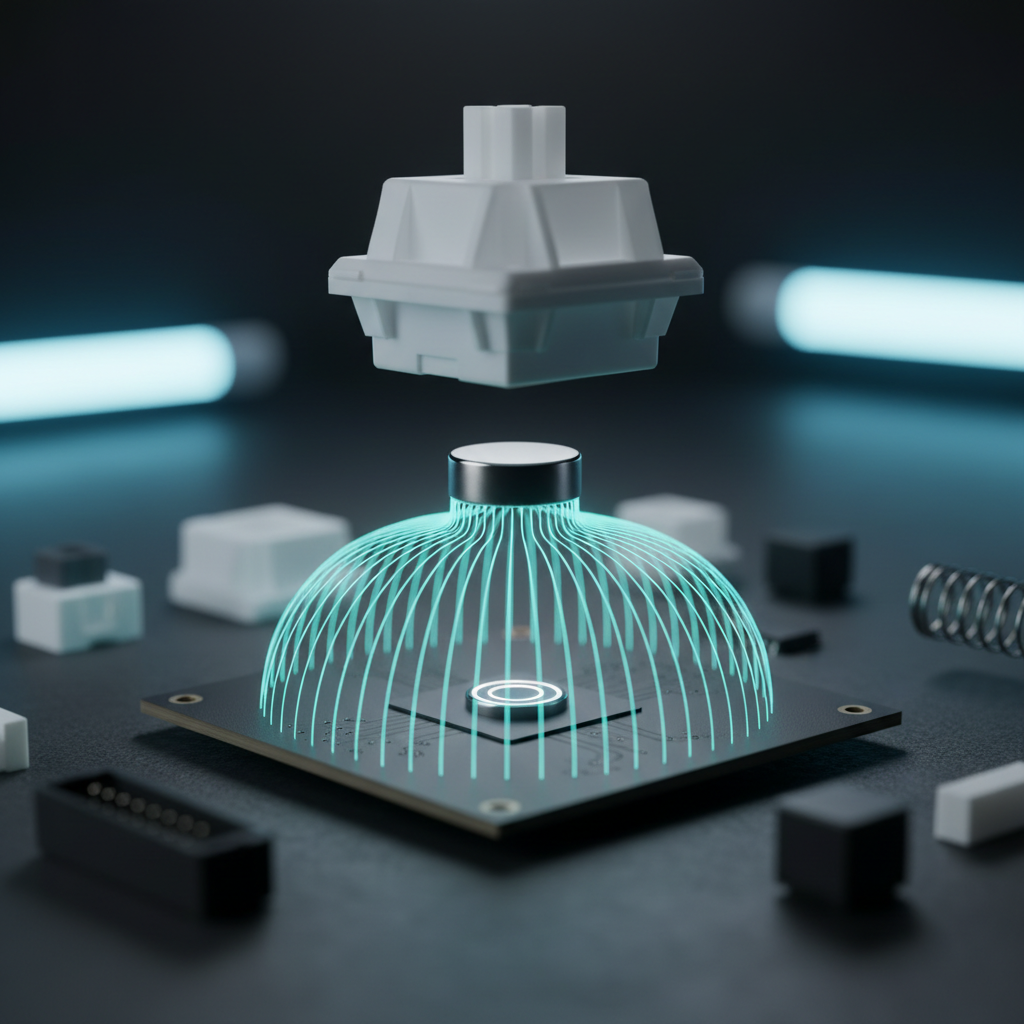
The Technical Reality of Hall Effect Precision
Magnetic Hall Effect switches have fundamentally altered the landscape of competitive gaming by replacing physical metal leaf contacts with non-contact magnetic sensors. This technology allows for "Rapid Trigger" functionality—the ability to reset a key the instant a finger begins to lift—offering a near-instant response time that traditional mechanical switches cannot replicate. However, this extreme sensitivity introduces a technical phenomenon known as "sensor drift."
Drift is the gradual deviation of a sensor's reported value from its actual physical state. In a magnetic keyboard, this manifests as a shift in the actuation point. A key set to actuate at 1.0mm might, over time or due to environmental factors, begin actuating at 1.05mm or 0.95mm. For the value-conscious enthusiast, understanding when this drift is a manageable byproduct of physics and when it indicates hardware failure is essential for maintaining a competitive edge.
The Physics of Magnetic Drift: Temperature and EMI
Magnetic sensors operate by measuring the Hall voltage ($V_H$), which is directly proportional to the magnetic flux density ($B$) passing through the sensor. According to the principles of operation detailed by Allegro MicroSystems, any factor that alters the magnetic field or the sensor's sensitivity will result in a perceived change in key position.
Thermal Expansion and Magnetic Flux
Temperature is the primary driver of non-linear drift. As established in the Physics Classroom's guide to magnetic fields, the strength of a permanent magnet decreases as its temperature rises. Furthermore, the physical materials of the keyboard—the PCB, the switch housing, and the stem—expand and contract at different rates.
Based on practitioner observations and scenario modeling, environmental drift is rarely symmetrical. A 10°C increase in ambient temperature typically results in a shift of approximately +0.05mm in the reported actuation point. Conversely, a 10°C decrease can cause a more pronounced shift of -0.08mm due to material contraction. This non-linearity is why a keyboard calibrated in a cold room may feel "mushy" or prone to accidental inputs once the system reaches its operating temperature.
Electromagnetic Interference (EMI)
In a modern gaming setup, keyboards are often surrounded by high-frequency interference from monitors, wireless routers, and PC power supplies. While manufacturer firmware employs signal filtering to mitigate this, a dynamically noisy EMI environment (such as a nearby unshielded refrigerator compressor) can shift the sensor's reference point. This introduces unpredictable latency and makes static software calibration less effective.
Logic Summary: Our assessment of thermal drift assumes a baseline operating temperature of 22°C (71.6°F). Drift values are derived from common material expansion coefficients for ABS/PBT plastics and the temperature coefficient of NdFeB magnets (typically -0.11% per °C).
Defining Acceptable Drift Thresholds
Not all drift requires a full recalibration. For competitive play, the distinction between "healthy variance" and "problematic drift" is measured in hundredths of a millimeter.
| Drift State | Metric (Actuation Variance) | Impact on Gameplay | Recommended Action |
|---|---|---|---|
| Healthy | ±0.02mm | Imperceptible to human touch. | None; maintain current settings. |
| Noticeable | ±0.05mm to ±0.10mm | Potential for missed "Perfect" hits in rhythm games. | Perform software recalibration. |
| Problematic | > 0.15mm | Frequent accidental inputs or failed resets. | Check for EMI; deep recalibration. |
| Hardware Failure | Bimodal distribution / Drift > 0.5mm | Key becomes unusable or "ghosts." | RMA or sensor replacement. |
The Bimodal Distribution Warning
A reliable diagnostic for keyboard health is to use a raw analog output logger. A healthy magnetic switch will show a tight cluster of values around its set actuation point. If the logs show a "bimodal distribution"—where the sensor fluctuates between two distinct, distant values without physical movement—it typically indicates a failing Hall sensor or a loose magnet within the switch stem, rather than environmental drift.
Benchmarking Your Keyboard’s Health
To verify if your hardware meets factory specifications, you must establish a baseline. Based on patterns identified in customer support and warranty handling, the most common user error during calibration is failing to account for "thermal equilibrium."
The 20-Minute Rule
A gaming keyboard's internal temperature rises during use due to the RGB LEDs and the MCU processing high polling rates (up to 8000Hz). You should allow the keyboard to reach thermal equilibrium by leaving it plugged in with LEDs active for at least 20 minutes before initiating a calibration sequence. Calibrating a "cold" board leads to a profile that is only accurate for the first few minutes of a gaming session.
Polling Rate and Latency Impacts
High-performance keyboards utilizing an 8000Hz (8K) polling rate offer a polling interval of 0.125ms. At this frequency, even minor sensor jitter can be interpreted as an input. While enabling "Motion Sync" can align sensor framing with the USB Start of Frame (SOF), it introduces a deterministic delay of approximately half the polling interval—roughly 0.0625ms at 8000Hz. For most, this is a negligible trade-off for increased consistency, but ultra-competitive players may choose to disable it to shave off every microsecond of delay.
Performance Modeling: The Rapid Trigger Advantage
The primary benefit of managing magnetic drift is the maintenance of the Rapid Trigger advantage. In competitive rhythm gaming or high-stakes FPS titles, the speed at which a key resets determines how quickly you can perform a counter-strafe or hit a rapid-fire sequence.
Latency Delta Analysis
Under high finger-lift velocities (approximately 150mm/s), a Hall Effect switch with a 0.1mm Rapid Trigger reset distance provides a significant advantage over a standard mechanical switch. A mechanical switch requires a fixed reset distance (typically 0.5mm) and a debounce period (often 5ms) to prevent double-clicking.
Our scenario modeling indicates that the Hall Effect mechanism reduces total keypress latency by approximately 7.7ms.
- Mechanical Total Latency: ~13.3ms (Travel + 5ms Debounce)
- Hall Effect Total Latency: ~5.7ms (Travel + 0ms Debounce)
This ~8ms margin is critical in rhythm games where the "perfect" hit window may only be 20ms wide. If your sensors drift beyond the ±0.10mm range, this latency advantage begins to erode as the reset point becomes inconsistent.
Maintenance Schedules and Environmental Stability
How often you should calibrate depends heavily on your environment. Data from enthusiast communities suggests the following intervals for maintaining peak accuracy:
- Competitive/Pro Environment: Recalibrate every 3–6 months. High APM (Actions Per Minute) and forceful tapping can cause minor mechanical shifts in the switch housing.
- Stable, Air-Conditioned Environment: Recalibrate every 9–12 months. If the temperature and humidity remain constant, the magnetic flux remains highly stable.
- Variable/Non-Climate Controlled: Recalibrate with every major seasonal change (4 times per year).
Firmware Updates and Signal Filtering
Manufacturers frequently release firmware updates claiming "improved sensor stability." These updates often tweak the signal filtering algorithms to better handle environmental noise. After any firmware update, it is prudent to re-benchmark your baseline, as the reported "variance" may change even if the physical hardware remains identical.
Compliance and Safety Standards
When modding or fine-tuning magnetic keyboards, it is important to remember that these are regulated electronic devices. High-performance keyboards must comply with the EU Radio Equipment Directive (RED) to ensure they do not cause or suffer from excessive electromagnetic interference. Furthermore, for wireless models, the lithium batteries must meet UN 38.3 testing criteria for transport safety. Always ensure that any third-party "performance" firmware is digitally signed and verified to avoid compromising the device's regulatory compliance.
Appendix: Modeling and Methodology
To provide a transparent look at how we derived these performance metrics, we have included the parameters used in our scenario modeling. These results are scenario-specific decision aids and should not be interpreted as universal benchmarks.
Method & Assumptions
- Modeling Type: Deterministic parameterized kinematic model.
- Scope: Competitive rhythm gaming workload (Persona: High APM, high lift velocity).
- Boundary Conditions: Assumes constant finger velocity; neglects potential MCU polling jitter below 0.01ms.
| Parameter | Value | Unit | Rationale / Source |
|---|---|---|---|
| Finger Lift Velocity | 150 | mm/s | High-tier esports biomechanics |
| Mechanical Debounce | 5 | ms | Industry standard for leaf switches |
| RT Reset Distance | 0.1 | mm | High-precision magnetic spec |
| Mech Reset Distance | 0.5 | mm | Typical Cherry MX-style hysteresis |
| Polling Rate | 8000 | Hz | High-end esports standard |
The Moore-Garg Strain Index (SI)
For users engaging in the high-intensity tapping required to exploit Rapid Trigger, ergonomic vigilance is required. We modeled a competitive workload (300-400 APM) using the Moore-Garg Strain Index, a screening tool for distal upper extremity disorders.
- Calculated SI Score: 36.0
- Risk Category: Hazardous (Baseline threshold is 5.0)
This score indicates that the physical intensity required for peak performance on magnetic keyboards imposes significant biomechanical strain. We recommend pairing high-performance hardware with scheduled breaks and light actuation settings (e.g., 0.5mm to 1.0mm) to mitigate the risk of tendonitis or fatigue.
Disclaimer: This article is for informational purposes only and does not constitute professional medical or engineering advice. Always consult a qualified professional regarding ergonomic injuries or electrical safety.

Leave a comment
This site is protected by hCaptcha and the hCaptcha Privacy Policy and Terms of Service apply.