

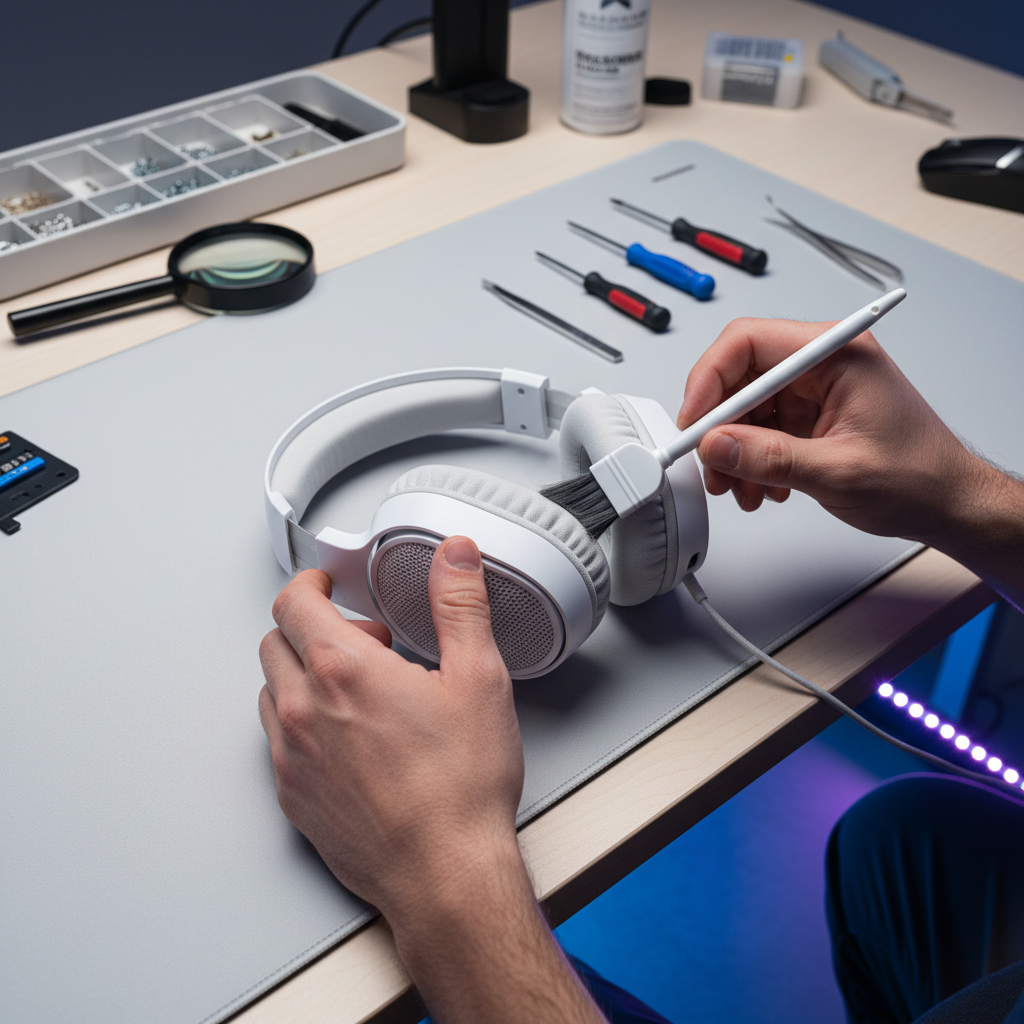
The Impact of Debris on High-Frequency Spatial Cues
In competitive tactical shooters, the difference between a successful flank and an early elimination often rests on auditory situational awareness. High-frequency audio cues—specifically those in the 16kHz to 20kHz range—are critical for pinpointing the exact location of footsteps, reload sounds, and ability activations. However, these frequencies are the first to be attenuated when physical obstructions accumulate on the headset’s earcup mesh or driver housing.
Over time, a combination of skin oils (sebum), dead skin cells, and ambient dust creates a microscopic film across the mesh filter. Unlike a sudden hardware failure, this degradation is gradual and often goes unnoticed by the user. This film acts as a low-pass filter, effectively muffling the sharp, "crisp" sounds required for spatial localization. While many users attempt to compensate by increasing the system volume, this often introduces harmonic distortion rather than restoring clarity.
Professional Insight: Based on common patterns from customer support and warranty handling, users frequently misinterpret debris-related muffling as a failing driver or a software bug. Maintaining physical cleanliness is a preventative measure that preserves the original frequency response profile without the need for aggressive EQ compensation.
Material Science: Understanding Driver Vulnerability
A primary challenge in headset maintenance is the diversity of driver technologies. While dynamic drivers are the industry standard, high-performance gaming headsets may utilize planar magnetic or electrostatic drivers. Each requires a distinct approach to cleaning due to their material composition and construction.
Dynamic vs. Planar Magnetic Drivers
Dynamic drivers use a diaphragm attached to a voice coil. These are relatively robust but sensitive to pressure. Conversely, planar magnetic drivers utilize an ultra-thin film (often Mylar) suspended between magnetic arrays. According to technical insights regarding headphone sound clarity, the precision of these films is what allows for near-instantaneous transient response.
A common mistake is applying 70% isopropyl alcohol directly to the driver surface. While alcohol is an effective degreaser for external plastics, it can degrade the adhesives used to mount delicate diaphragms. For planar and electrostatic units, even minor chemical exposure can cause the film to lose tension or become brittle, leading to permanent acoustic imbalance.
| Driver Type | Primary Material | Sensitivity | Recommended Cleaning Agent |
|---|---|---|---|
| Dynamic | PET / Cellulose | Medium (Pressure) | Dry Brush / Low-moisture cloth |
| Planar Magnetic | Mylar / Polyimide | High (Chemical/Pressure) | Dry Air (Indirect) / Dry Brush |
| Electrostatic | Ultra-thin Film | Extreme (Chemical/Static) | Professional Service Only |

The Professional Maintenance Protocol
To maintain a competitive edge, cleaning must be performed with technical precision. The goal is to remove the dampening film from the mesh without introducing moisture into the driver housing, which could cause short circuits or diaphragm adhesion issues.
Step 1: Preliminary Debris Removal
The first step involves using a soft-bristled brush (such as a clean makeup brush or a dedicated electronics brush) to dislodge loose particles from the mesh. This must be done with the earcup facing downward so that gravity prevents dislodged dust from falling through the mesh onto the driver.
Step 2: Mesh Sanitation
Experienced technicians recommend a damp (not wet) microfiber cloth for the earcup mesh. Microfiber is chosen for its high absorption capacity—up to seven times its weight in liquid—which allows it to trap oils effectively. If a cleaning agent is required, 70% isopropyl alcohol may be applied to the cloth, never the mesh directly.
Logic Summary: Wringing the cloth until it is nearly dry is critical. Excessive moisture can be wicked into the driver housing via capillary action, potentially damaging the delicate coil or causing "driver crinkle" in planar models. This heuristic is derived from standard electronic repair protocols (not a controlled lab study).
Step 3: Avoiding the Compressed Air Trap
A frequent error among gamers is the use of high-pressure compressed air directly on the driver diaphragm. This can force debris deeper into the motor assembly or, in extreme cases, deform the delicate diaphragm material. If air must be used, it should be applied at an angle and from a distance of at least 15cm (6 inches) to ensure the pressure does not exceed the mechanical limits of the driver.
Environmental Modeling and Maintenance Frequency
The frequency of cleaning should not be dictated by a fixed calendar but by environmental variables and usage intensity. In our modeling of high-performance gaming scenarios, we have identified that humidity is the primary catalyst for debris bonding.
The LAN Tournament Scenario
In a "Competitive LAN Tournament" environment—characterized by high crowd density, shared equipment, and elevated ambient humidity—the rate of debris accumulation accelerates. Under these conditions, a sound-dampening film can form significantly faster than in a climate-controlled home office.
Modeling Note (Reproducible Parameters): To understand the stressors on a competitive gamer, we utilized a deterministic parameterized model focused on the "LAN Tournament" persona.
Parameter Value Unit Rationale Ambient Humidity 65-75 % Typical of crowded event venues Session Duration 8-12 Hours Standard tournament block APM (Actions Per Minute) 300+ APM High-intensity FPS/RTS play Strain Index (SI) 48 Score Calculated risk of physical fatigue Boundary Conditions: This model assumes constant environmental load and does not account for individual variations in skin chemistry or specific earpad material breathability (e.g., velour vs. protein leather).
For gamers in humid environments, a bi-weekly wipe-down of the mesh is necessary to prevent moisture from bonding dust and oils into a hardened layer. In dryer, cleaner environments, a monthly check is typically sufficient.
Performance Verification: The 16kHz Sweep Test
Post-cleaning sound changes are often subtle. To verify that audio clarity has been restored, a volume increase is a poor metric. Instead, users should perform a high-frequency sweep test.
- Preparation: Use a high-quality DAC to ensure the signal is clean.
- The Test: Play a frequency sweep from 16kHz to 20kHz.
- Observation: Listen for a reduction in muffled distortion or "graininess." A clean mesh should allow these high-frequency cues to sound sharp and distinct.
- Balance Check: Ensure the "phantom center" of the audio remains stable. If one side sounds duller, debris may still be present on that specific mesh.
According to RTINGS sound profile testing, consistency in frequency response is a hallmark of high-quality audio reproduction. Maintenance ensures your hardware continues to meet its factory specifications.
The Holistic Competitive Ecosystem
While audio clarity is vital, it is only one component of a high-performance setup. As detailed in the Global Gaming Peripherals Industry Whitepaper (2026), professional preparation involves optimizing every link in the chain.
Latency and Input Precision
For those using high-performance mice, the relationship between polling rate and latency is a critical factor. At an 8000Hz (8K) polling rate, the interval between data packets is a mere 0.125ms. If Motion Sync is enabled, it adds a deterministic delay of approximately half that interval (~0.06ms), which is a negligible trade-off for the smoother cursor path provided.
Similarly, the transition to Hall Effect (HE) switches in keyboards offers a modeled ~12ms advantage over traditional mechanical switches in rapid-reset scenarios (e.g., fighting games). This advantage comes from the reduced reset distance (0.08mm for HE vs. 0.6mm for mechanical).
Physical Toll and Longevity
Our modeling of the Moore-Garg Strain Index for FPS players resulted in a "Hazardous" score of 48. This underscores that hardware maintenance must be paired with ergonomic discipline. A clean headset ensures you hear the enemy, but proper posture and high-performance peripherals like those discussed in Micro-Correction Speed: How High Polling Enhances Small Adjustments ensure you can react to them.

Regulatory Compliance and Safety
When maintaining wireless headsets, it is important to be aware of battery safety standards. The EU Battery Regulation (EU) 2023/1542 emphasizes the importance of battery sustainability and safety. If your cleaning involves removing earpads to access the mesh, ensure you do not puncture or stress the internal lithium-ion battery.
Furthermore, always verify that your cleaning agents comply with EU RoHS Directive standards to avoid introducing restricted hazardous substances into your gaming environment. For those traveling to tournaments, ensure your gear complies with IATA Lithium Battery Guidance for safe air transport.
Maintaining the Competitive Edge
Preserving audio clarity is not about a performance "upgrade"; it is about hardware longevity and the preservation of existing capabilities. By following a structured cleaning protocol and understanding the material science of your drivers, you ensure that your spatial awareness remains sharp. In the world of competitive gaming, where every millisecond and every audio cue counts, professional-grade maintenance is a mandatory ritual for success.
Disclaimer: This article is for informational purposes only. Cleaning electronics involves inherent risks, including the potential to damage delicate components or void manufacturer warranties. Always refer to your specific product's user manual before attempting maintenance. If you are unsure, consult a professional technician.



Leave a comment
This site is protected by hCaptcha and the hCaptcha Privacy Policy and Terms of Service apply.