

High APM Precision: The Technical Mechanics of RTS Click Performance
In the competitive landscape of real-time strategy (RTS) titles like StarCraft II or Age of Empires IV, the metric of Actions Per Minute (APM) serves as a fundamental indicator of a player's mechanical throughput. While strategic decision-making is paramount, the physical execution of those decisions relies on the hardware interface. For a player sustaining 300 to 400 APM, every millisecond of input latency and every micrometer of switch travel becomes a cumulative factor in performance.
A common industry focus is the actuation force or the speed of the initial press. However, for high-frequency command sequences—such as "stutter-stepping" units or rapid production queuing—the reset point of a switch is often more impactful than its actuation point. This article examines the engineering behind mouse switches, firmware debounce tuning, and the ergonomic implications of high-intensity RTS play, grounded in technical specifications and scenario modeling.
The Reset Point: The Bottleneck of Rapid Command Execution
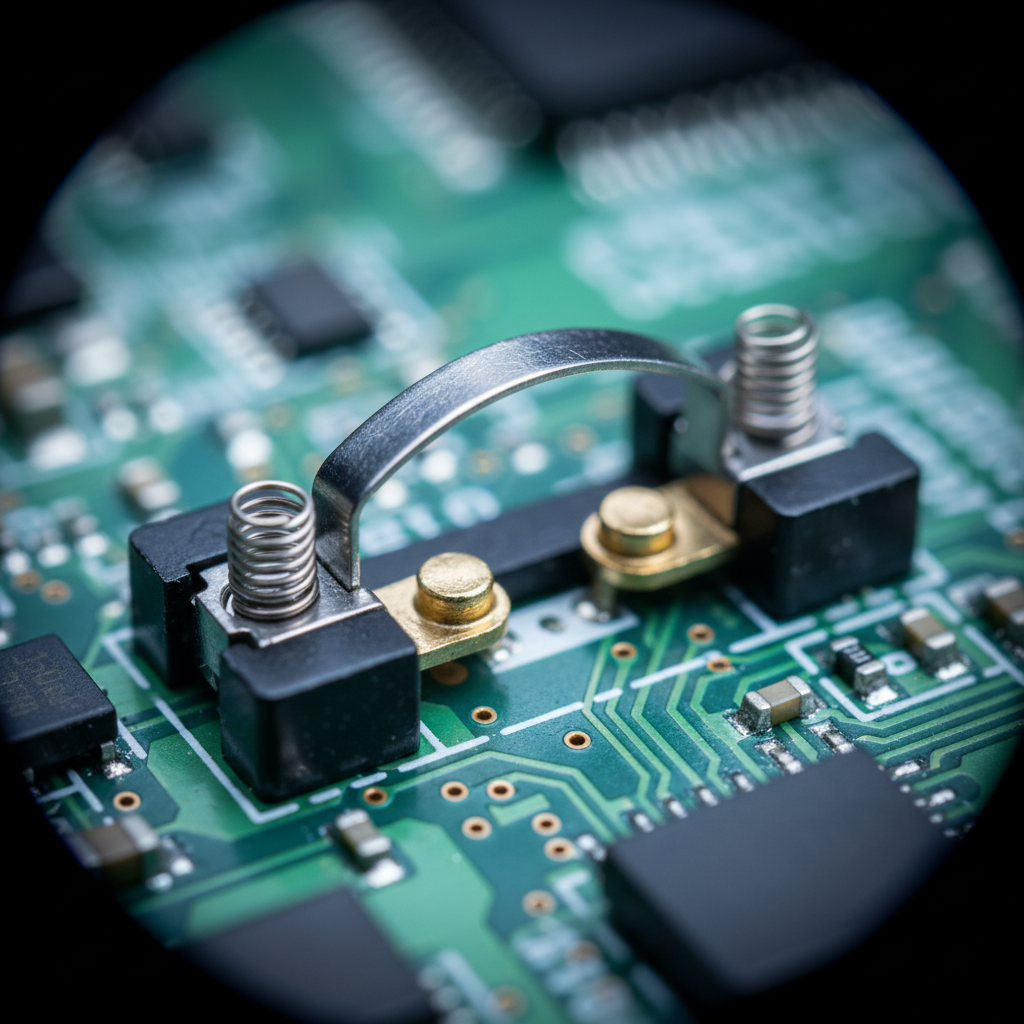
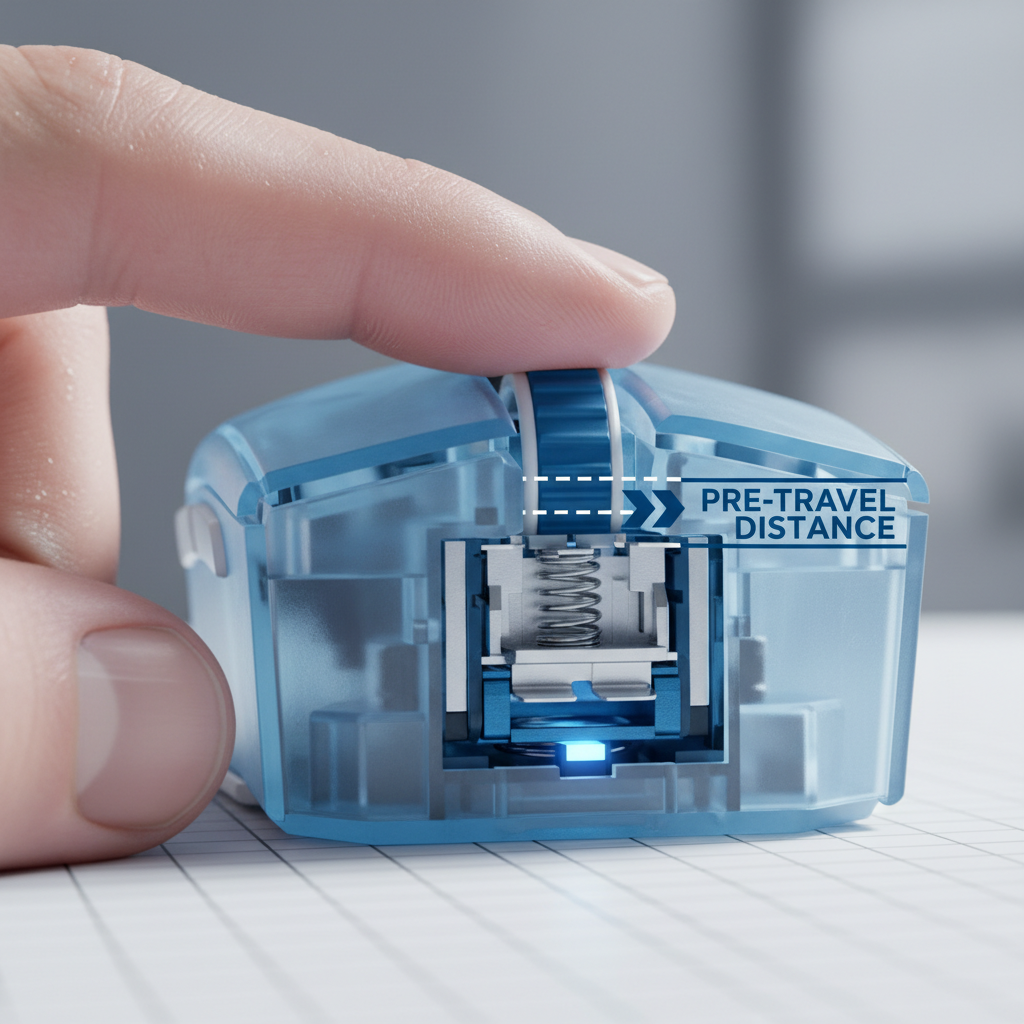
In RTS gaming, "spam-clicking" is not merely a habit but a functional necessity for maintaining unit fluidity. The mechanical bottleneck in this process is the switch's ability to return to its ready state. Actuation is the point where the electrical circuit closes; the reset point is the position the switch must return to before it can be actuated again.
Many switches designed for general gaming prioritize a distinct, tactile "click" with a pronounced tactile bump. While satisfying, this bump often necessitates a longer travel distance for the switch to reset. For an RTS practitioner, a switch with a crisp but high reset point allows for faster successive actuations. If the reset distance is too long, the finger may initiate a second press before the switch has physically reset, resulting in a "dead click" or a missed command.
Comparative Kinematics of Switch Reset
Based on our kinematic modeling of finger movement during high-APM sequences, we observe that reducing the reset distance from 0.5mm (standard mechanical) to 0.1mm (Hall Effect with Rapid Trigger) can provide a significant temporal advantage.
Logic Summary: The Hall Effect Rapid Trigger advantage is calculated using a kinematic reset-time comparison. We assume a finger lift velocity of 120mm/s.
- Mechanical Reset: 0.5mm distance / 120mm/s = ~4.17ms
- Rapid Trigger Reset: 0.1mm distance / 120mm/s = ~0.83ms
- Theoretical Delta: ~3.33ms saved per click cycle.
While a 3ms saving might seem negligible in isolation, it represents a ~2% gain relative to a 150ms human reaction time. More importantly, across a 20-minute RTS match involving thousands of clicks, this reduction in physical travel reduces the muscular effort required to clear the reset point, potentially delaying the onset of fatigue.

Firmware Optimization: Debounce Tuning and Reliability
The electrical signal generated by a mechanical switch is rarely "clean." Upon contact, the metal leaves vibrate, creating a series of rapid on-off signals known as "chatter." To prevent a single press from being registered as multiple clicks, firmware employs a "debounce" delay.
In the pursuit of minimal latency, many competitive players reduce debounce settings to the lowest possible value, sometimes as low as 0ms to 2ms. However, this introduces a critical trade-off: the risk of double-clicking errors. In an RTS context, an unintended double-click can be catastrophic, potentially misinterpreting a "move" command as a "stop" or "attack-move," or accidentally deselecting a control group.
The Double-Click Risk Factor
According to the Global Gaming Peripherals Industry Whitepaper (2026), the industry is moving toward optical and Hall Effect (magnetic) switches to solve this issue. Because these switches use light or magnetic fields rather than physical contact to register a click, they are inherently immune to mechanical chatter, allowing for true "zero-debounce" configurations without the risk of double-clicking.
For players using traditional mechanical switches, we recommend a "burn-in" period. Switches with Omron-style architecture often become lighter and more responsive after approximately 5,000 to 10,000 clicks. However, if a switch begins to feel "mushy" or registers inconsistent clicks, it is often a sign of physical wear on the leaf spring, necessitating a replacement to maintain competitive reliability.
Polling Rates and Sensor Saturation in RTS
The polling rate, or the frequency at which the mouse reports its position and click status to the PC, is a frequent point of marketing emphasis. While 1000Hz (1ms interval) has been the standard, high-performance mice now offer 4000Hz (0.25ms) and 8000Hz (0.125ms) rates.
In RTS play, the primary benefit of high polling is not necessarily the 0.875ms of saved latency between 1000Hz and 8000Hz, but rather the smoothness of cursor movement during high-speed screen panning. However, to effectively utilize an 8000Hz polling rate, the system must meet specific technical criteria:
- CPU and IRQ Processing: 8000Hz polling significantly increases the load on the CPU's Interrupt Request (IRQ) processing. This can cause frame drops in CPU-intensive RTS games if the processor cannot keep up with the 8,000 reports per second.
- Sensor Saturation: To fully saturate an 8000Hz report stream, the sensor must generate enough data points. This is a function of movement speed (IPS) and DPI. To saturate the 8000Hz bandwidth, a user must move at least 10 IPS at 800 DPI; however, at 1600 DPI, only 5 IPS is required.
- USB Topology: High-polling devices should always be connected directly to the rear I/O ports of the motherboard. Using USB hubs or front-panel headers can introduce packet loss and jitter due to shared bandwidth and inferior shielding.
Motion Sync and Latency Trade-offs
Motion Sync is a firmware feature that aligns sensor reports with the PC's USB "Start of Frame" (SOF) signal to ensure consistent data intervals. While this improves tracking smoothness, it adds a deterministic latency penalty.
Modeling Note: At 8000Hz, the Motion Sync penalty is calculated as 0.5 * polling interval.
- Polling Interval: 1000 / 8000 = 0.125ms
- Added Latency: 0.5 * 0.125 = ~0.0625ms
At 1000Hz, this penalty is ~0.5ms. Consequently, Motion Sync is highly recommended for 8000Hz setups as the latency cost is virtually imperceptible (~0.06ms) while the tracking consistency is maximized.
Ergonomics and the Physical Cost of High APM
The physical demand of sustaining high APM over 4-6 hour practice sessions is substantial. High-frequency clicking combined with the "claw" or "fingertip" grips common in RTS play can lead to significant physiological strain.
The Moore-Garg Strain Index (SI) Analysis
We modeled a high-intensity RTS scenario to assess the ergonomic risk of professional-level play. The Moore-Garg Strain Index is a validated tool for analyzing the risk of distal upper extremity disorders.
| Parameter | Value | Rationale |
|---|---|---|
| Intensity Multiplier | 2 | Moderate force for rapid clicking |
| Efforts Per Minute | 4 | APM > 300 (Very high frequency) |
| Posture Multiplier | 1.5 | Moderate wrist deviation in claw grip |
| Speed Multiplier | 2 | Very fast work speed |
| Duration Per Day | 2 | 4-6 hours of play |
| Total SI Score | 48.0 | Category: Hazardous |
Methodology & Boundary: This is a deterministic scenario model based on the Moore-Garg Strain Index (1995). A score above 5 is typically considered to have an increased risk of strain. This model is a screening tool and does not constitute a medical diagnosis.
To mitigate this "Hazardous" strain level, practitioners often employ two primary heuristics:
- Ultra-Lightweight Hardware: Reducing the mouse weight (e.g., to sub-60g) lowers the inertia that the hand must overcome for every micro-adjustment, directly reducing the "Intensity" multiplier in the strain equation.
- Low-Friction Surfaces: Pairing a lightweight mouse with a tempered glass or hardened coated mousepad reduces static and dynamic friction. This allows for effortless movement, making rapid-fire clicking less fatiguing over long durations.
Wireless Reliability and Safety Standards
The transition from wired to wireless mice in the competitive scene is now nearly complete, thanks to low-latency 2.4GHz protocols. However, wireless performance depends on battery stability and regulatory compliance.
For professional players traveling to tournaments, hardware must adhere to international safety standards. According to the IATA Lithium Battery Guidance, devices containing lithium-ion batteries must meet UN 38.3 testing requirements for safe transport. Furthermore, wireless reliability in high-interference environments (like a tournament hall with hundreds of devices) is verified through FCC (US) and ISED (Canada) certifications, which ensure the device operates within authorized radio frequency bands without causing or receiving undue interference.
Battery Runtime vs. Performance
Using high polling rates has a dramatic impact on battery life. A mouse with a 500mAh battery typically sees its runtime reduced by approximately 75% when switching from 1000Hz to 4000Hz or 8000Hz.
Modeling Note:
- 1000Hz Runtime: ~80-90 hours (Estimated)
- 4000Hz Runtime: ~22 hours (Estimated based on total current draw of ~19mA)
This suggests that for a professional 6-hour daily session, a mouse running at 4000Hz will require charging every 3 days to maintain a safe buffer.
Strategic Hardware Selection for RTS
When selecting a mouse for high-APM RTS play, the priority should be a holistic balance of switch mechanics, firmware stability, and physical weight. While marketing may emphasize DPI or polling rates, the "feel" of the reset point and the weight of the chassis are the factors that will most directly influence performance and sustainability.
- Prioritize Switches with High Reset Points: Look for Hall Effect or high-quality optical switches that allow for rapid spam-clicking without the travel distance of traditional mechanical leaves.
- Optimize for Weight and Surface: A sub-60g mouse on a low-friction surface (like a tempered glass pad) is the standard heuristic for reducing the physical exertion of micro-management.
- Verify Firmware Flexibility: Ensure the device allows for granular debounce tuning and polling rate adjustments to match your system's CPU capabilities.
By understanding the underlying mechanisms of click latency, reset kinematics, and ergonomic strain, players can move beyond marketing fluff and make informed decisions that support both their competitive goals and their long-term physical health.
Disclaimer: This article is for informational purposes only and does not constitute professional medical advice. The ergonomic models and strain indices provided are screening tools for risk assessment; individuals with pre-existing wrist or hand conditions should consult a qualified physiotherapist or medical professional before adopting high-intensity gaming routines.

Leave a comment
This site is protected by hCaptcha and the hCaptcha Privacy Policy and Terms of Service apply.