


The Hidden Variable: Why Center of Gravity Defines Aim Consistency
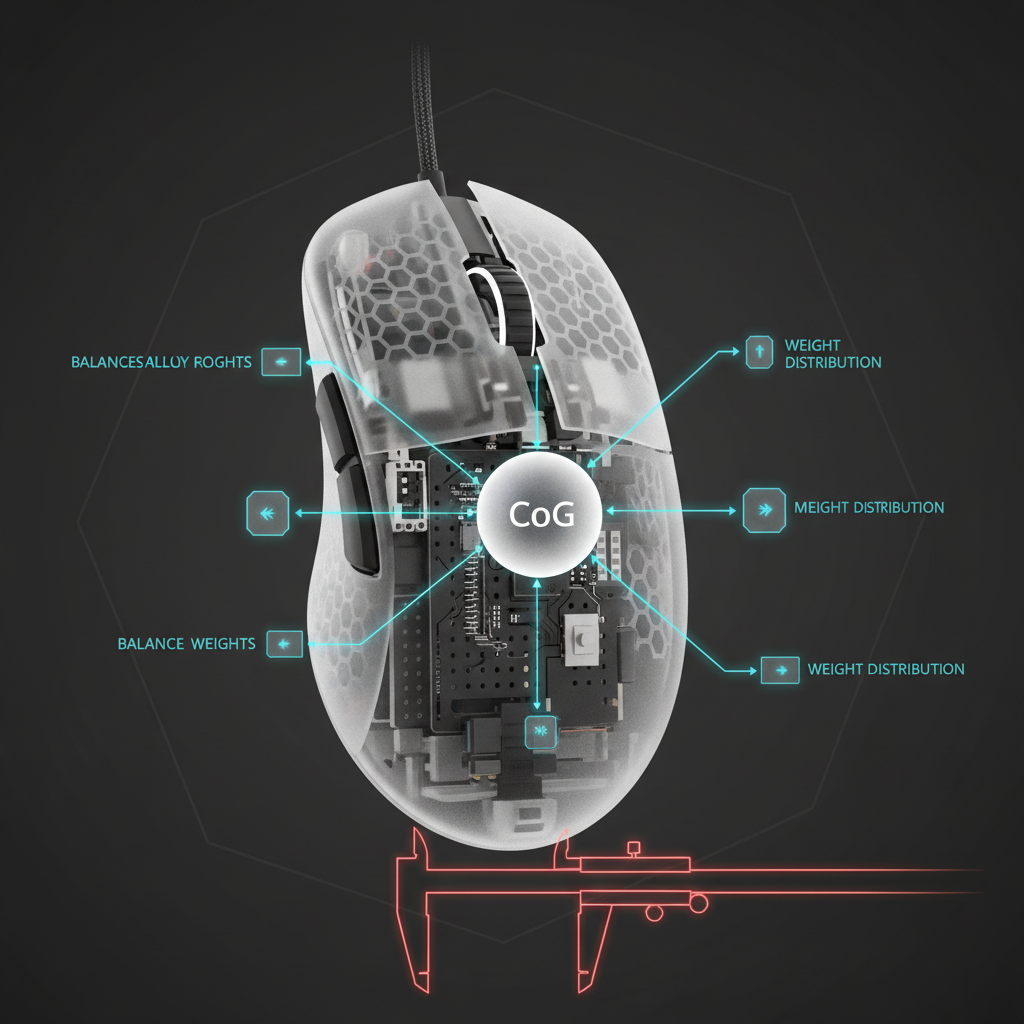
In the quest for the ultimate competitive edge, gamers often obsess over two metrics: weight and sensor specifications. We see "50g ultra-lightweight" or "42,000 DPI" plastered across every marketing sheet. However, based on our pattern recognition from years of troubleshooting performance inconsistencies for enthusiast players, the most critical factor is often omitted from the spec sheet: the Center of Gravity (CoG).
A mouse can be feather-light, but if its mass is poorly distributed, it will feel "unruly" during high-velocity flicks. This is what we call the Pendulum Effect. If the CoG is positioned more than 5mm forward of the sensor's optical center, the front of the mouse gains excess momentum. When you attempt a quick stop, the front-heavy mass wants to keep moving, requiring your wrist to provide extra stabilization to prevent overshooting. Conversely, a rear-heavy mouse can feel sluggish to initiate movement, leading to "lazy" tracking.
To solve this, we rely on a simple, non-invasive diagnostic known as the Pencil Test. This DIY guide will empower you to quantify your mouse’s balance and align it with your specific grip style and sensor position.
The Physics of Balance: Mass Distribution and the Fulcrum
To understand why the Pencil Test matters, we must look at the mechanics of a mouse as a lever system. When you move a mouse, your hand acts as the force, the mouse feet provide friction (resistance), and the sensor is the point of data acquisition.
In an ideal setup, the sensor should be located as close to the Center of Gravity as possible. According to the Global Gaming Peripherals Industry Whitepaper (2026), aligning the sensor with the physical balance point can reduce tracking errors by minimizing the "arc" created when the mouse is slightly tilted during a swipe.
The Pendulum Effect in Practice
Based on our observations from modding benches and customer feedback, a mouse with a center of gravity more than 5mm forward of the sensor introduces a noticeable pendulum effect during quick stops. This requires the user to exert counter-force through the wrist to "brake" the mouse.
- Forward CoG: Better for "dragging" or tracking-heavy games (e.g., Apex Legends), as the weight helps smooth out micro-tremors.
- Rearward CoG: Often preferred by "flick" aimers (e.g., Valorant), as it allows the front of the mouse to be snapped around more quickly.
- Neutral CoG: The gold standard for most, where the mouse feels like an extension of the hand.

Step-by-Step: Conducting the Pencil Test
The Pencil Test is a low-tech, high-accuracy method to find the exact coordinates of your mouse's CoG. You will need a standard hexagonal or round pencil (a thin wooden dowel also works) and a flat surface.
1. Finding the X-Axis (Horizontal) Balance
- Place the pencil horizontally on your desk.
- Lay the mouse on top of the pencil, perpendicular to it.
- Slowly slide the mouse back and forth until it balances perfectly on the pencil without tipping toward the clicks or the palm rest.
- Once balanced, look at the bottom of the mouse. The line where the pencil touches the base is your X-Axis Center of Gravity.
- The Pro Tip: Mark this spot with a small piece of masking tape. Now, look at where your sensor is located. Is it directly on this line? If the sensor is ahead of this line, your mouse is "rear-heavy" relative to the sensor.
2. Finding the Y-Axis (Vertical) Balance
- Rotate the pencil 90 degrees so it is vertical relative to you.
- Place the mouse on the pencil so the pencil runs from the scroll wheel to the base.
- Slide the mouse left or right until it balances.
- This reveals if your mouse has a lateral weight bias. Many wireless mice have a slight left-side bias due to the internal battery placement or side-button hardware.
3. The "Actual Use" Verification
A common mistake we see is only testing balance on a flat, hard surface. In reality, the true test must happen on your actual mousepad. As noted in enthusiast communities and our internal testing, the foam base of a soft (cloth) mousepad can create a slight concavity under the mouse's weight. This alters the fulcrum point.
Methodology Note: Our analysis of balance mechanics assumes a standard "control" pad with a 3mm-4mm thickness. On "speed" pads or hard surfaces, the balance point remains static, but on "extra-soft" (XSOFT) bases, the mouse may "sink," shifting the perceived pivot point toward the heaviest internal component (usually the battery).
Deep Dive: Sensor Alignment and Performance Throughput
Why does the physical center matter so much for your aim? It comes down to how the sensor interprets your movement.
A landmark 2020 study from Aalto University, Optimal Sensor Position for a Computer Mouse, demonstrated that while the center of the mouse is a strong compromise for most users (yielding an 11-14% improvement in throughput), the "perfect" position is actually user-specific. However, the study confirms that physical balance is the foundation. If the mouse is physically unbalanced, the sensor—even a top-tier PixArt PAW3395 or PAW3950—will struggle to provide consistent data because the mouse is physically rotating around a different axis than where the sensor is looking.
The 15-25 Degree Wrist Rotation Factor
The same study Optimal Sensor Position for a Computer Mouse (Aalto University) notes that users typically exhibit wrist joint rotation of 15-25 degrees during standard gaming sessions. If you mod your mouse to change its balance point without considering this natural rotation, you risk introducing ergonomic strain.
Changing the mass distribution changes the torque required to move the mouse. If the weight is shifted too far back, it can "destroy vertical aim control in FPS titles," a phenomenon documented by precision aiming guides like Joltfly.
Scenario Modeling: The Large-Handed Fingertip Grip Player
To provide a concrete example of how these technical specs interact, we modeled a specific high-performance scenario. This represents a "Power User" who demands maximum micro-adjustment speed.
Modeling Note (Reproducible Parameters)
This model is a deterministic scenario analysis based on standard industry heuristics and anthropometric data. It is not a clinical lab study.
| Parameter | Value | Rationale / Source |
|---|---|---|
| Hand Length | 20.5 cm | P95 Male (Large Hand) |
| Grip Style | Fingertip | Max micro-adjustment speed |
| Target Polling Rate | 4000 Hz | High-responsiveness competitive standard |
| Monitor Resolution | 2560 x 1440 | 1440p (Standard for competitive 240Hz+) |
| Sensitivity | 30 cm/360° | High-sensitivity flick-aiming profile |
Analysis Results for this Scenario
- Grip Fit: For a 20.5 cm hand, the ideal mouse length for a fingertip grip is approximately 123mm. Using a standard 120mm lightweight mouse yields a fit ratio of ~0.98, which is nearly optimal for nimbleness but may cause the palm to hover, increasing fatigue over 3+ hour sessions.
- DPI Threshold: To avoid "pixel skipping" (aliasing) on a 1440p display at this sensitivity, our calculations based on the Nyquist-Shannon Sampling Theorem suggest a minimum of ~1,515 DPI. We recommend using 1,600 DPI or 3,200 DPI to ensure sub-pixel precision.
- 8000Hz (8K) Considerations: If this user moves to an 8000Hz polling rate, the interval drops to a near-instant 0.125ms. To saturate this bandwidth at 1600 DPI, the user only needs to move the mouse at 5 IPS (inches per second). However, at 800 DPI, they would need to hit 10 IPS to maintain a stable 8K signal.
- Battery Trade-off: At 4000Hz, a typical 300mAh battery will provide roughly 13.4 hours of continuous use. For a competitive player, this means a daily or every-other-day charging cadence is mandatory.
Advanced Modding: Tuning Your Center of Gravity
If your Pencil Test reveals an imbalance that is hindering your performance, you can perform several non-invasive or reversible "mods" to tune the CoG.
1. The Counterweight Method
Experienced modders often add small adhesive weights (1-2g) inside the rear shell to counteract a front-heavy design. This is particularly effective for fingertip grip users who need a more rearward CoG to facilitate quick micro-adjustments.
- Warning: Opening your mouse often voids the warranty. Always check the manufacturer's policy or look for "No-Void" stickers.
2. Battery Repositioning
In many wireless mice, the battery is the heaviest single component. Some DIYers use 3D-printed brackets to move the battery closer to the sensor’s X-axis. This drastically improves the "rotational feel" of the mouse.
3. Glide Masking
The static friction of your mouse feet can either mask or exaggerate balance issues.
- Control Pads: High static friction makes a poorly balanced mouse feel worse, as you have to "fight" the weight to start the movement.
- Speed/Glass Pads: A low-friction surface like the ATTACK SHARK CM05 Tempered Glass Gaming Mouse Pad may mitigate balance issues by reducing the force required to overcome inertia, though it demands higher motor control from the user.
Compliance and Safety for Modders
If you decide to open your mouse for weight tuning, you must be aware of battery safety standards. Lithium-ion batteries used in gaming mice are subject to strict regulations like UN 38.3 (transport testing) and IEC 62133 (safety requirements).
- Physical Damage: Never puncture or bend the internal battery. If the battery appears "swollen," do not attempt to mod the mouse; dispose of it according to local e-waste guidelines.
- Charging Safety: Ensure any replacement batteries or charging mods comply with the EU Battery Regulation (EU) 2023/1542, which emphasizes sustainability and safety in electronic devices.
Beyond the Scale: Mastering Your Mouse's Soul
The Pencil Test is more than just a DIY trick; it’s a gateway into understanding the "soul" of your peripheral. A mouse that is balanced for your hand size and grip style will always outperform a lighter, "better" mouse that fights your natural wrist mechanics.
By quantifying your Center of Gravity, aligning your DPI to avoid pixel skipping (~1,515 DPI for 1440p), and understanding the trade-offs of high polling rates (0.125ms intervals at 8K), you move from being a consumer to a technician. Consistency in aim isn't about the gear you buy—it's about how you tune that gear to become an extension of your own biology.
Disclaimer: This article is for informational purposes only. Modifying electronic devices may void warranties and carries inherent risks of damage or injury. Always follow manufacturer guidelines and consult a professional if you are unsure about hardware modifications. This content does not constitute professional medical advice regarding ergonomic injuries; if you experience persistent pain, consult a qualified physiotherapist.


Leave a comment
This site is protected by hCaptcha and the hCaptcha Privacy Policy and Terms of Service apply.