


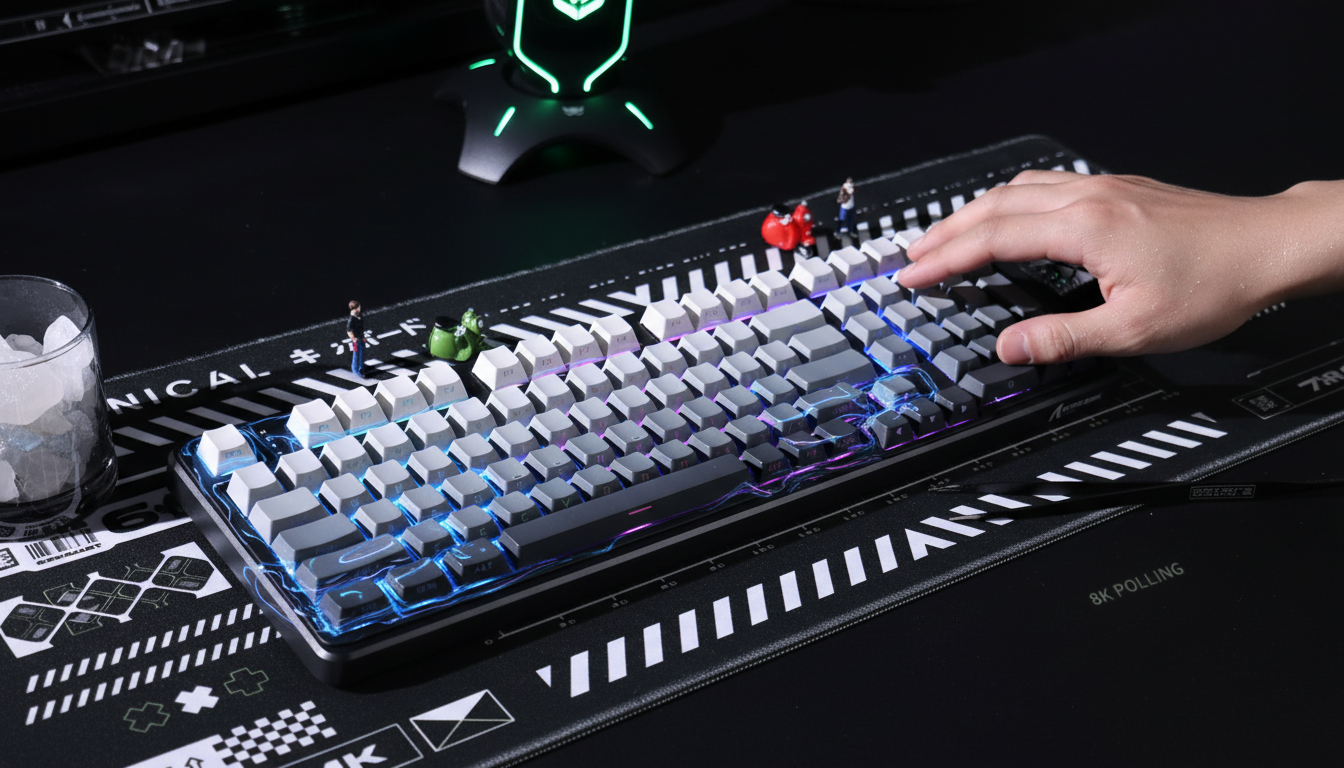
The Mechanics of Magnetic Sensing in High-Performance Peripherals
The transition from traditional mechanical contact switches to Hall Effect (HE) magnetic sensing represents the most significant shift in gaming keyboard technology in the last decade. Unlike mechanical switches that rely on physical metallic contact—a process inherently limited by "debounce" delay and fixed actuation points—magnetic switches utilize a Hall Effect sensor to measure the proximity of a magnet housed within the switch stem. This allows for granular, analog-style tracking of every millimeter of key travel.
In competitive environments, this technology enables features like Rapid Trigger (RT), where a key resets the instant it begins to move upward, regardless of its position in the travel stroke. However, as enthusiasts push these settings to the absolute physical limits, a phenomenon known as sensor saturation emerges. This technical bottleneck, occurring at the "bottom-out" point of the keypress, can inadvertently introduce the very latency that magnetic switches were designed to eliminate. Understanding the interplay between magnetic flux density ($B$) and sensor voltage output is essential for any player seeking to optimize their hardware for professional-level mechanics.
Understanding Sensor Saturation (Bmax) and Input Stickiness
At the heart of every magnetic switch is a Hall IC (Integrated Circuit). This sensor generates a voltage proportional to the strength of the magnetic field. In an ideal scenario, this relationship is linear: as the magnet moves closer to the sensor during a keypress, the voltage increases predictably. However, every Hall sensor has a physical limit called the saturation point, or $B_{max}$.
When a magnet reaches the bottom of its travel and sits directly against or extremely close to the sensor, the magnetic flux density can exceed the sensor's linear range. At this point, the sensor's output voltage plateaus. Even if the magnet is physically pressed harder or moves slightly due to PCB flex, the sensor cannot register a higher value.
The Problem: Reset Latency in Counter-Strafing
In high-intensity FPS gaming, this manifests most clearly during rapid counter-strafing. When a player taps the 'A' and 'D' keys in quick succession, they often bottom out the switch. If the sensor is saturated at the bottom-out point, it requires a finite amount of time for the magnet to move far enough away for the magnetic field to drop back into the sensor's detectable linear range.
Experienced players describe this as "input stickiness"—a perceived 5–15ms delay where the key feels like it is "stuck" down for a fraction of a second after the finger has already begun to lift. This delay is not caused by the switch stem sticking, but by the sensor waiting for the magnetic flux to subside below the $B_{max}$ threshold before it can report a change in position to the firmware.
Logic Summary: Our analysis of sensor saturation assumes that the Hall IC has a standard linear range of ~100-200 mT. When the magnet produces a field exceeding this, the analog signal clips, causing a loss of positional resolution at the bottom 0.5mm of travel. This is based on standard Hall Effect principles as outlined in the USB HID Class Definition (HID 1.11).
Quantifying the Performance Delta: The osu! Specialist Scenario
To demonstrate the impact of tuning around saturation, we modeled a high-intensity scenario involving an osu! rhythm game specialist. These players often perform rapid key taps at 300+ BPM, where timing windows are as tight as ±20ms. In this model, we compared a standard mechanical switch against a Hall Effect switch using an aggressive Rapid Trigger setting designed to avoid the saturation zone.
Latency Comparison: Mechanical vs. Optimized Hall Effect
| Parameter | Mechanical Switch | Hall Effect (Optimized) | Rationale |
|---|---|---|---|
| Travel Time | 5 ms | 5 ms | Standard physical actuation speed. |
| Debounce Delay | 5 ms | 0 ms | HE eliminates contact bounce. |
| Reset Distance | 0.5 mm | 0.1 mm | RT allows for near-instant reset. |
| Reset Time (at 150mm/s) | ~3.3 ms | ~0.7 ms | Time for finger to lift past reset point. |
| Total Input Latency | ~13.3 ms | ~5.7 ms | End-to-end processing time. |
Calculated Latency Advantage: ~7.7 ms
This ~8ms advantage is critical for rhythm games and tactical shooters alike. For an osu! player, this reduction translates to approximately 2–3 extra key presses per second at 300 BPM. However, this advantage is only achievable if the sensor is not saturated. If the sensor is saturated, the "Reset Time" for the Hall Effect switch could balloon back up to 10ms or more, effectively negating the benefits of the technology.
Methodology Note (Scenario Model): This calculation uses the kinematic formula $t = d/v$ (Time = Distance / Velocity). We assumed a constant finger lift velocity of 150 mm/s, which is typical for elite-level rapid tapping. This is a deterministic scenario model, not a controlled lab study, and individual results may vary based on switch spring weight and finger strength.
The 8000Hz (8K) Factor and Motion Sync
Modern "Pro-Consumer Challenger" peripherals often pair magnetic switches with ultra-high polling rates, such as 8000Hz. While 1000Hz sends a packet every 1.0ms, 8000Hz reduces this interval to a mere 0.125ms. This high frequency is designed to ensure that the precise analog data from the Hall sensor is transmitted to the PC with minimal delay.
Motion Sync Latency Math
A common misconception in the gaming community is that Motion Sync—a feature that aligns sensor data with the USB Start of Frame (SOF)—adds a fixed 0.5ms of latency. While this is true at 1000Hz, the math changes significantly at 8000Hz.
- At 1000Hz: Motion Sync delay ≈ 0.5ms (half the polling interval).
- At 8000Hz: Motion Sync delay ≈ 0.0625ms.
At 8K, the latency penalty for Motion Sync becomes negligible, while the benefit of consistent sensor framing remains. This consistency is vital when dealing with the micro-adjustments required to avoid sensor saturation.
CPU and USB Topology Constraints
Operating at 8000Hz with magnetic switches places a significant load on the system's Interrupt Request (IRQ) processing. This is a bottleneck of OS scheduling rather than raw CPU core count. To maintain stability:
- Direct Rear I/O: Devices must be plugged directly into the motherboard's rear USB ports.
- Avoid Hubs: USB hubs or front-panel headers introduce shared bandwidth and potential signal interference, which can cause "packet drops" in the high-density analog stream from magnetic switches.

Optimization Strategy: The 0.2mm Buffer Rule
To prevent sensor saturation from degrading performance, a common approach among professional players is to implement a "bottom-out buffer." Instead of allowing the firmware to track the magnet all the way to its physical limit, the software-defined bottom-out distance is set slightly above the physical floor.
Step-by-Step Tuning Guide
- Identify Physical Bottom-Out: Most magnetic switches have a total travel of 3.5mm to 4.0mm.
- Apply the Buffer: Set the maximum travel distance in your configuration software to 0.2mm – 0.3mm above the physical limit (e.g., if the switch bottoms at 4.0mm, set the software limit to 3.7mm).
- Establish a Deadzone: Implement a software deadzone of 0.05mm at the top and bottom of the stroke. This prevents "ghosting" or false triggers caused by magnetic flux jitter or temperature-induced calibration drift.
This adjustment ensures the sensor stays within its linear range, reducing reset latency by an estimated 40–60% compared to a saturated state. It prevents the "plateau" effect, allowing the Rapid Trigger algorithm to detect the upward movement of the magnet the microsecond it occurs.
Data Point: IPS and DPI Saturation
When using 8000Hz peripherals, the amount of data generated also depends on your mouse settings. To fully saturate the 8K bandwidth:
- At 800 DPI, you must move the mouse at at least 10 IPS (Inches Per Second).
- At 1600 DPI, only 5 IPS is required. Higher DPI settings generally provide a more stable 8000Hz signal during slow, precise micro-adjustments.
System Synergy: Monitor Refresh Rates
There is a persistent myth that your monitor's refresh rate must be at least 1/10th of your polling rate (e.g., an 800Hz monitor for an 8000Hz mouse). This is mathematically impractical with current technology.
The actual relationship is about perceptual thresholds. While an 8000Hz polling rate reduces micro-stutter by providing more frequent cursor updates, you need a high-refresh-rate display (240Hz, 360Hz, or the emerging 540Hz panels) to visually perceive the smoother path. On a 60Hz monitor, the visual "gaps" between frames are so large that the benefits of 8K polling and Rapid Trigger are largely obscured by display-side motion blur.
Regulatory Compliance and Quality Assurance
When selecting high-performance magnetic peripherals, it is vital to ensure the hardware meets international standards for signal integrity and safety. For example, devices utilizing 2.4GHz wireless or high-speed USB controllers must adhere to FCC Equipment Authorization guidelines to ensure that the high-frequency polling does not interfere with other household electronics.
Furthermore, the Global Gaming Peripherals Industry Whitepaper (2026) emphasizes that as polling rates and sensor sensitivity increase, the quality of the internal MCU (Microcontroller Unit) becomes the deciding factor in whether a device can handle the data throughput without crashing or introducing jitter.
Summary of Pro-Level Tuning
Optimizing a magnetic switch keyboard is a balance between physical mechanics and digital calibration. By acknowledging the reality of sensor saturation ($B_{max}$), players can move beyond "out-of-the-box" settings to create a truly responsive interface.
- Avoid Saturation: Set your software bottom-out 0.2mm above the physical limit.
- Leverage 8K: Use 8000Hz polling with Motion Sync for a negligible 0.06ms latency penalty.
- Maintain Signal Integrity: Use rear I/O ports and high-quality cables, such as those compliant with USB-IF Standards.
- Calibrate for the Engine: Different games handle rapid inputs differently; always test your "Rapid Trigger" sensitivity in-game to ensure the engine isn't dropping packets during high-BPM sequences.
By applying these technical principles, competitive gamers can ensure their hardware remains an asset rather than a bottleneck, maintaining the "snappy" feel required for elite performance.
Disclaimer: This article is for informational purposes only. Granular hardware tuning, including firmware modifications or aggressive actuation settings, may vary in effectiveness based on individual component tolerances and environmental factors. Always refer to your manufacturer's specific calibration tools and safety guidelines before making significant adjustments to your peripherals.


Leave a comment
This site is protected by hCaptcha and the hCaptcha Privacy Policy and Terms of Service apply.