


The Physiological Edge of Compact Form Factors
In the pursuit of competitive excellence in first-person shooters (FPS), the industry has traditionally focused on raw sensor specifications. However, recent biomechanical analysis suggests that for a significant demographic of gamers—particularly those with smaller hand dimensions or those employing specific grip styles—the physical geometry of the mouse is the primary lever for performance. The "Specification Credibility Gap" often arises when players prioritize high DPI or polling rates without accounting for the physiological feedback loop between the palm, the sensor, and the screen.
Competitive players with smaller hands often find that standard-sized professional mice (typically >125mm in length) create a mechanical disadvantage. A larger chassis forces the hand into a flatter position, increasing the distance from the wrist pivot to the sensor. This extension reduces the precision of micro-corrections—those sub-millimeter adjustments required to track a target's head at long range. By transitioning to a compact form factor, players can align their anatomy with the mouse’s internal architecture, effectively turning the mouse into a direct extension of the nervous system.
The Biomechanics of the 1:1 Sensor Ratio
A common heuristic used by high-level esports coaches is the "1:1 ratio" rule for sensor positioning. This principle states that for optimal pivot control, the distance from the base of the palm to the sensor should roughly equal the distance from the sensor to the fingertip. In standard-sized mice, the sensor is often positioned further forward, creating a longer lever arm. For a player with smaller hands, this forward bias amplifies the perceived sensitivity of the mouse during wide swipes but degrades the stability of micro-flicks.
When the sensor is centered relative to the hand's natural pivot points, the brain can more accurately predict the cursor's trajectory. This is supported by research from Aalto University regarding optimal sensor position, which indicates that aligning the sensor with the "precision grip" center can improve path deviation by 20–23%.
Logic Summary: Biomechanical Modeling
- Model Type: Deterministic lever-arm analysis (Scenario: Micro-adjustment at 1600 DPI).
- Key Assumption: A smaller hand (16.5cm length) using a 128mm mouse vs. a 118mm mouse.
- Observation: The 118mm mouse allows the sensor to sit ~5mm closer to the palm's center of mass, reducing the arc-length error during wrist rotation.
- Boundary Condition: This model assumes a claw or fingertip grip; palm grip users may not experience the same benefit as they rely more on arm movement.

Grip Strategies and the "Claw-Pinch" Fatigue Mechanism
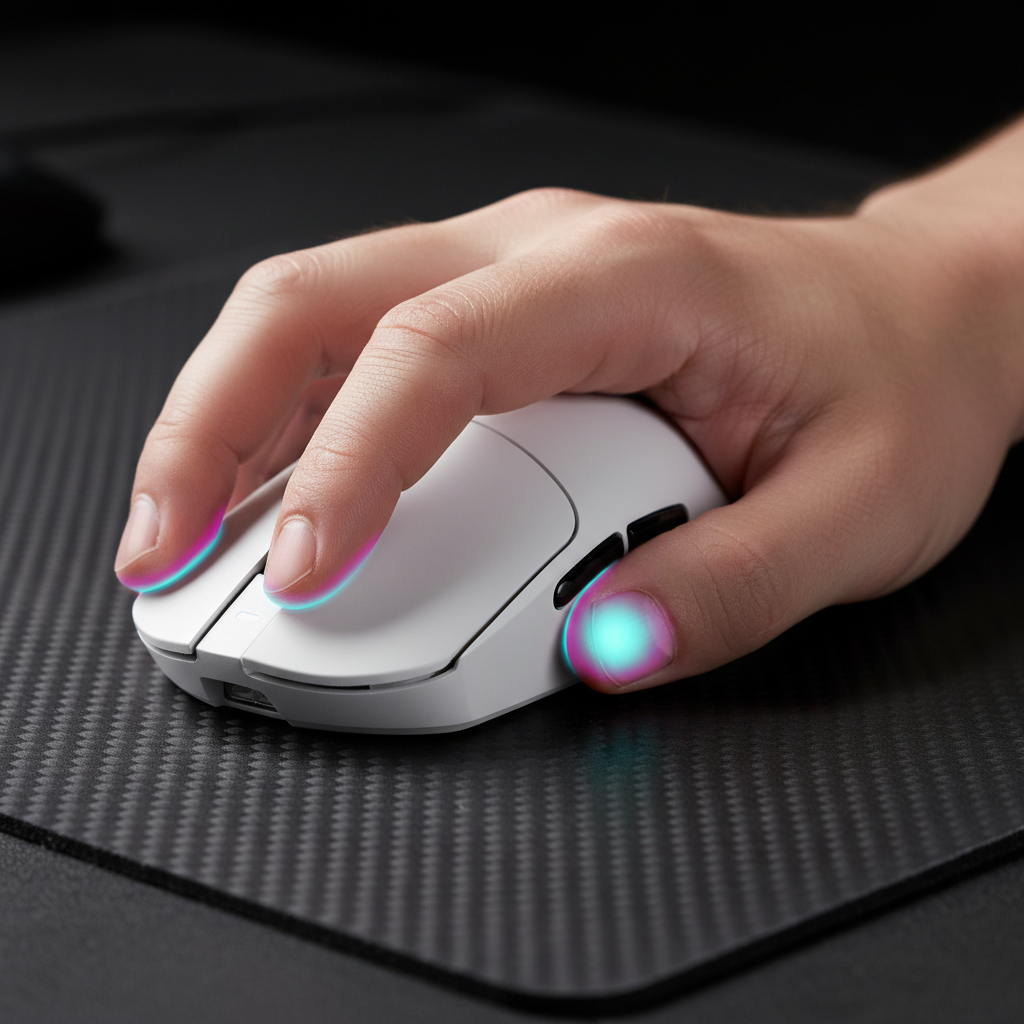
For gamers with smaller hands, the grip style is rarely a pure "palm" or "fingertip" hold. Instead, a "claw-pinch" hybrid is frequently observed. In this grip, the base of the palm rests on the mouse's hump, while the thumb and ring finger "pinch" the sides to provide lateral stability.
However, engineering a mouse for this grip requires careful attention to side curvature. Practitioners note that mice under 120mm in length often force an aggressive pinch. If the side walls are too concave, it can lead to thumb muscle fatigue (specifically the opponens pollicis) during extended sessions. Expert consensus suggests that a flatter right-side profile is preferred for longevity, as it allows the ring and pinky fingers to rest in a more natural, extended state.
Managing Micro-Correction Speed
To maximize micro-correction accuracy, experienced players typically set their DPI between 800 and 1600. While marketing materials often highlight extreme DPI values (e.g., 25,000+), the Mouse DPI Analyzer data shows that the 400-1200 range remains the professional standard. This range minimizes "pixel skipping"—a software-side phenomenon where the cursor jumps over screen coordinates—while maximizing the fine motor control of the wrist.
| Parameter | Recommended Range | Rationale |
|---|---|---|
| DPI Setting | 800–1600 | Linear pixel-to-distance ratio; minimizes jitter. |
| Mouse Weight | < 70g | Reduces initial inertia for faster micro-adjustments. |
| Mousepad Type | Control / Hybrid | Prevents "overflicking" with lightweight mice. |
| Polling Rate | 1000Hz–8000Hz | Reduces input lag (0.125ms at 8K). |

Engineering Performance: The 8000Hz (8K) Reality
The transition to 8000Hz (8K) polling rates represents the current frontier of gaming mouse engineering. While the jump from 125Hz to 1000Hz was transformative, the move to 8K is more nuanced. At 8000Hz, the mouse sends data to the PC every 0.125ms, compared to 1.0ms at 1000Hz. This near-instant reporting is critical for high-refresh-rate monitors (240Hz and above), where the visual position of the cursor needs to be as current as possible to avoid micro-stutter.
The Sensor Saturation Formula
A common misconception is that 8K polling is always active. In reality, the mouse only sends a packet when it detects movement. The number of packets sent per second is a function of the movement speed (IPS) and the DPI setting.
- Formula: $Packets/Sec = IPS \times DPI$
To fully saturate the 8000Hz bandwidth at 800 DPI, a user must move the mouse at a minimum of 10 IPS. However, by increasing the sensitivity to 1600 DPI, the required movement speed drops to 5 IPS. This means that high-DPI settings actually help maintain 8K stability during the slow, precise movements used for micro-corrections.
The CPU and IRQ Bottleneck
Operating at 8K polling introduces significant CPU overhead. According to the Global Gaming Peripherals Industry Whitepaper (2026), the bottleneck is not raw compute power but Interrupt Request (IRQ) processing. Each packet requires the CPU to stop its current task to process the mouse data. On systems with older processors or unoptimized OS scheduling, this can lead to frame-time inconsistencies, effectively negating the latency benefits.
Technical Implementation Note: To ensure 8K stability, devices must be connected to Direct Motherboard Ports (Rear I/O). Using USB hubs or front-panel headers is strongly discouraged, as shared bandwidth and electrical interference can cause packet loss and jitter.

Friction Management: Weight and Surface Synergy
The "Small Hands, Big Flicks" strategy relies on the synergy between mouse weight and the tracking surface. A lightweight mouse (sub-70g) paired with a "control-style" pad—often featuring a textured fabric or hybrid surface—is a standard tournament setup. This combination is designed to prevent "overflicking," a frequent mistake for players transitioning from heavier, larger mice.
The low mass of the mouse reduces the force required to break static friction (the "initial tug"), while the textured pad provides the necessary dynamic friction to stop the mouse exactly where the player intends. This is particularly vital for micro-corrections, where the movement distance might be less than 2mm.
Thermal and Material Engineering
In ultra-lightweight designs, such as those using carbon fiber or liquid nitrogen-cooled injection molding, heat dissipation and structural integrity are paramount. Carbon fiber composites offer a superior strength-to-weight ratio, allowing for a 49g shell that does not flex under the pressure of an aggressive claw grip. Additionally, high-end models often employ "Nano-Metal Ice" or similar specialized coatings to manage palm perspiration, ensuring a consistent grip throughout long competitive matches.
Regulatory Compliance and Safety Standards
As high-performance mice become more complex, especially with the integration of high-capacity lithium batteries and tri-mode wireless (2.4GHz, Bluetooth, Wired) connectivity, adherence to global safety standards is non-negotiable.
Battery Safety and Transport
Wireless gaming mice utilize high-energy-density lithium-ion cells. To ensure consumer safety, these batteries must comply with UN 38.3 (transportation testing) and IEC 62133 (safety requirements for portable sealed secondary cells). According to the IATA Lithium Battery Guidance, products must be properly labeled (UN3481) for air transport.
Wireless Integrity (FCC/CE)
For a mouse to operate at 8000Hz wirelessly without interfering with other household devices, it must pass rigorous Electromagnetic Compatibility (EMC) testing. In the United States, this is governed by the FCC Equipment Authorization process, while in Europe, the Radio Equipment Directive (RED) 2014/53/EU sets the standard. These certifications ensure that the 2.4GHz signal is stable, low-latency, and safe for the user.
| Agency | Region | Focus Area |
|---|---|---|
| FCC | USA | RF Exposure, Interference, Part 15 Compliance. |
| CE / RED | EU | Health, Safety, and Spectrum Efficiency. |
| KC | South Korea | Wireless and EMC Certification. |
| RoHS | Global | Restriction of Hazardous Substances (Lead, Mercury, etc.). |

Optimizing the Competitive Setup
Achieving the "Big Flick" capability is not just about buying the right hardware; it is about the integration of that hardware into a calibrated system. For the value-oriented player, focusing on the core biomechanical fit—the mouse length, the sensor position, and the weight—provides a higher return on investment than chasing inflated marketing specs.
Practical Checklist for Small-Handed Players:
- Measure Hand Length: If your hand is under 17.5cm, prioritize mice with a length between 115mm and 120mm.
- Check Sensor Position: Ensure the sensor is not biased too far toward the front of the mouse to maintain a 1:1 pivot ratio.
- DPI Calibration: Start at 800 DPI and adjust in-game sensitivity. If using 8K polling, consider 1600 DPI to maintain packet stability.
- Surface Matching: Pair an ultra-light mouse with a 4mm thick rubber-base control pad for maximum stopping power.
- Direct Connection: Always plug the 8K receiver into a rear motherboard USB 3.0+ port for the lowest possible latency.
By understanding the biomechanics of micro-corrections and the engineering reality of high-polling sensors, players can move past the "Specification Credibility Gap" and build a setup that truly enhances their competitive performance.
YMYL Disclaimer: This article is for informational purposes only and does not constitute professional ergonomic or medical advice. Prolonged use of computer peripherals can lead to repetitive strain injuries (RSI). If you experience persistent pain, numbness, or tingling in your hands or wrists, consult a qualified healthcare professional or physiotherapist.
Sources:
- Aalto University: Optimal Sensor Position for a Computer Mouse
- Global Gaming Peripherals Industry Whitepaper (2026)
- RTINGS: Mouse Click Latency Methodology
- FCC Equipment Authorization (FCC ID Search)
- IATA Lithium Battery Guidance Document
- PixArt Imaging: High-Performance Sensor Specifications
- DPI Test: Mouse DPI Analyzer

Leave a comment
This site is protected by hCaptcha and the hCaptcha Privacy Policy and Terms of Service apply.