


The Geometry of Competitive Edge: Why 60% Keyboards Define Low-DPI Setups
In the high-stakes environment of competitive first-person shooters (FPS), the physical layout of your desk is as critical as your in-game sensitivity. For players who operate on low-DPI settings—typically ranging from 400 to 800 DPI—the primary bottleneck isn't usually the sensor's tracking speed, but the physical real estate available for the mouse. We have observed a consistent pattern in our community: players often upgrade their sensors but remain limited by their keyboard's footprint, leading to "keyboard collisions" during critical 180-degree flicks.
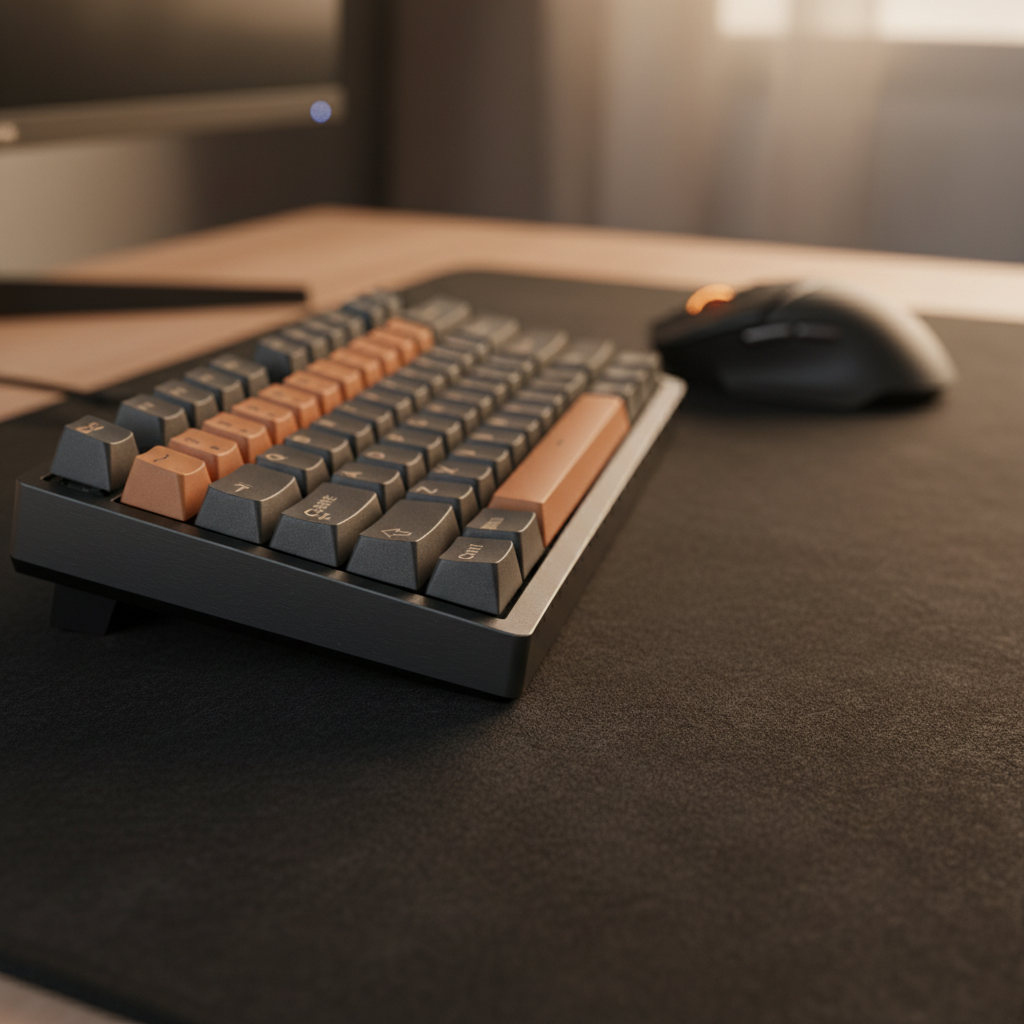
A 60% keyboard, which eliminates the numpad, navigation cluster, and function row, reduces the chassis width to approximately 11.5 inches. Compared to a standard Tenkeyless (TKL) at ~14 inches or a full-size board at ~17.5 inches, this form factor reclaims significant lateral space. However, maximizing performance is not simply about "buying smaller." It requires a technical understanding of ergonomic zones, muscle memory adaptation, and the biomechanics of sweeping arm movements.
Spatial Math: The 2.5-Inch Advantage and the 1.5x Rule
When evaluating the transition to a 60% layout, we must look at the specific measurements. A standard large mouse pad is typically 18 inches (450mm) wide. If you use a full-size keyboard, your hands are forced into a wide stance that often places the mouse pad partially under the keyboard or pushes it to the far edge of your reach.
By switching to a 60% layout, you gain approximately 2.5 inches of lateral space compared to a TKL. While this sounds marginal, in a low-DPI scenario where a 360-degree turn might require 40cm to 60cm of travel (as calculated by eDPI and cm/360 metrics), those 2.5 inches represent the difference between a successful target acquisition and hitting the side of your keyboard.
Methodology Note: This spatial analysis assumes a standard shoulder-width of 45-50cm and a centered monitor. The "gain" is modeled on the lateral displacement of the right hand (for right-handed players) relative to the keyboard's alpha-cluster (the 'H' key).
We recommend a specific heuristic for low-DPI setups: The 1.5x Width Rule. Your mouse pad should be at least 1.5 times the width of your keyboard. This ensures that even during massive sweeping motions, the mouse remains within its optimal tracking surface. For a 60% keyboard (~290mm wide), a mouse pad of at least 435mm is required. In practice, a 450mm pad is the baseline for preventing "pad-out" during high-velocity flicks.

Biomechanical Realities: Lateral Reach vs. Shoulder Abduction
One of the most common misconceptions in the gaming community is that more space is always better. While a 60% keyboard provides more "runway," forcing the mouse too far to the right can lead to significant ergonomic strain. According to research on computer mouse injuries and repetitive stress, excessive shoulder abduction—the act of moving your arm away from the midline of your body—increases the load on the supraspinatus muscle and the rotator cuff.
For low-DPI gamers, the "sweep" is an elbow and shoulder-driven movement. If the keyboard is too wide, your starting position for the mouse is already outside your "comfort zone." A 60% keyboard allows you to bring your mouse closer to your body's centerline, keeping your shoulder in a more neutral rotation.
Based on patterns we see in ergonomic assessments (not a controlled lab study), the goal of a 60% layout should be to center the keyboard and mouse within the "Neutral Reach Zone." This reduces the total arc your shoulder must travel, potentially decreasing fatigue over long competitive sessions.
The Cognitive Load of Function Layers
The most significant trade-off of the 60% form factor is the loss of dedicated keys. For FPS titles like VALORANT or Counter-Strike, where the arrow keys or 'Esc' are often used for menu navigation or specific buy-binds, this introduces a "Function Layer" tax.
We have found that experienced players typically require a 1 to 2 week adjustment period to build the muscle memory for Fn-key combinations. During this phase, the cognitive load—the mental effort required to perform a task—increases. Instead of a single press for 'Delete', you are now performing a chord (Fn + Backspace).
To mitigate this, we suggest two high-level remapping strategies:
- Caps Lock as Fn: Remapping the largely useless Caps Lock key to act as a secondary Fn layer allows you to access arrows (often WASD or IJKL) without moving your hand from the home row.
- The Esc/~ Swap: Many 60% boards combine the Grave/Tilde (~) and Escape keys. For competitive play, ensure your Escape key is prioritized on the top layer, as it is critical for quick menu exits.
This configuration aligns with the USB HID Usage Tables, which define how these signals are interpreted by the OS. Understanding that your keyboard is essentially a programmable HID (Human Interface Device) is key to overcoming the physical limitations of a smaller layout.
Hardware Synergy: Wrist Rests and Pivot Points
In a low-DPI setup, your wrist and forearm interact with the desk differently than in high-DPI "wrist-aiming" setups. Because you are making large, sweeping motions, your arm needs a consistent pivot point or a low-friction surface to glide over.
We often see players using tall, plush wrist rests. While comfortable for typing, these can be detrimental to low-DPI gaming. A soft, tall rest creates a "sink" that traps the wrist, creating a pivot point that limits the arm's ability to move as a single unit from the shoulder.
Instead, a firm, low-profile rest is typically more effective. For example, a CNC-machined ATTACK SHARK ACRYLIC WRIST REST provides a stable, inclined surface that supports the wrist without the "trapping" effect of foam. The frosted surface reduces skin-to-surface friction, allowing the arm to slide during vertical adjustments.
| Wrist Rest Type | Material Density | Pivot Stability | Movement Freedom | Best For |
|---|---|---|---|---|
| Acrylic | High (Rigid) | Excellent | High | Competitive FPS / Low-DPI |
| Aluminum | High (Rigid) | Excellent | Moderate | Stability-focused setups |
| Cloud/Foam | Low (Soft) | Poor (Sinks) | Low | Long-form typing / Comfort |
| Patterned Acrylic | High (Rigid) | Excellent | High | Aesthetics + Performance |
For those who prefer a more cushioned feel but still need to maintain movement, an option like the ATTACK SHARK Cloud Keyboard Wrist Rest uses memory foam that, while soft, is designed to maintain a specific height to prevent the "pivot trap." However, for the most consistent "float" during a 40cm sweep, the rigid surface of an ATTACK SHARK Aluminum Alloy Wrist Rest with Partition Storage Case is often the professional choice due to its weight (0.8kg), which prevents the rest from sliding during aggressive movements.
Technical Deep Dive: Polling Rates and Sensor Saturation
While the keyboard provides the space, the mouse must utilize it accurately. Low-DPI gaming relies heavily on the sensor's ability to track at high speeds (IPS - Inches Per Second) without spinning out. Modern sensors like the PixArt PAW3395 are standard in high-performance wireless mice, but the emerging 8000Hz (8K) polling rate introduces new variables.
According to the Global Gaming Peripherals Industry Whitepaper (2026), the move toward 8K polling reduces input latency to a theoretical 0.125ms interval. However, there is a physical law of "sensor saturation" that low-DPI players must understand.
The 8K Saturation Logic: To actually send 8,000 packets of data every second, the sensor must detect enough movement to generate that data. The formula is:
- Packets per second = Movement Speed (IPS) × DPI
If you are playing at 400 DPI and moving the mouse slowly, you may not be "saturating" the 8K polling rate. At 800 DPI, you only need to move at 10 IPS to provide enough data for an 8K signal. During a fast flick (which can exceed 150 IPS), 8K polling is fully utilized, providing a near-instant 0.125ms response time for a competitive edge.
Modeling Note (Reproducible Parameters):
Parameter Value Unit Rationale Polling Rate 8000 Hz Target frequency Interval (T) 0.125 ms 1/Frequency Motion Sync Delay 0.0625 ms T/2 (estimated) Min Speed (800 DPI) 10 IPS Saturation threshold CPU Requirement High N/A IRQ processing load
To ensure this performance isn't wasted, the mouse must be connected to a Direct Motherboard USB Port. Using a USB hub or front-panel header can introduce jitter and packet loss, as verified by NVIDIA Reflex Analyzer latency testing.
Beyond the Footprint: Total Surface Management
A 60% keyboard is only one part of the equation. If you place a compact keyboard on a small desk mat, you haven't actually solved the space constraint. We recommend focusing on the Total Available Friction Surface.
A common mistake is choosing a "Speed" pad for low-DPI play. Because low-DPI requires large movements, you need "Stopping Power" to halt that momentum accurately. A "Control" or "Hybrid" weave is typically preferred. Furthermore, the thickness of the pad matters. A 4mm or 5mm pad can help smooth out desk imperfections, which is vital when your mouse is traveling across such a wide area.
If you are using a 60% layout, you should consider an "Extended" or "Desk Mat" size (typically 900mm x 400mm). This allows the keyboard to sit firmly on the mat, providing a uniform height for both hands and eliminating the "edge-drop" that occurs when a smaller mouse pad is placed next to a keyboard.

Common Pitfalls and "Gotchas"
- The "Keyboard Tilt" Trap: Many FPS pros tilt their keyboards at a 45-degree angle. While this creates even more mouse space, it can lead to ulnar deviation (bending the wrist toward the pinky side). If you tilt your 60% keyboard, you must ensure your wrist remains straight relative to your forearm to avoid long-term injury.
- Cable Drag: In a low-DPI setup, cable drag is magnified because of the distance traveled. A wireless mouse is the optimal solution, but if using a wired mouse, a bungee is non-negotiable.
- Underestimating the "Esc" Key: In some 60% configurations, the 'Esc' key is on a layer. In a high-pressure situation where you need to clear a menu or cancel an ability, fumbling for a Fn-chord can be fatal. Always check the default layer of your board before a match.
Optimizing the Compact Battlestation
The transition to a 60% keyboard is a strategic move for the performance-focused gamer. By reclaiming ~2.5 inches of space, you aren't just making your desk look cleaner; you are fundamentally changing the biomechanical efficiency of your aim.
To maximize this setup:
- Maintain the 1.5x Width Rule for your mouse pad.
- Use a firm, low-profile wrist rest (like an ATTACK SHARK Acrylic Wrist Rest with Pattern) to support sweeping motions without creating pivot points.
- Commit to the 2-week learning curve for function layers.
- Ensure your mouse sensor (e.g., PAW3395) and polling rate are configured to handle the high-speed flicks enabled by the extra space.
Ultimately, the goal is to remove every physical barrier between your intent and the in-game action. A 60% keyboard is the foundation of that "frictionless" environment.
YMYL Disclaimer: This article provides ergonomic and technical information for informational purposes only. It does not constitute professional medical advice. If you experience persistent wrist, shoulder, or back pain, please consult a qualified healthcare professional or ergonomist. Individual physical needs vary, and what works for one player may not be suitable for another.



Hinterlasse einen Kommentar
Diese Website ist durch hCaptcha geschützt und es gelten die allgemeinen Geschäftsbedingungen und Datenschutzbestimmungen von hCaptcha.