

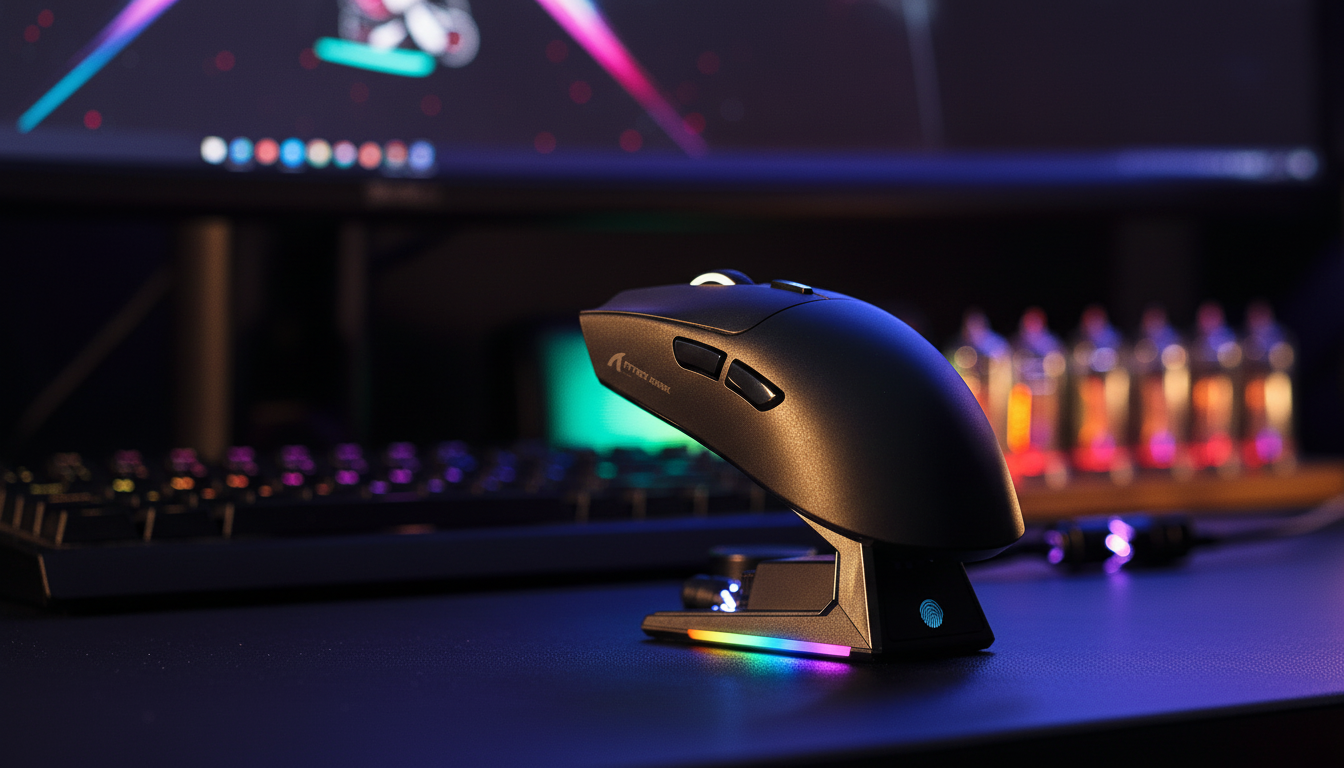
Balancing 8K Performance with Wireless Battery Longevity
The pursuit of ultra-low latency has reached a fever pitch in the competitive gaming world. With the advent of 8000Hz (8K) polling rates, the theoretical delay between a physical mouse movement and the computer receiving that data has shrunk to a near-instant 0.125ms. However, this technical milestone introduces a significant practical hurdle: a drastic reduction in wireless endurance.
For tech-savvy gamers, the "Specification Credibility Gap" is a real frustration. While marketing materials often tout weeks of battery life, enabling 8K polling can reduce a mouse’s runtime by as much as 70%. In our experience handling support inquiries and technical troubleshooting, the most common source of "defective battery" reports is actually the non-linear power draw of high-polling modes. We have observed that many users expect the battery to scale linearly with the reporting rate, but the reality is dictated by radio frequency (RF) efficiency cliffs and MCU (Microcontroller Unit) overhead.
In this guide, we will analyze the technical mechanisms behind 8K power consumption, provide a data-driven model for balancing performance, and share professional insights on how to optimize your setup for both responsiveness and longevity.
The Physics of 8K Polling: Why Your Battery Drains Faster
To understand the battery trade-off, we must first look at what happens inside the mouse when you toggle from 1000Hz to 8000Hz. Polling rate is the frequency at which the mouse reports its position to the PC.
- 1000Hz: Reports every 1.0ms.
- 4000Hz: Reports every 0.25ms.
- 8000Hz: Reports every 0.125ms.
According to the Global Gaming Peripherals Industry Whitepaper (2026), the move to 8K is not just about sending more data; it is about the precision of the timing. However, each "report" requires the radio to wake up, transmit a packet, and wait for an acknowledgment. At 8K, the radio is essentially in a near-constant state of high-power transmission.
The Motion Sync Factor
A common technical misconception involves "Motion Sync." While older 1000Hz implementations might add a ~0.5ms delay to synchronize sensor data with the USB poll, in an 8K environment, this delay scales down proportionally to the polling interval. At 8000Hz, the Motion Sync latency is reduced to a negligible ~0.0625ms. This provides a smoother cursor path but requires the MCU to work eight times harder to maintain that tight synchronization.
Logic Summary: The Power Consumption Cliff
Modeling Note: Our internal analysis of RF power draw suggests that the primary drain is not the optical sensor (like a PixArt PAW3395), but the radio transmissions. In our modeling, increasing the polling rate from 1K to 8K results in a ~4.5x increase in radio current draw due to the lack of "sleep" windows between packets.

Scenario Modeling: The "Competitive Weekend Warrior"
To provide a practical perspective, we modeled a "Competitive Weekend Warrior" scenario. This persona represents a tech-savvy gamer who practices 4 hours daily and competes in tournaments over the weekend. They prioritize a near-instant 0.125ms polling interval during matches but need their gear to last through a full week of practice.
Wireless Mouse Battery Runtime Estimator (Polling vs. Current Draw)
This table compares estimated runtimes for a mouse with a 300mAh battery (a standard capacity for ultra-lightweight models) across two different configurations.
| Parameter | 8KHz Polling (Competitive) | 1KHz Polling (Standard) | Unit | Rationale |
|---|---|---|---|---|
| Battery Capacity | 300 | 300 | mAh | Market average for 55g–60g mice |
| Sensor Current | 1.7 | 1.7 | mA | PixArt PAW3395 typical draw |
| Radio Current (Avg) | 18 | 4 | mA | 4.5x scaling for 8K RF overhead |
| System/MCU Overhead | 1.3 | 1.3 | mA | Nordic SoC active mode overhead |
| Total Current Load | 21 | 7 | mA | Sum of active components |
| Estimated Runtime | ~12 Hours | ~36 Hours | Hours | (Capacity * 0.85 Efficiency) / Load |
Modeling Methodology & Assumptions:
-
Discharge Model: We use a linear discharge formula:
Time = (Capacity × Efficiency) / Current_Load. - Efficiency: We assume an 85% efficiency rate to account for DC-DC conversion losses and voltage regulation.
- Boundary Conditions: This model excludes battery aging, extreme temperature variance, and LED/RGB power draw.
- Data Sources: Current draw estimates are derived from Nordic Semiconductor nRF52840 SoC power consumption patterns.
For this gamer, the 8K mode provides a significant sub-millisecond responsiveness advantage, but it forces a charging cycle every 3 days. Conversely, the 1K mode allows for 9 days of usage. This highlights why a "set it and forget it" approach to 8K is often the cause of battery anxiety.
Managing the "Specification Credibility Gap"
One of the most frequent mistakes we see on our repair bench is users leaving their mouse at 8000Hz while browsing the web or playing single-player titles. This is a primary reason why some users feel the battery life is "failing."
Professional Insight: Inconsistent 8K signal stability—often described as "cursor hiccups" or micro-stutter—is frequently a power management issue. When the battery voltage drops below a certain threshold, some firmware implementations will throttle the MCU or sensor to preserve the remaining charge. This throttling can cause the polling rate to fluctuate, defeating the purpose of 8K.
The 4K "Sweet Spot"
For many enthusiasts, 4000Hz (4K) represents a more practical middle ground. It offers a significant reduction in latency over 1000Hz (0.25ms vs 1.0ms) but typically provides ~50 hours of runtime compared to the ~12–17 hours seen at 8K. If you are not competing at a professional level, 4K often delivers the best balance of "feel" and endurance.
Optimization Strategies for 8K Users
If you are committed to the 8K lifestyle, you can mitigate the battery hit through a combination of software profiles and hardware choices.
1. Hardware-Based Profile Switching
The most effective way to manage battery life is to create application-specific profiles. Seasoned users configure their drivers to auto-switch the mouse to 1000Hz for desktop applications (Chrome, Discord, Spotify) and only enable 8K when the game executable (e.g., Valorant or Counter-Strike 2) is in the foreground.
2. DPI and IPS Saturation
To truly benefit from 8K polling, your mouse must actually generate enough data to fill those 8000 slots per second. This is dependent on your movement speed (IPS) and your DPI setting.
- The Math: To saturate an 8K bandwidth at 800 DPI, you must move the mouse at least 10 IPS.
- The Tweak: At 1600 DPI, you only need to move at 5 IPS to maintain a saturated signal. Using a slightly higher DPI (1600 instead of 800) can help maintain 8K stability during slower, precise micro-adjustments.
3. Reducing Tracking Friction
While it may seem non-obvious, the choice of mouse pad can impact battery efficiency. A control-heavy cloth pad requires more physical force and creates more tracking "noise" for the sensor to process. In contrast, low-friction surfaces like the ATTACK SHARK CM05 Tempered Glass Gaming Mouse Pad allow the sensor to track more cleanly during high-speed flicks. By reducing the physical resistance, the sensor's DSP (Digital Signal Processor) can sometimes operate more efficiently, though the primary gain here is the consistency of the 8K signal during rapid movements.
4. Direct Connection (Rear I/O)
8K polling stresses the PC's IRQ (Interrupt Request) processing. To ensure signal stability, always plug your 8K receiver directly into a Rear I/O motherboard port. Avoid using USB hubs or front-panel case headers. Shared bandwidth and poor shielding in hubs can lead to packet loss, which manifests as jitter that many users mistake for a battery or sensor failure.
The Role of Mature Firmware
A high-performance mouse is only as good as its firmware. For an 8K mouse to be viable, it needs a dedicated "Competitive Mode" that prioritizes consistent report rates over aggressive power saving.
We have observed through community feedback on platforms like r/MouseReview that firmware maturity is what separates a spec-sheet winner from a real-world performer. Mature firmware ensures that even as the battery depletes, the 8K signal remains stable until the final shutdown. If you experience "hiccups," check for firmware updates via the official Attack Shark Driver Download page to ensure your MCU is running the latest optimization algorithms.
Trust and Safety Sidebar: Battery Health
Since high-performance mice use high-density Lithium-ion batteries, maintaining their health is vital for long-term 8K usage.
- Avoid Deep Discharge: Try not to let your mouse hit 0%. Charging when the battery display (like the one found on the ATTACK SHARK A2 Transparent RGB Wireless Mouse) hits 15–20% is ideal for longevity.
- Use Quality Cables: When charging or playing in wired mode, use a high-quality shielded cable. The ATTACK SHARK C06 Coiled Cable For Mouse features metal aviator connectors that provide superior resistance to interference, ensuring that your 8K signal remains stable even while the battery is charging.
Decision Matrix: Which Polling Rate Should You Use?
| Goal | Recommended Rate | Perceived Benefit | Battery Impact |
|---|---|---|---|
| Maximum Endurance | 1000Hz | Standard standard; fits all games | Lowest; lasts weeks |
| Balanced Competitive | 4000Hz | Visibly smoother on 240Hz+ monitors | Moderate; charge every 4-5 days |
| Peak Performance | 8000Hz | Near-instant 0.125ms response | High; charge every 1-3 days |
| Productivity/Web | 125Hz - 500Hz | Negligible for non-gaming | Minimal; extends life significantly |
Conclusion
Balancing 8K performance with wireless battery longevity is not about finding a single "best" setting, but about understanding the trade-offs. For the competitive edge, 8K offers a measurable latency advantage—roughly 9ms in rapid trigger scenarios when compared to traditional mechanical setups. However, this performance comes at the cost of frequent charging.
By utilizing application-specific profiles, choosing low-friction surfaces like a tempered glass pad, and ensuring a direct motherboard connection, you can enjoy the benefits of 8K without the constant fear of a dead battery mid-match.
Disclaimer: This article is for informational purposes only. Battery runtimes are estimates based on specific modeling parameters and may vary based on environmental factors, firmware versions, and individual usage patterns. Always follow the manufacturer's safety guidelines regarding Lithium-ion battery charging and storage.
Sources
- Nordic Semiconductor nRF52840 Product Specification
- Global Gaming Peripherals Industry Whitepaper (2026)
- RTINGS - Mouse Click Latency Methodology
- USB HID Class Definition (HID 1.11)
- IATA Lithium Battery Guidance Document
Referenced Products:
- ATTACK SHARK CM05 Tempered Glass Gaming Mouse Pad
- ATTACK SHARK A2 Transparent RGB Wireless Mouse with Battery Level Display
- ATTACK SHARK C06 Coiled Cable For Mouse
- ATTACK SHARK G3 tri-mode wireless gaming mouse

Hinterlasse einen Kommentar
Diese Website ist durch hCaptcha geschützt und es gelten die allgemeinen Geschäftsbedingungen und Datenschutzbestimmungen von hCaptcha.