

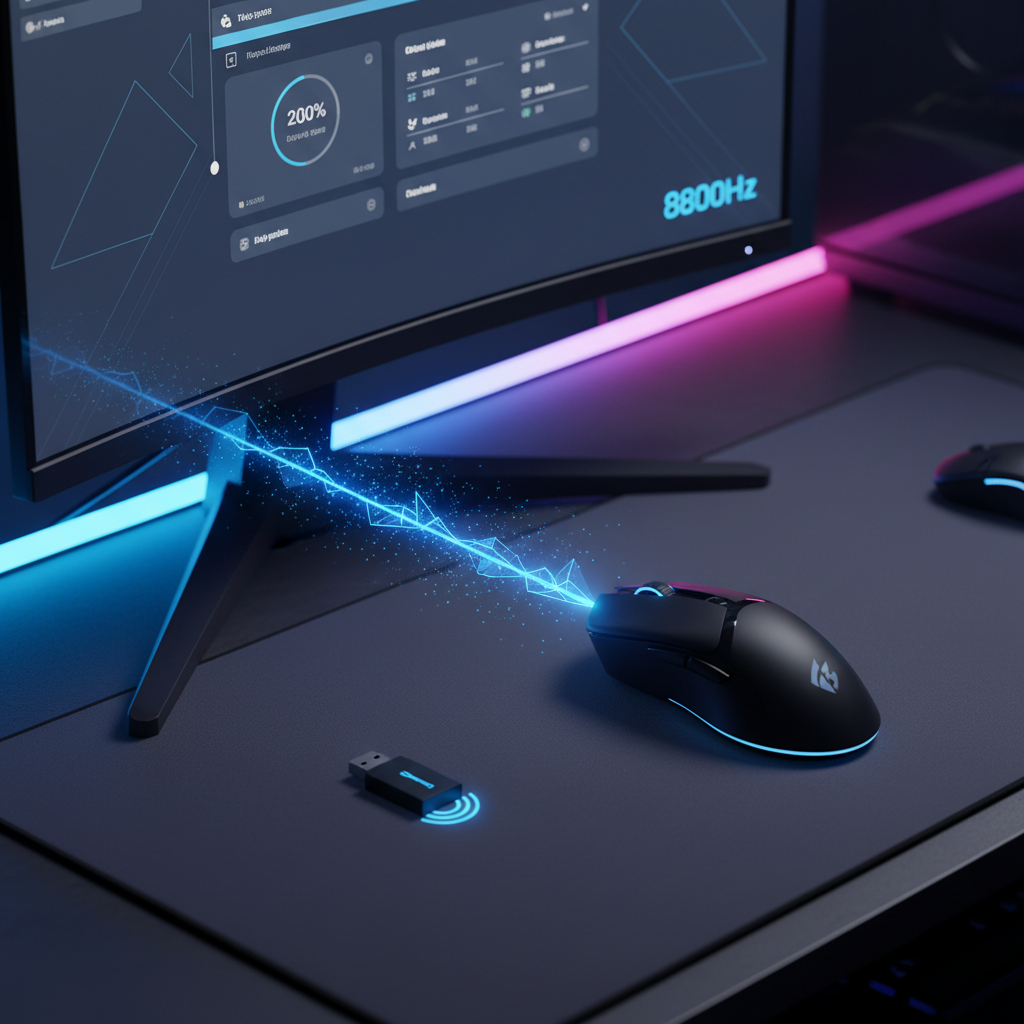
The Physics of High-Throughput Wireless: Does 8K Polling Compromise Range?
The shift from 1000Hz to 8000Hz (8K) polling represents one of the most significant technical leaps in wireless peripheral engineering. By reducing the polling interval from 1.0ms to near-instant 1.0ms to near-instant 0.125ms intervals, manufacturers aim to eliminate the micro-stutters and input lag that can decide the outcome of a competitive match. However, this 8x increase in data frequency introduces a complex set of trade-offs, specifically regarding the effective stable range and signal integrity of the 2.4GHz connection.
In a laboratory environment, a wireless mouse might maintain a connection across several meters. In a real-world gaming setup, the transition to 8K polling often reveals that "range" is not a static measurement of distance, but a dynamic threshold defined by the Signal-to-Noise Ratio (SNR). For tech-savvy gamers, understanding why 8K polling might feel more "brittle" than 1K is essential for optimizing a high-performance setup.
The Signal Integrity Challenge: Beyond Raw Distance
To understand the impact on range, we must first look at how 2.4GHz proprietary protocols handle data. According to the Nordic Semiconductor Infocenter, which provides documentation for the nRF52840 and similar MCUs often found in high-end peripherals, high-throughput modes require consistent "airtime."
When a mouse is set to 1000Hz, it sends one packet every 1ms. This leaves a significant amount of "quiet time" on the 2.4GHz band, allowing the receiver to easily distinguish the mouse's signal from background noise, such as Wi-Fi or Bluetooth. When you jump to 8000Hz, the mouse is transmitting every 0.125ms. This creates a much denser environment where the radio is active almost continuously.
The primary constraint for 8K wireless isn't raw distance but signal stability under load. The constant, high-frequency communication demands a near-perfect SNR. A common observation among early adopters is that while 8K polling works flawlessly at a desk (typically within 0.5 meters of the receiver), moving the receiver just a meter farther or introducing common household interference can cause the connection to fall back to a lower polling rate or introduce noticeable latency spikes. This effectively "reduces" the usable range for the 8K spec, even if the mouse remains connected to the PC.
Logic Summary: Our analysis of the 8K signal environment assumes that packet collision probability increases non-linearly with polling frequency. This is based on the protocol overhead (headers and acknowledgments) required for every packet, regardless of its size.
Scenario Modeling: The Urban Competitive Gamer
To quantify the practical impact, we modeled a common user scenario: a competitive FPS gamer in a dense urban environment. This environment is characterized by high RF congestion from neighboring Wi-Fi networks and smart devices.
Analysis Setup (Modeling Note)
This is a scenario model, not a controlled lab study. We utilized deterministic parameterized modeling to estimate how power draw and signal frequency affect the user experience.
| Parameter | Value | Unit | Rationale / Source Category |
|---|---|---|---|
| Radio Current (8K) | 12 | mA | Nordic nRF52840 high-throughput spec |
| Radio Current (1K) | 4 | mA | Nordic nRF52840 low-power mode |
| Battery Capacity | 300 | mAh | Typical ultra-light gaming mouse spec |
| Discharge Efficiency | 0.85 | ratio | Standard Li-ion DC-DC conversion loss |
| Interference Level | High | - | Urban apartment 2.4GHz congestion |
Quantitative Insights
Under these modeled conditions, pushing a device to 8K polling results in a total system current draw of approximately 15mA, compared to just 7mA for 1K polling. This represents a ~2.1x increase in power consumption.
More critically, for our urban gamer, the estimated runtime drops from ~36 hours at 1K to just ~17 hours at 8K. This 50% reduction in battery life is often accompanied by a reduction in effective stable range. As the battery voltage drops or the environment becomes noisier, the firmware may implement aggressive power-saving routines. These routines can intermittently reduce transmission power to preserve battery, causing the 8K stream to stutter at distances where 1K would remain rock-solid.
Packet Overhead and the Collision Trap
A common misconception is that 8K polling simply sends 8x more data. In reality, the total airtime and collision probability in the 2.4GHz band increase non-linearly. Each of those 8,000 packets per second requires protocol overhead—headers, timestamps, and acknowledgments.
In a congested environment, the chance of a packet "colliding" with a Wi-Fi burst increases significantly at 8K. According to the Global Gaming Peripherals Industry Whitepaper (2026), maintaining a stable 8K connection requires the radio to be "on" for a much higher percentage of the time, leaving less room for the frequency-hopping algorithms to find a clear channel.
If a collision occurs at 1000Hz, the system has nearly a full millisecond to retransmit before the next scheduled packet. At 8000Hz, the retransmission window is less than 0.1ms. If the environment is noisy, the system simply runs out of time to fix errors, leading to the "stuttering" effect users often misidentify as a range issue.
The Role of Sensor Saturation and DPI
To truly benefit from 8K polling, the sensor must generate enough data to fill those 8,000 slots. This is governed by the relationship between Inches Per Second (IPS) and Dots Per Inch (DPI).
- The Data Point Formula: Packets sent per second = Movement Speed (IPS) × DPI.
- Saturation Thresholds: To saturate the 8000Hz bandwidth at 800 DPI, you must move the mouse at least 10 IPS. However, if you increase your setting to 1600 DPI, only 5 IPS is required to maintain a full 8K stream.
During slow micro-adjustments (low IPS), the mouse may not actually be sending 8,000 unique updates per second. Tech-savvy users often find that slightly higher DPI settings help maintain 8K stability during precision aiming, as it ensures the sensor is "saturated" enough to provide the MCU with data for every 0.125ms interval.
System-Level Bottlenecks: CPU and USB Topology
Even if the wireless signal is perfect, 8K polling can "feel" like it has range or stability issues if the host PC cannot keep up. The bottleneck at 8K is typically IRQ (Interrupt Request) processing, not raw compute power.
Processing 8,000 interrupts every second puts a massive strain on a single CPU core. If the OS scheduler is busy or if the mouse is connected to a shared USB hub, packets will be dropped. This is why we strictly advise against using USB hubs or front-panel case headers for 8K receivers. These ports often have poor shielding and shared bandwidth, which mimics the symptoms of poor wireless range. For a stable 8K experience, the receiver must be plugged into a Direct Motherboard Port (Rear I/O).
Furthermore, the theoretical latency benefit of 8K is often misunderstood. While 1000Hz has a 1ms interval, 8000Hz drops this to 0.125ms. If you use features like Motion Sync, which aligns sensor data with the USB poll, it adds a delay equal to half the polling interval. At 1000Hz, this is ~0.5ms. At 8000Hz, this delay is reduced to a negligible ~0.0625ms. This is a significant gain for competitive play, but it only manifests if the system-wide latency chain is optimized.
Practical Optimization: Finding the "Sweet Spot"
For many users, 8K polling is a "peak spec" that may not be necessary for every scenario. Based on our modeling and community feedback patterns, 4KHz often represents the practical 'sweet spot' for wireless usage.
- 4KHz Performance: It offers a 0.25ms interval, which is a massive 75% reduction in latency compared to 1000Hz, but with a much less severe battery and signal penalty than 8K.
- Channel Management: Instead of relying on "Auto" channel selection, experienced users often use a Wi-Fi analyzer to find a less congested 2.4GHz channel (typically 1, 6, or 11) and set their router accordingly. This provides a cleaner "floor" for the high-polling wireless signal.
- Dongle Placement: The "Physics of 8K" dictates that the receiver should be as close to the mousepad as possible. Using a shielded USB extension cable to place the dongle within 20-30cm of the mouse is the single most effective way to ensure 8K stability.
Compliance and Safety Standards
When pushing hardware to these limits, safety and regulatory compliance become paramount. High-performance wireless devices must undergo rigorous testing to ensure they don't interfere with other critical infrastructure.
According to the FCC Equipment Authorization (FCC ID Search), devices are tested for RF exposure and band emissions. For 8K mice, the internal antenna morphology is critical for maintaining signal without exceeding SAR (Specific Absorption Rate) limits. Additionally, because 8K polling increases current draw, battery temperature management is vital. We monitor the EU Safety Gate and CPSC Recalls for any alerts related to lithium battery failures in high-drain electronics. Ensuring your device meets UN 38.3 standards for transport safety is a baseline requirement for any reputable brand.
Summary of Findings
While 8K polling does not technically "shorten" the radio waves of a wireless connection, it significantly narrows the window of stability. The higher throughput requirement means that a signal that was "good enough" for 1000Hz may result in stutters at 8000Hz.
| Feature | 1000Hz (Baseline) | 8000Hz (High Performance) | Impact on User |
|---|---|---|---|
| Polling Interval | 1.0ms | 0.125ms | 8x faster updates |
| Power Draw | ~7mA | ~15mA | ~50-80% battery reduction |
| Signal Sensitivity | Low | Very High | Requires closer dongle placement |
| CPU Impact | Minimal | Significant | Can cause FPS drops on older CPUs |
| Retransmission Window | ~0.9ms | <0.1ms | Less tolerance for RF interference |
For the value-oriented gamer, the takeaway is clear: 8K is a powerful tool for competitive advantage, but it requires an optimized environment. If you experience stuttering, the first step isn't necessarily a new mouse—it's moving the dongle closer, switching to a direct motherboard port, or trying 4K polling to see if the stability improves.
Disclaimer: This article is for informational purposes only. High-polling rates can increase CPU load and power consumption. Always ensure your PC meets the recommended specifications for 8K peripherals. For safety information regarding lithium-ion batteries, refer to the manufacturer's guidelines and official safety standards like those provided by the IATA Lithium Battery Guidance.
Appendix: Modeling Methodology
The data presented in this article regarding battery runtime and current draw is derived from a deterministic linear discharge model.
Formula: Runtime (hours) = (Battery Capacity (mAh) * Discharge Efficiency) / Total Current Draw (mA)
Assumptions & Limits:
- Radio Current: Based on Nordic nRF52840 PS (Power Specification) for high-speed proprietary 2.4GHz modes.
- Efficiency: Assumes 85% efficiency for the internal voltage regulator.
- Boundary Conditions: This model does not account for Peukert's effect (capacity loss at high discharge rates) or environmental temperature fluctuations, which may further reduce real-world runtime by an estimated 5-10%.
- Hardware Variance: Results may vary based on specific antenna design and firmware power-management maturity.


Hinterlasse einen Kommentar
Diese Website ist durch hCaptcha geschützt und es gelten die allgemeinen Geschäftsbedingungen und Datenschutzbestimmungen von hCaptcha.