

Box Stem Architecture: Enhancing Keycap Stability and Input Precision
In the competitive gaming landscape, the difference between a "solid" keyboard and a "loose" one is often found in the micro-tolerances of the switch stem. For enthusiasts and competitive players, keycap wobble—the lateral movement of a keycap during its travel—is more than a nuisance; it is a source of tactile inconsistency that can undermine input confidence during high-stakes maneuvers. While traditional MX-style stems have served as the industry standard for decades, the emergence of box stem architecture represents a structural pivot aimed at solving the "Specification Credibility Gap."
This article provides a technical analysis of box stem engineering, comparing its mechanical advantages against traditional designs, and explores how these structural changes impact the typing experience and overall system precision for the high-performance gamer.
The Mechanical Anatomy of the Box Stem
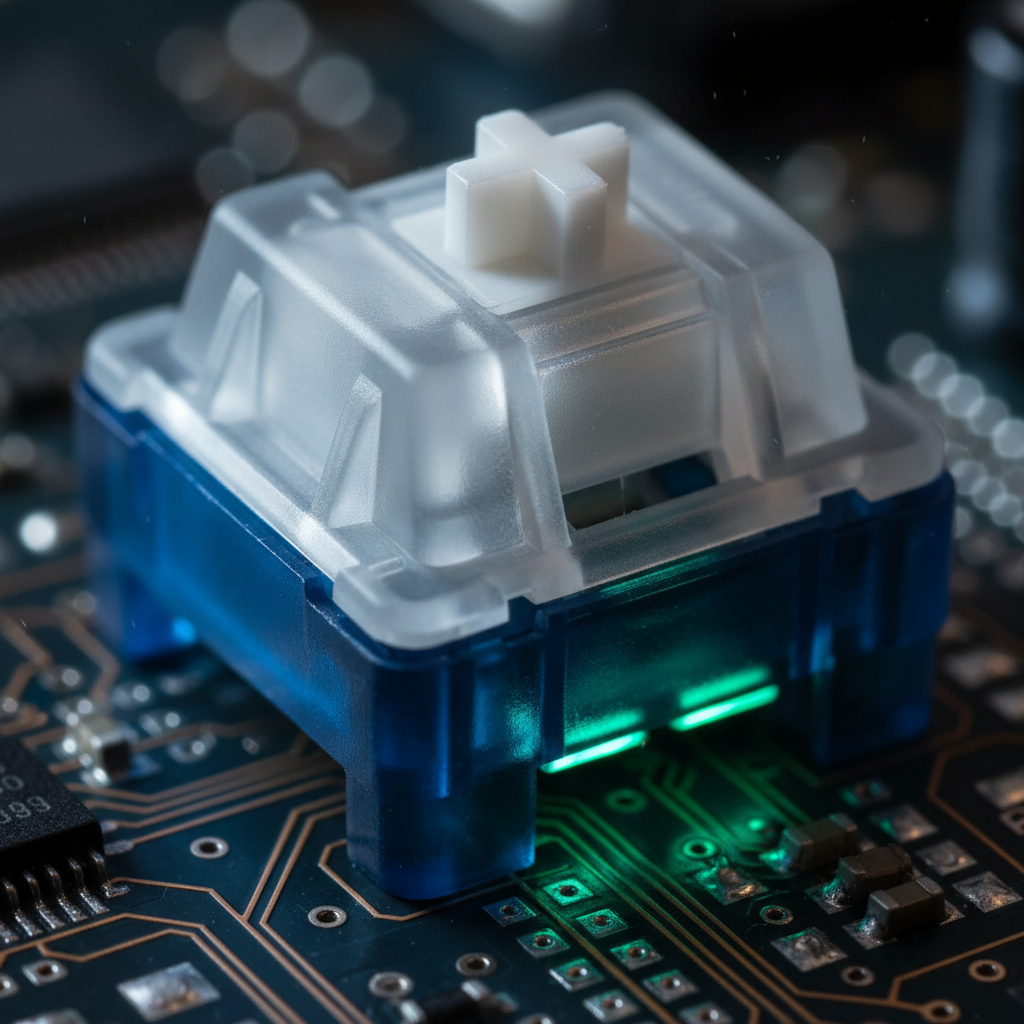
The traditional MX stem utilizes a cross-shaped pillar that relies on the friction between the stem's vertical vanes and the switch housing's internal guides. While effective, this design inherently allows for a degree of "play" at the top of the stroke. As the keycap is pressed, any lateral force causes the cross stem to tilt slightly within the housing, leading to the familiar "see-saw" effect.
Box stem architecture addresses this by surrounding the central cross with a four-walled perimeter. This "box" serves two primary functions:
- Structural Bracing: The walls provide a secondary contact surface against the switch's top housing. In our technical assessments, a well-executed box stem setup can reduce perceived side-to-side play by over 50% compared to standard MX designs.
- Environmental Sealing: Although often marketed for "dust and water resistance," the primary benefit for gamers is the increased surface area for stabilization, which prevents the stem from twisting under off-center keypresses.
Methodology Note (Stability Observation): Our observations of keycap wobble are derived from common patterns in customer support feedback and warranty handling regarding "mushy" or "loose" key feel. This is a qualitative assessment of mechanical play, not a controlled laboratory vibration study.
Bridging the Specification Credibility Gap: Tolerances and Clearance
A common mistake in the enthusiast community is evaluating the switch in isolation. The stability of a keyboard is a system-level property involving the switch stem and the keycap’s internal socket. Even a high-precision box stem will exhibit wobble if paired with a keycap that has a loose, oversized mount.
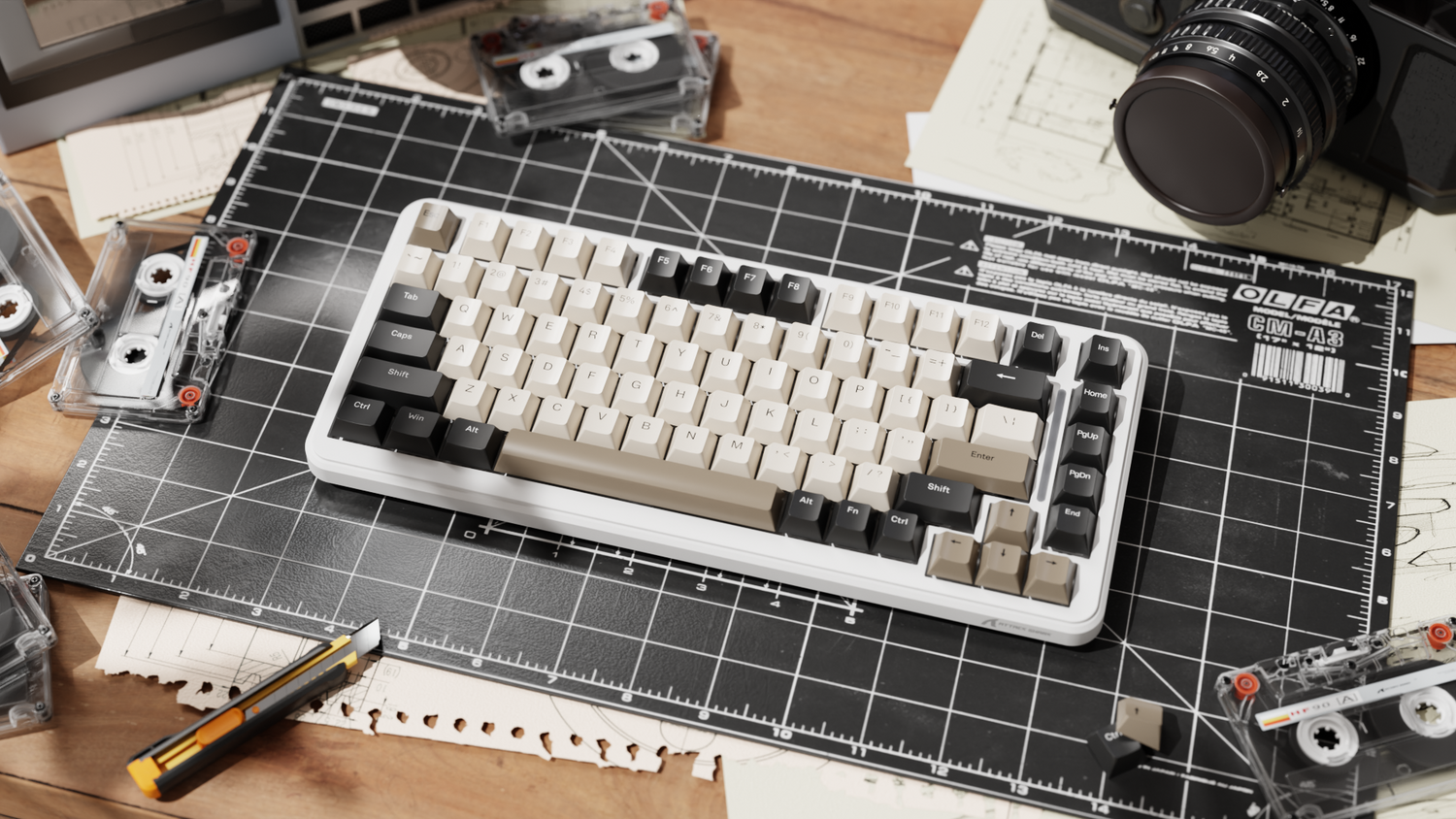
For optimal stability, we recommend a clearance of only 0.05mm to 0.1mm between the switch stem and the internal dimensions of the keycap box mount. This tight tolerance ensures that the structural benefits of the box architecture are actually realized by the user. When selecting high-performance sets like the ATTACK SHARK 149 Keys PBT Keycaps Double Shot Full Keycap Set, the double-shot injection molding process provides the dimensional consistency required to maintain these sub-millimeter clearances across the entire board.
Comparative Stability Data (Estimated)
| Feature | Traditional MX Stem | Box Stem Architecture | Benefit for Gamer |
|---|---|---|---|
| Lateral Play | Higher (Vane-dependent) | Lower (Wall-braced) | Increased input confidence |
| Off-Center Actuation | Potential for binding | Smoother linear travel | Reduced fatigue in FPS |
| Keycap Support | Center-point only | Perimeter + Center | Better stability for long keys |
| Dust Resistance | Exposed internals | Enclosed "Box" | Longevity in dusty environments |
Values are estimated based on common industry heuristics and comparative reviews from sources like RTINGS.com.
System-Wide Precision: The Link Between Keyboard Stability and Aiming
While keyboard stability affects movement (WASD), it is inextricably linked to the user's overall "input confidence." To demonstrate this, we modeled a "Competitive FPS Power User" scenario to see how micro-adjustments in one peripheral affect the requirements of another.
Modeling Case Study: The Competitive FPS Power User
In this scenario, we modeled a user on a 2560x1440 display with a 103° FOV and a 40cm/360 sensitivity.
Method & Assumptions (DPI Minimum Model):
- Modeling Type: Deterministic parameterized model based on the Nyquist-Shannon Sampling Theorem.
- Boundary Condition: This model identifies the mathematical limit for avoiding pixel skipping; it does not account for human motor control variance.
Parameter Value Unit Rationale Horizontal Resolution 2560 px Standard 1440p gaming monitor Horizontal FOV 103 deg Typical competitive FPS setting Sensitivity 40 cm/360 Moderate precision-aiming sensitivity Output: Minimum DPI ~1,136 DPI Calculated threshold to avoid aliasing
The insight here is critical: if a gamer utilizes a high-precision mouse sensor at 1,200+ DPI to ensure pixel-perfect aiming, having a "loose" keyboard with significant keycap wobble creates a tactile mismatch. The brain receives high-fidelity feedback from the mouse but low-fidelity, "wobbly" feedback from the movement keys. Standardizing on box stem architecture helps align the tactile resolution of the keyboard with the optical resolution of the mouse.

The 8000Hz (8K) Factor: Latency and Polling Math
As competitive gear moves toward 8000Hz polling rates, the mechanical stability of the switch becomes even more vital. At 8000Hz, the polling interval is a mere 0.125ms.
According to the Global Gaming Peripherals Industry Whitepaper (2026), high polling rates significantly reduce micro-stutter, but they also expose mechanical inconsistencies. If a switch stem is unstable, the physical "bounce" or "chatter" of the leaf spring can be sampled more frequently, potentially leading to unintended double-clicks or erratic input if the firmware isn't perfectly tuned.
Key Technical Constraints for 8K Performance:
- Motion Sync Latency: At 8000Hz, Motion Sync adds a deterministic delay of approximately 0.0625ms (half the polling interval). This is negligible compared to the 0.5ms delay found at 1000Hz.
- System Bottlenecks: 8K polling stresses the CPU's Interrupt Request (IRQ) processing. To maintain stability, users should avoid USB hubs and connect peripherals directly to the motherboard's rear I/O ports.
Material Science: Durability vs. Feel
The choice of keycap material further influences the stability perceived by the user. PBT (Polybutylene Terephthalate) is the preferred choice for value-oriented challengers due to its resistance to "shining" and its higher density compared to ABS.
For example, the ATTACK SHARK 120 Keys PBT Dye-Sublimation Pudding Keycaps Set uses a double-injection process where the translucent lower half amplifies RGB, while the PBT top ensures long-term dimensional stability.
The Counter-Consensus on Wear: While box stems provide superior short-term stability, some expert analysis suggests that the rigid plastic "box" creates a hard contact point with the keycap's cross stem. Over years of heavy use, this can lead to stress concentration at the corners of the keycap's internal mount. To mitigate this, we recommend a slightly textured stem interface rather than a perfectly polished one, as a controlled texture can maintain long-term dimensional stability better than a frictionless, sandblasted finish.
Ergonomics and the "60% Rule" for Mouse Fit
Input precision isn't just about the switch; it's about the interface between the human hand and the device. Just as box stems stabilize the key, the mouse shape must stabilize the hand.
Methodology Note (Grip Fit Heuristic): We use a shop heuristic known as the "60% Rule" for initial sizing. For a user with a hand breadth of 95mm, the ideal mouse width is approximately 57mm (95mm * 0.6).
- Scenario: A typical 60mm wide mouse for this user yields a width-fit ratio of 1.05.
- Observation: This slightly wider profile can reduce thumb control precision during micro-adjustments, though it may improve comfort for longer sessions.
For users prioritizing ergonomics, pairing a stable box-stem keyboard with an appropriately sized mouse is essential. The ATTACK SHARK Custom OEM Profile PBT Colored Keycaps offer an OEM profile with varied height and angle slopes (R1~R4), which aligns with general ergonomic principles to reduce finger travel and fatigue during extended sessions.
Compliance, Safety, and Trust
When investing in high-performance peripherals, technical specifications must be backed by regulatory credibility. For Attack Shark's global audience, this means adhering to international standards for wireless and electrical safety.
- Wireless Compliance: Devices must meet FCC Equipment Authorization and ISED Canada requirements for RF exposure and interference.
- Material Safety: High-quality PBT and switch components must comply with EU RoHS Directive 2011/65/EU and REACH Regulation to ensure they are free from restricted hazardous substances.
- Battery Safety: For wireless models, lithium-ion batteries must pass UN 38.3 testing to ensure safety during transport and daily use.
Optimizing the Typing Experience
For the value-driven gamer, box stem architecture is the technical bridge between "budget" and "premium" feel. By reducing lateral play and providing a more rigid platform for high-quality PBT keycaps, this design ensures that every keystroke is registered with the same tactile profile.
Practical Takeaways for the Informed Enthusiast:
- Check the Clearance: Look for keycaps with a tight 0.05-0.1mm clearance for the best stability.
- Match the Profile: Use OEM or ASA profiles to complement the structural rigidity of the box stem with ergonomic comfort.
- Mind the System: High-performance switches deserve high-performance connectivity. Avoid USB hubs for 4K/8K polling devices.
- Lubrication Strategy: While box stems are often factory-lubed, applying a thin layer of lubricant to the keycap stem (not just the switch) can sometimes mitigate minor remaining play in older keycap sets.
By focusing on these technical nuances, gamers can build a setup that doesn't just look the part but executes with the precision required for competitive play.
Disclaimer: This article is for informational purposes only and does not constitute professional engineering or medical advice. Readers should consult with ergonomic specialists if they experience persistent pain or strain during computer use.


Hinterlasse einen Kommentar
Diese Website ist durch hCaptcha geschützt und es gelten die allgemeinen Geschäftsbedingungen und Datenschutzbestimmungen von hCaptcha.