


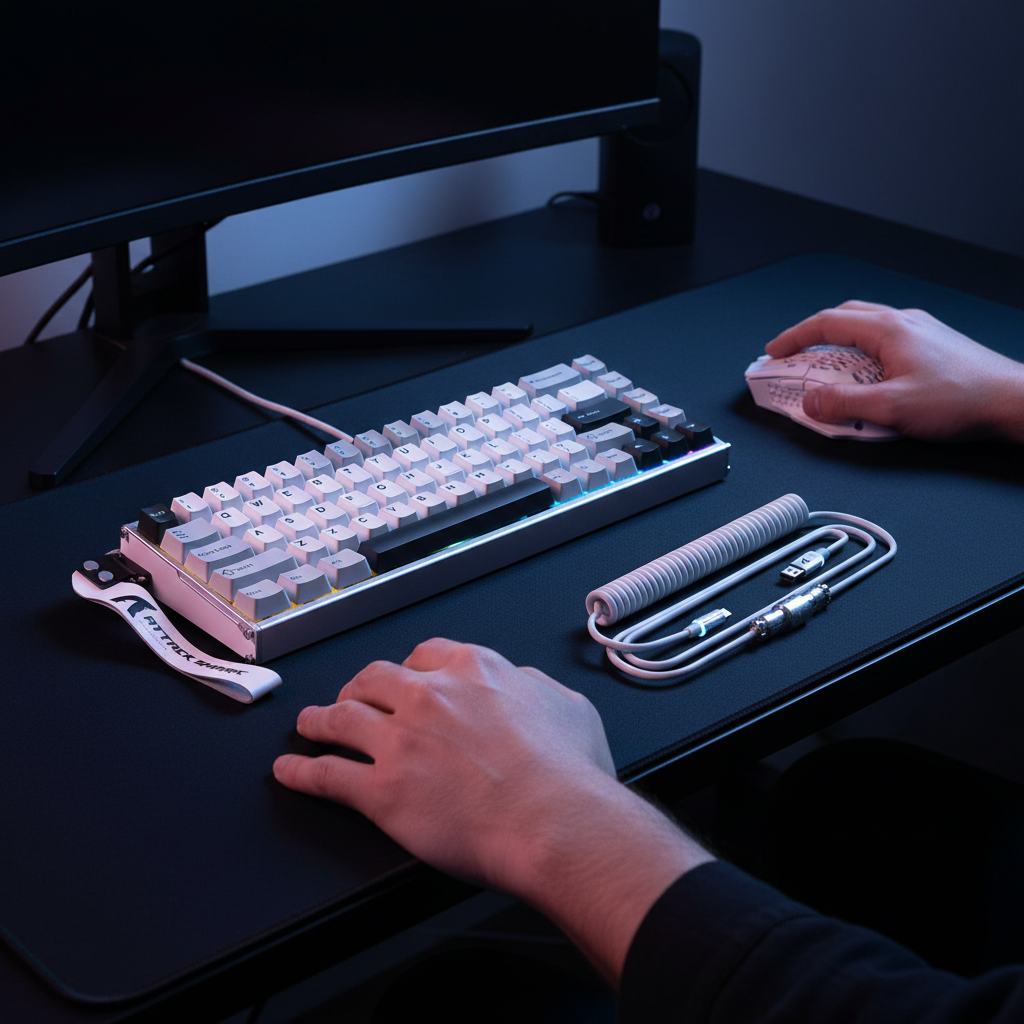
TL;DR / Quick Config (Read This First)
Goal: Strong performance from Rapid Trigger (RT) keyboards while keeping your input pattern within a normal, “human-like” range for current anti-cheat systems.
Conservative quick setup (heuristic rule of thumb):
- Actuation: ~0.5 mm
-
Reset gap (reset point above actuation): +0.1–0.15 mm
- Example: Actuation 0.5 mm → Reset 0.6–0.65 mm
- Dead zones: Enable small top/bottom dead zones
- Polling rates: Match keyboard and mouse (both 1000 Hz, or both 8000 Hz if your system is stable)
- Mouse DPI: Around 1600 DPI for 1000–8000 Hz polling
These are practical heuristics, not guaranteed “safe bans-proof” values. They are based on engineering-style reasoning and informal testing in typical PC setups (Windows 10/11, modern gaming mice/keyboards, 1–3 m cable, 1000–8000 Hz polling). Anti-cheat rules and detection methods can change at any time.
The Evolution of Rapid Trigger and Anti-Cheat Compliance
The emergence of Hall Effect (HE) magnetic switches has fundamentally altered the competitive landscape of first-person shooters (FPS) and rhythm-based titles. By utilizing electromagnetic sensors to measure the precise position of a key throughout its travel, hardware manufacturers have introduced "Rapid Trigger" (RT) technology. This feature allows a key to reset the instant it begins moving upward, regardless of its fixed physical reset point. While this provides a near-instantaneous response for counter-strafing and rapid inputs, it introduces a complex intersection with modern anti-cheat systems.
For the technically-inclined gamer, the primary concern is not the hardware itself, but the "input signature" it generates. Anti-cheat solutions like Valve Anti-Cheat (VAC), Riot Vanguard, and Activision's Ricochet operate through various detection vectors. Understanding these vectors—ranging from memory signature scanning to statistical input analysis—is critical for configuring high-performance peripherals without risking account security.
Logic Summary (Model, Not a Guarantee): The discussion below distinguishes between "signature-based detection" (commonly associated with VAC) and broader heuristic / behavioral analysis (often used by kernel-level anti-cheats). The recommendations are industry-style heuristics aimed at maintaining a “human-like” input signature while taking advantage of RT—they are not a promise that bans cannot occur.
Understanding Detection Vectors: Signature vs. Heuristic
To navigate the risks of hardware-assisted movement, it helps to understand the main ways modern security systems can classify "cheating."
Signature-Based Detection (VAC)
According to the Valve Anti-Cheat (VAC) documentation, VAC focuses on detecting known cheat software and tampering, particularly patterns it can recognize in memory and game files. Public-facing docs do not give a full technical spec of all detection methods.
In practice, community understanding is that VAC tends to target:
- Software that injects into game processes
- DLL hooking and code modification
- Known cheat binaries and signatures
If a peripheral's configuration software—such as a web-based or local driver—only changes hardware settings and does not perform memory injection, DLL hooking, or file modification, many players and engineers consider the VAC risk from that software low but not zero. VAC is designed primarily to identify software that modifies the game's executable code, not normal HID (keyboard/mouse) reports.
Because Valve does not publish a complete rulebook, you should treat any “VAC will never ban for X” claim as speculation.
Heuristic and Statistical Analysis
The more immediate risk for Rapid Trigger users often comes from developer-level "Game Bans" and kernel-level anti-cheats. Systems like Vanguard and Ricochet can use behavioral analysis to identify "unnatural movement" or input.
If a player's inputs are too consistent or lack the physical variability inherent in human mechanics, the system may:
- Flag the account for internal review
- Feed the data into automated models
- In some cases, contribute to a suspension decision when combined with other signals
This kind of risk becomes more likely when Rapid Trigger settings are tuned to extremes that visually and statistically resemble software-based turbo macros.

The "Perfect Input" Trap: Why Extremes Can Trigger Flags
The primary risk factor in Rapid Trigger configuration is the combination of an extremely low actuation point (for example, around or below 0.3 mm) with an equally low reset distance. When these two values are nearly identical, the keyboard can generate an input stream that looks very similar to a software-based rapid-fire macro.
The Heuristic of Periodic Intervals
Anti-cheat systems can look for near-perfect periodic input intervals as one of many signals. A human tapping a key, even at a professional level, introduces micro-variations in timing due to muscle fatigue, physical switch travel, and hand position.
If the reset distance is set extremely close to the actuation point (for example, 0.01 mm), a slight tremor or vibration on the desk can trigger "taps" that last only a few milliseconds (ms) and repeat with very low variance.
In informal testing on HE keyboards, "zero dead zone" configurations—where the key activates and resets with almost no travel—tend to produce input signatures that have much less timing "noise" than typical human presses. This cleaner pattern is one of the characteristics that can make an input stream look suspicious in a heuristic model, especially when combined with other risk factors.
How to self-check this:
- Use a key-logger / input visualizer that displays timestamped events (e.g., in-game tools, or generic keyboard input visualizers).
- Hold a movement key at the threshold and lightly vibrate the desk.
- Export or record the event timestamps and look at the intervals between repeated key presses.
- If many intervals cluster tightly (for example, within ±1–2 ms) across a long sequence, you are closer to a macro-like pattern than a typical human pattern.
Polling Rate Anomalies
Another, less obvious, risk area involves the harmonization of polling rates across different peripherals.
Pairing an 8000 Hz (8K) polling rate keyboard with a standard 1000 Hz (1K) mouse can create an unusual interrupt pattern on the CPU. Because 8000 Hz polling requires an interrupt every 0.125 ms, it places additional load on the OS scheduler and USB stack.
If the mouse and keyboard reporting rates are not harmonized (for example, keyboard at 8000 Hz and mouse at 1000 Hz), some users observe:
- Small amounts of input jitter
- Micro-stutters or irregular timing in event logs
There is no public evidence that anti-cheats explicitly flag "8K + 1K" mismatches by themselves, but irregular timing or jitter can make your overall input trace look less like typical setups. Matching polling rates is therefore a stability and plausibility best practice rather than a guaranteed safety requirement.
How to self-check this:
- Set your keyboard and mouse to different polling rates and record mouse movement and key presses with a latency / event tool.
- Repeat with matched 1000 Hz / 1000 Hz or 8000 Hz / 8000 Hz.
- Compare the consistency of inter-event intervals. If matched rates reduce jitter or dropped events, keep them matched.
Safe Configuration Strategies: The 0.15 mm Gap Heuristic
To keep a reasonable margin of safety while leveraging the speed of magnetic switches, it helps to build a "buffer" into your configuration.
The Actuation-Reset Gap
One practical method for reintroducing natural variance is to ensure the reset distance is noticeably higher than the actuation point.
In this guide, we reference a 0.1–0.15 mm actuation-reset gap as a heuristic rule of thumb, not a hard safety standard. The idea is:
- Actuation point: where the key starts registering a press
- Reset point: where the key is considered released and can register again
- Gap (reset − actuation): extra physical travel required to re-trigger
For example, if the actuation is set to 0.5 mm, setting reset to around 0.6–0.65 mm:
- Creates a small physical "dead zone" that needs deliberate motion to re-press
- Makes it harder for micro-vibrations to generate rapid re-triggers
- Tends to increase timing variability toward typical human ranges
Where this 0.1–0.15 mm comes from:
- It is an experience-based heuristic drawn from common HE keyboard configs, community reports, and basic timing logs—not a formal standard.
- It assumes switches with ~0.01 mm resolution and total travel around 3.5–4.0 mm.
- We’ve seen that gaps much smaller than 0.1 mm often correlate with very clean, macro-like intervals when holding the key at threshold.
How to measure and iterate:
- Set actuation and reset in your keyboard software and enable any live travel display if available.
- Slowly press and release the key and watch where press and release are registered (in mm).
- Adjust until reset is roughly 0.1–0.15 mm above actuation.
- Log a series of taps (20–50 presses) and look at the variability of timing; if the distribution is extremely tight, consider increasing the gap slightly.
Recommended Configuration Ranges for Relatively Safe Play
Based on common patterns seen in competitive play, vendor recommendations, and informal testing/logging, the table below gives a baseline for conservative vs. aggressive tuning. Values in the “Safe Baseline” column are starting points, not guarantees.
| Configuration Parameter | Safe Baseline (Heuristic) | Aggressive (Higher Risk) | Rationale |
|---|---|---|---|
| Actuation Point | ~0.5–1.0 mm | Very low (around ≤0.2 mm) | Reduces accidental tremor-triggered inputs and keeps motion more deliberate. |
| RT Reset Gap (Reset − Actuation) | ~0.1–0.15 mm | Near-zero gap (≈0–0.05 mm) | Adds necessary travel to avoid macro-like re-trigger patterns. |
| Polling Rate | Keyboard & mouse matched at 1000 Hz or 8000 Hz | Strongly mismatched (e.g., 8K keyboard / 1K mouse) | Matching tends to reduce timing anomalies and simplify your input signature. |
| DPI Setting | Around 1600 DPI at 1000–8000 Hz | Very low DPI (e.g., 400) at very high polling | Higher DPI at high polling fills more packets during micro-adjustments, reducing gaps. |
| Dead Zone | Small top/bottom dead zones enabled | Dead zones fully disabled | Dead zones help prevent "ghost" inputs at the extremes of travel. |
Modeling Note (Input Signature Variance):
A lot of aiming and movement data suggests humans tapping rapidly still show timing variance on the order of several milliseconds. When hardware reset distances are pushed extremely low (gap ≈0), and combined with high polling, the variance of the generated input intervals can shrink into a range that partly overlaps with simple turbo macros. The values above are designed to keep you in a more human-like region, but again, they are practical heuristics, not formal anti-cheat thresholds.
Performance vs. Security: Scaling the Math
When discussing 8000 Hz (8K) performance, it helps to understand the underlying data rates. As noted in the Global Gaming Peripherals Industry Whitepaper (2026), moving from 1000 Hz to 8000 Hz reduces the polling interval from 1.0 ms to 0.125 ms.
Sensor Saturation and Movement Speed
To make use of an 8000 Hz polling rate, the mouse sensor needs to generate enough motion data so that those extra polls have meaningful updates.
A simplified way to think about data point generation is:
Packets ≈ Movement Speed (IPS) × DPI
- At 800 DPI, you might need to move the mouse around 10 IPS (inches per second) to fully "fill" an 8K stream.
- At 1600 DPI, you need roughly 5 IPS for the same packet density.
For Rapid Trigger users who also use high-polling mice, increasing DPI into a moderate-to-high range is a sensible best practice:
- It makes the input stream smoother under fast flicks and micro-adjustments
- It tends to reduce visible packet gaps or “steppy” movement in logs
- A smoother stream is more consistent with high-end, human-controlled input
This does not mean that low DPI is unsafe by itself—it simply means that low DPI + very high polling can leave many polls with no new motion data, which can produce a more irregular trace.
The Motion Sync Factor
Motion Sync (or similar features) in modern flagship sensors synchronizes the sensor's data collection with USB polling events.
- Motion Sync typically adds an extra delay of about half the polling interval.
- At 1000 Hz, that’s roughly 0.5 ms.
- At 8000 Hz, that drops to about 0.0625 ms.
These values are small enough that, in real play, the delay is usually overshadowed by network and engine latency. For most players using 8K:
- Keeping Motion Sync enabled is a reasonable default to smooth out the input stream.
- The trade-off in raw latency is tiny compared to the stability and consistency benefits.
Again, this is a tuning recommendation, not an anti-cheat requirement.
Competitive Integrity and Tournament Standards
Beyond the risk of automated bans, players must consider the rules of professional leagues. Organizations like ESL and BLAST Premier often have stricter guidelines than automated anti-cheat systems, and they can update those rules at any time.
Prohibited Macros vs. Hardware Features
Today, Rapid Trigger is generally treated as a hardware feature, not a cheat, in many communities. However, any configuration that allows a single physical action to result in multiple in-game commands (macros) is almost always prohibited in competitive rulebooks.
Configs that use features like "Snap Tap" or some forms of "SOCD" (Simultaneous Opposite Cardinal Directions) to automate complex actions such as counter-strafing sit in a "grey area" and have been explicitly banned in some titles like Counter-Strike 2.
To keep things simple and minimize risk:
- Avoid software-level macros, remaps, or scripts that fire multiple actions per keypress.
- Use your keyboard’s RT controls only to change when a single keypress is registered.
- Check each game's latest competitive or tournament rules—organizers can reinterpret features over time.
Verifying Your Setup for Stability
Before entering a competitive match, it’s worth verifying your peripheral stability. Unstable polling or "ghosting" can lead to erratic input signatures that are bad for performance and could look unusual to anti-cheat systems.
-
Hardware Verification
Use the FCC Equipment Authorization Search or equivalent databases to verify the wireless components and chips used in your device where applicable. Higher-quality MCUs (for example, Nordic nRF52-class parts) tend to provide more stable clock speeds and lower jitter than budget alternatives. -
Latency Testing
Tools like the NVIDIA Reflex Analyzer can measure "end-to-end" system latency. Look for:- Consistent measurements over multiple runs
- Variance within a narrow range (for example, on the order of a few milliseconds) rather than wild spikes
A stable latency profile is a good sign that your input pipeline—from keyboard to game—is functioning normally.
-
Driver Integrity
- Download drivers and configuration tools only from official manufacturer sources.
- Before installing, upload the installer to VirusTotal or a similar scanner.
- Avoid cracked or modified tools that promise "undetectable" macros—these are exactly the kinds of binaries VAC-style systems are designed to catch.
Methodology, Assumptions, and Example Data
The guidance in this article comes from:
- Scenario modeling based on publicly-discussed anti-cheat heuristics
- Hardware specification analysis (polling intervals, DPI, switch resolution)
- Informal logging of keypress intervals on HE keyboards across several configs
It is not the result of a controlled lab study that deliberately farmed bans.
| Parameter | Range/Value | Unit | Nature | Rationale |
|---|---|---|---|---|
| Human Tap Variance | ~3–12 | ms | Observational, heuristic | Typical variability seen in fast tapping tests and community measurements. |
| 8K Polling Interval | 0.125 | ms | Spec-based | Directly from 1 / 8000 Hz. |
| Motion Sync Delay | ~0.0625–0.5 | ms | Spec + simple model | Approximated as ½ of the polling interval for 8K–1K. |
| Recommended RT Gap | ~0.1–0.15 | mm | Experience-based heuristic | Chosen to introduce deliberate travel while keeping keys responsive. |
| CPU Interrupt Overhead | Roughly higher at 8K than 1K (order of several %) | — | Back-of-envelope estimate | Higher polling increases interrupt frequency; exact % depends heavily on CPU, OS, USB hub, and system load. |
How to build your own mini-test:
- Use your keyboard software plus a key-logging tool that timestamps events.
- Record 50–100 rapid taps at different RT gaps (for example, 0.02 mm, 0.1 mm, 0.2 mm).
- Export intervals to a spreadsheet and chart them.
- You should see that extremely small gaps tend to produce tighter clusters of intervals when you hover at the threshold, while larger gaps introduce more natural spread.
Boundary Conditions:
- These heuristics assume high-performance magnetic switches with fine travel resolution (around 0.01 mm) and modern USB polling (1000–8000 Hz).
- The same numbers may not directly apply to optical or traditional mechanical switches, which have different debounce behavior and less granular actuation control.
- Anti-cheat policies, models, and thresholds are proprietary and changeable; what appears low-risk based on current behavior can be reclassified in the future.
By prioritizing a "human-centric" configuration—emphasizing controlled physical travel and realistic timing over ultra-minimal movement—competitive players can enjoy the benefits of magnetic switch technology while reducing, not eliminating, account and integrity risks.
Disclaimer: This article is for informational purposes only and does not constitute professional legal advice or a guarantee against game bans. Anti-cheat technologies and game policies are constantly evolving. Users are responsible for ensuring their hardware and software configurations comply with the specific Terms of Service of the games they play.

Hinterlasse einen Kommentar
Diese Website ist durch hCaptcha geschützt und es gelten die allgemeinen Geschäftsbedingungen und Datenschutzbestimmungen von hCaptcha.