

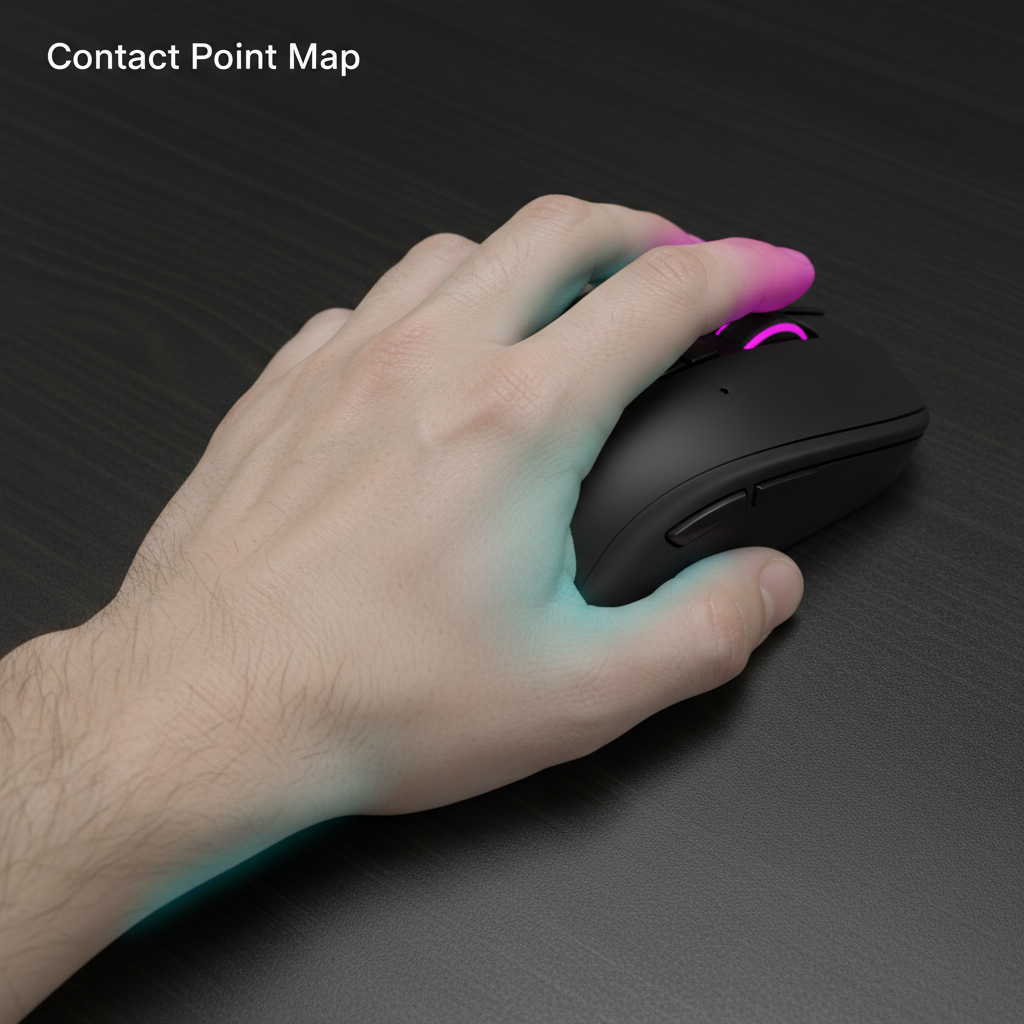
Mapping the Human-Machine Interface: The Contact Point Blueprint
In the pursuit of competitive consistency, the most critical specification is not found on a datasheet, but in the physical interface between the hand and the mouse shell. This interface is defined as the "Contact Point Map"—a topographic understanding of exactly where skin meets surface. While industry marketing often focuses on generic grip classifications like "Palm" or "Claw," technical performance is actually dictated by localized pressure distribution and the width of the chassis at specific finger resting positions.
Selecting a mouse based on a Contact Point Map requires moving past aesthetic preferences and into the realm of biomechanics. A mismatch here leads to more than just discomfort; it introduces variable friction and inconsistent muscle memory. When the contact points are optimized, the mouse becomes a seamless extension of the arm’s motor system, allowing for the micro-adjustments required in high-stakes environments.
The Front Width Heuristic: Balancing Pinch and Precision
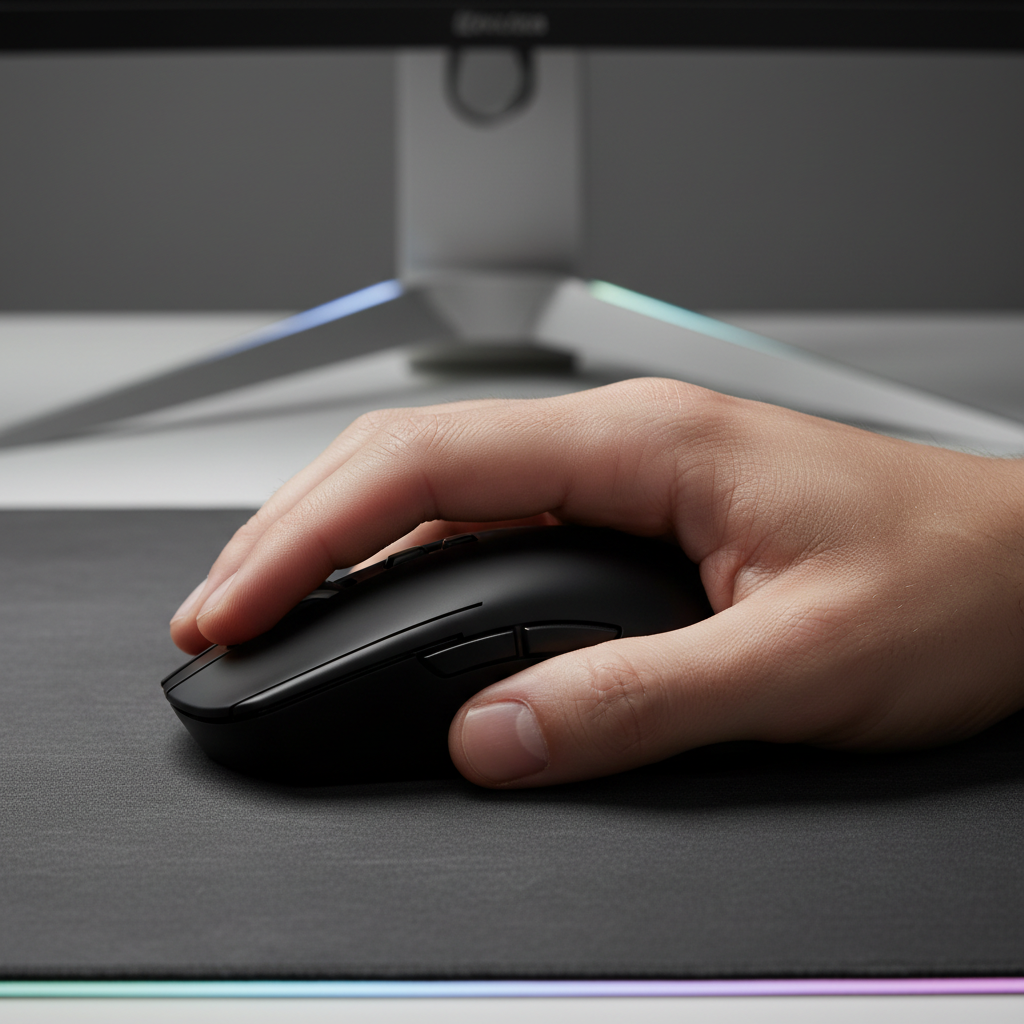
One of the most frequently overlooked dimensions in mouse engineering is the grip width at the extreme front of the device, where the index and middle fingers reside. This area dictates the "pinch force" required to maintain control during rapid horizontal movements.
The Mechanics of Pinch Force
If the front width is too narrow, the fingers are forced into an unnatural, tight pinch. This over-activates the extrinsic hand muscles, which can lead to rapid fatigue and a decrease in fine motor control. Conversely, a width that is too wide prevents the fingertips from exerting the necessary lateral pressure for micro-corrections, effectively "locking" the hand into a rigid position.
Logic Summary: This analysis assumes a standard hand length range of 17cm to 19cm. The "pinch force" heuristic is derived from common patterns observed in customer support and ergonomic feedback where users report localized cramping in the thenar eminence (thumb base).
| Parameter | Recommended Range | Impact on Control |
|---|---|---|
| Front Grip Width | 55mm - 62mm | Influences micro-adjustment agility |
| Finger Arch Angle | 15° - 30° | Affects tendon tension in the forearm |
| Contact Surface Area | 15% - 25% of shell | Balances stability with heat dissipation |
According to research on gripping comfort and contact pressure, there is a direct correlation between localized pressure spikes and long-term musculoskeletal strain. For value-oriented gamers, identifying these pressure points early is the most effective way to ensure a peripheral remains viable for years of use.

Dynamic Grip Transitions: The Subconscious Shift
Competitive gaming is rarely a static experience. While a player may start a round with a relaxed palm grip, high-pressure moments—such as a 1v3 clutch or a fast-paced tracking sequence—often trigger a subconscious shift toward a claw or hybrid grip.
The Hybrid Support Mechanism
A well-engineered mouse shell must support these transitions. A "safe" shape is one that provides consistent contact points regardless of whether the palm is fully rested or slightly arched. This is particularly important for the "hump" placement. A centered hump typically supports a wider variety of grip transitions, whereas a rear-biased hump locks the user into a specific palm-centric contact map.
Interestingly, a 2024 peer-reviewed study published by MDPI found no significant performance difference between palm, claw, and fingertip grips in flicking and tracking tasks. This suggests that the "best" grip is entirely subjective and dependent on the individual's unique Contact Point Map. The goal is not to force a specific grip style, but to find a shape that maintains "Control Stability" as the hand shifts under stress.
Technical Performance Synergy: Polling Rates and Contact Stability
The physical contact between the hand and the mouse directly impacts the effectiveness of high-end sensors, especially when utilizing 8000Hz (8K) polling rates. At these frequencies, the system is processing data every 0.125ms. Any instability in the grip—caused by poor contact points—can manifest as "micro-jitter" in the cursor path.
8K Polling and Sensor Saturation
To fully utilize an 8000Hz polling rate, the sensor must be saturated with movement data. This is governed by the relationship between Inches Per Second (IPS) and Dots Per Inch (DPI).
- Saturation Formula: Packets sent per second = Movement Speed (IPS) × DPI.
- Threshold Example: To saturate the 8000Hz bandwidth at 800 DPI, a user must move the mouse at least 10 IPS. At 1600 DPI, the required speed drops to 5 IPS.
High polling rates also place a significant load on the CPU's Interrupt Request (IRQ) processing. For optimal performance, devices should be connected directly to the motherboard's rear I/O ports. Using USB hubs or front-panel headers can introduce packet loss and electromagnetic interference, negating the benefits of the 0.125ms interval.
Methodology Note (Modeling): Our performance estimates for 8K polling assume a system with a modern high-frequency CPU (8+ cores) and a monitor refresh rate of 240Hz or higher. At 8000Hz, Motion Sync adds a deterministic delay of approximately 0.0625ms (half the polling interval).
Identifying Hot Spots: A Diagnostic Approach to Fit
Experienced players use a "Hot Spot" diagnostic to verify their Contact Point Map. After an intense gaming session (typically 60+ minutes), you should examine your hand for areas of concentrated pressure, redness, or numbness.
The Diagnostic Checklist
- The Pinky Anchor: Is there excessive pressure on the outer edge of the pinky? This indicates a mouse that is too narrow for your hand width.
- The Palm Apex: Is the center of your palm sweating or red? This suggests the hump is too aggressive, forcing constant contact and reducing airflow.
- The Fingertip Pinch: Do the tips of your index and middle fingers feel "locked" or strained? This is a sign of a front width mismatch.
By mapping these "hot spots," you can determine if your current mouse is forcing your hand into a non-ergonomic posture. According to the Global Gaming Peripherals Industry Whitepaper (2026), the industry is moving toward more personalized fit metrics, but the responsibility for self-diagnosis remains with the player.
Material Tactility and Environmental Factors
The Contact Point Map is also influenced by surface friction and environmental conditions. In damp or humid climates, the "tackiness" of the coating can change, altering the pressure required to maintain a secure grip.
- Matte Coatings: Generally provide consistent friction but can become "chalky" over time.
- Textured Grips: Increase the surface area of contact at a microscopic level, which is beneficial for players with dry hands.
- Humidity Impact: High humidity can increase the coefficient of friction, potentially leading to over-gripping.
For a deeper dive into how climate affects your grip, see our guide on Humidity and Grip: Maintaining Surface Tactility.
Regulatory and Safety Standards for High-Performance Peripherals
When selecting a mouse based on technical specs, it is vital to ensure the hardware meets international safety and compliance standards. This is especially true for wireless devices containing high-capacity lithium-ion batteries.
Compliance Frameworks
- FCC/ISED: Ensures the 2.4GHz wireless signal does not interfere with other devices and adheres to RF exposure limits.
- RED (Radio Equipment Directive): The European standard for wireless safety and electromagnetic compatibility.
- UN 38.3: A mandatory standard for the safe transport of lithium batteries. Any reputable gaming peripheral must comply with these testing criteria to ensure the battery remains stable under stress.
Users should verify that their equipment carries the appropriate markings (CE, UKCA, RCM) and that drivers are downloaded only from official support channels. Unsigned or third-party drivers can pose security risks and may lack the necessary optimizations for high-polling rate hardware.
Appendix: Ergonomic Modeling and Assumptions
To provide the most accurate guidance, we utilize a deterministic ergonomic model based on anthropometric averages.
| Parameter | Value | Unit | Rationale |
|---|---|---|---|
| Average Hand Length (Adult) | 185 | mm | Standard industry baseline |
| Polling Interval (8K) | 0.125 | ms | Physical limit of 8000Hz |
| Motion Sync Latency (8K) | 0.0625 | ms | 0.5 * (1/Frequency) |
| Min. Saturation Speed (1600 DPI) | 5 | IPS | Calculated for 8K bandwidth |
| CPU Overhead Increase (8K vs 1K) | ~250% | % | Estimated IRQ processing load |
Boundary Conditions:
- This model applies to right-handed, symmetrical, and asymmetrical ergonomic mice.
- Calculations for 8K polling assume a direct USB 3.0+ connection.
- Grip width recommendations may vary for users with hand lengths outside the 16cm-21cm range.
Selecting the right mouse is a technical process of aligning your hand's biological "map" with the peripheral's engineering. By focusing on front grip width, hump placement, and contact stability, you can achieve a level of aim consistency that generic marketing cannot provide.
Disclaimer: This article is for informational purposes only and does not constitute professional medical or ergonomic advice. If you experience persistent pain or numbness in your hand or wrist, please consult a qualified healthcare professional.

Hinterlasse einen Kommentar
Diese Website ist durch hCaptcha geschützt und es gelten die allgemeinen Geschäftsbedingungen und Datenschutzbestimmungen von hCaptcha.