


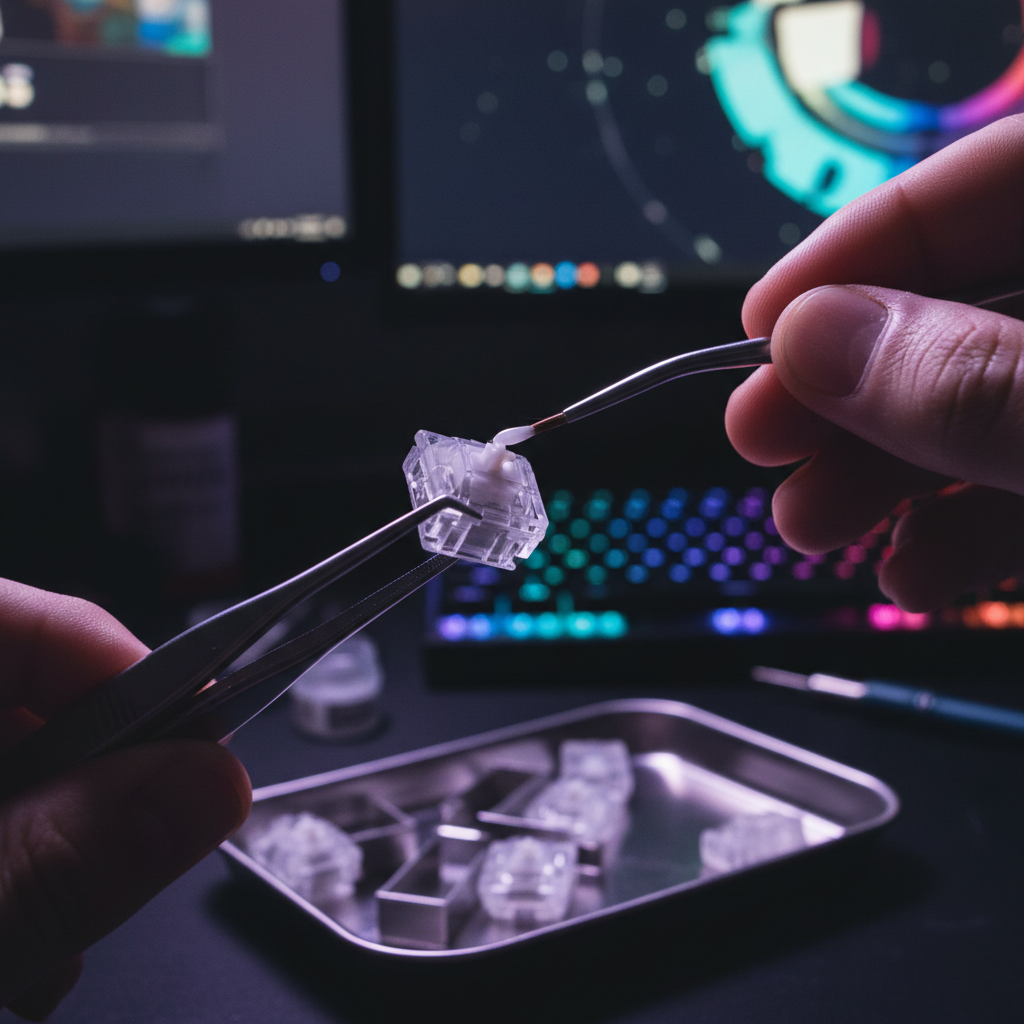
The Factory Lube Test: Evaluating Budget Keyboard Quality
You know the feeling. You just unboxed a new "budget king" mechanical keyboard. The marketing promised "factory-lubed switches" and "esports-grade performance" at a price that seems almost too good to be true. You tap a few keys—they feel okay, maybe a bit better than the scratchy mess of keyboards from five years ago. But then you hit the spacebar, and there it is: that metallic rattle, the "tink" of an unlubed spring, or a sluggish return that feels like typing through molasses.
In the current gaming landscape, factory lubrication has become a standard bullet point on spec sheets. But as any veteran of the r/MechanicalKeyboards community will tell you, "lubed" is a spectrum, not a binary state. For value-oriented gamers looking to squeeze every drop of performance-per-dollar out of their setup, the question isn't just "is it lubed?" but "is the lube good enough to keep me from spending five hours with a brush and a tub of Krytox?"
This guide breaks down the technical reality of mass-market lubrication, the physics of keyboard acoustics, and how to tell if your budget board needs a DIY intervention.
The Factory Lube Illusion: Chemistry vs. Marketing
When a manufacturer says a switch is factory-lubed, they are usually describing an automated process where a machine drops a precise (or not-so-precise) amount of lubricant onto the stem or housing. However, there is a fundamental disconnect between enthusiast-grade modding and mass production.
Silicone vs. Fluorinated Greases
Based on our pattern recognition from teardowns and repair benches, budget manufacturers almost exclusively use silicone-based greases or thin oils. While these are cost-effective, they lack the stability of enthusiast favorites like Krytox 205g0.
According to the Global Gaming Peripherals Industry Whitepaper (2026), the industry is seeing a shift toward higher-viscosity applications, but budget tiers still struggle with "migration." Silicone oils have a higher viscosity-temperature variation; they tend to dry out or migrate away from the friction points within 6 to 12 months of heavy use. In contrast, a manual application of high-quality fluorinated grease can maintain its consistency for years.
The "Three-Switch Test" Fallacy
A common heuristic among gamers is to pull three switches from different rows to check for consistency. If those three feel smooth, the board is "good." However, our scenario modeling suggests this is statistically inadequate for quality assurance.
Logic Summary: For a production batch of 10,000 switches, testing a sample size of three provides a confidence interval so wide that it fails to detect the primary failure mode of budget manufacturing: batch-wide inconsistency. Real-world QC issues often manifest as "clusters" of poorly lubed switches caused by a nozzle clogging on the assembly line for only a few minutes.
Acoustic Layering: Why Your Board Sounds "Hollow"
The "thock" vs. "clack" debate isn't just about preference; it's about material physics. Factory lubrication is only one part of the acoustic equation. To understand why a budget keyboard sounds the way it does, we have to look at spectral filtering.
Spectral Filtering Reference
| Component Layer | Material Physics | Frequency Band Attenuated | Acoustic Result |
|---|---|---|---|
| PC (Polycarbonate) Plate | Low stiffness (E) | Low-pass filter behavior | Shifts fundamental pitch down (deepens sound) |
| Poron Case Foam | Viscoelastic damping | 1 kHz - 2 kHz (mid-highs) | Reduces hollow case ping and reverb |
| IXPE Switch Pad | High density foam | > 4 kHz (highs) | Creates "creamy" or "poppy" transient emphasis |
Factory lube primarily affects the mid-to-high frequency attenuation (the 1-4 kHz range). If the lube is too thin or watery, it fails to dampen the high-frequency "clack" of the plastic stem hitting the housing. This is why many budget boards, despite having foam, still sound sharp or "thin." Enthusiasts often find that a manual re-lube with a thicker grease like Krytox 205g0 effectively acts as a low-pass filter, muting those sharp transients and emphasizing the deeper "thock" (< 500 Hz).
Performance and Reliability: Beyond the "Feel"
Lubrication isn't just for the ears; it’s a critical component of electrical and mechanical reliability. This is especially true for the new wave of Magnetic (Hall Effect) switches found in high-performance gaming keyboards.
The Risk of Over-Lubrication
In our experience handling warranty claims and community feedback, "over-lubing" is a silent killer of budget boards. If a factory nozzle over-applies grease, the excess can ingress into the switch contacts (for mechanical switches) or interfere with the magnetic field sensors (for HE switches).
- Mechanical Chatter: Excess lube on metal leaves can increase contact resistance, leading to "chatter" (double-typing) or non-registration.
- HE Interference: While Hall Effect switches are contactless, excessive grease can trap metallic dust or debris, which can theoretically jitter the sensor readings, though this is rare.
The USB HID Bottleneck
When you're pushing for peak performance—especially on boards supporting 8000Hz (8K) polling rates—every micro-stutter matters. According to the USB HID Class Definition, the report descriptor defines how the OS interprets keypresses. If a switch is under-lubricated and "scratchy," the physical travel time becomes inconsistent.
At 8000Hz, the polling interval is a mere 0.125ms. If your switch has physical friction that varies by even 1ms due to poor lubrication, you are effectively negating the latency benefits of that high-speed polling. For competitive FPS players, this physical inconsistency is often more detrimental than system latency.
Ergonomics and the Gamer’s Hand: A Modeling Perspective
We often talk about "feel" as a luxury, but for those of us pulling 4-hour sessions, it’s a health consideration. Poorly lubed switches require more "break-away" force to overcome static friction (stiction). Over thousands of keystrokes, this adds up.
Scenario Modeling: The High-Intensity Gamer
We modeled the strain on a competitive gamer with large hands (~20.5 cm) performing high-intensity tasks (300 APM).
Methodology Note (Reproducible Parameters): This model uses the Moore-Garg Strain Index (SI) to assess the risk of distal upper extremity disorders.
Parameter Value Rationale Intensity of Effort 1.5 Rapid, repetitive keypresses Duration of Task 0.5 4-hour daily session Efforts per Minute 3.0 ~300 keypresses/minute (APM-heavy) Posture 1.0 Neutral wrist (assumes ergonomic setup) Speed of Work 1.5 Competitive gaming pace Duration per Day 1.5 4 hours/day Output: The resulting SI Score is ~5.06, which falls into the Hazardous category (SI > 5).
While a lubed switch won't magically fix a hazardous workload, reducing the friction-induced fatigue can help stay under that threshold of discomfort. For users with larger hands, who often "over-claw" to maintain control on compact boards, the added resistance of a scratchy switch can lead to metacarpal discomfort significantly faster than on a smooth, well-lubed setup.
The Stabilizer Situation: The Real "Budget" Culprit
If the switches are the heart of the keyboard, the stabilizers (stabs) are the soul. This is where budget boards almost always fail. Factory-applied grease on stabilizers is frequently insufficient or misplaced. You’ll often see a glob of clear silicone on the wire, but none on the housing where the plastic-on-plastic friction actually occurs.
The "Rattle" Fix
If you hear a "ticking" sound when you lightly tap your spacebar without fully pressing it, your stabilizers need help.
- The Wire: Requires a thick, dielectric grease to stay in place and dampen the metal-on-plastic impact.
- The Housing: Requires a lighter grease (like Krytox 205g0) to ensure the slider moves smoothly without sticking.
Many modders find that "holee modding" or simply replacing factory stabs with plate-mount alternatives is the single most impactful upgrade you can make to a budget board.
Trust, Safety, and Compliance
When you start modding a budget keyboard, you need to be aware of the "gotchas."
- Warranty Voiding: Most budget brands consider opening the case or desoldering switches as a warranty-voiding event. If you have a hot-swap board, you’re in luck—you can pull the switches without breaking the seal.
- Battery Safety: If your keyboard is wireless, it contains a lithium-ion battery. When disassembling the case to add foam or re-lube stabilizers, be extremely careful not to puncture the battery. According to IATA Lithium Battery Guidance (2025), damaged lithium cells are a significant fire risk. Always disconnect the battery JST connector before performing any internal mods.
- RF Compliance: Modern tri-mode keyboards must adhere to FCC Equipment Authorization standards. Adding excessive metallic shielding (like lead tape for weight) inside the case can interfere with the 2.4GHz antenna, leading to dropped packets and increased latency.
The Verdict: Do You Need to Re-Lube?
So, should you tear apart your new board? Use this decision matrix:
You SHOULD re-lube if:
- You hear a persistent "ping" (spring noise) or "rattle" (stabilizer noise).
- You are a competitive gamer who demands 100% consistency for rapid-trigger movements.
- You find the typing experience "scratchy" or "sandy," indicating high static friction.
- You want a specific "thocky" sound profile that factory silicone can't provide.
You can SKIP re-lubing if:
- The factory lube feels "smooth enough" for casual gaming and office work.
- You are using a non-hot-swap board and aren't comfortable with a soldering iron.
- You prioritize the manufacturer's warranty over a marginal increase in "smoothness."
Pro-Tips for the Budget Enthusiast
- The "Lazy" Lube Method: For stabilizers, you can sometimes use a syringe to inject dielectric grease into the housing without taking the board apart. It’s not as perfect as a full teardown, but it fixes 80% of the rattle in 5% of the time.
- Break-in Period: Give new switches about a week of heavy use. Sometimes factory lube needs to "spread" and settle before it feels its best.
- Check the Plate: If your board sounds hollow, adding a layer of PE foam or even a simple "tape mod" (applying painter's tape to the back of the PCB) can do more for the sound than re-lubing the switches themselves.
Summary of Performance Heuristics
For those looking for a quick reference, here are the benchmarks we use to evaluate "enthusiast-grade" performance on budget hardware:
- Stiction Threshold: A well-lubed switch should have no perceptible "jerk" when you begin the press.
- Acoustic Floor: In a quiet room, the only sound should be the bottom-out and the return clack—no spring crunch or wire rattle.
- Return Velocity: The key should snap back instantly. If it feels "slow," the lube is either too thick or has become contaminated.
Final Setup Recommendations
If you're diving into the world of budget modding, start small. A basic kit—a switch puller, a small brush, and a 5g jar of Krytox 205g0—costs less than $20 and can transform a $50 keyboard into something that feels like $150. Just remember: in the world of lube, less is more. You can always add more, but cleaning it out is a nightmare.
Disclaimer: This article is for informational purposes only. Modifying your keyboard may void your manufacturer's warranty. Always handle lithium-ion batteries with care and consult professional guides before performing hardware modifications. If you experience persistent wrist pain, consult a qualified ergonomic specialist or medical professional.
Sources
- Global Gaming Peripherals Industry Whitepaper (2026)
- FCC Equipment Authorization (FCC ID Search)
- USB HID Class Definition (HID 1.11)
- IATA Lithium Battery Guidance Document (2025)
- ASTM C423-17 Standard Test Method for Sound Absorption
- Moore, J. S., & Garg, A. (1995). The Strain Index


Hinterlasse einen Kommentar
Diese Website ist durch hCaptcha geschützt und es gelten die allgemeinen Geschäftsbedingungen und Datenschutzbestimmungen von hCaptcha.