Firmware-Pufferverwaltung: Stabilitätstechnik in 8000Hz-Gaming-Peripheriegeräten
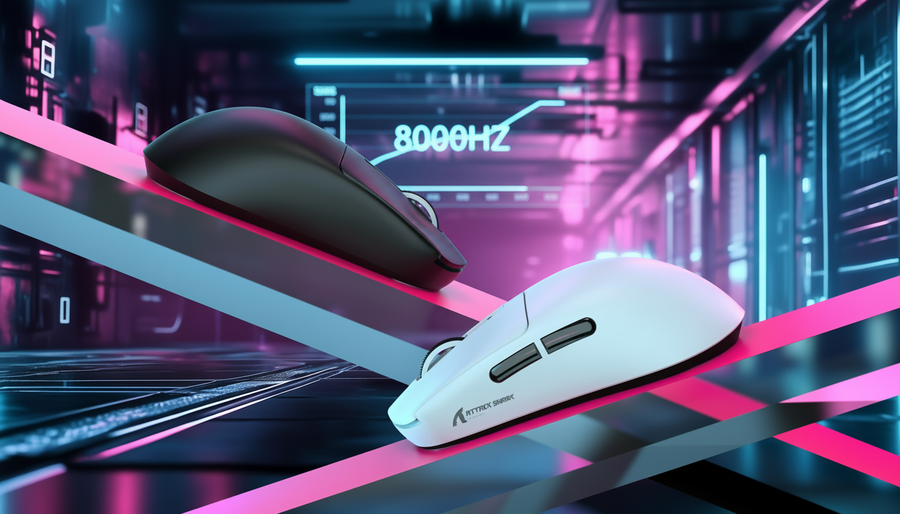
Der Übergang vom branchenüblichen 1000Hz-Abfragerate zu 8000Hz (8K) stellt eine achtfache Erhöhung der Datendichte dar und reduziert das theoretische Berichtsintervall von 1,0 ms auf nahezu sofortige 0,125 ms für einen Wettbewerbsvorteil. Wie jedoch im Global Gaming Peripherals Industry Whitepaper (2026) festgestellt wird, besteht eine erhebliche „Spezifikations-Glaubwürdigkeitslücke“ zwischen der rohen Hardwarefähigkeit und der realen Leistung. Während viele Geräte Hochleistungssensoren wie den PixArt PAW3950MAX verwenden, liegt der wahre Engpass für Eingabekonsistenz in der Firmware der Mikrocontroller-Einheit (MCU) und deren Fähigkeit, Datenpuffer unter extremen Interrupt-Lasten zu verwalten.
Die Aufrechterhaltung einer stabilen 8000Hz-Report-Rate ist nicht nur eine Frage der Sensor-Geschwindigkeit; es ist eine komplexe Orchestrierung von Interrupt-Priorisierung, Speicherverwaltung und USB-Bus-Synchronisation. Wenn die Firmware diese Elemente nicht verwaltet, erleben Nutzer „Mikostottern“ – sporadische Latenzspitzen, die das flüssige Tracking stören, das im kompetitiven E-Sport erforderlich ist.

Das 125-Mikrosekunden-Fenster: Die deterministische Herausforderung
Bei 8000Hz hat der MCU genau 125 Mikrosekunden (µs), um Daten vom Sensor zu sammeln, die Bewegungsdifferenz zu verarbeiten und einen USB-HID-(Human Interface Device)-Report für die Übertragung vorzubereiten. Dieses Zeitfenster ist äußerst knapp. Zum Vergleich: Ein Standard-ARM-Cortex-M-Prozessor mit 64MHz oder 128MHz hat nur wenige tausend Taktzyklen, um alle notwendigen Anweisungen auszuführen, bevor die nächste Abfrage fällig ist.
Bei herkömmlichen 1000Hz-Mäusen reicht oft ein einfacher First-In-First-Out (FIFO)-Puffer aus. Der MCU wartet auf einen Timer-Interrupt, liest den Sensor aus und schiebt die Daten weiter. Bei 8000Hz können jedoch nicht-deterministische Faktoren – wie Betriebssystem-Scheduling oder USB-Bus-Konkurrenz – leicht einen großen Teil dieses 125µs-Fensters beanspruchen. Wenn der MCU mit sekundären Aufgaben wie RGB-Beleuchtungseffekten oder Entprellung eines Seitentasten-Klicks beschäftigt ist, kann er den kritischen Sensor-Interrupt verpassen, was zu einem verlorenen Paket oder „Jitter“ in der Berichtfrequenz führt.
Logikzusammenfassung: Die 8K-Sättigungsanforderung
Um dem 8000Hz-Stream aussagekräftige Daten zu liefern, muss der Sensor genügend Bewegungszählungen erzeugen. Wir schätzen die Sättigungsschwelle mit folgender Heuristik:
- Formel: Pakete pro Sekunde = Bewegungsgeschwindigkeit (IPS) × DPI.
- 800-DPI-Szenario: Ein Benutzer muss die Maus mit 10 IPS (Zoll pro Sekunde) bewegen, um die Bandbreite auszuschöpfen.
- 1600-DPI-Szenario: Nur 5 IPS sind erforderlich, um einen vollständigen 8000Hz-Report-Stream aufrechtzuerhalten.
- Grenze: Bei sehr niedriger DPI oder extrem langsamen Bewegungen kann die Maus über mehrere Pakete hinweg identische Koordinaten melden, wodurch die Vorteile der höheren Abtastrate effektiv aufgehoben werden.
MCU-Architektur: FIFO- vs. DMA-Pufferverwaltung
Moderne Gaming-MCUs, wie der Nordic nRF52840 oder schnelle 32-Bit-Cortex-M-Varianten, bieten zwei Hauptmethoden zur Datenflusssteuerung: FIFO-Puffer und Direct Memory Access (DMA).
FIFO (First-In-First-Out)
In einer FIFO-Architektur ist der MCU-Kern aktiv an jedem Datentransfer beteiligt. Wenn der Sensor neue Daten hat, löst er einen Interrupt aus, und die CPU muss ihre aktuelle Aufgabe unterbrechen, um diese Daten in den USB-Puffer zu verschieben. Dieser „interruptgesteuerte“ Ansatz ist einfach, aber bei 8000Hz riskant. Wenn mehrere Interrupts gleichzeitig auftreten (z. B. ein Sensorupdate und eine Funkübertragung), kann die CPU eine „Interrupt-Latenz“ erfahren, bei der sie nicht schnell genug reagieren kann, was dazu führt, dass das 125µs-Zeitfenster zusammenbricht.
DMA (Direkter Speicherzugriff)
Fortgeschrittene Firmware-Implementierungen nutzen DMA, um den MCU-Kern zu entlasten. DMA ermöglicht es dem Sensor, Daten direkt in den Systemspeicher zu schreiben, ohne CPU-Intervention. Dies gibt dem Prozessor die Freiheit, komplexe Aufgaben wie „Motion Sync“ oder drahtlose Verschlüsselung zu übernehmen. DMA bringt jedoch eigene Herausforderungen mit sich, insbesondere „Datenrennen“.
Experteneinsicht: In einem DMA-fähigen System kann der DMA-Controller, wenn die Firmware nicht sorgfältig gestaltet ist, einen Speicherblock überschreiben, den der USB-Controller gerade zum Senden liest. Dies führt zu beschädigten Paketen. Um dies zu verhindern, implementieren erfahrene Entwickler eine „Ringpuffer“- oder „Doppelpuffer“-Strategie, bei der das System zwischen zwei Speicherorten wechselt, um sicherzustellen, dass die gesendeten Daten immer vollständig und statisch sind.
| Funktion | FIFO-Puffer | DMA-Puffer |
|---|---|---|
| CPU-Overhead | Hoch (CPU verarbeitet jedes Byte) | Niedrig (wird von der Hardware gehandhabt) |
| Latenz-Konsistenz | Variabel (abhängig von CPU-Auslastung) | Hoch (deterministische Zeitsteuerung) |
| Komplexität | Niedrig | Hoch (erfordert Management von Race Conditions) |
| 8K-Tauglichkeit | Schlecht (anfällig für Mikro-Ruckler) | Optimiert (Industrie-Standard für 8K) |
Firmware-Priorisierung: Der Kampf gegen „Interrupt Bloat“
Eine der häufigsten Fallstricke bei Peripheriegeräten von Herausforderermarken ist das „Interrupt Bloat“. MCUs sind oft damit beauftragt, mehrere Subsysteme zu verwalten: den optischen Sensor, das 2,4-GHz-Funkmodul, den USB-Controller und die RGB-LED-Treiber.
In vielen Consumer-Implementierungen wird die Steuerung der RGB-Beleuchtung mit der gleichen Priorität wie Sensordaten behandelt. Dies ist ein kritischer Fehler. RGB-Effekte beinhalten oft komplexe Pulsweitenmodulationszyklen (PWM), die Hunderte von Interrupts pro Sekunde auslösen können. Wenn ein RGB-Interrupt genau in dem Moment ausgelöst wird, in dem der MCU einen 8K-Sensorbericht senden muss, kann sich der Bericht um 10–20µs verzögern. Obwohl dies klein erscheint, entspricht es fast 15 % des gesamten 8K-Zeitfensters und erzeugt messbares Jitter.
Hochleistungs-Firmware verwendet "Interrupt Nesting" und strenge Prioritätsstufen. Die Sensor- und USB-Interrupts erhalten die höchste Priorität (Stufe 0), während periphere Aufgaben wie RGB oder Batteriemonitoring niedrigere Prioritäten erhalten. Außerdem wird oft "bewegungsadaptive" Abfrage verwendet, um Energie zu sparen. Dieses System passt die Abfragerate dynamisch an die Bewegungsgeschwindigkeit an, wobei die Übergangslogik fehlerfrei sein muss, um Aktivierungsverzögerungen zu vermeiden.

Der Engpass auf der Host-Seite: USB-Topologie und IRQ-Verarbeitung
Selbst mit perfekter Firmware hängt die Stabilität bei 8000Hz vom Host-PC ab. Der Engpass bei 8K ist typischerweise nicht die rohe CPU-Rechenleistung, sondern die Interrupt Request (IRQ)-Verarbeitung. Jedes Mal, wenn die Maus ein Paket sendet, muss die CPU des PCs ihre aktuelle Aufgabe unterbrechen, um diese Eingabe zu verarbeiten. Bei 8000Hz geschieht dies alle 0,125ms, was eine enorme Belastung für einen einzelnen CPU-Kern darstellt.
Um Stabilität zu gewährleisten, müssen Benutzer spezifische USB-Topologie-Standards einhalten, die in der USB HID Class Definition definiert sind.
- Direkter Motherboard-Zugang: Das Gerät muss an die hinteren I/O-Ports angeschlossen werden, die direkt mit der CPU oder dem Motherboard-Chipsatz verbunden sind.
- USB-Hubs vermeiden: Hubs führen zu gemeinsam genutzter Bandbreite und zusätzlichen Controllerebenen, die "Paketbündelung" verursachen, bei der mehrere Berichte zurückgehalten und dann alle auf einmal gesendet werden, was die 125µs-Taktung zerstört.
- OS-Optimierung: Windows-"Energiespar"-Modi für USB-Controller sollten deaktiviert werden, um zu verhindern, dass der Controller zwischen den Abfragen in einen Energiesparmodus wechselt.
Leistungsmodellierung: Latenz- und Batterietauschungen
Um eine realistische Sicht auf die 8000Hz-Leistung zu bieten, haben wir zwei kritische Szenarien basierend auf typischen Hardwarekonfigurationen für kompetitives Gaming modelliert.
Szenario 1: Modellierung der Motion-Sync-Latenz
Motion Sync synchronisiert die interne Sensorrahmung mit dem USB-"Start of Frame" (SOF)-Signal, um sicherzustellen, dass die an den PC gesendeten Daten so aktuell wie möglich sind. Dies verbessert die Tracking-Glätte, fügt jedoch eine kleine, deterministische Verzögerung hinzu.
Methode & Annahmen (Durchlauf 1):
- Modelltyp: Deterministisches Abfrageintervallmodell (szenariobasiert).
- Annahmen: Geht von einer standardmäßigen USB-HID-Timing-Umgebung mit optimiertem MCU aus.
| Parameter | Wert | Einheit | Begründung |
|---|---|---|---|
| Abtastrate | 8000 | Hz | Ziel: Hochleistungsmodus |
| Abfrageintervall | 0.125 | ms | $1 / \text{Frequenz}$ |
| Bewegungssynchronisationsverzögerung | ~0,0625 | ms | $0.5 \times \text{Intervall}$ |
| Basislatenz | 0.8 | ms | Standard optimierte MCU-Basislinie |
| Gesamtlatenz | ~0,86 | ms | Geschätzte Gesamtzeit mit Motion Sync |
Randbedingung: Dieses Modell geht von einem stabilen USB-Takt aus. Wenn der Host-PC erhebliche USB-Bus-Jitter aufweist, kann die Motion-Sync-Verzögerung schwanken.
Szenario 2: Analyse der kabellosen Batterielaufzeit
Hohe Abtastraten erhöhen den Stromverbrauch erheblich aufgrund der ständigen Aktivität des 2,4-GHz-Funks und des Hochfrequenz-Taktzustands des MCU.
Methode & Annahmen (Durchlauf 2):
- Modelltyp: Lineares Entladungsmodell.
- Annahmen: 500mAh Akku, 85% Entladungseffizienz, aggressiver Funkbetrieb.
| Komponente | Stromaufnahme | Einheit | Quellenkategorie |
|---|---|---|---|
| Optischer Sensor | 2.0 | mA | High-FPS-Modus |
| 2,4GHz-Funk | 6.0 | mA | 8K-Übertragungsdurchschnitt |
| MCU-System | 1.5 | mA | Hoher Takt-Overhead |
| Gesamtlast | 9.5 | mA | Kombinierter Systemverbrauch |
| Geschätzte Laufzeit | ~45 | Stunden | $(500 \times 0{,}85) / 9{,}5$ |
Randbedingung: Die reale Laufzeit verringert sich, wenn die RGB-Beleuchtung aktiviert ist oder wenn die Umgebung hohe Funkstörungen aufweist, was das Funkmodul zum erneuten Senden von Paketen zwingt.
Konsistenztest: Die entscheidende Kennzahl
Während „8000Hz“ die Schlagzeile ist, ist die wichtigste Kennzahl für einen Esports-Profi die Standardabweichung (Jitter). Eine Maus, die mit 8000Hz berichtet, aber eine hohe Standardabweichung hat (z. B. Intervalle zwischen 50µs und 200µs), fühlt sich weniger konsistent an als eine perfekt stabile 1000Hz-Maus.
Etablierte Marken investieren stark in QA-Prozesse, um die Konsistenz über Millionen von Samples zu messen. Herausforderer-Marken stehen hier oft vor der „Specification Credibility Gap“ – die Hardware gibt 8K an, aber das Firmware-Jitter ist für den professionellen Einsatz zu hoch. Werkzeuge wie der NVIDIA Reflex Analyzer sind unerlässlich, um zu überprüfen, dass die „Motion-to-Photon“-Latenz während intensiven Spiels stabil bleibt.
Zusammenfassung Checkliste für 8K-Stabilität
- MCU-Auswahl: Stellen Sie sicher, dass das Gerät eine Hochgeschwindigkeits-MCU (z. B. Nordic nRF52-Serie) verwendet, die hohe IRQ-Lasten bewältigen kann.
- Firmware-Qualität: Achten Sie auf die Implementierung von „Motion Sync“ und „High-Priority IRQ“ in den technischen Notizen des Herstellers.
- USB-Verbindung: Verwenden Sie immer einen Rear-I/O-Port. Vermeiden Sie Front-Panel-Header, die oft eine schlechte Abschirmung haben.
- DPI-Einstellung: Verwenden Sie 1600 DPI oder höher, um sicherzustellen, dass der Sensor genügend Daten erzeugt, um die 8K-Reports bei Mikrobewegungen zu sättigen.
- Systemanforderungen: Eine moderne CPU mit starker Single-Core-Leistung ist erforderlich, um die 0,125ms Interrupt-Frequenz ohne Ruckeln zu bewältigen.
Vertrauen und Sicherheit: Regulatorische Konformität
Beim Auswahl von Hochleistungs-Wireless-Peripheriegeräten stellen Sie sicher, dass das Gerät den internationalen Funk- und Batteriesicherheitsstandards entspricht. Dazu gehören FCC Teil 15 für Funkstörungen in den USA und die EU-Funkgeräterichtlinie (RED) für den europäischen Markt. Da diese Geräte Hochkapazitäts-Lithium-Ionen-Akkus verwenden, müssen sie außerdem die UN 38.3-Prüfung bestehen, um Sicherheit beim Transport und intensiver Nutzung zu gewährleisten.
Haftungsausschluss: Dieser Artikel dient nur zu Informationszwecken. Hohe Abtastraten erhöhen die CPU-Auslastung und können die Systemstabilität in bestimmten Konfigurationen beeinträchtigen. Konsultieren Sie stets die Handbücher Ihres Mainboards und Ihrer Peripheriegeräte für spezifische Kompatibilitätsanforderungen.