


Performance Beyond Size: The Engineering of Compact High-Spec Mice
In the competitive gaming landscape, the "one size fits all" philosophy is a relic of the past. For value-oriented players, the challenge has traditionally been finding a mouse that fits smaller hand profiles without sacrificing the high-tier sensors and polling rates found in flagship models. High-end performance should not be a privilege of those with larger hands; it is a matter of ergonomic synergy and technical implementation.
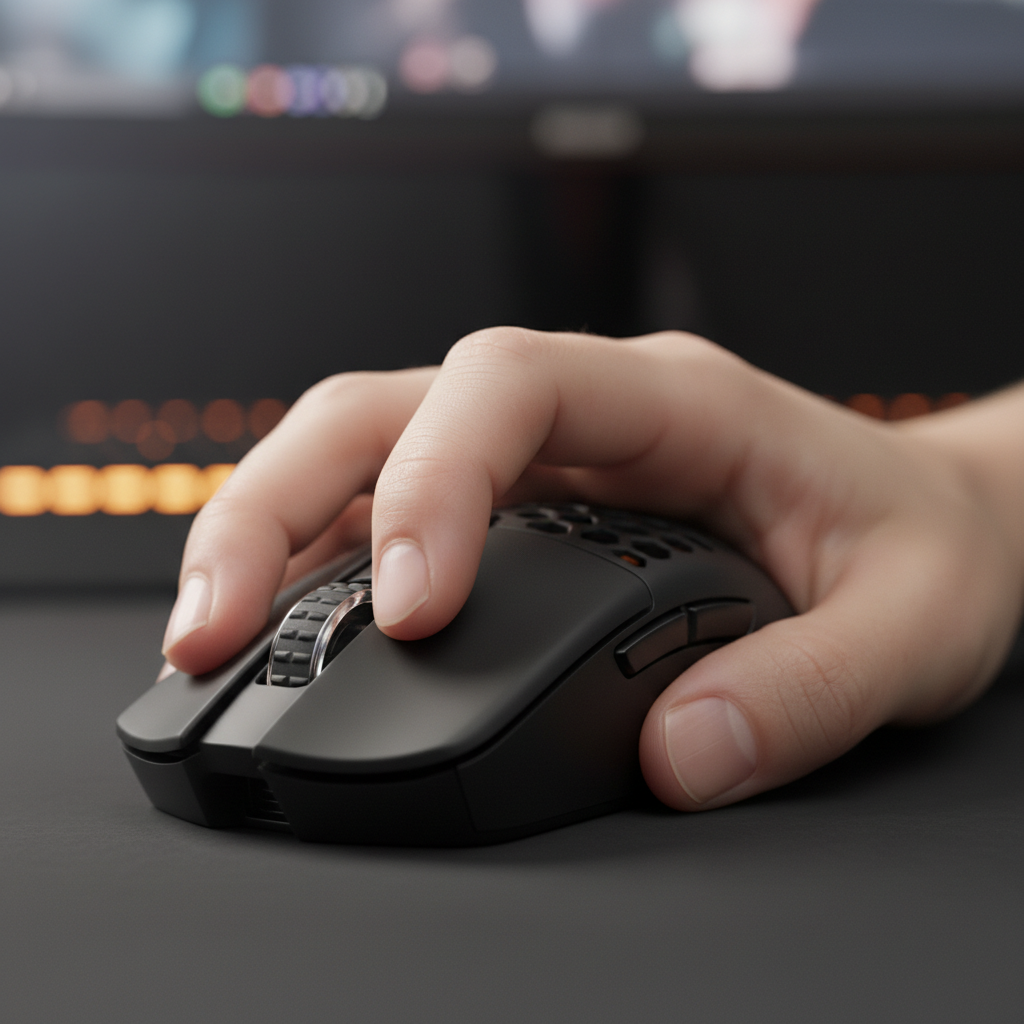
A compact mouse is not merely a "mini" version of a standard model. It represents a fundamental shift in how a player interacts with their hardware. When hand dimensions—specifically width—fall below 18cm (7 inches), a standard 120mm mouse often forces a palm grip. While stable, this grip limits wrist articulation and prevents the micro-adjustments necessary for high-level flick shots. By contrast, a mouse under 115mm allows for a natural claw or fingertip grip, where the fingertips control the buttons directly, enabling faster reaction times and more precise vertical movement.
This article examines the technical mechanisms that allow compact mice to compete at the highest levels, the physical laws governing 8000Hz polling rates, and the cost-benefit analysis of budget-friendly, high-spec peripherals.
The Biomechanics of Small-Hand Advantage
The primary advantage of a compact mouse for players with smaller hands is the restoration of the "control gap"—the space between the palm and the back of the mouse. According to the Global Gaming Peripherals Industry Whitepaper (2026), ergonomic efficiency in FPS titles is highly dependent on the ability to perform "finger-tip micro-adjustments."
Grip Strategies and Articulation
For a player with an 18cm hand, a standard-sized mouse (125mm+) fills the entire palm. This "locked" position relies on the shoulder and elbow for movement. While this provides consistency for tracking, it is detrimental for "flicking." A compact mouse (110mm–115mm) creates a gap that allows the player to pull the mouse into their palm using their fingers, a movement that is significantly faster than moving the entire forearm.
Logic Summary: Our sizing heuristic suggests that for optimal claw/fingertip articulation, the mouse length should be approximately 60–65% of the hand length. This ratio ensures sufficient clearance for vertical micro-adjustments without the shell colliding with the base of the palm.
The Weight-to-Control Heuristic
A common mistake in the budget segment is chasing the lowest possible weight without considering stopping power. While an ultra-light mouse (under 50g) reduces inertia, it can lead to "overshooting" if the sensor's high DPI isn't balanced by physical resistance.
- Heuristic: Pair an ultra-lightweight mouse (50–60g) with a control-oriented pad (such as coated fabric or carbon fiber textures).
- Mechanism: The higher static friction of a control pad compensates for the low mass of the mouse, providing the "stopping power" needed to end a flick shot precisely on target.

Sensor Implementation: PAW3395 vs. PAW3311
In the budget-friendly challenger segment, the sensor is often the primary marketing focus. However, hardware alone does not guarantee performance. The implementation of the PixArt PAW3395 and PAW3311 sensors reveals a critical distinction between raw specs and real-world stability.
The Motion Sync Variable
The PAW3395 is celebrated for "Motion Sync," a feature that aligns sensor reports with the PC's polling intervals. While this sounds universally beneficial, it introduces a deterministic delay.
- At 1000Hz: Motion Sync adds approximately 0.5ms of latency (half the polling interval).
- At 8000Hz: This delay drops to ~0.0625ms, making it effectively negligible.
A poorly tuned PAW3395 in a budget mouse can exhibit higher motion latency than a well-optimized PAW3311 if the firmware implementation of Motion Sync is inconsistent. Competitive gamers should prioritize brands that offer transparent firmware updates and "Competitive Mode" toggles that prioritize raw input over smoothed data.
Technical Specification Comparison
| Feature | PAW3311 (Mid-Tier) | PAW3395 (High-Tier) | PAW3950MAX (Ultra-Tier) |
|---|---|---|---|
| Max DPI | 22,000–25,000 | 26,000 | 30,000–42,000 |
| Max Speed (IPS) | 400 | 650 | 750 |
| Acceleration | 40G | 50G | 70G |
| Motion Sync | No | Yes | Yes (Enhanced) |
Methodology Note: These values are based on official PixArt Imaging specifications. Real-world performance may vary based on the MCU (Microcontroller Unit) used to process the data.
The 8000Hz (8K) Paradigm: Physical Laws and Bottlenecks
The transition from 1000Hz to 8000Hz polling is the current frontier for value-oriented high-spec mice. However, 8K is not a "plug-and-play" feature; it imposes strict requirements on the entire system.
Bandwidth and Saturation Logic
To actually utilize an 8000Hz polling rate, the mouse must generate enough data packets to fill the bandwidth. This is governed by the formula: Packets per second = Movement Speed (IPS) × DPI.
To saturate the 8000Hz interval (one report every 0.125ms):
- At 800 DPI, a user must move the mouse at 10 IPS (inches per second).
- At 1600 DPI, the required speed drops to 5 IPS.
During slow, precise movements at low DPI, an 8K mouse may only be reporting at 1000Hz or 2000Hz simply because there isn't enough new positional data to send. Therefore, higher DPI settings (1600+) are recommended to maintain 8K stability during micro-adjustments.
The CPU and USB Bottleneck
The primary bottleneck for 8K performance is not the mouse, but the PC's ability to process IRQ (Interrupt Requests). 8000 reports per second significantly increase CPU load on a single core.
- Recommendation: High polling rates should only be used with modern CPUs (Intel 12th Gen / AMD Ryzen 5000 or newer).
- Connectivity: Devices must be connected directly to the Rear I/O ports of the motherboard. Using USB hubs or front-panel headers often results in packet loss and jitter due to shared bandwidth and inadequate shielding.

Connectivity Integrity: Beyond the Polling Rate
For wireless performance, real-world latency is often more dependent on environmental factors than the listed polling rate. A common mistake in budget setups is relying on the built-in dongle storage or placing the receiver behind a metal PC case.
Receiver Placement and RF Interference
The 2.4GHz spectrum is crowded with interference from Wi-Fi routers and other wireless peripherals. According to RTINGS - Mouse Click Latency Methodology, consistent results are best achieved by placing the receiver as close to the mouse as possible.
- Expert Tip: Use a desk-mounted extension cable to place the receiver within 10–20cm of the mouse pad. This minimizes the signal-to-noise ratio and ensures that the 0.125ms intervals of an 8K mouse are not disrupted by packet re-transmissions.
Software and Firmware Security
Value-oriented gamers often worry about the "maturity" of software from challenger brands. To mitigate risks:
- Verify Drivers: Use VirusTotal to scan driver installers before execution.
- Web-Based Alternatives: Look for brands offering web-based configurators (e.g., ATK Hub), which eliminate the need for local software installation and reduce system overhead.
Regulatory Compliance and Long-Term Value
When evaluating "budget" high-spec mice, the true value is determined by the functional lifespan of the device. A low upfront cost is negated if the device fails within six months.
Component Durability
- Switches: High-tier budget mice now utilize switches rated for 80 million to 100 million clicks (e.g., Huano Blue Shell Pink Dot or Omron Optical). These are significantly more durable than the 5-million-click switches found in generic office mice.
- Battery Safety: Ensure the mouse carries FCC and ISED Canada certifications. This confirms that the lithium-ion batteries meet international safety and transport standards (UN 38.3).
The Cost-Per-Hour Metric
A $50 mouse that lasts two years of intensive gaming costs approximately $0.06 per day. In contrast, a $20 mouse that develops a "double-click" issue in three months costs $0.22 per day. For the performance-driven gamer, the mid-range "challenger" mice—which use premium components in a cost-effective shell—represent the peak of the value curve.
Modeling Note: Performance & Assumptions
To provide a structured framework for choosing a compact mouse, we have modeled the following performance scenario.
Method & Assumptions: This is a deterministic scenario model designed to estimate the system requirements for 8000Hz polling. It assumes a clean OS environment and direct motherboard connection.
| Parameter | Value / Range | Unit | Rationale |
|---|---|---|---|
| Polling Interval | 0.125 | ms | Mathematical 1/8000 frequency |
| Motion Sync Delay | ~0.06 | ms | Half-interval heuristic at 8K |
| Min. Movement for 8K | 5–10 | IPS | Required to saturate bandwidth at 800/1600 DPI |
| Estimated CPU Load | 5–15 | % | Single-core overhead for IRQ processing |
| Battery Impact | -75 to -80 | % | Reduction in runtime compared to 1000Hz |
Boundary Conditions:
- This model does not apply to systems using USB 2.0 hubs.
- Performance may degrade in environments with more than three active 2.4GHz wireless devices within a 2-meter radius.
- Visual benefits of 8K are significantly diminished on monitors with refresh rates below 240Hz.
Summary: The New Standard for Value
The "Small-Hand Advantage" is a real mechanical phenomenon that allows for superior micro-articulation and faster flick shots. By choosing compact mice with high-tier sensors like the PAW3395 and implementing them with proper 8K polling logic, budget-conscious gamers can achieve performance parity with professional-grade hardware.
The key to maximizing this value lies in understanding the synergy between the mouse, the surface, and the system. By following the 60% sizing heuristic and ensuring direct USB connectivity, players can eliminate the technical bottlenecks that often hinder competitive play. High-spec gaming is no longer about how much you spend, but how intelligently you configure your tools.
Disclaimer: This article is for informational purposes only. Technical specifications and performance metrics are based on manufacturer data and common industry heuristics. Individual results may vary based on system configuration and user technique.

Hinterlasse einen Kommentar
Diese Website ist durch hCaptcha geschützt und es gelten die allgemeinen Geschäftsbedingungen und Datenschutzbestimmungen von hCaptcha.