



The Specification Credibility Gap: Why Max DPI Isn’t the Goal
In the competitive gaming peripheral market, a "specification credibility gap" has emerged. Manufacturers frequently tout sensors capable of 26,000, 30,000, or even 42,000 DPI (Dots Per Inch). However, a survey of professional esports settings reveals a starkly different reality: the overwhelming majority of elite players in tactical shooters like Valorant or CS2 operate within the 400 to 800 DPI range.
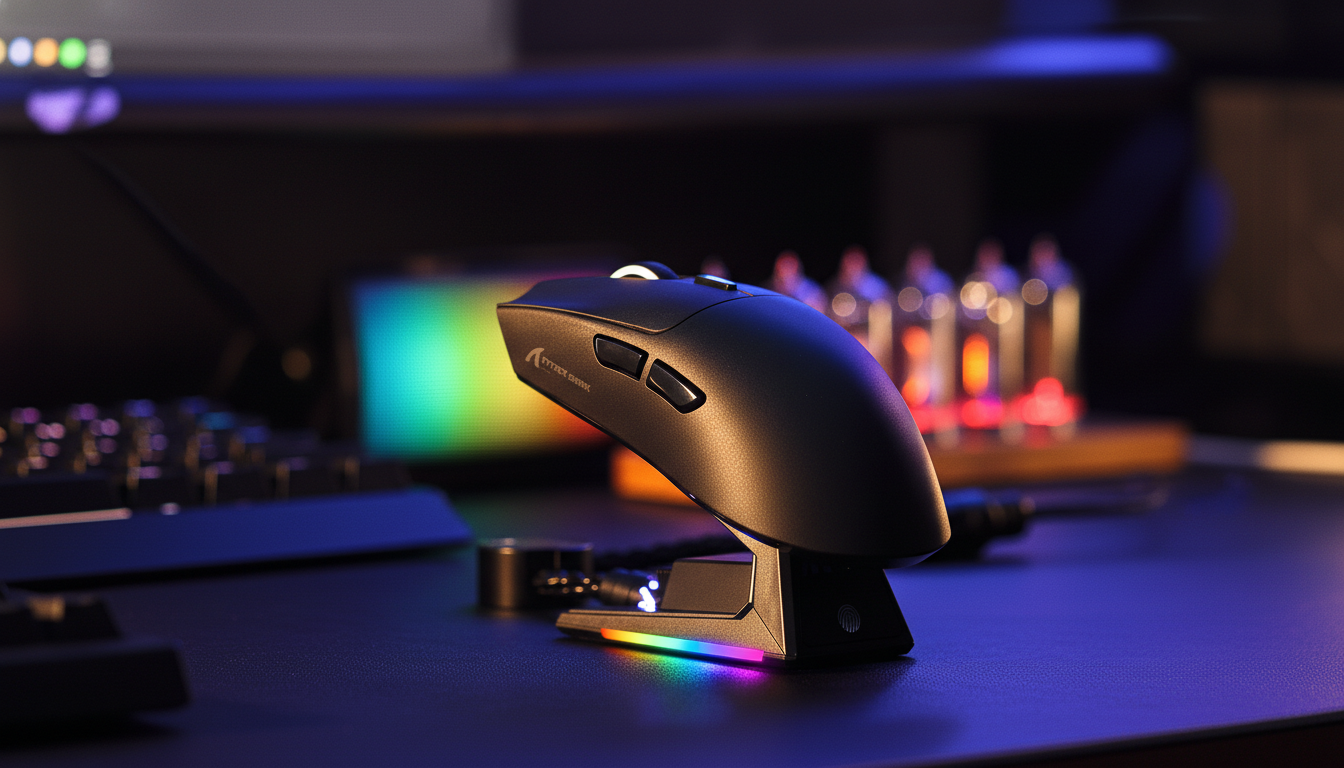
This discrepancy isn't due to pros being "stuck in the past." It is a calculated decision based on how optical sensors process data and how the human musculoskeletal system achieves precision. While high-spec sensors like the PixArt PAW3395 or the PAW3950MAX found in the ATTACK SHARK R11 ULTRA Carbon Fiber Wireless 8K PAW3950MAX Gaming Mouse offer incredible headroom, their value in professional play lies in their stability at low settings, not their maximum ceiling.
Sensor Dynamics: The Science of Raw Input vs. Interpolation
To understand why low DPI rules, one must understand how a sensor "sees." A gaming mouse sensor is essentially a high-speed camera that takes thousands of pictures of the mouse pad surface per second. It compares these images to calculate movement.
The 400–1600 DPI Sweet Spot
Most modern high-performance sensors perform optimally—with the best balance of flawless tracking, minimal noise, and negligible smoothing—within the 400 to 1600 DPI range. When a sensor operates at its native resolution, it provides a 1:1 relationship between physical movement and on-screen cursor travel.
As DPI increases beyond a certain threshold (often 3200 DPI on mid-range sensors), the firmware must begin "interpolating" or predicting movement to fill in the gaps. This interpolation can introduce subtle non-linearities and input lag. For a professional player, even a ~0.5ms delay caused by internal processing can disrupt the "click-to-pixel" synchronization required for flick shots.
Avoiding the Noise Floor and Firmware Smoothing
At ultra-high DPI settings, sensors become hyper-sensitive to the "noise" of the mouse pad surface—microscopic imperfections in the weave or plastic. To counteract this jitter, sensor firmware often applies "smoothing" algorithms. While this makes the cursor look steady, it adds a layer of processing between the hand and the game engine, effectively "smearing" the input data.
Modeling Note: Nyquist-Shannon DPI Minimum To verify if low DPI causes "pixel skipping" on modern high-resolution displays, we modeled a 1440p (2560px) environment.
Parameter Value Rationale Resolution 2560 px (Horizontal) Standard 1440p Monitor Field of View (FOV) 103° Common Tactical FPS setting Sensitivity 40 cm/360 Precision-focused aiming Calculated Min DPI ~1136 DPI Mathematical threshold for 1:1 pixel mapping Analysis: While the mathematical minimum to avoid skipping on a 1440p screen at high sensitivity is roughly 1100 DPI, most pros still prefer 800 DPI. This is because the game engine's sub-pixel rendering and the human eye's inability to perceive single-pixel jumps at high speeds make the "pixel skipping" argument largely irrelevant in real-world combat.
Human Performance Modeling: Finding Your cm/360
In professional circles, sensitivity is rarely discussed in terms of DPI alone. Instead, the industry standard is cm/360—the physical distance the mouse must travel on the pad to perform a full 360-degree turn in-game.
The DPI/Sensitivity Triangle
Your effective sensitivity is determined by three factors:
- Hardware DPI: The raw count from the sensor.
- In-Game Multiplier: How the game engine scales that count.
- Windows Pointer Speed: The OS-level scaling (which should always be set to 6/11 with "Enhance pointer precision" disabled to ensure raw input).
A common mistake among value-oriented gamers is using a very high DPI (e.g., 3200) with a very low in-game multiplier (e.g., 0.1). While the eDPI (Effective DPI) might be the same as 800 DPI at a 0.4 multiplier, the high-DPI setup is more prone to sensor noise and accidental micro-movements caused by hand tremors.
Scenario Modeling: Tactical FPS vs. Fast-Paced Shooters
According to the Global Gaming Peripherals Industry Whitepaper (2026), professional setups are typically optimized by genre:
- Tactical FPS (e.g., CS2, Valorant): 25–45cm per 360. This requires large arm movements for turns but allows for "pixel-perfect" micro-adjustments with the wrist.
- Arena/Fast Shooters (e.g., Apex Legends, Overwatch 2): 20–30cm per 360. Faster target switching is prioritized over pure stability.
For players with large hands (approximately 20–21cm), achieving this balance requires a mouse with a specific "fit ratio." Using our Grip Fit Calculator logic, a mouse like the ATTACK SHARK V3PRO Ultra-Light Tri-Mode Gaming Mouse provides the necessary surface area for a stable claw or palm-claw hybrid grip, which is essential for controlling low-DPI sweeps.
The Hardware Ecosystem: Sensors, Surfaces, and Polling Rates
The mouse does not operate in a vacuum. The interaction between the sensor, the mouse pad, and the USB polling rate determines the final performance.
Impact of Surface Texture
The physical mouse pad surface significantly impacts the "perceived" DPI. A "control pad" with a rougher weave provides more friction, making a high sensitivity feel more manageable. Conversely, a "speed pad" like the ATTACK SHARK CM03 eSport Gaming Mouse Pad (Rainbow Coated) uses ultra-high-density fibers to minimize friction.
On a speed pad, the lack of static friction means that even a low DPI like 400 can feel "fast" because the mouse glides effortlessly. Professionals often choose the CM03 because its 4mm elastic core provides cushioning that helps "dig in" the mouse during emergency stops—a technique called "friction braking."
High Polling Rates (8K) and DPI Synergy
With the advent of 8000Hz (8K) polling rates, as seen in the ATTACK SHARK R11 ULTRA, the relationship with DPI changes slightly.
To fully saturate an 8000Hz signal—meaning the mouse sends a data packet every 0.125ms—the sensor must be generating enough "counts." At a low DPI like 400, a slow movement might not generate enough data to fill every 0.125ms slot, leading to "empty" packets.
- Technical Fact: To saturate the 8000Hz bandwidth during slow micro-adjustments, a user must move at least 10 IPS at 800 DPI. If you use 1600 DPI, only 5 IPS of movement is required to maintain a saturated 8K stream.
Logic Summary: For 8K mice, we recommend 1600 DPI as the "new professional standard." It provides enough data density for 8000Hz stability while remaining below the threshold where sensor noise and interpolation typically begin.
Ergonomics and Consistency: The Strain Index Factor
Low DPI play requires "arm aiming"—using the elbow as a pivot rather than just the wrist. While this improves accuracy by involving larger muscle groups, it increases the physical workload.
Modeling Note: Moore-Garg Strain Index (Gaming Scenario) We modeled the ergonomic risk for a competitive player using a high-intensity "claw grip" for 6+ hours daily.
Variable Multiplier Context Intensity 1.5 High-tension competitive play Efforts/Min 3.0 High APM (Actions Per Minute) Posture 1.5 Wrist deviation in claw grip Resulting SI Score ~7.6 Category: Hazardous Analysis: An SI score above 5.0 indicates an elevated risk of distal upper extremity disorders (e.g., tendonitis). This reinforces why ultra-lightweight mice (under 60g) are not just a trend—they are a physiological necessity for low-DPI players to reduce the force required for every sweep, thereby lowering the Strain Index.
The ATTACK SHARK G3 Tri-mode Wireless Gaming Mouse, weighing only 59g, is designed to mitigate this risk. By reducing the mass the arm must accelerate and decelerate, players can maintain a low DPI for precision without the rapid onset of fatigue.
Optimization Checklist: Bridging the Gap to Pro Performance
To move beyond marketing numbers and achieve professional-grade stability, follow this technical optimization path:
- Disable Windows "Enhance Pointer Precision": This is a basic acceleration curve that destroys muscle memory.
- Select a Native DPI (400, 800, or 1600): Avoid "odd" numbers like 750 or 1100, which may require firmware scaling.
- Calculate your cm/360: Aim for at least 30cm if you play tactical shooters. Use a large, consistent surface like the CM03 Mouse Pad.
- Match Polling to CPU Capacity: If using an 8K mouse like the R11 ULTRA, ensure you are using a direct motherboard USB port (Rear I/O) to avoid IRQ bottlenecks.
- Audit Your Grip: Ensure your mouse length is roughly 60% of your hand length for optimal control. For a 20cm hand, a 120mm mouse like the ATTACK SHARK G3 is ideal.
By focusing on raw input stability and ergonomic sustainability rather than maximum DPI figures, gamers can bridge the specification gap and find the "Professional Sensitivity" that truly wins matches.
Disclaimer: This article is for informational purposes only. The ergonomic models (Strain Index, Grip Fit) are scenario-based estimations and do not constitute medical advice. Consult a qualified professional if you experience persistent pain or discomfort during gaming.


Hinterlasse einen Kommentar
Diese Website ist durch hCaptcha geschützt und es gelten die allgemeinen Geschäftsbedingungen und Datenschutzbestimmungen von hCaptcha.