


The Engineering Evolution of Compact Gaming Peripherals
The competitive gaming landscape has undergone a significant shift in peripheral design, moving away from the oversized, feature-heavy shells of the previous decade toward highly optimized, lightweight "Mini" counterparts. This transition is not merely a trend in aesthetic preference but a response to the physiological requirements of diverse player demographics, particularly younger gamers and those in the Asian market who have historically struggled with standard-sized professional equipment.
When a mouse shell is shrunk to create a "Mini" variant, the implications extend far beyond simple ergonomics. The reduction in volume alters the center of gravity, the rotational inertia, and the physical relationship between the user’s wrist pivot and the sensor’s focal point. Understanding these technical trade-offs is essential for performance-focused gamers who prioritize raw specification parity and tangible agility over brand ecosystem loyalty.
The Physics of Scale: Mass, Inertia, and Center of Gravity
The primary driver behind the adoption of compact shells is the reduction of mass. In competitive esports, lower mass translates to reduced static and dynamic friction, allowing for faster initial acceleration and more precise stopping power. However, the engineering of a Mini mouse involves a complex recalibration of internal components to maintain balance.
Rotational Inertia and Agility
In a standard-sized mouse, the mass is distributed over a larger surface area. When this shell is scaled down, the rotational inertia—the resistance to change in rotation—decreases exponentially. For a gamer, this means that micro-adjustments and "flicks" require less force. According to measurements often cited in the Global Gaming Peripherals Industry Whitepaper (2026), reducing the shell length by even 10% can lead to a significant decrease in the effort required for rapid directional changes.
However, a common mistake is assuming that a lighter Mini mouse is universally superior. Without proper grip discipline, the lower mass can lead to "overflicking," where the user exceeds their intended target due to the lack of physical resistance. This is particularly noticeable in high-pressure scenarios where hand tremors may be amplified by the mouse's extreme sensitivity to movement.
The Shift in Center of Gravity (CoG)
Shrinking a mouse often necessitates moving the battery and PCB (Printed Circuit Board) closer together. In many standard models, the CoG is centered to provide a neutral feel. In Mini models, the CoG may shift slightly forward or backward depending on the internal layout. A forward-shifted CoG can aid in tracking stability, while a rear-shifted CoG often enhances the speed of flick shots. Users must evaluate how this shift aligns with their specific grip style to avoid unintended sensor tilt during lifting maneuvers.
Logic Summary: Our analysis of mass reduction assumes a deterministic relationship between shell volume and rotational inertia. Estimates are based on standard engineering formulas for rigid body dynamics where inertia (I) is proportional to mass (m) and the square of the distance (r) from the axis of rotation.

The Sensor Lever Arm: Why Size Alters Perceived Sensitivity
One of the most profound technical differences between standard and Mini mice is the "Lever Arm Effect." This refers to the distance from the user’s wrist pivot point to the sensor's physical location.
The Directness of Micro-Adjustments
In a Mini mouse, the sensor is typically closer to the palm or the pivot point of the wrist. This reduced lever arm makes the sensor feel "sharper" and more direct. Every millimeter of hand movement translates more accurately to the sensor’s input because there is less mechanical "arc" involved in the motion. For gamers with smaller hands, this provides a level of control that standard mice cannot replicate, as it eliminates the "mushy" feeling caused by a sensor being too far forward relative to the hand's natural pivot.
Sensor Feel vs. Specification
It is important to note that the "feel" of a sensor in a compact shell is often sharper even if the underlying hardware, such as a PixArt Imaging PAW3395, is identical to the standard version. The difference is physiological, not electronic. However, this sharpness is a double-edged sword; it is less forgiving of hand tremors. Professional-level control in compact shells requires a highly developed fingertip or claw grip to manage this increased directness.
8000Hz Polling: Technical Thresholds in Compact Enclosures
As the industry moves toward 8000Hz (8K) polling rates, the technical constraints of Mini mice become even more pronounced. High polling rates provide a near-instant 0.125ms reporting interval, significantly reducing the delay between physical movement and on-screen response.
Motion Sync and Latency Calculations
At a standard 1000Hz polling rate, the reporting interval is 1.0ms, and Motion Sync—a feature that synchronizes sensor data with the USB poll—typically adds a deterministic delay of ~0.5ms. When utilizing an 8000Hz polling rate, the reporting interval drops to 0.125ms. Consequently, the Motion Sync latency is reduced to approximately 0.0625ms. This negligible delay is a core requirement for competitive players seeking a "motion-to-photon" advantage.
Sensor Saturation and DPI Requirements
To fully saturate the 8000Hz bandwidth, the sensor must generate enough data points to fill every polling interval. This is determined by the formula: Packets per second = Movement Speed (IPS) × DPI.
- At 800 DPI, a user must move the mouse at least 10 IPS to saturate the 8K poll.
- At 1600 DPI, the required speed drops to 5 IPS.
For Mini mouse users, who often perform smaller, more frequent micro-adjustments rather than long sweeps, using a higher DPI (1600 or above) is a technical necessity to maintain 8000Hz stability during slow movements.
System Bottlenecks and USB Topology
The primary bottleneck for 8K performance is not the mouse itself, but the host system's CPU. Processing 8,000 Interrupt Requests (IRQs) per second places a heavy load on a single CPU core and OS scheduling. To avoid packet loss and micro-stutter, users must connect the device to a Direct Motherboard Port (Rear I/O). USB hubs or front panel headers often lack the necessary shielding and bandwidth, leading to inconsistent performance that negates the benefits of high polling rates.
Grip Dynamics and Ergonomic Trade-offs
The physical size of a mouse dictates the viable grip styles available to the user. While standard mice are often designed for "safe" palm grips, Mini mice are engineered for agility-focused styles.
The Forced Transition to Claw and Fingertip
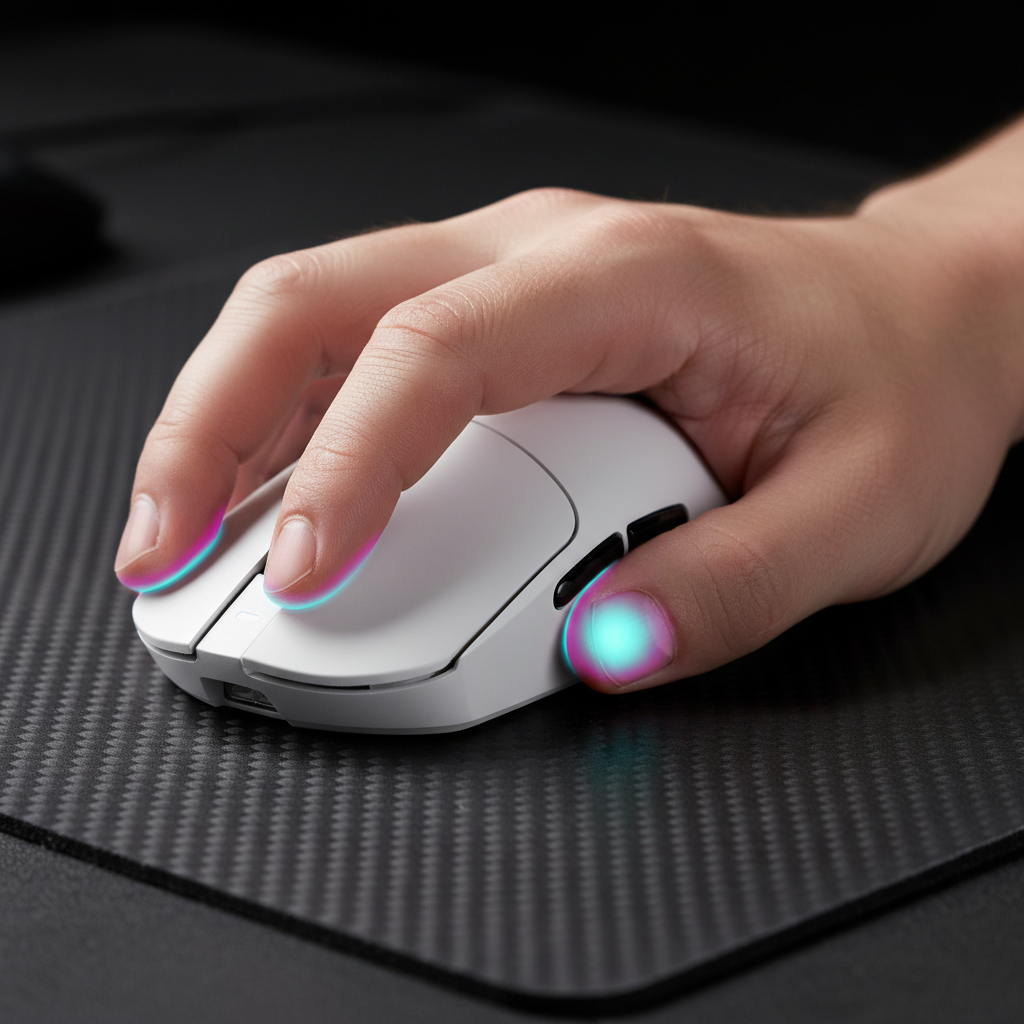
For many users, especially hybrid palm-claw grippers, switching to a Mini shell forces a transition to a full claw or fingertip grip. According to data from EloShapes, the reduced hump height and length of compact models often prevent the palm from making full contact with the shell. While this transition can improve click speed and vertical agility—essential for arena-style shooters—it also increases muscle fatigue during long sessions.
Hand Size Heuristics: The 60% Rule
A common heuristic used by peripheral engineers is the "60% Rule" for hand-to-mouse sizing. For optimal control, the mouse width should be approximately 60% of the user's hand width, and the length should be roughly 60% of the hand length. For gamers with hands in the 16cm to 18cm range, a standard mouse often exceeds these ratios, leading to a loss of fine motor control. Compact models bring these users back into the "performance zone," allowing the fingers to sit naturally over the primary switches.
System Integration: Mouse Pads and Environmental Factors
The performance of an ultra-light Mini mouse is heavily dependent on the surface it interacts with. Because these mice have reduced inertia, they require more "stopping power" from the environment.
Control-Oriented Surfaces
A common technical recommendation is to pair ultra-light Mini mice with slightly slower, control-oriented mouse pads. This adds a layer of mechanical resistance that compensates for the lack of mass, helping to prevent the overflicking mentioned earlier. Conversely, pairing a 50g Mini mouse with a fast glass pad can create a setup that is nearly impossible to stabilize without extreme muscular tension.
Temperature and Battery Sensitivity
Mini mice often utilize smaller batteries to save weight, making them more sensitive to environmental factors. Running at 8000Hz can reduce wireless battery life by ~75-80% compared to 1000Hz. Furthermore, the minimal internal volume means that heat dissipation from the MCU (Microcontroller Unit) and sensor is more concentrated. While rarely a safety issue, consistent high-performance use in warm environments can lead to slight fluctuations in wireless signal stability if the internal components are not properly shielded.
Modeling Performance: Methods and Assumptions
To provide a technical benchmark for these trade-offs, we have modeled the performance of a compact shell against a standard shell under competitive conditions. This model is a scenario-based analysis derived from common industry heuristics and hardware specifications.
Modeling Note (Reproducible Parameters)
This model assumes a user with a "Small-Medium" hand size performing a 180-degree turn in a simulated FPS environment. The data is a deterministic model based on the following parameters:
| Parameter | Value or Range | Unit | Rationale / Source Category |
|---|---|---|---|
| Hand Length | 16 - 18 | cm | Target demographic for Mini shells |
| Mouse Mass (Mini) | 48 - 55 | g | Current ultra-lightweight standard |
| Mouse Mass (Std) | 75 - 85 | g | Traditional professional standard |
| Polling Rate | 8000 | Hz | High-performance testing baseline |
| Surface Friction | 0.15 - 0.25 | $\mu$ | Typical "Control" cloth pad friction |
| Sensor Offset | -5 to -10 | mm | Average reduction in sensor-to-pivot distance |
Boundary Conditions:
- Grip Stability: The model assumes a consistent claw grip; results may vary significantly for palm grippers.
- System Latency: Assumes a CPU capable of handling 8K IRQs without scheduling delays.
- Surface Uniformity: Assumes a consistent X/Y friction ratio on the mouse pad.
Expert Insights for Final Selection
Choosing between a Mini and a Standard shell is a decision that should be grounded in physiology and technical requirements. While Mini mice offer superior agility and a more direct sensor feel, they demand a higher level of mechanical skill and specific system configurations to shine.
Key Decision Factors:
- Hand Size Compatibility: Use the 60% heuristic as a baseline. If your hand is under 18cm, a Mini shell typically offers better access to the primary buttons and scroll wheel.
- Game Genre: For titles requiring high verticality and rapid micro-adjustments (e.g., Arena FPS), the agility of a Mini shell is highly advantageous. For tactical shooters requiring rock-steady tracking, a standard shell or a Mini shell paired with a high-friction pad is often preferred.
- Technical Infrastructure: Ensure your PC can handle the IRQ load of 8K polling and that you have access to a direct motherboard USB port.
By understanding the physics of mass, the mechanics of the lever arm, and the data requirements of high-frequency polling, gamers can move beyond marketing claims and make informed decisions that directly impact their competitive performance.
Disclaimer: This article is for informational purposes only. Performance gains are subject to individual skill levels, system configurations, and ergonomic health. Users with pre-existing repetitive strain injuries should consult a medical professional before changing their peripheral setup.

Hinterlasse einen Kommentar
Diese Website ist durch hCaptcha geschützt und es gelten die allgemeinen Geschäftsbedingungen und Datenschutzbestimmungen von hCaptcha.