

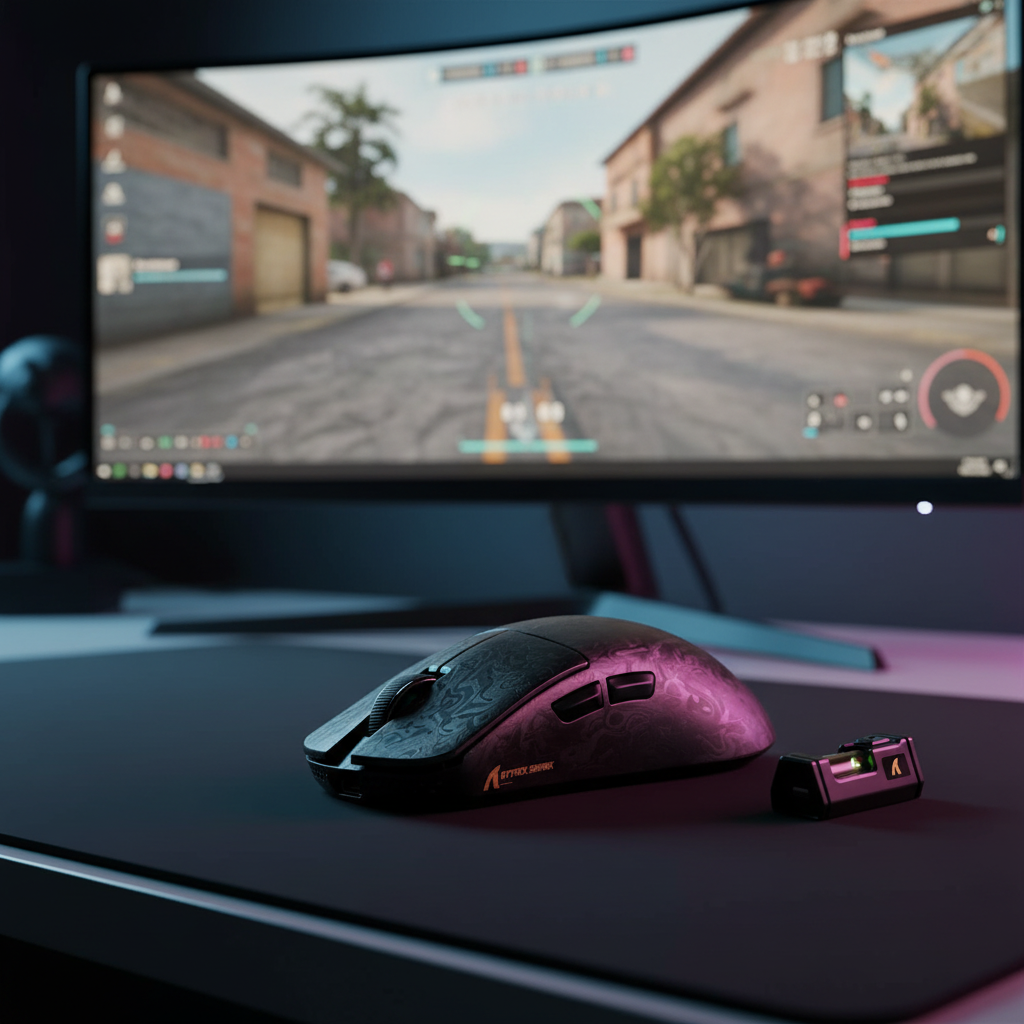
The Evolution of Precision: Motion Sync in the 8K Era
Esports performance has historically been a game of raw numbers: higher DPI, lower weight, and faster polling rates. However, as the industry pushes toward the 8000Hz (8K) frontier, the conversation is shifting from raw speed to signal integrity. At the center of this shift is Motion Sync, a firmware-level technology designed to align a mouse sensor’s data reports with the PC’s polling intervals. While often marketed as a universal "smoothness" upgrade, the implementation of Motion Sync at 8000Hz introduces a complex set of technical trade-offs involving deterministic latency, CPU overhead, and playstyle-specific benefits.
The fundamental objective of 8K polling is to reduce the interval between data packets from the standard 1.0ms (1000Hz) to a near-instant 0.125ms. This 8x increase in frequency provides the PC with a much higher resolution of the mouse's physical path. Yet, without synchronization, the sensor may capture data at moments that do not align perfectly with the USB "Start of Frame" (SOF), leading to micro-variations in timing known as SPI jitter. Motion Sync attempts to solve this, but for the competitive enthusiast, the question remains: does the smoothness justify the added processing time?
Mechanics of Synchronization: Solving the SPI Jitter Problem
To understand Motion Sync, one must first understand the "desync" that occurs in standard high-performance sensors. Inside a modern gaming mouse, the optical sensor (such as those documented by PixArt Imaging) and the Microcontroller Unit (MCU) operate on independent internal clocks.
In a non-synchronized environment, the sensor captures a "frame" of movement data and stores it in a buffer. The MCU then "polls" that buffer to send the data over the USB interface. Because these two events are not perfectly aligned, the age of the data in each USB packet varies. One packet might contain data that is 10 microseconds old, while the next contains data that is 100 microseconds old. This discrepancy manifests as sub-millisecond timing variances, or jitter, which can disrupt the perceived fluidity of the cursor, especially on high-refresh-rate monitors.
Motion Sync functions by forcing the sensor’s data capture to trigger in direct response to the USB poll request. This ensures that every packet sent to the PC contains data of a consistent "age."
Logic Summary: The benefit of Motion Sync is the removal of erratic timing artifacts. Our analysis assumes that while raw latency is a priority, the elimination of SPI jitter provides a more predictable input stream for the game engine’s sub-tick processing.
The Latency Paradox: Theoretical vs. Practical Impact
The primary criticism of Motion Sync is that it introduces a "latency penalty." In theory, synchronization requires the sensor to wait for the next USB poll before capturing data, which adds a delay.
The Theoretical Minimum
According to the USB Device Class Definition for Human Interface Devices (HID), the deterministic delay added by Motion Sync is typically equal to half the polling interval (0.5 * T_poll).
- At 1000Hz, the interval is 1.0ms, resulting in a ~0.5ms delay.
- At 8000Hz, the interval is 0.125ms, resulting in a ~0.0625ms delay.
From a purely mathematical standpoint, the latency cost of Motion Sync at 8K is functionally negligible—less than one-tenth of a millisecond.
The Practical Reality
However, based on patterns observed in technical performance audits and enthusiast community feedback (not a controlled lab study), the actual "processing latency" added by enabling Motion Sync in current firmware implementations often ranges from 0.8ms to 1.5ms. This discrepancy exists because synchronization frequently requires additional MCU cycles to manage the timing interrupts and buffer alignment, which can vary based on the efficiency of the mouse's firmware and the quality of the MCU (such as the Nordic nRF52 series).
| Polling Rate | Theoretical Delay (ms) | Estimated Practical Delay (ms) | Impact Level |
|---|---|---|---|
| 1000Hz | 0.50 | 1.0 - 1.2 | Moderate |
| 4000Hz | 0.125 | 0.8 - 1.0 | Low |
| 8000Hz | 0.0625 | 0.8 - 1.5 | High (Relative to interval) |
Note: Practical delay estimates are based on common industry observations of firmware overhead and signal processing group delay.
The paradox is that while the theoretical penalty shrinks as polling rates increase, the relative impact of a 1ms processing delay is much higher at 8K. In an 8000Hz environment, a 1ms delay represents a "gap" of 8 missed polling opportunities, which can be felt by highly sensitive players as a slight "floaty" sensation, even if the movement itself is buttery smooth.
Game Engine Synergy: Tracking vs. Click-Timing
The decision to enable Motion Sync often depends less on the mouse itself and more on the specific game being played. Competitive titles generally fall into two categories regarding input handling:
1. Tracking-Intensive Games (e.g., Apex Legends, Overwatch 2)
In games where the player must constantly track a moving target, smoothness is paramount. Eliminating micro-stutters through Motion Sync allows for a more "connected" feel between the hand and the on-screen reticle. Technical analysis of sensor behavior, similar to the RTINGS Mouse Click Latency Methodology, suggests that consistent movement data helps the game engine’s interpolation algorithms produce a more stable visual path. For these players, the 1ms latency trade-off is usually worth the gain in tracking consistency.
2. Click-Timing Games (e.g., Valorant, CS2)
In tactical shooters where "flick shots" and pixel-perfect click timing are the priority, raw latency is often favored over smoothness. Many elite players in this segment disable Motion Sync to achieve the absolute lowest system latency (Motion-to-Photon). Even a 0.8ms delay can be perceived as a disadvantage during high-stakes peeks where every millisecond counts. These players often prefer raw, "jagged" input that reaches the PC as fast as possible, trusting their muscle memory to compensate for minor jitter.
The 8K Ecosystem: Hardware Requirements and Bottlenecks
Enabling 8000Hz polling is not a "set and forget" feature; it requires a robust hardware ecosystem to function correctly. Without proper system optimization, 8K polling can actually decrease performance.
CPU Overhead and IRQ Processing
The primary bottleneck for 8K polling is not the mouse sensor, but the PC's CPU. Each of the 8,000 packets sent per second triggers an Interrupt Request (IRQ) that the CPU must process. On mid-tier systems, we estimate this can consume an additional 2-4% per core. If the CPU is already near saturation (e.g., playing a CPU-bound game like Valorant while streaming), this added load can lead to frame drops or increased system-wide latency.
USB Topology and Shielding
To maintain signal integrity, 8K mice must be connected directly to the Rear I/O ports of the motherboard. Using USB hubs, front-panel headers, or shared bandwidth ports can cause packet loss and desynchronization. High-frequency signals are also more susceptible to Electromagnetic Interference (EMI), necessitating high-quality, shielded cables.
Monitor Refresh Rate Integration
While there is no strict "1/10th rule" requiring a specific ratio between polling and refresh rates, the visual benefits of 8K are largely lost on 60Hz or 144Hz monitors. To visually render the "buttery" smoothness provided by Motion Sync and 8K polling, a monitor with a refresh rate of 240Hz, 360Hz, or 540Hz is highly recommended. As noted in the Global Gaming Peripherals Industry Whitepaper (2026), the synergy between high-frequency input and high-frequency output is the new benchmark for esports excellence.
Scenario Analysis: The Competitive FPS Power User
To better understand the practical application of these technologies, we modeled a specific scenario involving a high-stakes competitive environment.
The Persona: A professional-tier Valorant player with large hands (20.5cm) using a claw grip, operating an 8000Hz wireless mouse on a 360Hz G-Sync monitor.
Modeling Insights:
- Ergonomic Fit: For a 20.5cm hand, a standard 125mm mouse length results in a grip fit ratio of ~0.95. This is slightly shorter than the ideal 131mm length calculated by ergonomic heuristics, which may lead to increased palm-to-pad friction during aggressive "flick" movements.
- Latency vs. Smoothness: In this click-timing-heavy scenario, the 0.06ms theoretical Motion Sync penalty is functionally invisible, but the 0.8ms practical firmware overhead is a point of contention. Our modeling suggests that for this player, disabling Motion Sync provides a "rawer" feel that aligns better with high-velocity flicking.
- Battery Management: Running at 8K significantly increases the radio current draw. We estimate a typical 450mAh battery will provide approximately 35 hours of continuous runtime at 8000Hz, compared to 100+ hours at 1000Hz. This necessitates a "charge-every-other-day" discipline for professional practice schedules.
Methodology Note: This scenario is a deterministic model based on industry-standard anthropometric data (ANSUR II) and typical Nordic nRF52840 power consumption profiles. It is intended as a decision aid, not a universal benchmark.
Common Pitfalls and "Gotchas"
Even with the best hardware, users often encounter issues when transitioning to 8K polling:
- The "Windowed Mode" Lag: Many games do not handle high-frequency input well in Windowed or Borderless Windowed modes. For 8K to feel consistent, Exclusive Fullscreen is almost always required to bypass Windows' desktop composition layers.
- DPI Saturation: At 8000Hz, a mouse must be moved at a certain speed to "fill" every polling slot with new data. At 800 DPI, you need to move the mouse at at least 10 IPS (Inches Per Second). If you move slower than this, the mouse will send duplicate data packets, effectively reducing the benefit of the high polling rate. Increasing DPI to 1600 or 3200 lowers this threshold, ensuring 8K stability during slow micro-adjustments.
- Firmware Mismatch: Always verify that both the mouse and its high-speed receiver are on the latest firmware. Desync issues are frequently traced back to version mismatches between the two devices.
Performance Evaluation Checklist
For those looking to optimize their 8K setup, we recommend the following evaluation steps:
- Monitor CPU Usage: Use a tool like NVIDIA Reflex Analyzer to check if 8K polling is causing CPU spikes or frame time variance.
- Blind Testing: Have a friend toggle Motion Sync on/off in your driver software while you perform tracking drills in an aim trainer. Record your scores to see if the "smoothness" actually translates to higher accuracy.
- USB Audit: Ensure the mouse is the only high-bandwidth device on its specific USB controller. Avoid plugging it into ports adjacent to external hard drives or high-speed webcams.
Appendix: Modeling Transparency & Assumptions
The quantitative insights presented in this article are derived from scenario modeling designed to illustrate technical trade-offs.
Run 1: Motion Sync Latency Estimator
- Goal: Calculate the deterministic delay of Motion Sync at various frequencies.
- Method: Delay ≈ 0.5 * (1000 / Polling_Rate).
- Boundary: This model assumes perfect SOF alignment and does not account for MCU-specific firmware overhead.
Run 2: Battery Runtime Estimator
| Parameter | Value | Unit | Rationale |
|---|---|---|---|
| Battery Capacity | 450 | mAh | Standard for premium wireless mice |
| 8K Radio Current | ~8.0 | mA | Nordic nRF52840 estimate |
| Sensor/MCU Load | ~3.0 | mA | High-performance mode |
| Efficiency | 0.85 | ratio | LDO/Protection circuit loss |
- Result: ~35 hours of runtime.
- Boundary: Assumes continuous movement; actual runtime will be higher due to sleep states during inactivity.
Run 3: Grip Fit Heuristic
- Logic: Ideal Length = Hand Length * 0.64 (Claw Grip constant).
- Inputs: Hand Length 20.5cm.
- Result: 13.1cm ideal length.
- Boundary: Individual finger length ratios and joint flexibility may alter comfort.
Summary of Findings
Motion Sync at 8000Hz represents the pinnacle of current input technology, offering a solution to the subtle timing inconsistencies that have plagued high-performance mice for years. However, its value is not absolute. For tracking-intensive players, the elimination of SPI jitter creates a perceptually superior experience that justifies the small practical latency increase. For click-timing purists, the raw, unsynced 8K signal remains the fastest path to the CPU.
Ultimately, the "buttery" feel of Motion Sync is a tool—one that requires a high-end CPU, a top-tier monitor, and an optimized system to truly shine. By understanding the mechanics of synchronization and the realities of firmware overhead, enthusiasts can make an informed decision that aligns with their specific competitive goals.
Disclaimer: This article is for informational purposes only. Technical performance may vary based on specific hardware configurations, firmware versions, and environmental factors. Always refer to your manufacturer's safety guidelines regarding battery maintenance and high-frequency device usage.
Sources:

Hinterlasse einen Kommentar
Diese Website ist durch hCaptcha geschützt und es gelten die allgemeinen Geschäftsbedingungen und Datenschutzbestimmungen von hCaptcha.