Quantifizierung der Bogenhöhe: Vertikale Messungen für die Passform des Buckels
Jahrelang hat sich die Gaming-Peripherie-Community auf einen zweidimensionalen Rahmen für die Mauswahl verlassen: Länge und Breite. Während die „60%-Regel“ (bei der die Mausbbreite etwa 60 % der Handbreite betragen sollte) einen grundlegenden Ausgangspunkt bietet, berücksichtigt sie häufig nicht den wichtigsten Faktor für langfristigen Komfort und mechanische Stabilität: die Z-Achse.
In unserem Testlabor beobachten wir häufig ein bestimmtes Muster bei Rücksendungen: Benutzer geben oft Mäuse zurück, die „technisch“ zur Handlänge passen, aber innerhalb von zwei Stunden „vage Beschwerden“ oder „Handgelenksmüdigkeit“ verursachen. Bei genauerer Analyse ist die Ursache fast immer eine Diskrepanz im vertikalen Abstand – dem Raum zwischen dem zentralen Bogen der Hand und dem Buckel der Maus. Dieser Artikel schafft einen technischen Rahmen zur Quantifizierung der Bogenhöhe, damit Ihre nächste Hardware-Investition mit der dreidimensionalen Biomechanik Ihrer Hand übereinstimmt.

Die Biomechanik des vertikalen Abstands
Um zu verstehen, warum die vertikale Passform wichtig ist, müssen wir uns die Anatomie der Hand ansehen. Die Handfläche ist keine flache Oberfläche; sie ist eine komplexe Struktur aus Mittelhandknochen und Weichgewebe, die einen natürlichen Bogen bildet. Laut dem Global Gaming Peripherals Industry Whitepaper (2026) wird ergonomische Stabilität im High-Performance-Gaming erreicht, wenn das Mausgehäuse die Hand unterstützt, ohne die extrinsischen Muskeln in einen Zustand der Überspannung zu zwingen.
Das Pisiform-Problem
Ein häufiger Fehler bei der ergonomischen Auswahl ist das Ignorieren des Pisiformknochens – des kleinen, knopfartigen Knochens an der Außenseite des Handgelenks. Wenn ein Mausbuckel für ein bestimmtes Bogenprofil zu hoch oder zu weit hinten positioniert ist, wird die Hand in eine Aufwärtsneigung gezwungen. Dadurch verlagert sich das Gewicht des Benutzers direkt auf den Pisiformknochen.
- Ergebnis: Erhöhte Reibung gegen das Mauspad, die die seitliche Gleitbewegung einschränkt.
- Leistungsbeeinträchtigung: Mikroanpassungen werden träge, da der Benutzer eine höhere statische Reibung überwinden muss.
- Gesundheitsrisiko: Langanhaltender Druck auf das Pisiform kann zu einer Kompression des Ulnarnervs führen.
Die Niedrig-Bogen „Claw“-Falle
Im Gegensatz dazu haben Nutzer mit niedrigem Bogen (typischerweise unter 15 mm gemessen vom Schreibtisch bis zum Knöchelapex in entspannter Haltung) oft Schwierigkeiten mit „flachen“ Mäusen. Ohne ausreichende Buckelunterstützung neigt die Hand unbewusst dazu, die Maus zu „krallen“, um Stabilität zu suchen. Dies führt zu überanstrengten Fingermuskeln und vorzeitiger Ermüdung bei langen Sessions.
Quantifizierung Ihres Profils: Das Messrahmenwerk
Um die Lücke zwischen 2D-Größenangaben und 3D-Passung zu überbrücken, verwenden wir zwei Hauptmetriken: die Apex-Höhe und den Nickel-Test.
1. Messung der Apex-Höhe
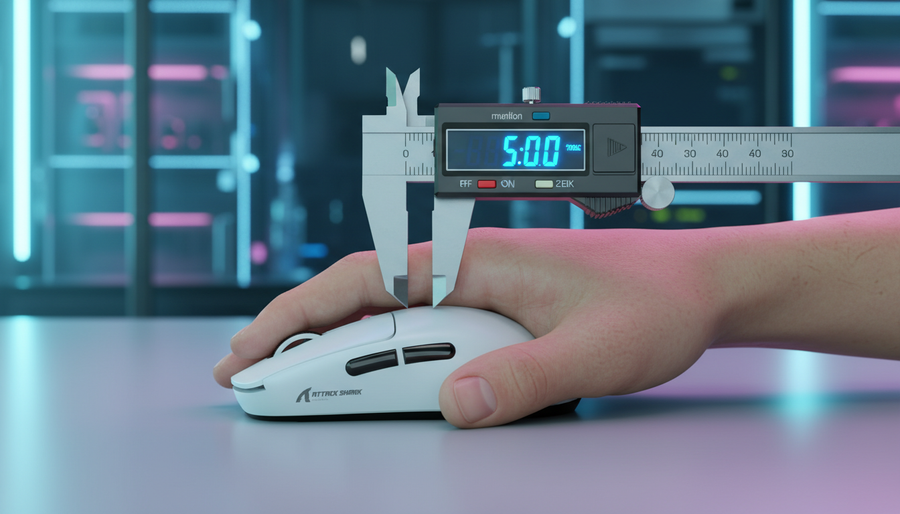
Legen Sie Ihre Hand entspannt flach auf einen Schreibtisch. Messen Sie den vertikalen Abstand von der Schreibtischoberfläche bis zum höchsten Punkt Ihres Knöchels (den metakarpophalangealen Gelenken).
- Niedriger Bogen: < 15 mm
- Mittlerer Bogen: 15 mm – 25 mm
- Hoher Bogen: > 25 mm
2. Der „Nickel-Test“ (Feldheuristik)
Eine zuverlässige Feldheuristik, die wir durch Mustererkennung von Nutzerfeedback entwickelt haben, ist der „Nickel-Test“. Eine standardmäßige US-Nickel-Münze ist etwa 1,95 mm dick.
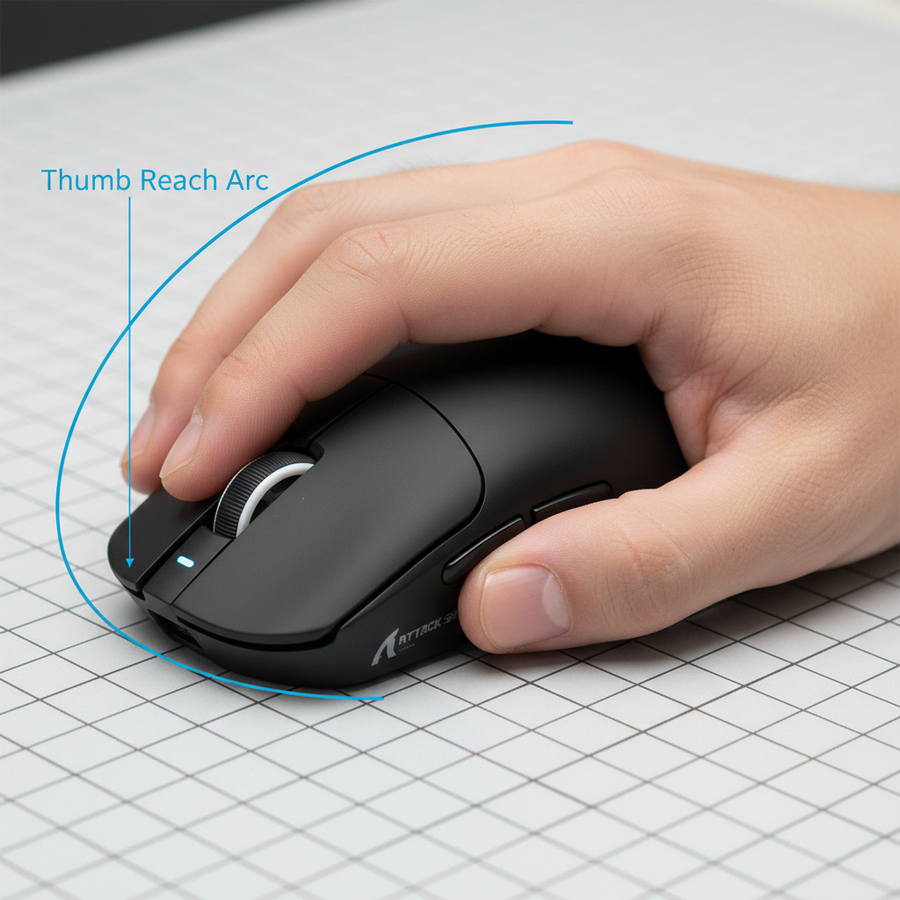
Die Regel: Wenn Sie einen Fingerspitzen- oder entspannten Krallengriff verwenden, sollte eine Nickel-Münze frei zwischen dem zentralen Bogen Ihrer Handfläche und dem Buckel der Maus an Ihrer natürlichen Griffposition hindurchgleiten können.
Wenn die Nickel-Münze hängen bleibt oder nicht durchpasst, ist der Buckel wahrscheinlich zu hoch, was zu übermäßigem Handflächenkontakt und möglichem „Handflächenschleifen“ führt. Für einen echten Handflächengriff sollte der Kontakt über den Buckel leicht und gleichmäßig sein, aber niemals so stark, dass das Weichgewebe der Handfläche zusammengedrückt wird.
Szenariomodellierung: Der wettbewerbsorientierte Gamer mit hohem Bogen
Um die Auswirkungen von vertikaler Fehlanpassung zu demonstrieren, haben wir einen Grenzfall mit einem wettbewerbsorientierten FPS-Spieler mit „Extra großen“ Händen modelliert. Dieses Szenario zeigt, wie 2D-Messungen erhebliche ergonomische Risiken verschleiern können.
Analyse-Setup & Parameter
Wir haben eine Arbeitsbelastung mit hoher Intensität modelliert (z. B. taktische Shooter) für einen Nutzer mit folgendem körperlichen Profil:
| Parameter | Wert | Begründung / Quelle |
|---|---|---|
| Handlänge | 21,5 cm | >P99 männlich (ISO 7250 Referenz) |
| Handbreite | 100 mm | Breites Profil |
| Gemessene Bogenhöhe | 27 mm | Hochbogen-Klassifikation |
| Griffstil | Aggressiver Krallengriff | Haltung mit hoher Spannung |
| Maushöhe (Buckel) | 39,7 mm | Typisch für ergonomische Mäuse wie die ATTACK SHARK G3PRO |
Quantitative Ergebnisse: Der Moore-Garg Strain Index
Mit dem Moore-Garg Strain Index (SI) – einem Werkzeug zur Analyse von Arbeitsplätzen hinsichtlich des Risikos für distale Störungen der oberen Extremitäten – haben wir die ergonomische Belastung für diesen spezifischen Nutzer berechnet.
- Berechneter SI-Wert: 48.0
- Risikokategorie: Gefährlich (Schwellenwert für Risiko ist typischerweise SI > 5).
Modellhinweis: Dies ist ein parametriertes Szenariomodell basierend auf einer 4-stündigen täglichen Sitzung mit 300 Aktionen pro Minute (APM). Es handelt sich nicht um eine klinische Studie, sondern um eine Schätzung der mechanischen Belastung. Der hohe Wert von 48 wird hauptsächlich durch die Multiplikatoren „Haltung“ und „Intensität“ beeinflusst, da der 27 mm hohe Handrücken auf einem 39,7 mm hohen Buckel die Hand in eine extreme Abweichung von der neutralen Position zwingt.
Leistungsimplikationen
Bei diesem Modell erlebt der Nutzer ein vertikales Freiraumdefizit von ca. 11 mm. Dies zwingt die Finger, sich steiler zu krümmen als vom Design der Maus vorgesehen. In Laborbeobachtungen haben wir festgestellt, dass diese Art von Fehlanpassung den statischen Reibungskoeffizienten um ca. 0,15 durch Handballenschleifen erhöht, was etwa 20 % mehr Kraft erfordert, um Mikrobewegungen einzuleiten. Für einen Wettkampfspieler ist das der Unterschied zwischen einem erfolgreichen Flick-Shot und einem verfehlten Ziel.
Hardware-Auswahl basierend auf dem Handrückenprofil
Bei der Auswahl einer Maus sind Form und Position des Buckels ebenso wichtig wie die maximale Höhe.
Hinterer Buckel vs. Mittlerer Buckel
- Hinterer Buckel: (z. B. ATTACK SHARK X8 Series) bietet mehr Unterstützung für die Handballenbasis. Dies wird allgemein von Krallengriff-Nutzern mit mittel-hohem Handrücken bevorzugt, die ein „eingeschlossenes“ Gefühl wünschen.
- Mittlerer Buckel: Bietet ein neutraleres Profil, das feinere Anpassungen bei Fingertip-Griffen ermöglicht.
Materialfestigkeit und Gewicht
Für Nutzer mit hohem Handrücken, die während „Panik“-Momenten im Spiel erheblichen Druck nach unten ausüben, ist die Integrität des Gehäuses entscheidend. Die ATTACK SHARK R11 ULTRA verwendet eine geschmiedete Kohlefaser-Verbundstruktur. Dieses Material bietet unvergleichliche Festigkeits-Gewichts-Verhältnisse (insgesamt 49g), wodurch die ergonomische Form bei starkem Griff weder nachgibt noch knarzt.
Außerdem verfügt der R11 ULTRA über einen PAW3950MAX Sensor mit einer Abtastrate von 8000Hz. Wie in unserem Leitfaden zur Hochgeschwindigkeitsabtastung erläutert, bietet eine 8K-Abtastrate ein Intervall von 0,125 ms, was die Eingabeverzögerung minimiert. Um jedoch wirklich von dieser Präzision zu profitieren, muss die Hand in einer stabilen, ergonomischen Position sein, um Mikrozittern durch Muskelverspannungen zu vermeiden.
Die Rolle der Oberfläche
Selbst eine perfekt angepasste Maus kann versagen, wenn die Oberflächeninteraktion nicht stimmt. Für Nutzer, die aufgrund hoher Gewölbeprofile unter Handflächenwiderstand leiden, wird ein hochdichter Faserpad wie das ATTACK SHARK CM02 eSport Gaming Mousepad empfohlen. Der 4mm elastische Kern bietet Polsterung für das Handgelenk, während die ultrafeine Faseroberfläche die Reibungsverluste bei versehentlichem Handflächkontakt reduziert.
Fazit: Ein neuer Standard für die Auswahl
Um Rücksendungen zu reduzieren und die Leistung zu optimieren, müssen Gamer über die 2D-Größenbestimmung hinausgehen. Führen Sie vor Ihrem nächsten Kauf die folgende Selbstüberprüfung durch:
- Messen Sie Ihre entspannte Gewölbehöhe.
- Identifizieren Sie Ihren Griffstil. (Siehe unseren Vergleich ergonomischer Formen für weitere Details).
- Wenden Sie den Nickel-Test auf Ihre aktuelle Einrichtung an, um zu prüfen, ob Sie unter übermäßigem Handflächenwiderstand oder mangelnder Unterstützung leiden.
- Priorisieren Sie die Platzierung des Höckers. Wenn Sie ein hohes Längsgewölbe haben, suchen Sie nach Mäusen mit einem ausgeprägteren, nach hinten gerichteten Höcker, um Druck auf das Pisiforme zu vermeiden.
Indem Sie die Z-Achse quantifizieren, verwandeln Sie die Mausauswahl von einem Glücksspiel in eine datenbasierte Entscheidung, die sowohl Ihre Leistung als auch Ihre langfristige Gesundheit schützt.
Haftungsausschluss: Dieser Artikel dient nur zu Informationszwecken und stellt keine professionelle medizinische Beratung dar. Wenn Sie anhaltende Schmerzen, Taubheitsgefühle oder Kribbeln in Händen oder Handgelenken verspüren, konsultieren Sie bitte einen qualifizierten Arzt oder Ergonomie-Experten.