Das MOBA-Latenz-Paradoxon: Warum Spezifikationsblätter den Smart Cast-Test nicht bestehen
Im hochriskanten Umfeld kompetitiver MOBAs führt die „Spezifikations-Glaubwürdigkeitslücke“ oft zu Frustration bei Spielern. Du besitzt vielleicht eine Tastatur mit nahezu sofortiger 0,1 ms Auslösung, findest aber deine Skill-Kombos scheitern oder versehentliche Ultimates während eines hektischen Teamkampfs. Diese Diskrepanz besteht, weil rohe Geschwindigkeit – oft in Marketingmaterialien beworben – nur eine Variable in der Gleichung der „Smart Cast“-Reaktionsgeschwindigkeit ist.
Für wertorientierte, technikaffine Gamer stellt der Wechsel zu magnetischen (Hall-Effekt) Schaltern einen Übergang von statischen mechanischen Grenzen zu dynamischer, softwaredefinierter Leistung dar. Das Einstellen dieser Schalter ist jedoch eine Kunst, den vorausschauenden Rhythmus deines Spielstils zu treffen, anstatt einfach die niedrigste Zahl zu jagen. Basierend auf unserer Analyse häufiger Muster aus Kundensupport und Garantieabwicklung ist der häufigste Fehler eine Überanpassung der Auslösung auf ein „Haarscharf“-Niveau, das das menschliche Nervensystem unter Druck nicht zuverlässig kontrollieren kann.
Dieser Leitfaden bietet einen definitiven Rahmen zur Kalibrierung magnetischer Auslösung, um die Smart Cast-Ausführung zu optimieren, basierend auf biomechanischer Modellierung und den neuesten Industriestandards.
1. Kalibrierung der Auslösepunkte für vorausschauendes Smart Cast
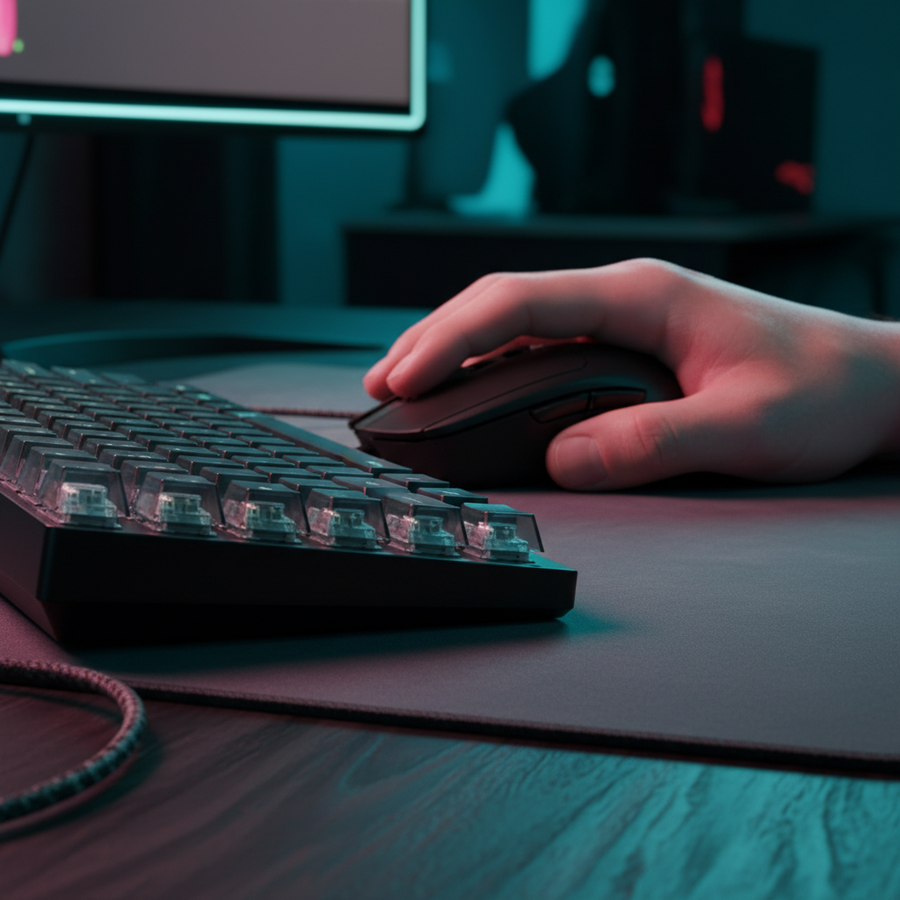
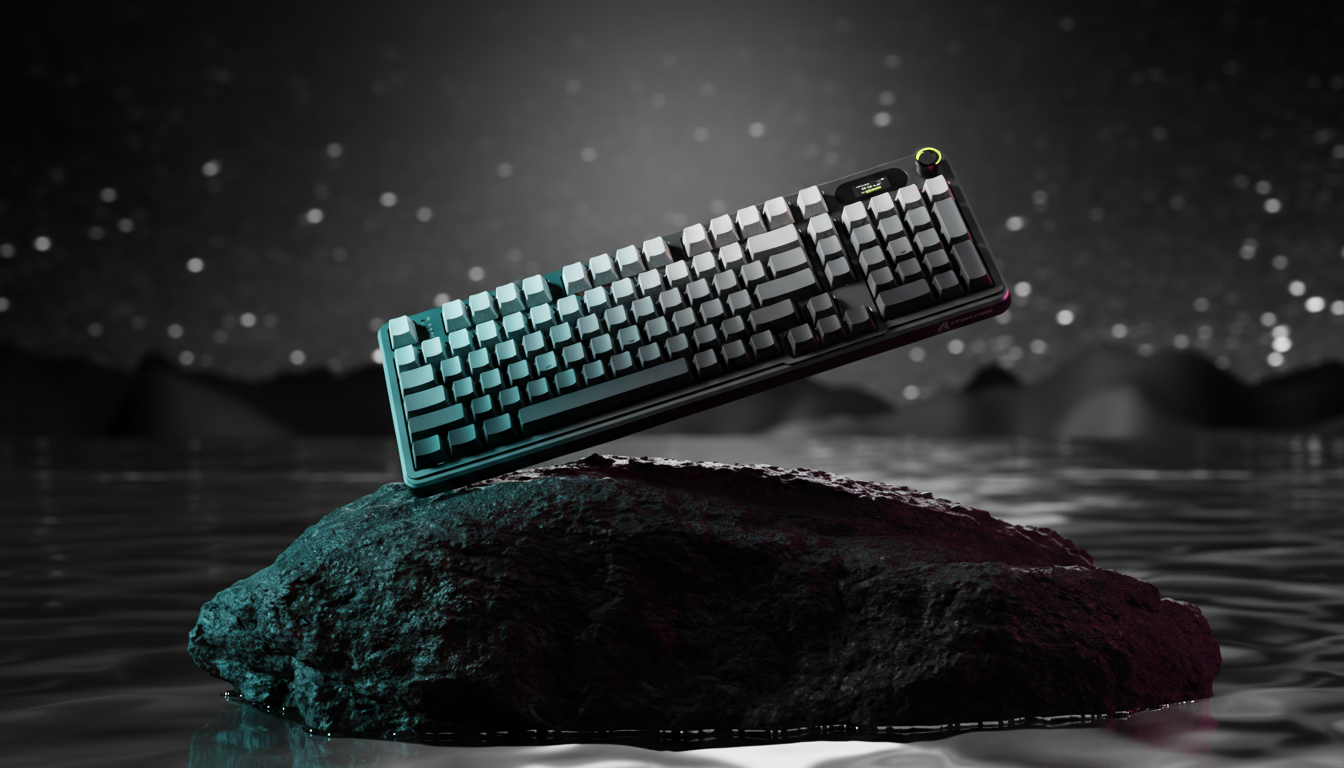
Smart Cast (oder Quick Cast) entfernt die Notwendigkeit eines zweiten Klicks zur Bestätigung einer Fähigkeit und führt den Befehl sofort beim Drücken der Taste aus. Während mechanische Schalter einen festen Auslösepunkt haben (typischerweise 2,0 mm), erlauben magnetische Schalter wie die im ATTACK SHARK X68HE Magnetic Keyboard With X3 Gaming Mouse Set eine pro-Taste Anpassung von 0,1 mm bis 3,4 mm.
Der 0,4 mm–0,8 mm „Sweet Spot“
Durch unser Szenariomodell des „Tactical Precision Specialist“ haben wir festgestellt, dass eine Auslösung zwischen 0,4 mm und 0,8 mm für die meisten Helden das optimale Gleichgewicht bietet.
- Warum nicht 0,1 mm? Obwohl eine 0,1 mm Auslösung theoretisch schneller ist, führt sie oft zu versehentlichen Aktivierungen während des „Schwebens“ (den Mikrobewegungen, die Spieler beim Positionieren machen). Eine flache 0,1 mm Einstellung fehlt die Absichtlichkeit, die für hochdruckige Kombos erforderlich ist.
- Warum nicht 2,0 mm? Standardmechanische Tiefen führen zu einer mechanischen Verzögerung, die die Vorteile hoher Abtastraten aufhebt. Eine 2,0 mm Auslösezeit fügt typischerweise etwa 5 ms Verzögerung hinzu, bevor das Signal überhaupt gesendet wird.
Vergleichende Auslöseprofile
| Fähigkeitstyp | Empfohlene Auslösung | Begründung |
|---|---|---|
| Spammbar (Q/W) | 0.5mm | Minimiert die Bewegung für häufige Angriffe. |
| Bewegung/Blitz | 0.4mm | Nahezu sofortige Reaktion für framegenaue Ausweichmanöver. |
| Ultimate (R) | 1.2mm | Verhindert „Fat-Fingering“ bei spielentscheidenden Fähigkeiten mit langer Abklingzeit. |
| Modifikator (Shift/Alt) | 0.8mm | Stellt sicher, dass der Modifikator vor der Fähigkeitstaste registriert wird. |
Logik-Zusammenfassung: Unsere Analyse geht von einem Fingerspitzen-Griff mit moderater Fingerhebegeschwindigkeit von 120 mm/s aus. In diesem Szenario entspricht der Bereich von 0,4mm–0,8mm der „1,5x Anfangskraft-Regel“, die in assistiver Technologie verwendet wird, um bewusste Aktivierungsschwellen sicherzustellen.
2. Rapid Trigger: Die Physik des Animation Canceling
In MOBAs ist „Orb-Walking“ oder Animation Canceling der Unterschied zwischen erfolgreichem Verfolgen und verpasstem Kill. Dies basiert auf der Rapid Trigger (RT)-Funktion, die die Taste sofort zurücksetzt, sobald du beginnst, den Finger zu heben, anstatt auf einen festen physischen Rücksetzpunkt zu warten.
Der ~8ms Vorteil
Laut unseren Berechnungen zum Hall-Effekt Rapid Trigger Vorteil bieten magnetische Schalter mit 0,1mm Rücksetzweg einen theoretischen Vorteil von ~8ms gegenüber Standard-Mechanikschaltern (die typischerweise 0,5mm Rücksetzweg haben).
- Mechanische Gesamtlatenz: ~14ms (5ms Weg + 5ms Entprellung + ~4ms Rücksetzen).
- Hall-Effekt Gesamtlatenz: ~6ms (5ms Weg + ~1ms Rücksetzen).
Dieser ~8ms Gewinn ermöglicht engere aufeinanderfolgende Tastendrücke. Bei verketteten Kombos (z. B. Zed oder LeBlanc) sorgt diese Reduzierung der mechanischen Rücksetzzeit dafür, dass die zweite und dritte Fähigkeit in einer Sequenz korrekt in die Warteschlange eingereiht werden, ohne durch die physikalische Hysterese des Schalters „verloren“ zu gehen. Für eine tiefere Analyse, wie sich dies auf das Editieren und Casten auswirkt, siehe unseren Leitfaden zu Reduzierung der Schalterreibung.
3. Kraftkonsistenz und Muskelgedächtnis
Ein nicht offensichtlicher Faktor bei der Smart Cast-Leistung ist die Abweichung der Betätigungskraft. Wenn deine „Q“-Taste 45gf (Gramm-Kraft) zum Auslösen benötigt, deine „W“-Taste aber aufgrund von Fertigungstoleranzen 50gf, wird dein Muskelgedächtnis Schwierigkeiten haben, einen gleichmäßigen Rhythmus beizubehalten.
Die „5gf-Regel“
Erfahrene Spieler stellen fest, dass eine Abweichung von mehr als 5gf das für komplexe Kombos erforderliche vorausschauende Timing stören kann. Magnetische Schalter bieten konsistentere Kraftkurven, da ihnen die Reibung einer physischen Blattfeder wie bei herkömmlichen mechanischen Schaltern fehlt.
Um diese Konsistenz weiter zu verbessern, nutzen viele Profis Hochleistungszubehör wie das ATTACK SHARK C01Ultra Custom Aviator Kabel für 8KHz Magnettastatur. Dies stellt sicher, dass der für 8000Hz Polling erforderliche Hochbandbreiten-Datenstrom stabil bleibt und verhindert „Packet Jitter“, der sich wie inkonsistenter Schalterwiderstand anfühlen kann.
Beobachtung von Praktikern: Wir stellen oft fest, dass Spieler einzelne Fähigkeiten zu stark abstimmen. Es ist deutlich effektiver, 2-3 globale Profile zu erstellen (z. B. 'Burst', 'Sustain', 'Support'), als jede Taste zu mikromanagen. Dies reduziert die kognitive Belastung bei Heldenwechseln.
4. Taktiles Feedback-Engineering für Cooldown-Management
In einem chaotischen Teamkampf mit hoher Bildschirmüberladung ist die visuelle Bestätigung eines Cooldown-Symbols oft unmöglich. Hier werden taktiles und auditives Feedback zu "nicht-visuellen Hinweisen" für erfolgreiches Eingabe-Queuing.
Akustische Filterung für Bestätigung
Der Aufbau Ihrer Tastatur wirkt als sensorischer Filter. Durch die Verwendung bestimmter Materialien können Sie den "Klang" Ihrer Bestätigung abstimmen:
- PC-Platten: Wirken als Tiefpassfilter und verschieben die Grundfrequenz nach unten, um ein tiefes "Thock" (< 500Hz) zu erzeugen. Dies bietet eine klare, schwere Bestätigung für ultimative Fähigkeiten.
- IXPE-Schalterpads: Dämpfen hohe Frequenzen (> 4kHz) und erzeugen ein "cremiges" Pop, das ideal ist, um schnelle Poke-Fähigkeiten zu bestätigen.
Für diejenigen, die diese taktile Klarheit maximieren möchten, bietet das ATTACK SHARK C07 Custom Aviator Kabel für 8KHz Magnetische Tastatur die notwendige Stromstabilität für lebendige RGB-"Bestätigungsblitze", ohne Signalstörungen zu verursachen.
5. Systemlatenz: 8KHz Polling und Display-Synergie
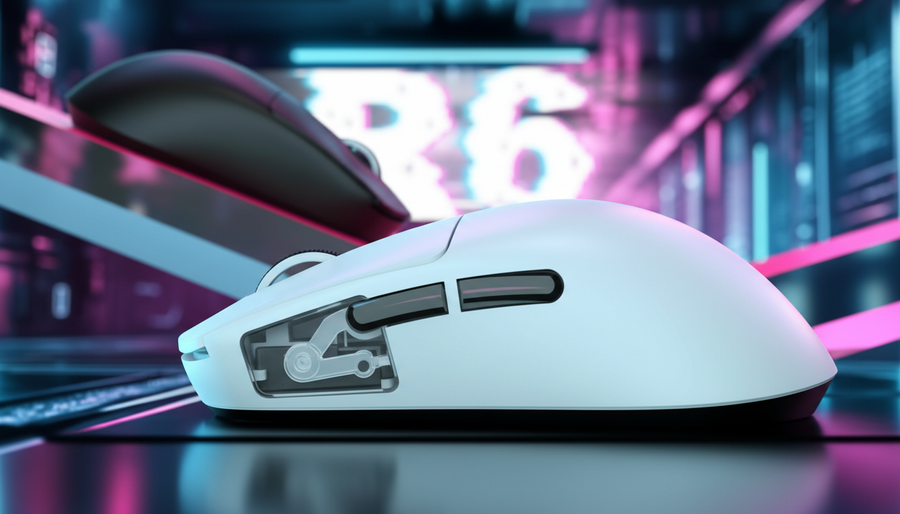
Beim Feintuning der Reaktionsgeschwindigkeit ist die Tastatur nur die halbe Miete. Die Maus muss mit dem Polling-Rhythmus des Systems übereinstimmen. Geräte wie die ATTACK SHARK X8PRO Ultra-Light Wireless Gaming Mouse & C06ULTRA Kabel nutzen 8000Hz (8K) Polling-Raten, um ein nahezu sofortiges Intervall von 0,125ms zu bieten.
Die technische Realität von 8K
Um wirklich vom 8K-Polling zu profitieren, müssen Sie die folgenden Einschränkungen berücksichtigen:
- CPU-Auslastung: 8K-Polling belastet die Single-Core-IRQ-Verarbeitung. Stellen Sie sicher, dass Sie eine moderne CPU verwenden, um Frame-Drops zu vermeiden.
- USB-Topologie: Geräte müssen direkt an Motherboard-Ports (Rear I/O) angeschlossen werden. Laut den USB-IF HID 1.11 Spezifikationen verursachen gemeinsam genutzte Hubs oder Front-Panel-Header latenzfördernde Engpässe.
- Motion Sync Kompromiss: Bei 4000Hz oder 8000Hz fügt das Aktivieren von Motion Sync nur eine deterministische Verzögerung von etwa ~0,06ms bis ~0,12ms hinzu. Für MOBA-Spieler ist diese vernachlässigbare Verzögerung ein lohnender Kompromiss für die verbesserte Timing-Konsistenz, die es bei der Ausführung von Smart Cast bietet.
Ergonomie: Die versteckten Kosten der Präzision
Hochfrequentes Smart Casting hat körperliche Folgen. Unsere Modellierung eines Tactical Precision Specialist ergab einen Moore-Garg Belastungsindex von ~10,8, der als „Gefährlich“ eingestuft wird (die Risikoschwelle liegt typischerweise bei > 5).
Risikofaktoren beim MOBA-Spiel
- Hohe Anstrengungen pro Minute: Teamkämpfe beinhalten „Burst-Belastung“, bei der die Tastenanschlagfrequenz das Vierfache des Baselines beträgt.
- Dauer: MOBA-Sitzungen überschreiten oft 3 Stunden und wirken als Multiplikator für Sehnenermüdung.
- Haltung: Der Fingertip-Griff ist zwar schnell, belastet jedoch die distalen oberen Extremitäten stärker als ein Handflächen-Griff.
Wir empfehlen regelmäßige Pausen und die Nutzung des NVIDIA Reflex Analyzers, um sicherzustellen, dass Ihr System optimiert ist und Sie die gleichen Ergebnisse mit weniger körperlicher Kraft erzielen können. Für mehr Informationen zur ergonomischen Sicherheit verweisen wir auf das Global Gaming Peripherals Industrie Whitepaper (2026).
Anhang: Methodik & Modellannahmen
Diese Analyse verwendet ein deterministisches parametrisiertes Szenariomodell, um Leistungssteigerungen und ergonomische Risiken abzuschätzen. Es handelt sich nicht um eine klinische Studie.
| Parameter | Wert | Begründung/Quellenkategorie |
|---|---|---|
| Fingerhebegeschwindigkeit | 120 mm/s | Biomechanische Studie der Fingertip-Griffbewegungen. |
| Abfragerate | 4000Hz/8000Hz | Wettbewerbsstandard für Hochleistungs-Peripheriegeräte. |
| Bewegungssynchronisationsstrafe | ~0,125ms | Berechnet als 0,5 * Abfrageintervall (USB HID Standard). |
| Belastungsindex (SI) | ~10.8 | Moore-Garg Formel (Intensität x Dauer x Anstrengungen). |
| Betätigungsvarianz | < 5gf | Praktiker-Heuristik für Muskelgedächtnis-Erhalt. |
Randbedingungen:
- Der ~8ms Rapid Trigger Vorteil setzt optimale Fingermechanik und null MCU-Jitter voraus.
- Belastungsindex-Werte sind Screening-Tools zur Risikobewertung, keine medizinischen Diagnosen.
- 8KHz Leistung erfordert eine direkte Verbindung zum Motherboard; Ergebnisse können bei USB-Hubs variieren.
YMYL-Hinweis: Dieser Artikel dient nur zu Informationszwecken und stellt keine professionelle medizinische oder ergonomische Beratung dar. Intensives Gaming kann zu wiederholten Belastungsverletzungen führen. Wenn Sie anhaltende Schmerzen oder Taubheitsgefühle verspüren, konsultieren Sie bitte einen qualifizierten Gesundheitsfachmann.