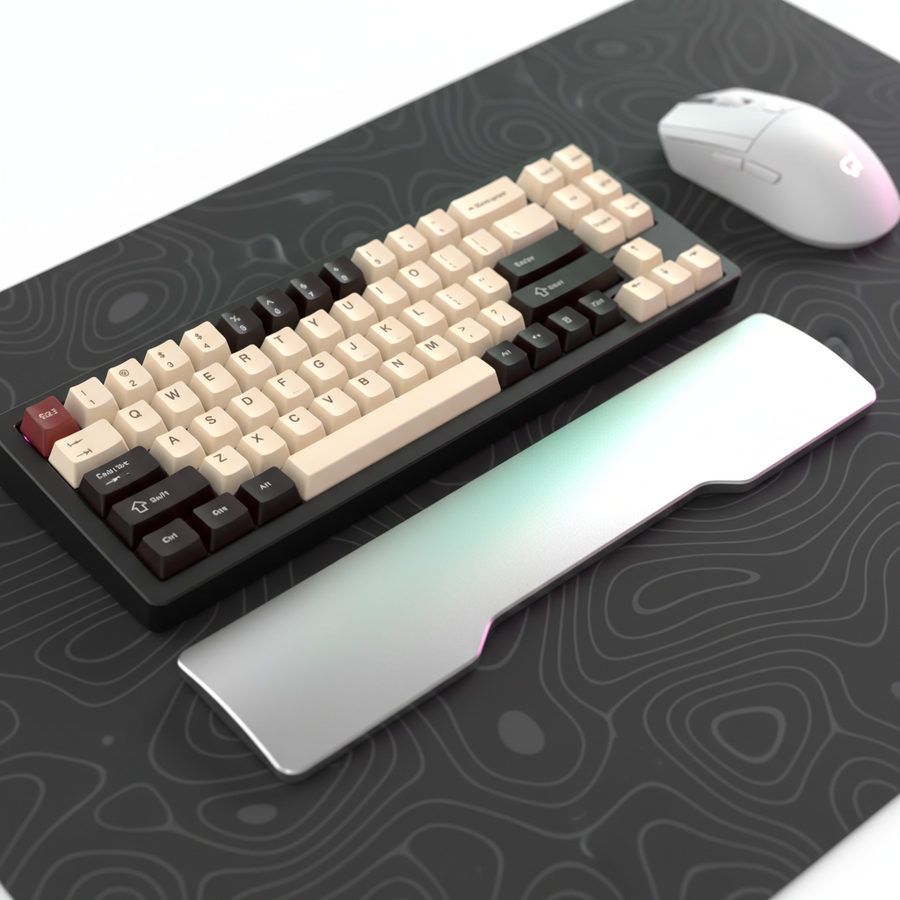
Taktil vs. Visuell: Warum physische Klicks in hochriskanten Spielen On-Screen-Symbole schlagen
In den letzten Momenten eines intensiven MOBA-Teamkampfs entscheidet oft eine einzige Millisekunde der Bestätigung über den Unterschied zwischen einer erfolgreichen Skill-Rotation und einem „verlorenen Aktions“-Fehler. Während moderne Spiel-Engines aufwändige visuelle Hinweise bieten – Cooldown-Symbole, blinkende Rahmen und Partikeleffekte – beruht die Performance auf Profi-Niveau auf einem viel älteren, schnelleren biologischen System: dem somatosensorischen Pfad.
Wir haben beobachtet, dass der häufigste Eingabefehler bei wettbewerbsorientierten MOBA- und MMO-Spielern kein verpasster Klick ist, sondern das „Doppeltippen“ auf eine Fähigkeit während ihrer Abklingzeit. Dieser verschwendete Befehl entsteht, weil die visuelle Verarbeitungsgeschwindigkeit des Gehirns deutlich langsamer ist als seine taktile Reaktion. In diesem technischen Deep Dive analysieren wir, warum physisches taktiles Feedback weiterhin der ultimative Leistungsanker für Eingabebestätigung ist und wie technische Entscheidungen bei Schaltern, Ergonomie und Abtastraten deinen Wettbewerbsvorteil bestimmen.
Die Neurowissenschaft der Eingabebestätigung: Taktil vs. Visuelle Geschwindigkeit
Das menschliche Gehirn verarbeitet taktile Informationen schneller als visuelle Signale. Laut Forschung zu den somatosensorischen Bahnen zum Gehirn reisen taktile Reize über den dorsalen Säulen-medialen Lemniskusweg und erreichen den somatosensorischen Kortex mit minimaler synaptischer Verzögerung. Im Gegensatz dazu erfordert die visuelle Verarbeitung eine komplexe Lichttransduktion in der Netzhaut, gefolgt von einer mehrstufigen Integration im primären visuellen Kortex.
Für einen Gamer bedeutet dies, dass der „taktilen Hub“ eines mechanischen Schalters oder die nahezu sofortige 1ms Reaktionszeit eines Hochleistungs-Mausklicks ein Bestätigungssignal liefert, das etwa 20–50ms schneller im Gehirn ankommt als das entsprechende visuelle Symbol auf einem 240Hz-Monitor. Im „reaktiven“ Gameplay, bei dem eine Aktion bestätigt werden muss, bevor die nächste gestartet wird, verhindert dieses Delta den kognitiven Engpass, der zu Fähigkeitenspamming führt.
Das „Double-Tap“-Problem und Cooldown-Management
In der Praxis sehen wir oft, dass Spieler mit „Chatter“ oder fehlgeschlagenen aufeinanderfolgenden Eingaben kämpfen, wenn Schalter einen Reset-Punkt haben, der zu weit über dem Betätigungspunkt liegt. Wenn ein Schalter eine erhebliche Rückstellbewegung zum Zurücksetzen erfordert, versucht der Spieler möglicherweise einen zweiten Druck, bevor der Schalter bereit ist.
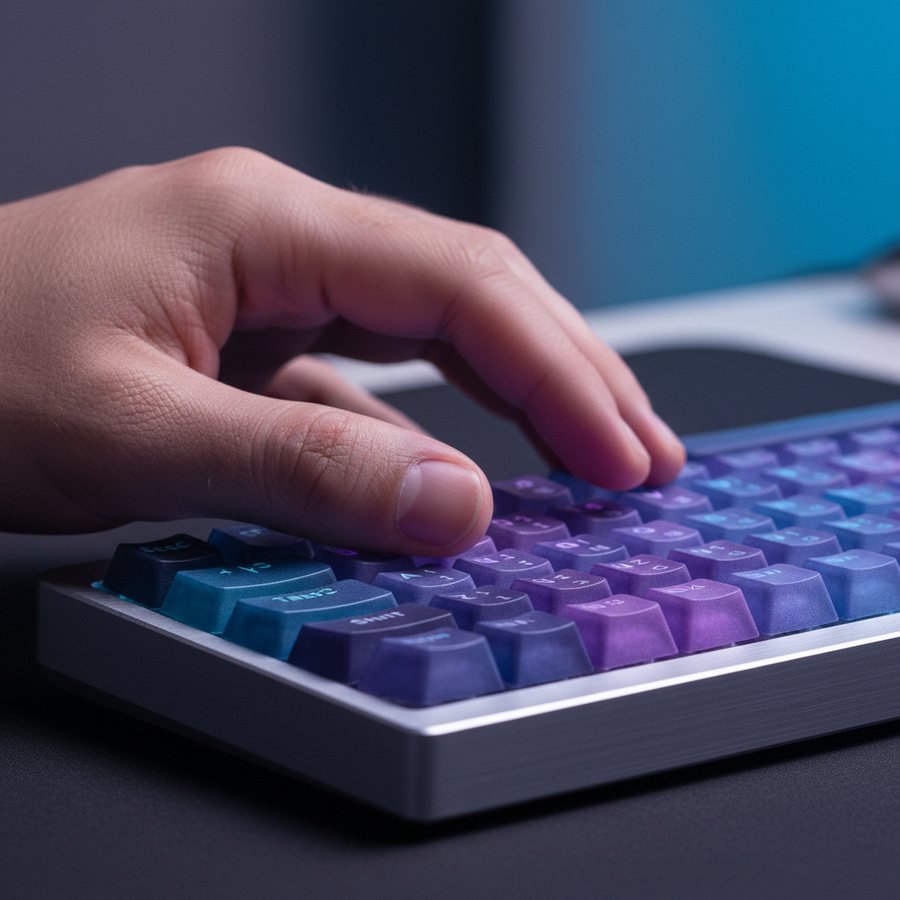
Taktiles Feedback löst dieses Problem, indem es ein physisches „Reset“-Gefühl bietet. Ein Schalter mit einem klaren taktilen Ereignis ermöglicht es dem Finger, das Zurücksetzen „zu spüren“ und trainiert das Muskelgedächtnis, den nächsten Druck genau im Moment der mechanischen Bereitschaft zu timen. Deshalb bevorzugen viele MOBA-Profis eine etwas höhere Betätigungskraft (z. B. 60g) im Vergleich zum 45g-Standard, der in FPS-Titeln verwendet wird; der zusätzliche Widerstand verhindert physisch versehentliches „Doppeltippen“ und bietet eine deutlichere Bestätigung des Skill-Einsatzes.

Engineering für Bestätigung: Hall-Effekt vs. mechanische Schalter
Um den Vorteil moderner taktiler Technik zu quantifizieren, modellierten wir die Latenzunterschiede zwischen traditionellen mechanischen Schaltern und Hall-Effekt-(magnetischen) Schaltern mit Rapid Trigger-Technologie.
Modellierungsanalyse: Eingabelatenz-Delta
Unsere Analyse konzentriert sich auf die Persona des "Cooldown Double-Tapper" – ein Spieler mit hoher APM (Aktionen pro Minute), der schnelle, aufeinanderfolgende Eingaben benötigt. Wir verglichen die Gesamtlatenz (Reisezeit + Entprellung + Reset) zwischen einem Standard-Mechanikschalter und einer Hall-Effekt-Implementierung.
| Parameter | Mechanischer Schalter | Hall-Effekt (Rapid Trigger) | Begründung / Quelle |
|---|---|---|---|
| Reise-/Auslösezeit | ~5ms | ~5ms | Industriestandard Reisespeed |
| Entprellverzögerung | 5ms | 0ms | Magnetische Sensoren eliminieren Kontaktprellen |
| Reset-Distanz | 0.5mm | 0.1mm | Rapid Trigger ermöglicht dynamischen Reset |
| Reset-Zeit (bei 100mm/s) | 5ms | 1ms | Berechnet: $t = d/v$ |
| Gesamtlatenz | ~15ms | ~6ms | ~9ms Vorteil für Hall-Effekt |
Modellierungshinweis: Dieses Szenario geht von einer konstanten Fingerhebegeschwindigkeit von 100mm/s aus. Die realen Ergebnisse variieren je nach individueller Biomechanik und Firmware-Abfrage. Der ~9ms Vorteil adressiert direkt den Double-Tap-Fehler, indem der Schalter fast fünfmal schneller zurückgesetzt wird als ein mechanisches Pendant.
Das Global Gaming Peripherals Industry Whitepaper (2026) hebt hervor, dass magnetische Sensoren zum Maßstab für die "Eingabebestätigungsgeschwindigkeit" werden, da sie den physischen Reset von festen mechanischen Blattfedern entkoppeln.
Ergonomie und taktile Konsistenz für große Hände
Das taktile Feedback ist nur so zuverlässig wie der Griff des Nutzers. Für Spieler mit großen Händen (ca. 20–21cm) kann die Verwendung einer Standardmaus zu einem "Fingerüberhang" führen, bei dem die Fingerspitzen über die primären Tasten hinausragen. Dies erzeugt eine ungleichmäßige Druckverteilung, wodurch der taktile Klick "schwammig" oder weniger deutlich wirkt.
Die Grip Fit Heuristik
Wir verwenden ein "Grip Fit Ratio", um zu bestimmen, ob eine Maus für eine bestimmte Handgröße richtig dimensioniert ist. Für einen Krallengriff beträgt die ideale Mauslänge typischerweise 60 % der Handlänge.
- Handlänge: 20,5cm (95. Perzentil)
- Ideale Mauslänge: ~131mm (Heuristik: $20.5 \times 0.64$)
- Übliche Mauslänge: 120mm
- Fit-Verhältnis: 0,91 (Ein "kurzer" Fit)
Wenn das Fit-Verhältnis unter 0,95 fällt, beobachten wir eine signifikante Zunahme der ergonomischen Belastung. In unserer Modellierung von intensiven MOBA-Sessions erreichte ein Spieler mit großen Händen, der eine 120mm Maus verwendet, einen Moore-Garg Strain Index Wert von 48, der als Gefährlich eingestuft wird (Schwellenwert > 5). Dieses hohe Belastungsniveau verschlechtert die motorische Kontrolle, wodurch die taktile Wahrnehmung des Spielers über lange Sessions weniger scharf wird.
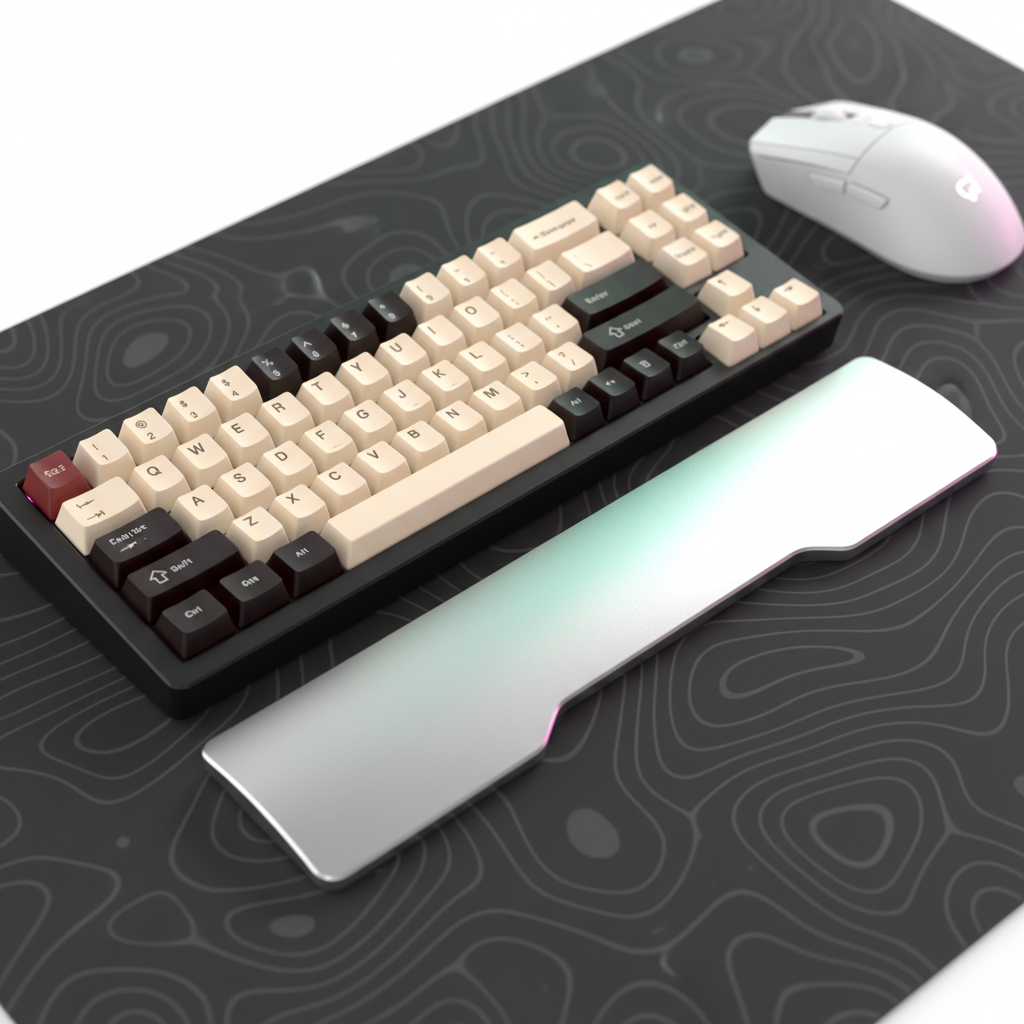
Um dem entgegenzuwirken, sind Zubehörteile wie die ATTACK SHARK Aluminiumlegierung Handgelenkstütze mit Aufbewahrungsfach oder die ATTACK SHARK ACRYLIC WRIST REST unerlässlich. Durch das Anheben des Handgelenks in eine natürlichere Ausrichtung reduzieren diese Hilfsmittel die Sehnenspannung, die die taktile Sensibilität „taub“ machen kann.
Taktile Textur und Schweißmanagement
Taktile Bestätigung betrifft nicht nur den Schalter; es geht um die Schnittstelle zwischen Haut und Keycap oder Mausgehäuse. Während hochdruckintensiver Turnierszenarien reduziert sich die Reibung durch Schweißansammlungen auf ABS (Acrylnitril-Butadien-Styrol)-Oberflächen erheblich. Dies kann dazu führen, dass der Finger zur Kante einer Keycap abrutscht, was einen „Seitendruck“ verursacht, der langsamer registriert wird oder sich anders anfühlt als ein Druck in der Mitte.
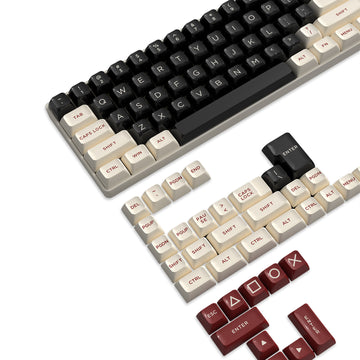
PBT (Polybutylenterephthalat)-Keycaps mit strukturierter Oberfläche erhalten die taktile Konsistenz, indem sie eine höher haftende Oberfläche bieten, die Öl und Feuchtigkeit widersteht. Ebenso sorgt ein Hochleistungs-Mauspad wie das ATTACK SHARK CM02 eSport Gaming Mousepad oder das ATTACK SHARK CM03 eSport Gaming Mouse pad (Rainbow Coated) dafür, dass der „Flick“ zu einem visuellen Ziel durch konsistenten physischen Widerstand unterstützt wird. Die ultrahochdichte Faser im CM02 bietet den taktilen „Stopp“, der für Mikrokorrekturen nötig ist, die visuelle Symbole allein nicht leiten können.
Technische Synergie: 8000Hz-Polling und Eingabegenauigkeit
Während taktiles Feedback den Start einer Aktion bestätigt, bestimmt die Polling-Rate des Systems, wie genau diese Aktion umgesetzt wird. Der Übergang zu 8000Hz (8K) Polling-Raten reduziert die „Input-zu-Bildschirm“-Verzögerung auf ein nahezu sofortiges Intervall von 0,125ms.
Die Realität des 8K-Pollings
Um wirklich von der Geschwindigkeit des taktilen Feedbacks zu profitieren, muss die Hardware die Datenbandbreite sättigen.
- Latenz-Mathematik: 1000Hz = 1,0ms; 8000Hz = 0,125ms.
- Sensor-Sättigung: Um ein stabiles 8000Hz-Signal aufrechtzuerhalten, muss der Benutzer die Maus mit bestimmten Geschwindigkeiten relativ zu seiner DPI bewegen. Zum Beispiel benötigen Sie bei 800 DPI mindestens 10 IPS (Zoll pro Sekunde) Bewegung. Bei 1600 DPI sind nur 5 IPS erforderlich, um den Paketstrom voll zu halten.
Allerdings führt 8K-Polling zu einem erheblichen CPU-Flaschenhals durch IRQ (Interrupt Request)-Verarbeitung. Wir empfehlen, 8K-Geräte direkt an den Rear I/O (Motherboard-Ports) anzuschließen. Vermeiden Sie USB-Hubs oder Front-Panel-Header, da geteilte Bandbreite und schlechte Abschirmung Paketverluste verursachen können, wodurch Ihre hochgeschwindigkeits taktile Bestätigung wirkungslos wird.
Modelltransparenz: Das Cooldown-Double-Tapper-Szenario
Um sicherzustellen, dass unsere Empfehlungen auf reproduzierbarer Logik basieren, haben wir die Parameter für unsere ergonomische und Latenzmodellierung bereitgestellt.
Methode & Annahmen
- Modelltyp: Deterministisches parametrisiertes kinematisches Modell und Moore-Garg Belastungsindex-Analyse.
- Geltungsbereich: Dies ist ein Szenariomodell zur Geräteauswahl, kein medizinisches Diagnosewerkzeug oder eine kontrollierte Laborstudie.
| Parameter | Wert | Einheit | Quellenkategorie |
|---|---|---|---|
| Handlänge | 20.5 | cm | Anthropometrisch (ANSUR II P95) |
| APM (Aktionen pro Minute) | 240 | Anzahl | Wettbewerbs-MOBA-Basiswert |
| Tippkraft | +25% | % | Aggressives Persönlichkeitsmerkmal |
| Sitzungsdauer | 4 | Stunden | Tägliches kompetitives Training |
| Maus-Abtastrate | 8000 | Hz | High-Performance-Hardware-Spezifikation |
Randbedingungen:
- Dieses Modell geht von einem "Claw"-Griffstil aus; Ergebnisse für "Palm"- oder "Fingertip"-Griffe unterscheiden sich im Belastungsindex erheblich.
- Der Latenzvorteil des Halleffekts setzt voraus, dass die Firmware für <1 ms Verarbeitung optimiert ist; schlecht geschriebene Treiber können diese Hardwarevorteile zunichtemachen.
- Ergonomische Risikokategorien basieren auf statistischem Screening; individuelle Gelenkgesundheit und Vorerkrankungen werden nicht berücksichtigt.
Zusammenfassung des taktilen Vorteils
In der Hierarchie der Gaming-Eingaben sind visuelle Hinweise sekundär gegenüber physischer Bestätigung. Indem Sie Hardware mit klaren taktilen Ereignissen, optimierten Auslösekräften und passender ergonomischer Größe priorisieren, stimmen Sie Ihr Setup auf die schnellsten sensorischen Bahnen des Gehirns ab.
Für MOBA- oder MMO-Spieler bedeutet dies weniger verschwendete Abklingzeiten, besseren Rhythmus bei Skill-Rotationen und ein geringeres Risiko langfristiger Belastungen. Während Bildschirm-Icons Ihnen sagen, was passiert ist, sagt Ihnen das taktile Feedback wann es passiert ist – genau 9–50 ms bevor Ihre Augen es überhaupt sehen können.
YMYL-Hinweis
Dieser Artikel dient nur zu Informationszwecken und stellt keine professionelle medizinische Beratung dar. Die ergonomische Modellierung und die angegebenen "Belastungsindex"-Werte sind Screening-Indikatoren zur Geräteauswahl und stellen keine medizinische Diagnose von RSI (Repetitive Strain Injuries) oder anderen Gesundheitszuständen dar. Wenn Sie anhaltende Schmerzen, Taubheitsgefühle oder Kribbeln in Händen oder Handgelenken verspüren, konsultieren Sie bitte einen qualifizierten Arzt oder Ergotherapeuten.
Quellen
- Somatosensorische Bahnen zum Gehirn – CUNY
- Moore, J. S., & Garg, A. (1995). Der Belastungsindex
- USB HID-Klassendefinition (HID 1.11)
- Globales Whitepaper zur Gaming-Peripherie-Industrie (2026)
- FCC Gerätezulassungsdatenbank
- NIST Schwachstellendatenbank (NVD)
Verwandte Einblicke: