

Enjoy free shipping to most countries*! For countries with local stock, delivery usually takes 3-5 days. Holiday seasons may affect shipping times. See estimated delivery times for details.
15-day no-reason return and exchange policy, you have ample time to try out your new product and decide if it's right for you.

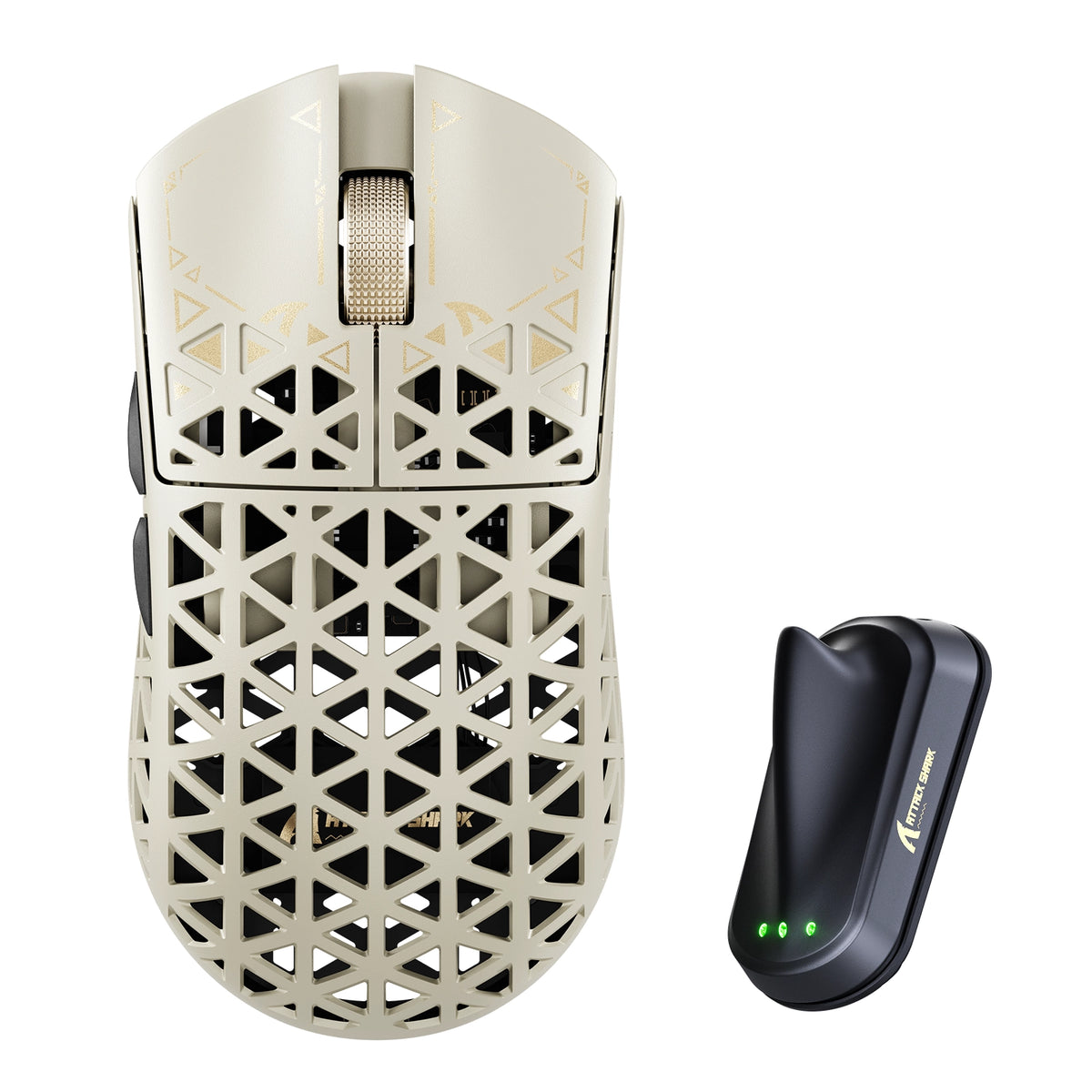
ATTACK SHARK R5 TURBO kabellose 8K-Gaming-Maus aus Carbonfaser

PixArt PAW3950MAX Sensor, 60K DPI, Dual 8000Hz Polling Rate, Nordic 54LM20 MCU, TTC Gold Scroll Wheel Encoder

• 43±3g Ultra-Lightweight
• Nordic 54LM20 Chip
• PAW3950MAX Sensor (Up to 60000 DPI)
• Dual 8000Hz Polling Rate(Wired / Wireless)
• 20000 FPS Static Scan Rate
• Omron Optical Microswitches (100 Million Clicks )
• TTC Gold Scroll Wheel Encoder
• Adjustable LOD (3 Levels)
• Connection Methods: Wired / Wireless / Bluetooth
• Glass-feel Ice Coating
• Web & Software Control
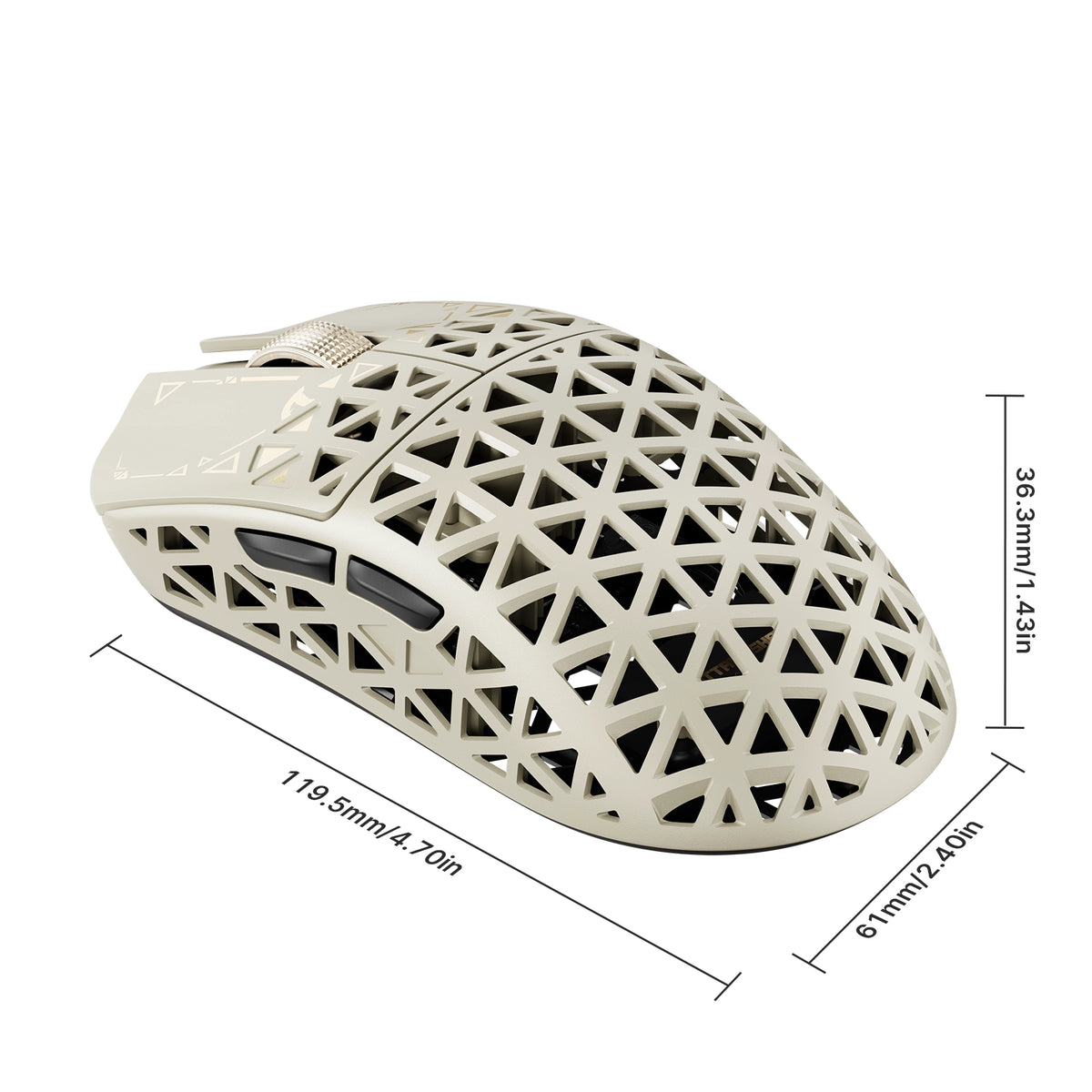
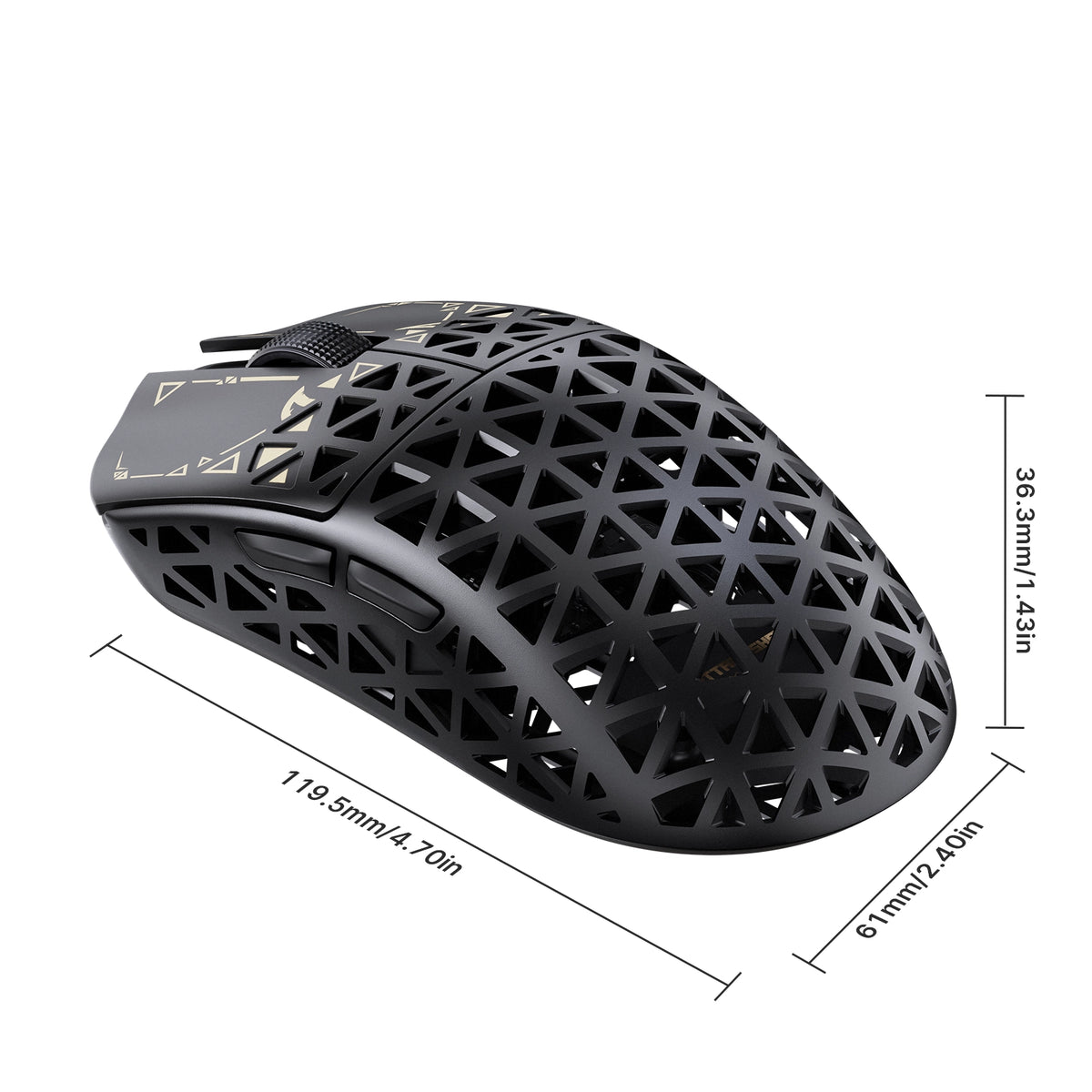
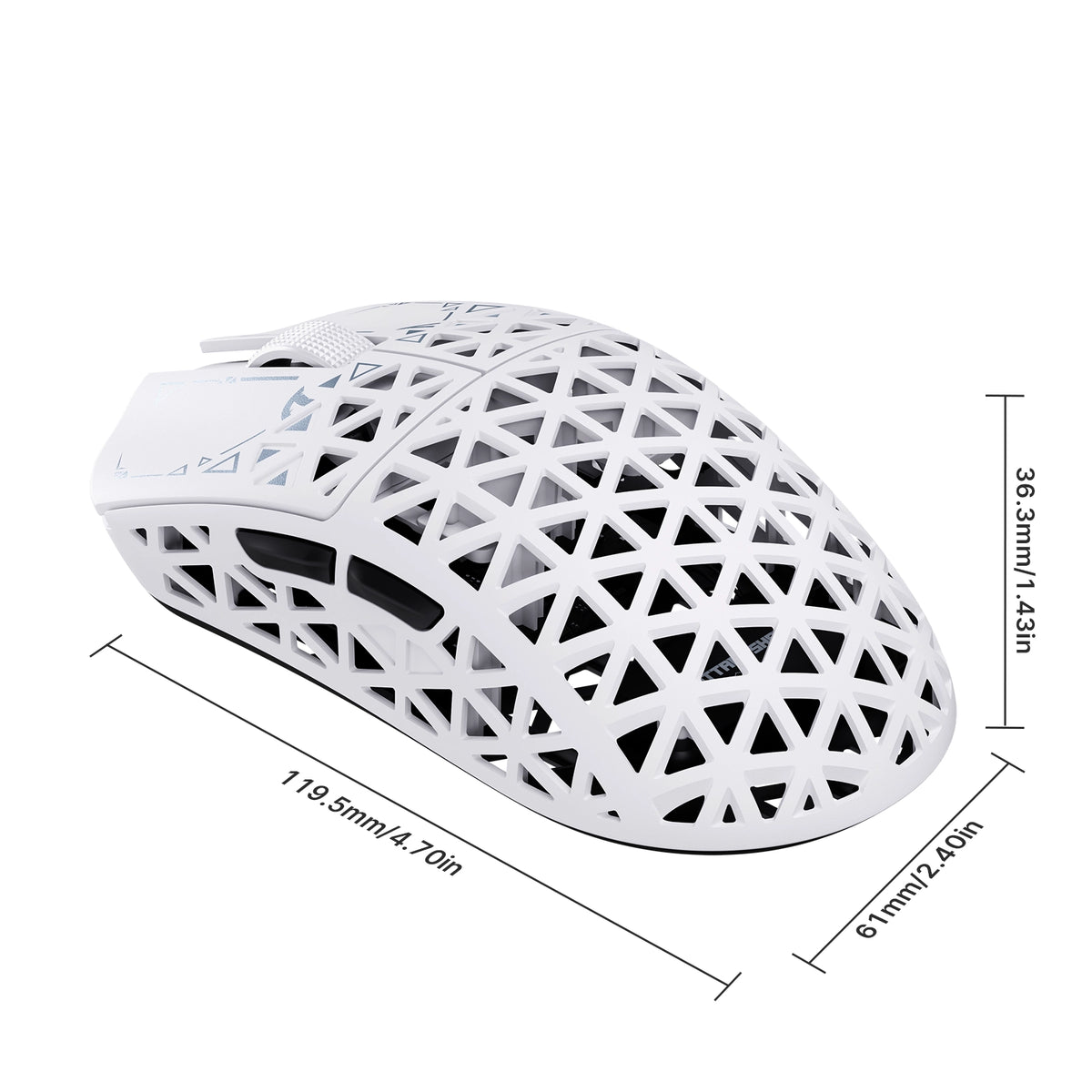
• Dimensions: 119.5mm X 61.0mm X 36.3mm

Farbe: Schwarz
MSRP:€97,95

ATTACK SHARK R5 TURBO specifications: 8000Hz polling, 43g weight, PAW3950MAX sensor, 60000 DPI, 20000 FPS
ATTACK SHARK R5 TURBO weighs 43g plus or minus 3g, shown on a robotic hand

43 ± 3g Schale aus Carbonfaserverbundwerkstoff

LEICHT. LANGLEBIG GEBAUT.

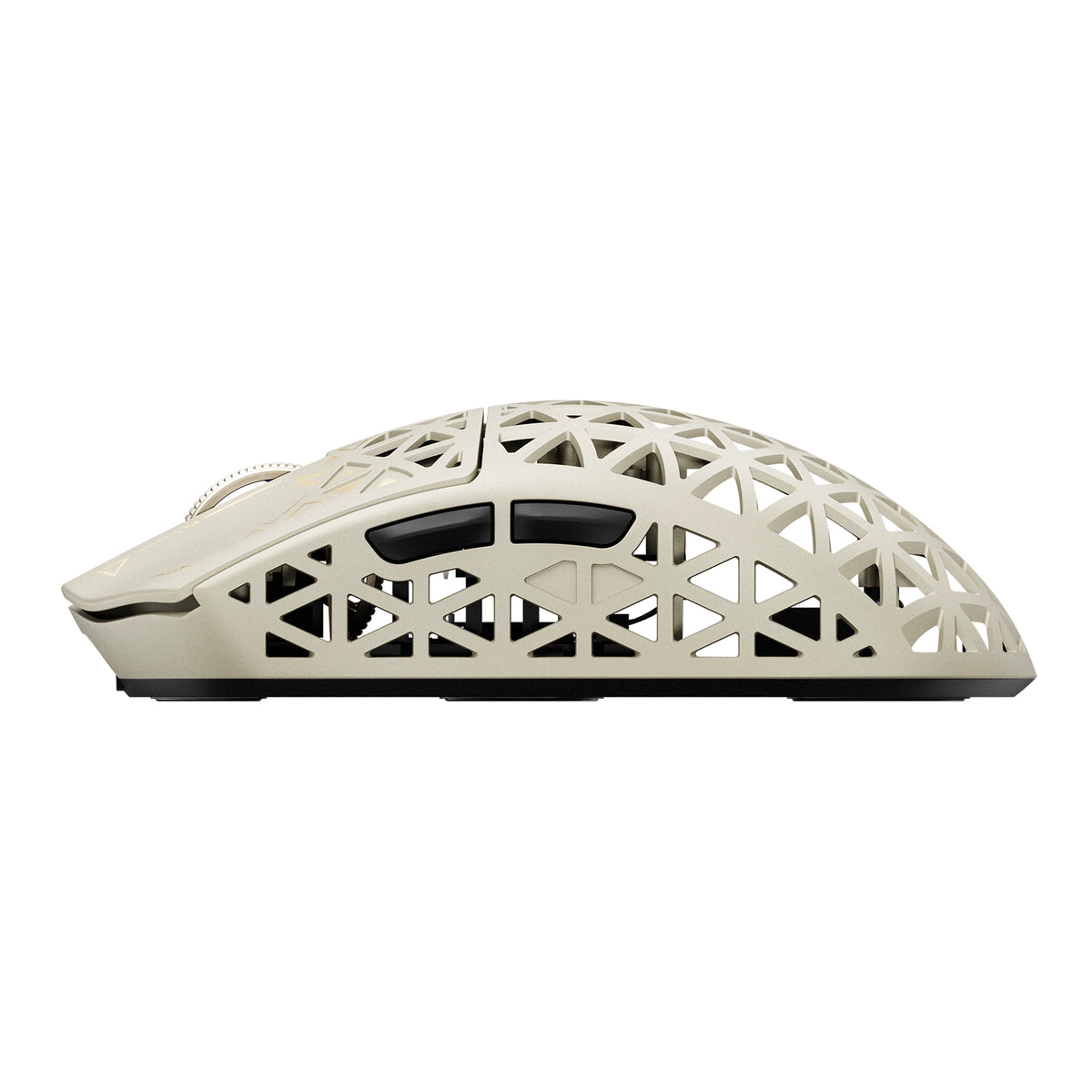
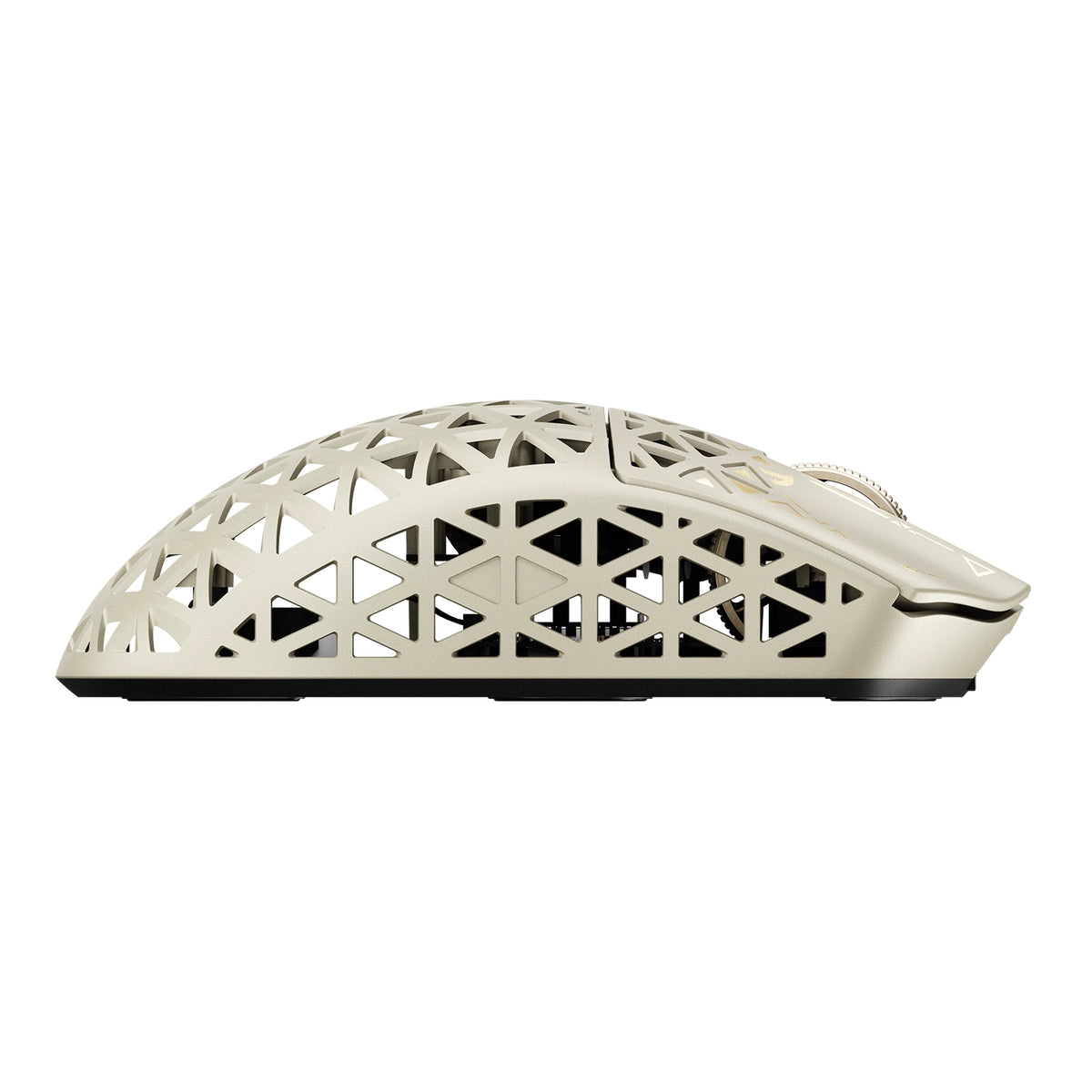
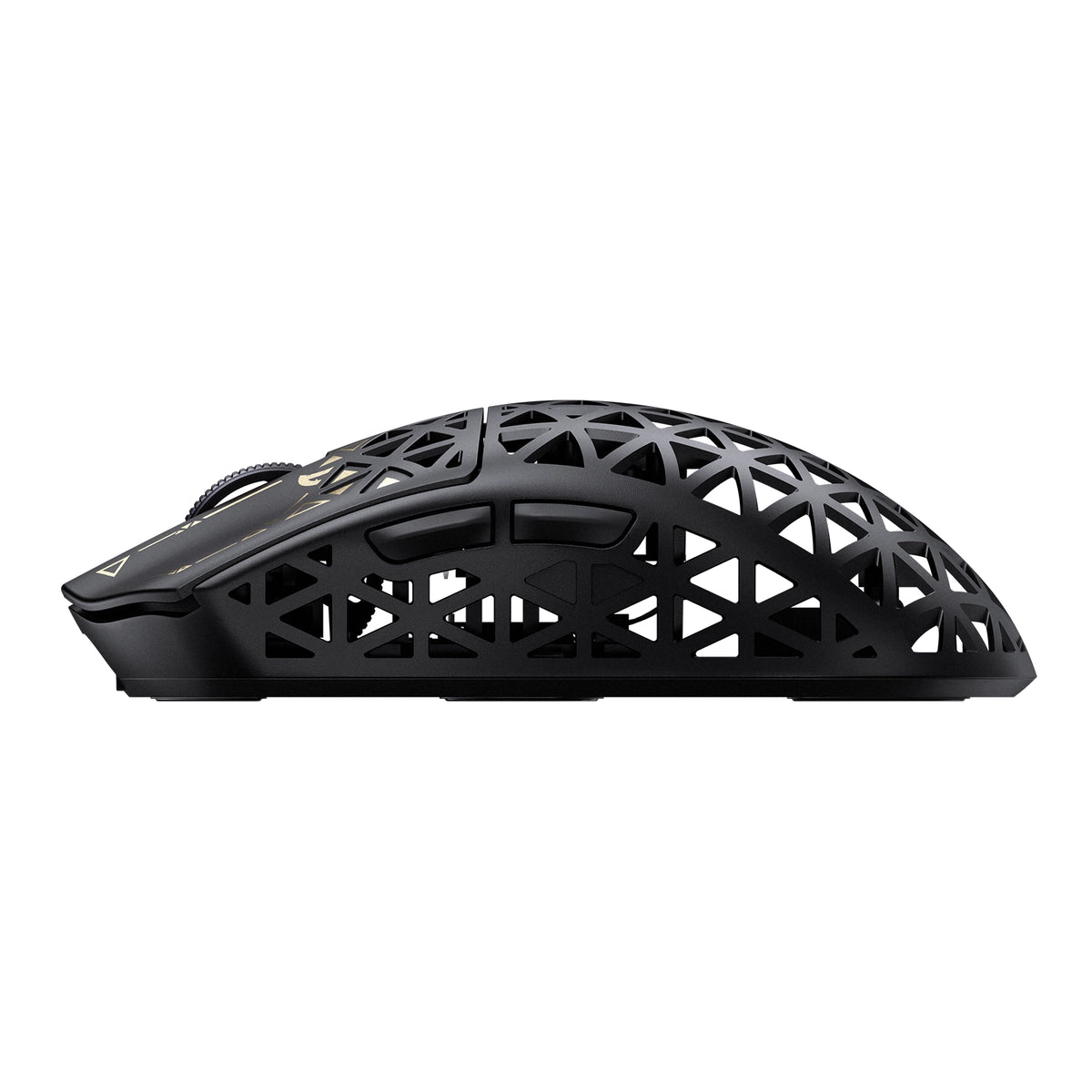
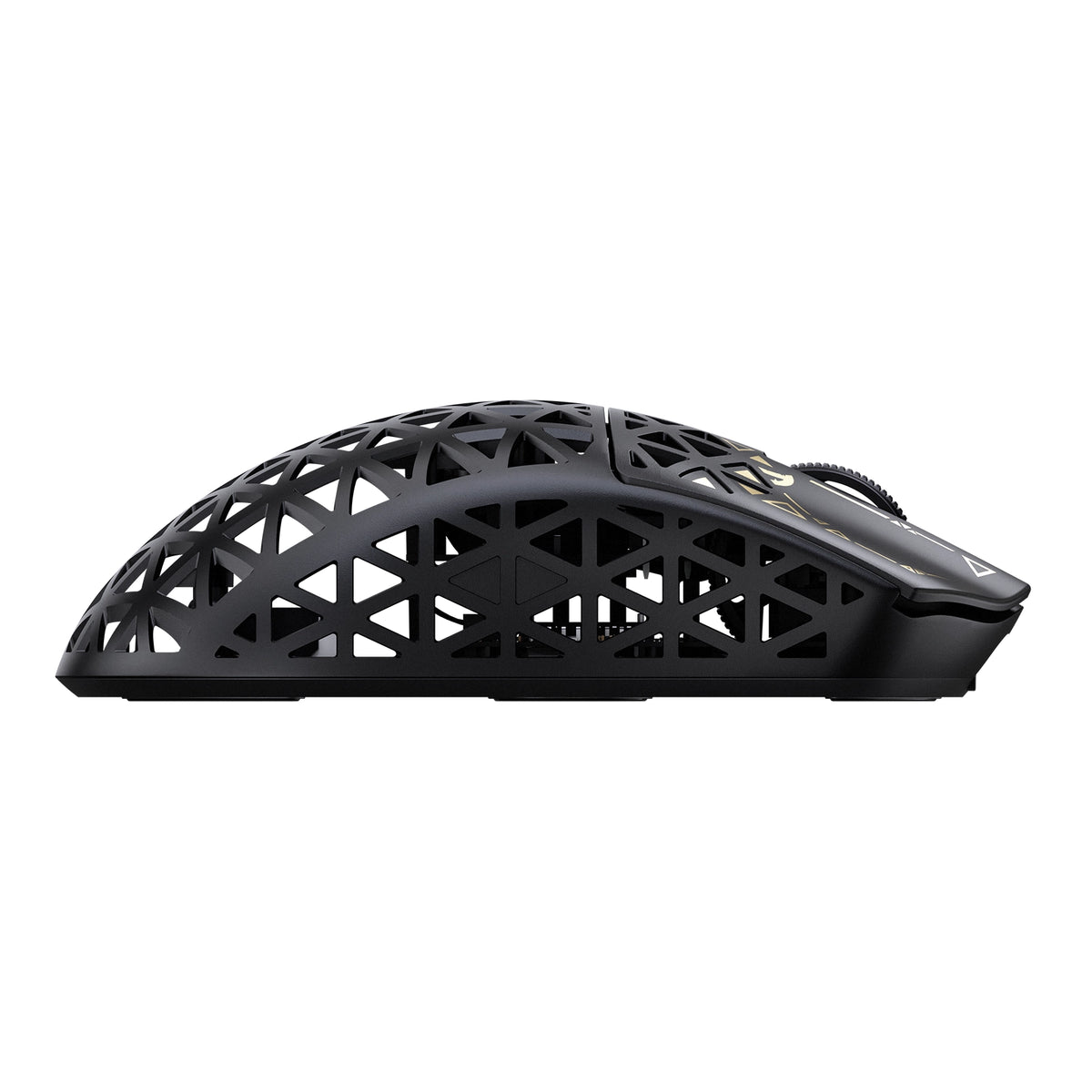
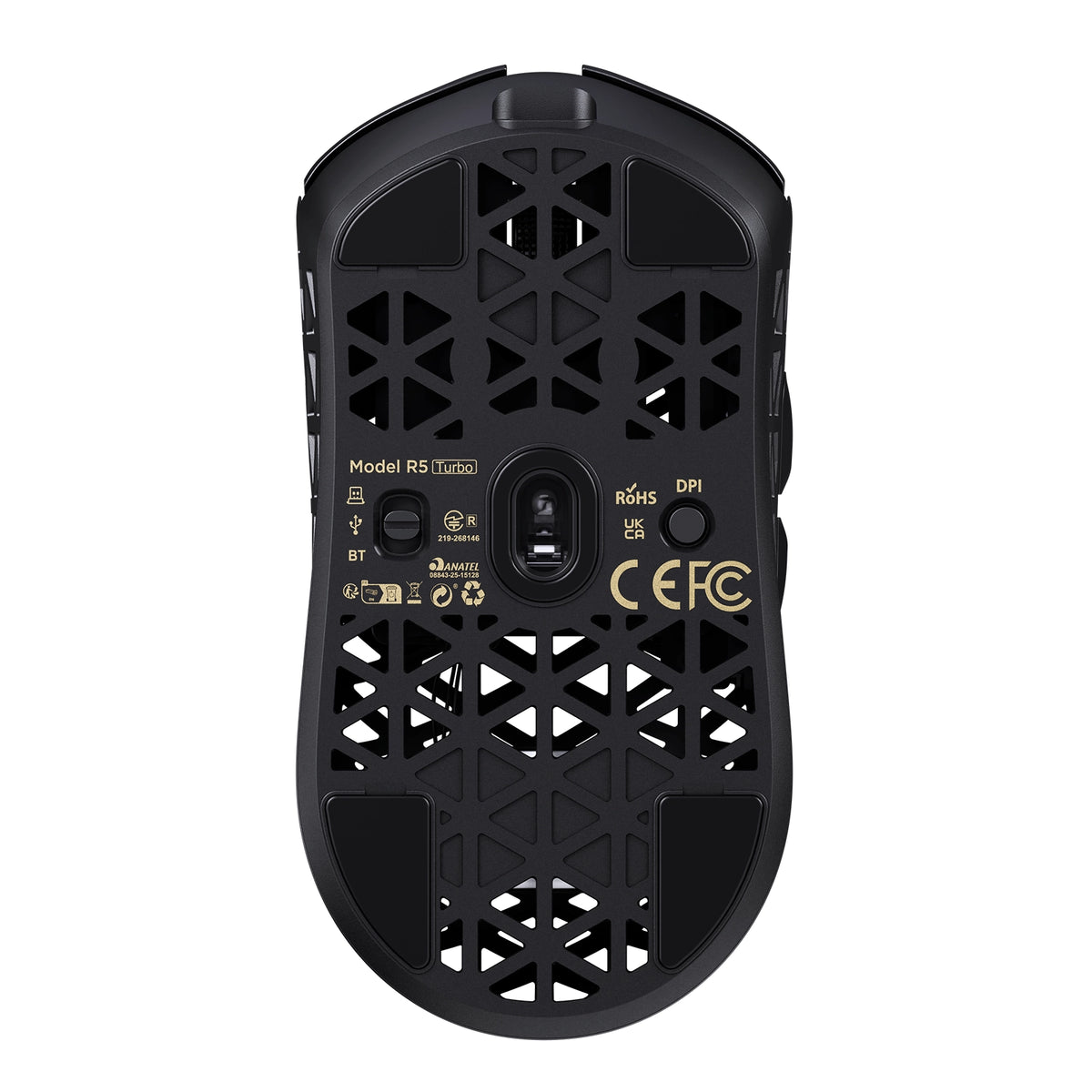
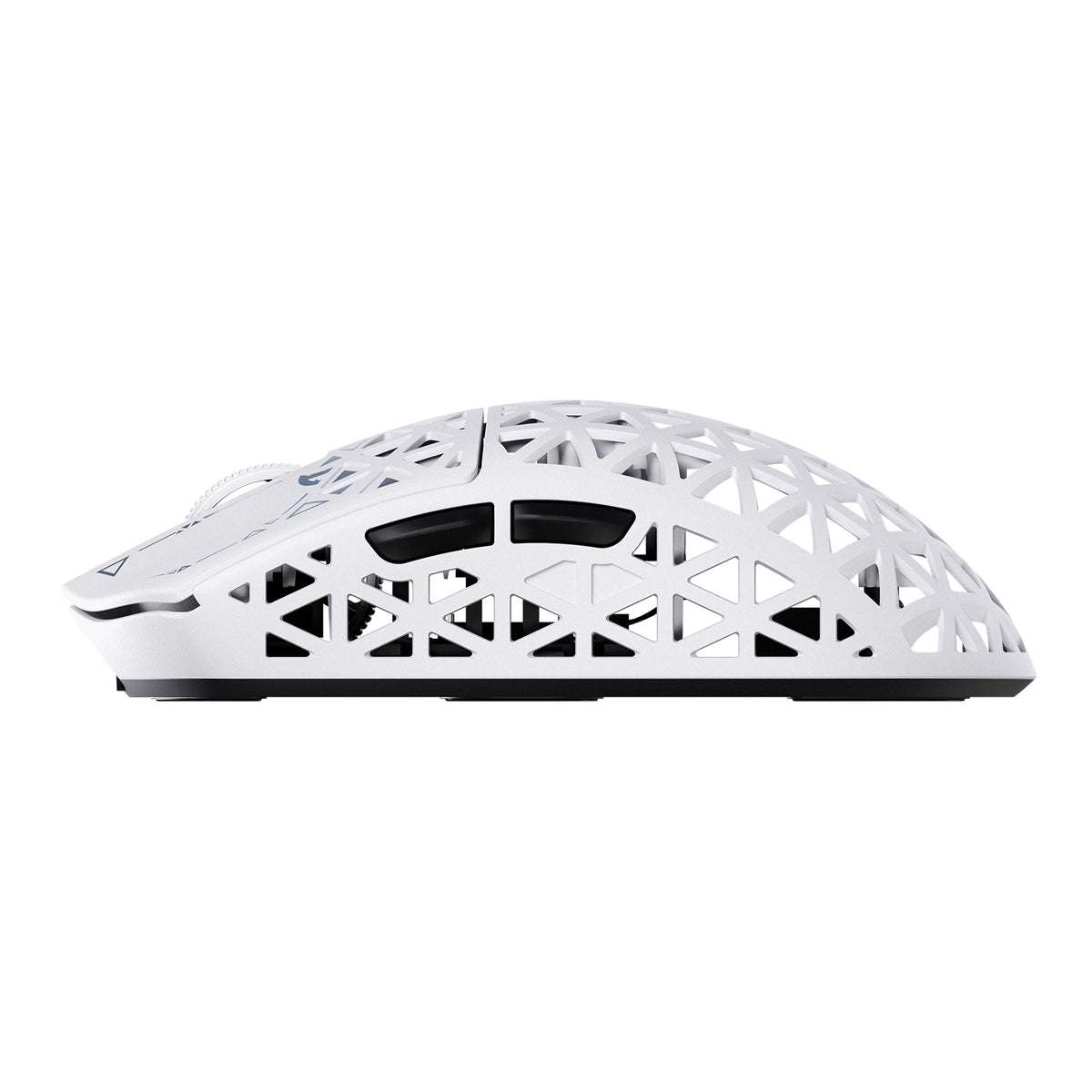
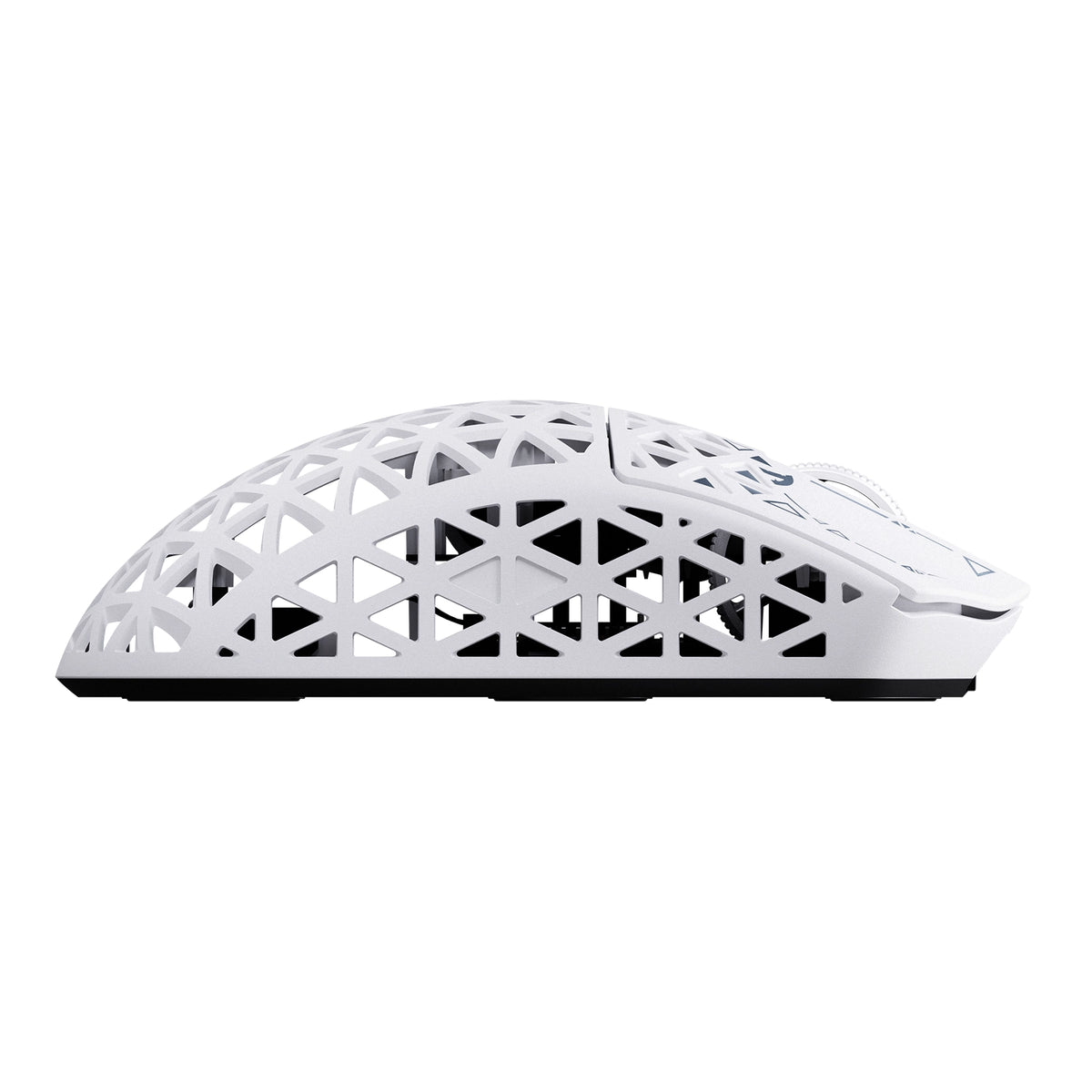
Die R5 TURBO wurde mit einer fortschrittlichen, spritzgegossenen Carbonfaser-Verbundschale entwickelt und wiegt nur 43 ± 3g. Dabei bietet sie außergewöhnliche strukturelle Festigkeit und Verschleißfestigkeit. Das hohle, belüftete Design reduziert unnötiges Gewicht und verbessert die Luftzirkulation. So vereint sie Haltbarkeit, Komfort und mühelose Kontrolle bei jeder Bewegung.
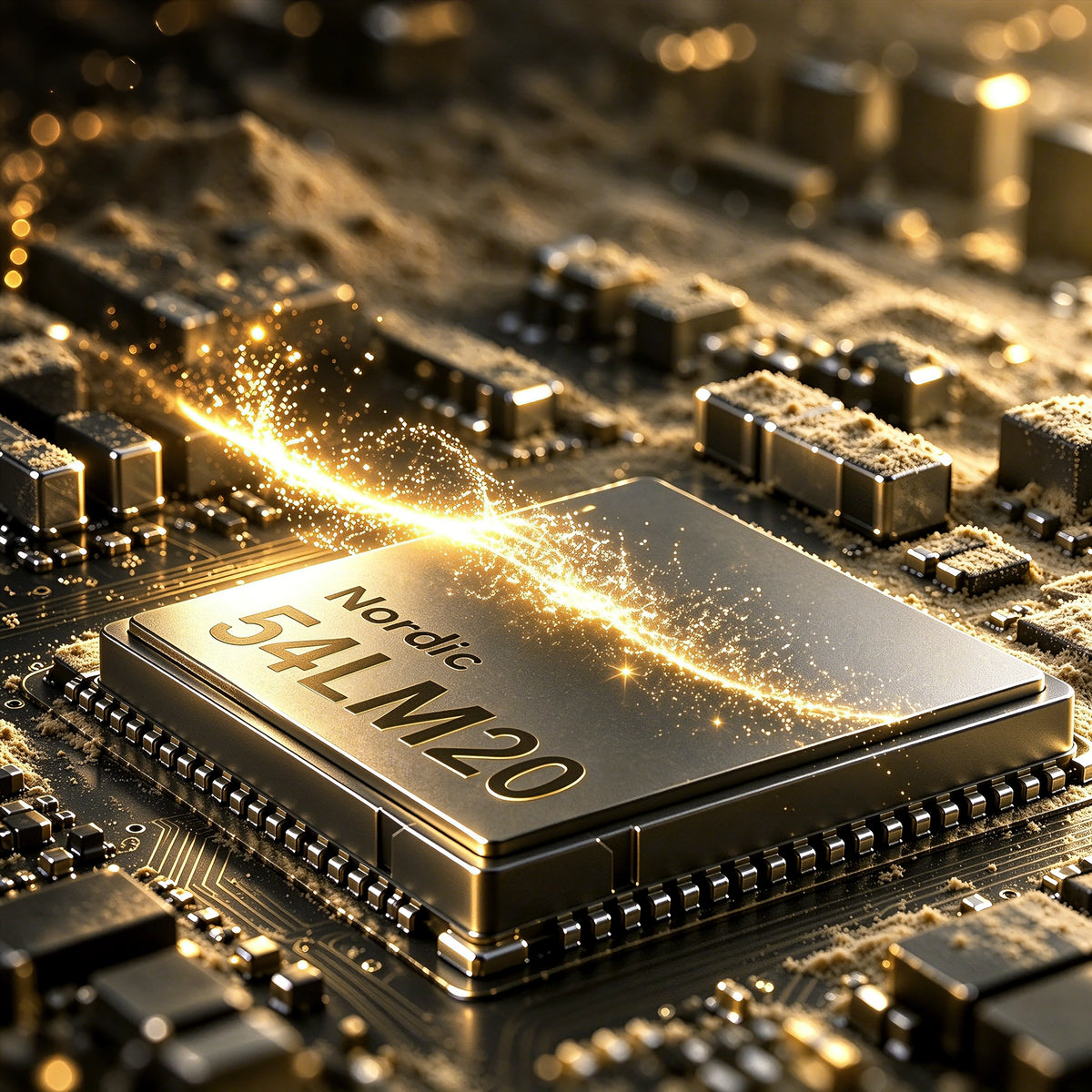
Nordic 54L20 MCU chip inside the ATTACK SHARK R5 TURBO wireless gaming mouse

Nordic 54LM20 Flaggschiff-MCU

LEISTUNG DER NÄCHSTEN GENERATION. SPITZENLEISTUNG.

Im Herzen des R5 TURBO steckt der Nordic 54LM20 MCU der nächsten Generation, entwickelt für Gaming mit hoher Leistung. Mit seiner leistungsstarken Verarbeitung und effizienten drahtlosen Kommunikation bietet er die Geschwindigkeit, Stabilität und Reaktionsfähigkeit, die für anspruchsvolles kompetitives Gaming erforderlich sind.

PAW3950MAX-Flagship-Optiksensor

PRÄZISION OHNE GRENZEN.

Angetrieben vom optischen PAW3950MAX-Sensor der Spitzenklasse bietet die R5 TURBO eine außergewöhnliche Tracking-Präzision mit bis zu 60.000 DPI und präzisen Anpassungsschritten von 50 DPI. Mit einer Tracking-Geschwindigkeit von 750 IPS und einer Beschleunigung von 60 G wird jede schnelle Bewegung, jeder Wisch und jede Mikroanpassung bemerkenswert präzise erfasst, selbst bei intensivstem Gameplay.

Kontrolliere jede Bewegung.

3-stufig verstellbare Liege

Stimme dein Tracking-Erlebnis mit drei einstellbaren Abhebedistanzen ab: 0.7mm, 1.0mm und 2.0mm. Ob du ultraniedrige Abhebedistanz für höchste Präzision bevorzugst oder beim schnellen Umpositionieren der Maus mehr Flexibilität brauchst - die R5 TURBO passt sich deinem Spielstil an und sorgt für gleichbleibende, zuverlässige Kontrolle.

20.000 Bilder pro Sekunde für Hochgeschwindigkeits-Tracking

HUNTING-SHARK-Modus

Aktiviere den HUNTING SHARK-Modus, um Sensorabtastraten von bis zu 20.000 FPS freizuschalten und schnelle Bewegungen mit höherer Geschwindigkeit und Konsistenz zu erfassen. Er wurde für rasante Wettkämpfe entwickelt und sorgt für präzises Tracking bei schnellen Flicks, scharfen Drehungen und raschen Richtungswechseln.
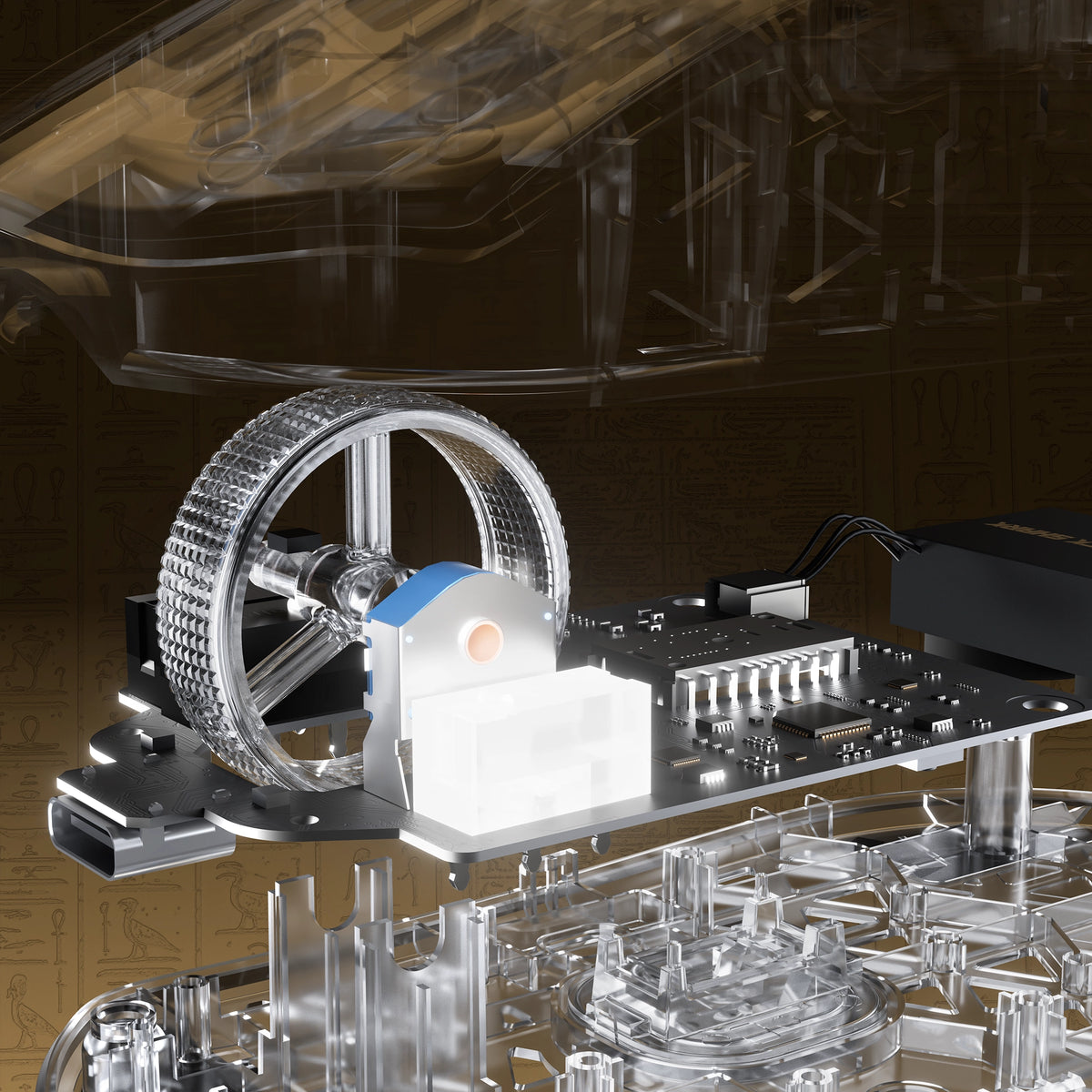
Exploded view of the electroplated scroll wheel and PCB in the ATTACK SHARK R5 TURBO

JEDER KLICK. FÜR DIE EWIGKEIT GEBAUT.

OMRON-OPTIKSCHALTER

TTC-GOLD-ENCODER

Ausgestattet mit hochwertigen optischen OMRON-Schaltern, die auf über 100 Millionen Klicks ausgelegt sind, bietet die R5 TURBO eine schnelle, konsistente Auslösung und herausragende Langlebigkeit. In Kombination mit einem TTC-Gold-Scrollrad-Encoder sorgt sie für präzise Scrollrückmeldungen und zuverlässige Leistung in zahllosen Gaming-Sessions.

Individuell galvanisiertes Scrollrad

PRÄZISION BEI JEDEM SCROLLEN.

Mit einem speziell galvanisierten Scrollrad vereint die R5 TURBO eine hochwertige Metalloberfläche mit präziser, angenehmer Haptik. Sie wurde für reaktionsschnelles Scrollen und präzise Bedienung entwickelt und wertet sowohl die Optik als auch die tägliche Handhabung auf. So verleiht sie jeder Bewegung einen zusätzlichen Hauch von Eleganz.
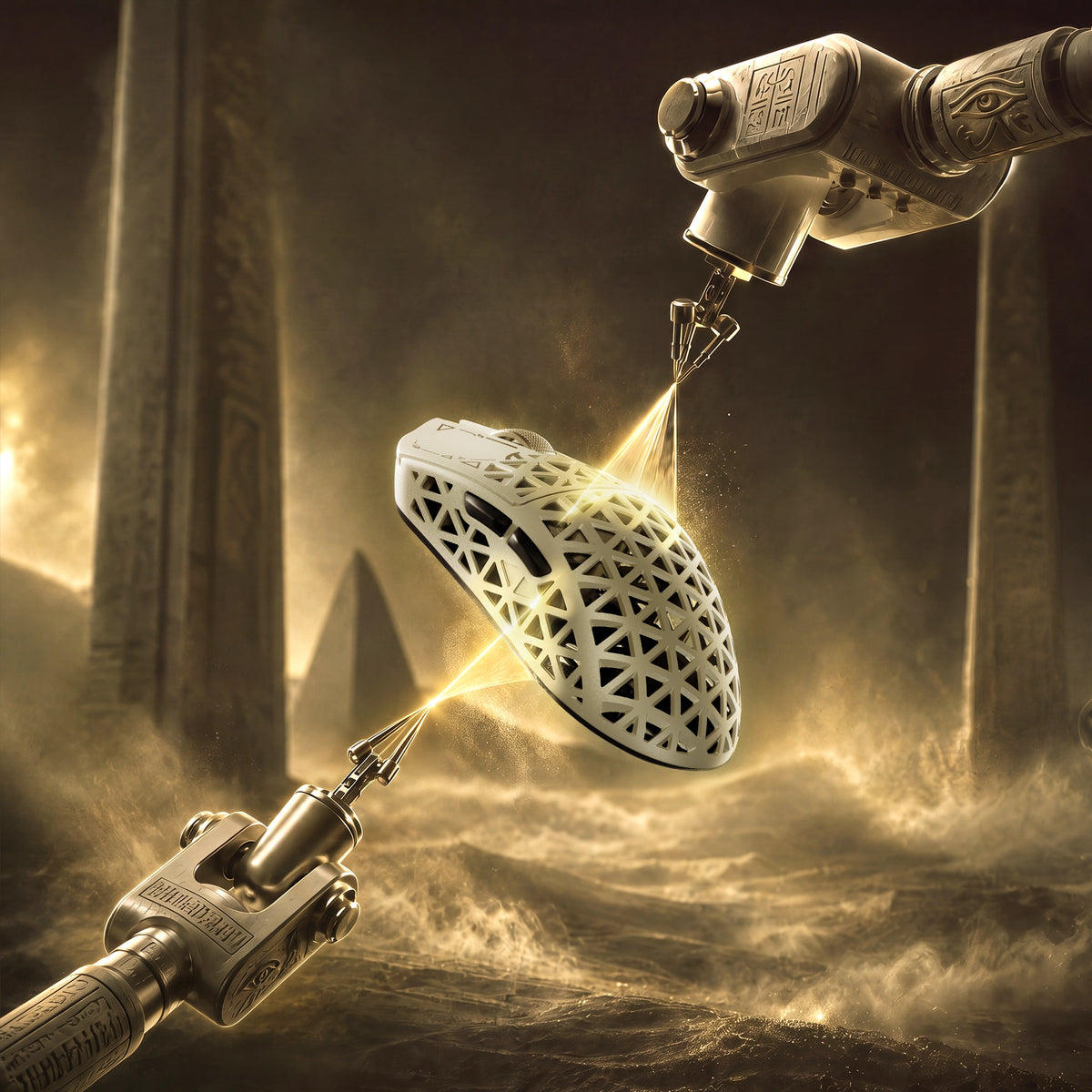
Glass-feel ice coating applied to the ATTACK SHARK R5 TURBO carbon fiber shell

Hochwertige Glasgefühl-Eisbeschichtung

BLEIB COOL. BEHALTE DIE KONTROLLE.

Mit einer speziellen, glasähnlichen Ice-Touch-Beschichtung veredelt, bietet das R5 TURBO ein glattes, erfrischendes Oberflächengefühl für lang anhaltenden Komfort. Die Beschichtung trägt dazu bei, das unangenehme Gefühl schwitziger Hände bei längeren Gaming-Sessions zu reduzieren, und sorgt für einen komfortablen, kontrollierten Griff, selbst wenn es im Wettkampf heiß hergeht.

ATTACK SHARK R5 TURBO 300-hour battery life shown through a transparent shell

Bis zu 300 Stunden Akkulaufzeit

LÄNGER SPIELEN. WENIGER LADEN.

Angetrieben von einem leichten Hochleistungsakku mit 290 mAh bietet die R5 TURBO bei 1000 Hz eine Akkulaufzeit von bis zu 300 Stunden. So vereint sie ausdauernde Leistung mit einem ultraleichten Design für ununterbrochenes Gaming.

Die Akkulaufzeit von bis zu 300 Stunden wurde bei einer Abfragerate von 1000 Hz unter kontrollierten Testbedingungen gemessen. Die tatsächliche Akkulaufzeit kann je nach Nutzung, Einstellungen und Betriebsumgebung variieren.
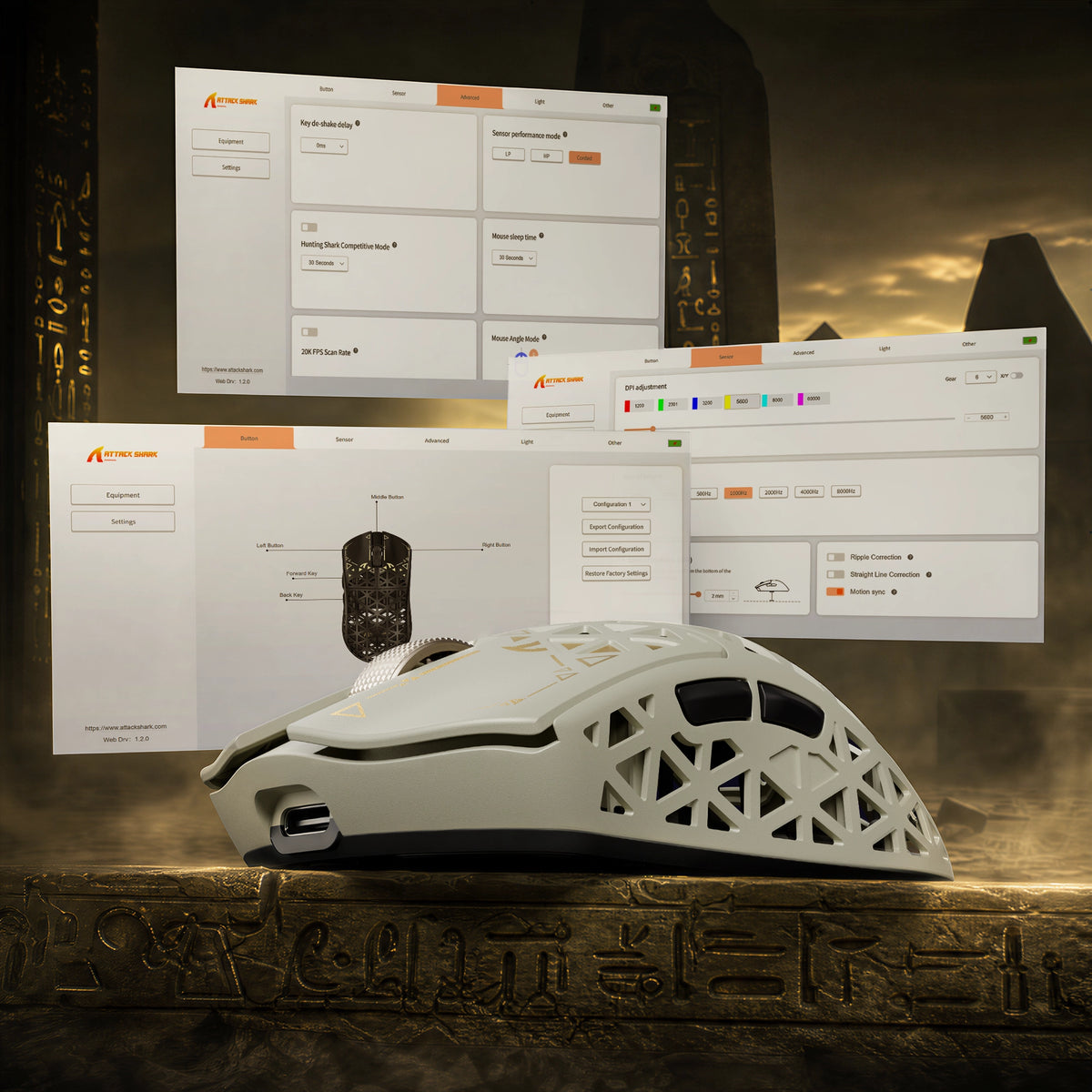
ATTACK SHARK R5 TURBO driver software for DPI adjustment, key remapping and lighting

Webbasierte und herunterladbare Treiber

DEINE MAUS. DEINE REGELN.

Übernimm die volle Kontrolle über deinen R5 TURBO mit praktischen webbasierten und herunterladbaren PC-Treibern. Der Webtreiber erkennt dein angeschlossenes Gerät automatisch und ermöglicht dir den schnellen Zugriff auf die Anpassungsmöglichkeiten, ohne dass du zusätzliche Software installieren musst. Passe deine Einstellungen genau an und gestalte ein personalisiertes Erlebnis, das zu deinem Spielstil passt.

<split-lines ></split-lines>

Technical Specifications

Model
R5 TURBO
Material
Carbon Fiber Composites
Connection
Wired/2.4G/Bluetooth 5.2
Sensor
PixArt PAW3950MAX
MCU
Nordic 54LM20
DPI
Up to 60000 (Supports precise 50 DPI step micro-adjustments )
Accelerated Speed
60G
Movement Speed
750IPS
Static Scan Rate
Supports ≥20,000 FPS
Weight
43g±3g
Polling Rate
Dual 8000Hz (Wired / Wireless)
LOD (Lift-Off Distance)
3-level (0.7/1.0/2.0mm)
Size
119.5mm X 61.0mm X 36.3mm
Microswitches
Omron Optial Microswitches (100 Million Times)
Scroll Wheel Eocoder
TTC Gold Scroll Wheel Encoder
Surface Treatment
Glass-feel Ice Coating
Battery Capacity
290 mAh
Mouse Feet Material
PTFE
Charging Interface
Type-C
What's in the box
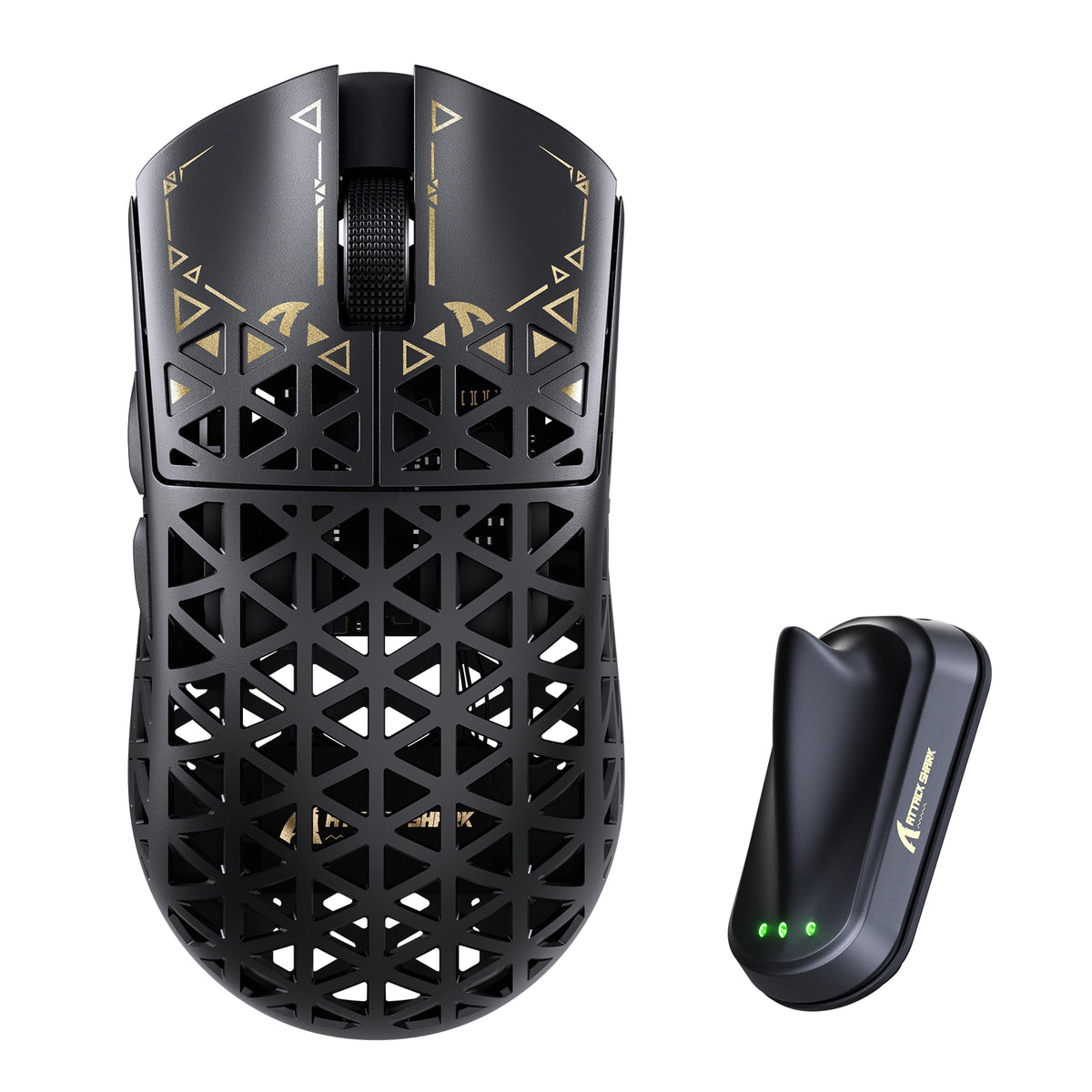
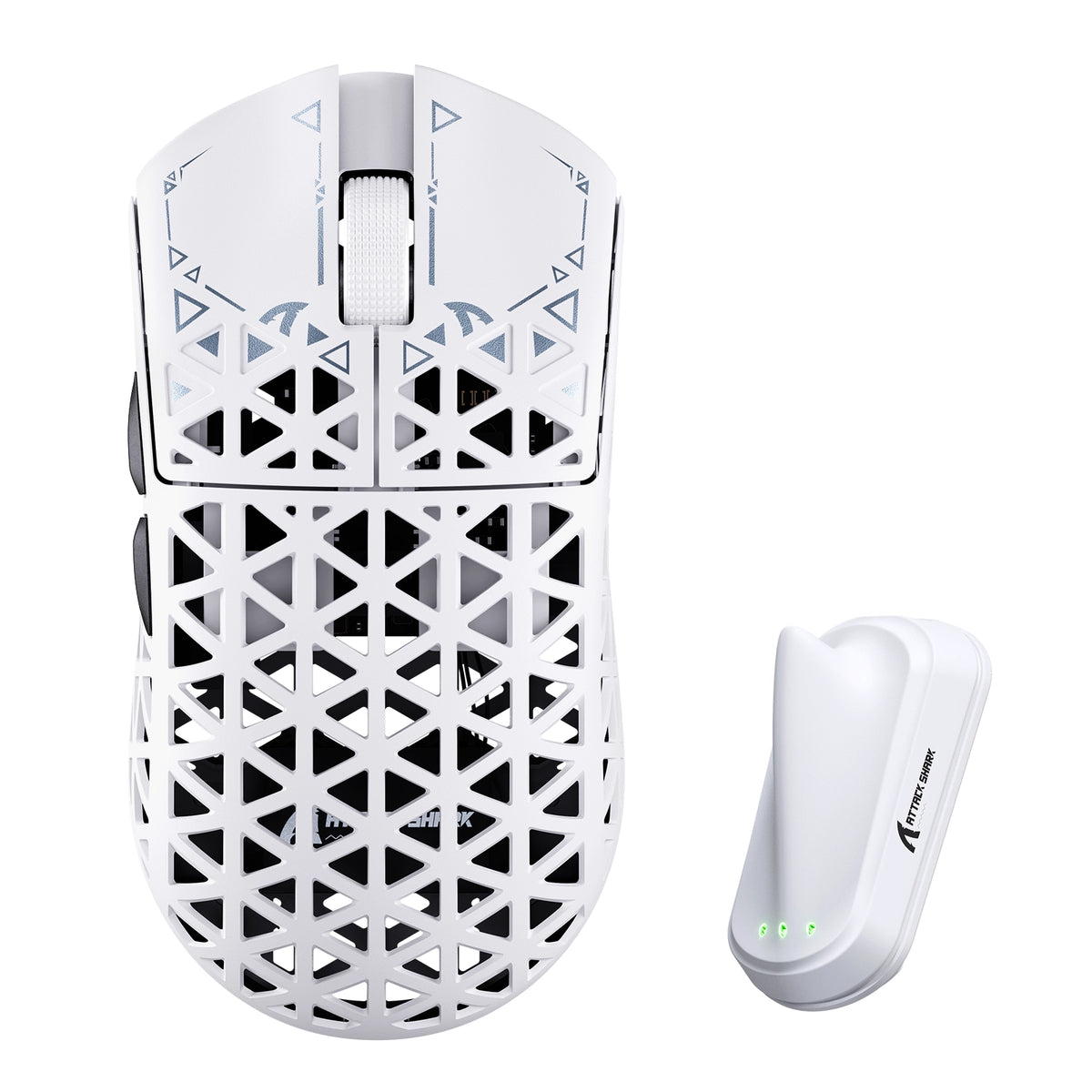
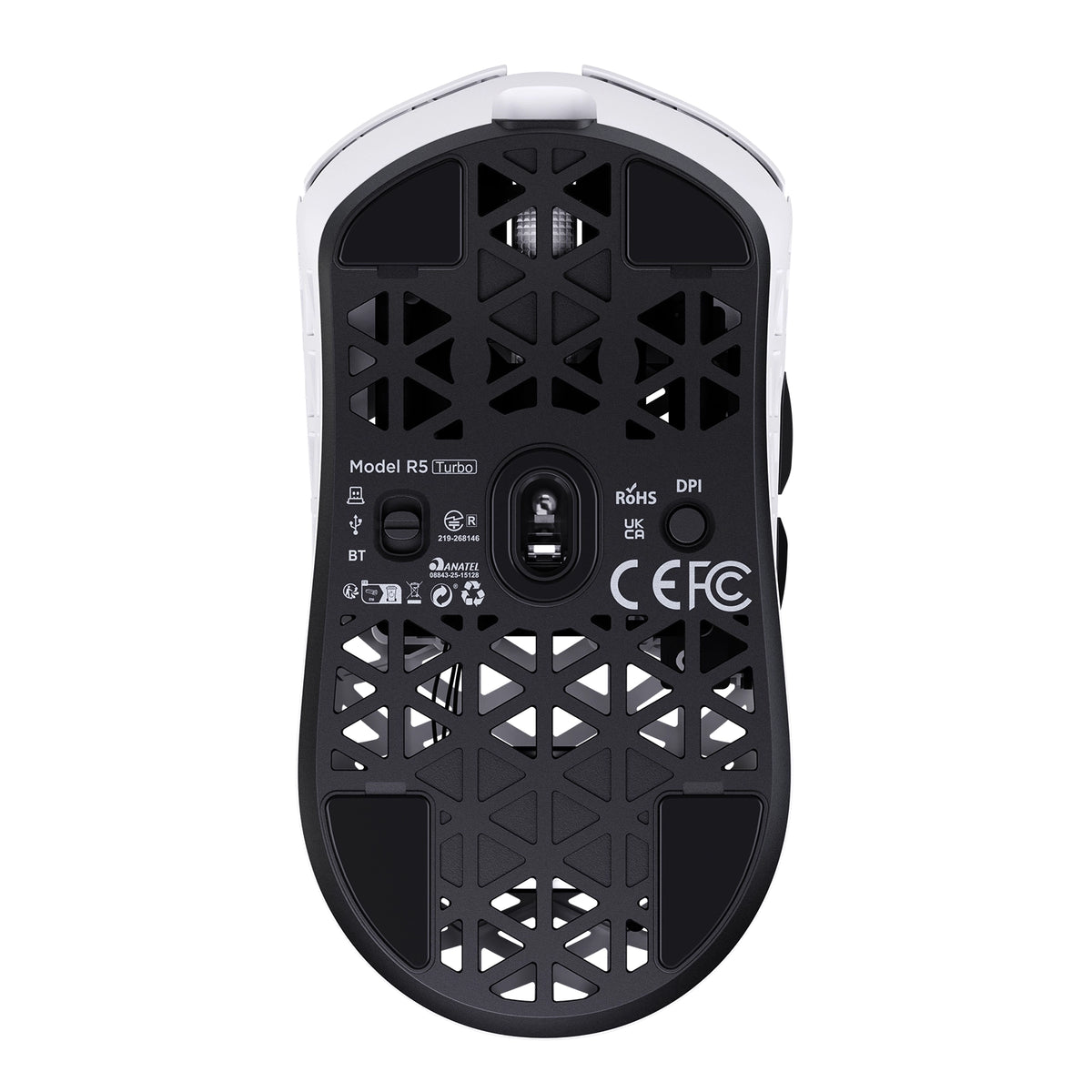
Mouse*1, 8K Receiver *1, 8K USB-C Cable *1, Grip Tape*1
  • Ultraleichte Schale aus Carbonfaser-Verbundwerkstoff

  • Mit einem Gewicht von nur 43 ± 3 g verfügt die R5 TURBO über eine spritzgegossene Schale aus Carbonfaser-Verbundwerkstoff, die eine leichte Konstruktion mit hervorragender struktureller Festigkeit und Verschleißfestigkeit vereint. Das hohle, belüftete Design verbessert die Luftzirkulation und den Komfort bei längeren Gaming-Sessions.
  • Optischer Flaggschiff-Sensor PAW3950 MAX

  • Ausgestattet mit dem leistungsstarken optischen Sensor PAW3950 MAX bietet die Maus bis zu 60.000 DPI mit präzisen Anpassungsschritten von 50 DPI, eine Tracking-Geschwindigkeit von 750 IPS und eine Beschleunigung von 60 G. Erlebe außergewöhnliche Tracking-Präzision und reaktionsschnelle Steuerung für rasante kompetitive Gaming-Sessions.
  • Nordic 54LM20 MCU der nächsten Generation

  • Die R5 TURBO wird vom Flaggschiff-MCU Nordic 54LM20 angetrieben und bietet leistungsstarke Verarbeitung sowie effiziente drahtlose Kommunikation. Sie wurde auf Geschwindigkeit und Stabilität ausgelegt und gewährleistet eine reaktionsschnelle Eingabeverarbeitung sowie zuverlässige Leistung auch bei intensivem Gameplay.
  • 3-stufig einstellbare Lift-off-Distanz

  • Gestalte dein Tracking-Erlebnis mit drei einstellbaren Lift-off-Distanzen ganz nach deinen Wünschen: 0,7 mm, 1,0 mm und 2,0 mm. Passe an, wie der Sensor beim Anheben und Neupositionieren der Maus reagiert, und profitiere von mehr Flexibilität und Kontrolle für unterschiedliche Gaming-Stile.
  • Optische OMRON-Schalter mit einer Lebensdauer von über 100 Millionen Klicks

  • Die R5 TURBO ist mit hochwertigen optischen OMRON-Schaltern ausgestattet, die für über 100 Millionen Klicks ausgelegt sind, und bietet eine schnelle, gleichmäßige Auslösung sowie außergewöhnliche Langlebigkeit. Genieße zuverlässige Klicks und ein reaktionsschnelles Feedback bei unzähligen Gaming-Sessions.
  • Tri-Mode-Verbindung mit doppelter 8K-Abfragerate

  • Unterstützt kabelgebundene Verbindungen, 2,4-GHz-Funk und Bluetooth für vielseitige Einsatzmöglichkeiten mit verschiedenen Setups. Erlebe in kabelgebundenem Betrieb und im 2,4-GHz-Funkmodus Abfrageraten von bis zu 8000 Hz für ultraschnelle Eingabeübertragung sowie eine flüssige, präzise Steuerung.
  • Bis zu 300 Stunden Akkulaufzeit

  • Mit ihrem leichten Hochleistungsakku mit 290 mAh bietet die R5 TURBO bei einer Abfragerate von 1000 Hz eine Akkulaufzeit von bis zu 300 Stunden. Genieße längere Gaming-Sessions mit weniger Ladeunterbrechungen und behalte dabei das ultraleichte Design bei.
  • Webbasierte und herunterladbare PC-Treiber

  • Gestalte dein Gaming-Erlebnis mit webbasierten und herunterladbaren PC-Treibern ganz nach deinen Wünschen. Der Web-Treiber erkennt angeschlossene Geräte automatisch und ermöglicht den schnellen Zugriff auf die Mauseinstellungen, ohne zusätzliche Software installieren zu müssen.
  • Hochwertige Ice-Touch-Oberflächenbeschichtung

  • Die R5 TURBO ist mit einer speziellen, glasähnlichen Ice-Touch-Beschichtung versehen und bietet eine glatte, angenehm kühle Oberfläche. Sie wurde entwickelt, um Beschwerden durch schwitzige Hände zu reduzieren, und sorgt bei längeren Gaming-Sessions für mehr Komfort und angenehmen Halt.
  • Individuell gestaltetes, galvanisiertes Mausrad mit TTC-Gold-Encoder

  • Mit ihrem individuell gestalteten, galvanisierten Mausrad und dem hochwertigen TTC-Gold-Encoder bietet die R5 TURBO präzise Scrollkontrolle und ein verfeinertes haptisches Feedback. Die metallische Oberfläche verleiht der Maus eine hochwertige Optik und wertet das Scroll-Erlebnis zusätzlich auf.

FAQ

Verwenden Sie diesen Text, um Informationen zu Ihrem Produkt oder Ihren Versandrichtlinien bereitzustellen.

How to choose a gaming mouse - and where does the R5 TURBO fit?

A gaming mouse buying guide comes down to five decisions: weight, shape and grip, sensor and polling rate, switch type, and how you connect it. For fast FPS play a lightweight wireless gaming mouse like the R5 TURBO hits all five - 43g, PAW3950 MAX, 8K polling, optical switches, tri-mode wireless. Shape and grip come first: it is the one thing you cannot upgrade later.

What is the ATTACK SHARK R5 TURBO - and what is in the box?

The R5 TURBO is ATTACK SHARK's carbon fiber wireless gaming mouse: a 43 +/- 3g injection-molded composite shell, PAW3950 MAX sensor, Nordic 54LM20 MCU, OMRON optical switches and dual 8K polling over wired and 2.4GHz. An ultralight gaming mouse for competitive FPS - and a contender for best mouse for fps. Dune, Black and White; MSRP US$89.99, or US$94.99 for Dune. Pre-orders Oct 23 PDT, shipping Nov 7. Box: mouse, 8K receiver, USB-C cable, grip tape, guide.

How light is the R5 TURBO, what grip does it suit, and is 43g too light?

Light vs heavy mouse is a genuine trade-off: under roughly 60g a lightweight mouse cuts fatigue and frees fast flicks, while extra weight adds inertia others prefer. At 43 +/- 3g the R5 TURBO sits in the ultralight mouse bracket - among the lightest gaming mouse designs at this size - and the composite shell keeps that gaming mouse weight from feeling hollow. 119.5 x 61 x 36.3mm suits claw and fingertip grips; very large hands want a wider shell.

Why carbon fiber instead of a plastic honeycomb shell?

Most lightweight gaming mice use a thin ABS honeycomb shell that flexes and wears. Carbon fiber mice do not: the R5 TURBO's injection-molded composite gives higher strength, better wear resistance and far less flex at 43g - what separates a carbon fibre mouse from plastic. The vents stay for airflow, so you get a carbon fiber gaming mouse without the fragility of early ultralight designs.

Does the honeycomb design let dust in or flex under pressure?

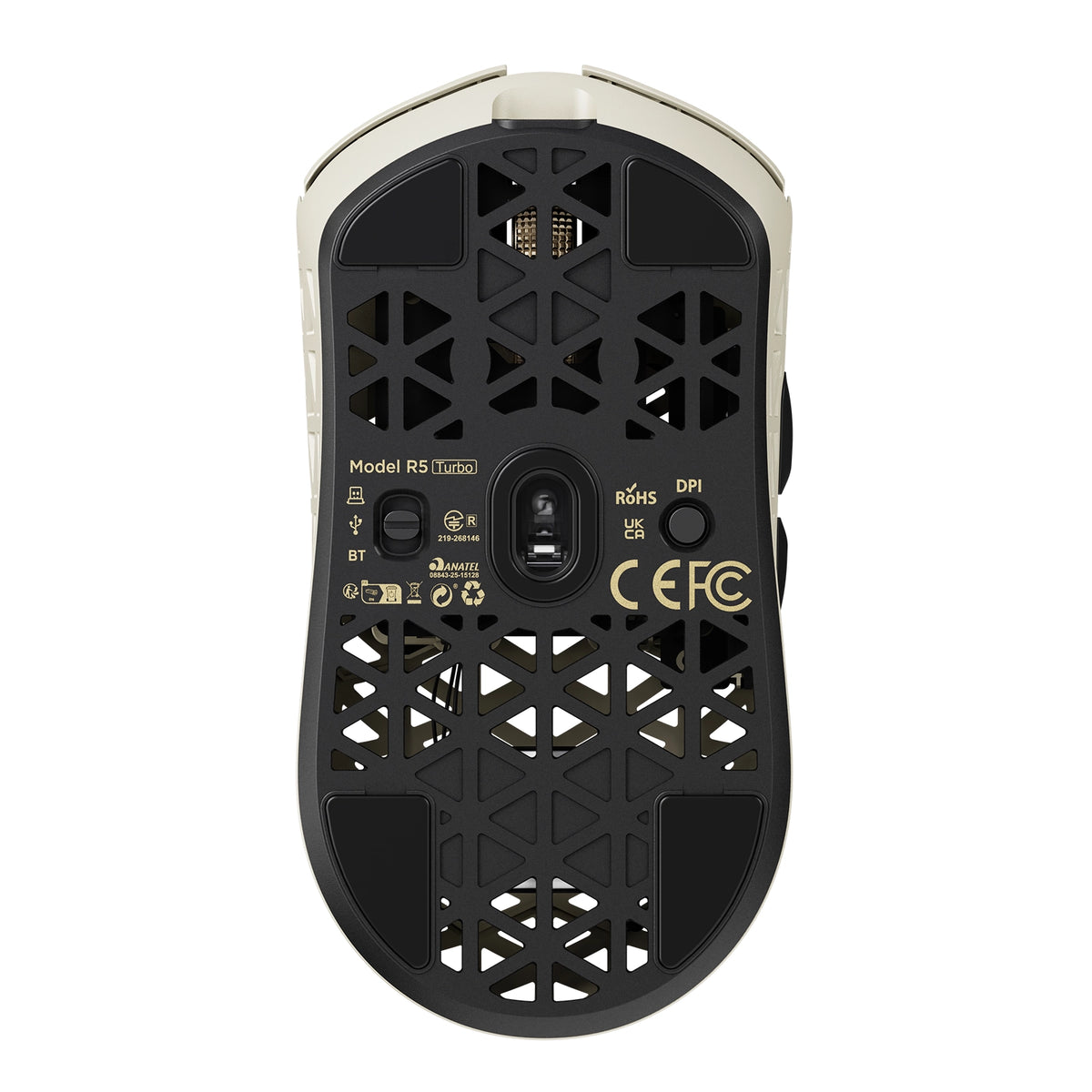
The vents sit above an internal frame, not the PCB, so dust and crumbs do not reach the sensor or switches. The composite shell resists pressure far better than thin plastic honeycomb - squeeze the sides and there is noticeably less give. If a mouse with holes put you off because older honeycomb mouse designs felt flimsy, this fixes it: the carbon fiber mouse shell loses nothing in durability.

Will it help if my hands sweat during long sessions?

Sweaty hands come down to surface friction and trapped heat. The glass-like ice-touch coating feels cool and low-friction, resisting the sticky drag of matte plastic, and the ventilated shell lets heat escape instead of trapping it under your palm. If you have been hunting for the best mouse for sweaty hands, that is exactly what the coating is for: it makes this a gaming mouse for sweaty hands, not just a mouse with a nice surface.

What sensor and DPI does it use, and why does 3-level LOD matter?

It runs the PAW3950 MAX with 1,200-60,000 DPI in 50 DPI steps, 750 IPS and 60G, and HUNTING SHARK mode lifts static scanning to 20,000 FPS. In practice the 50 DPI step matters more than the headline number. Three LOD presets - 0.7mm, 1.0mm, 2.0mm - set how far you lift before tracking stops, and 0.7mm suits cloth pads and fast resets. That is why this fps mouse feels locked in.

What does the Nordic 54LM20 MCU bring over the previous generation?

It is the flagship Nordic 54LM20, a step up from the Nordic 54L15 in the previous generation. It handles input faster and keeps the wireless link stable when the sensor works hardest: more headroom for 8K polling on 2.4GHz, and enough processing to hold HUNTING SHARK mode at full scan rate. In practice that is fewer dropped inputs during fast flicks.

What polling rate does it support, and is 8000Hz worth it?

It reports at up to 8,000Hz in both wired and 2.4GHz modes. The 1000Hz vs 8000Hz mouse question is one of interval - 1ms versus 0.125ms - so an 8000Hz gaming mouse updates your aim eight times more often. Whether that is the best polling rate for gaming depends on your display: 8K pays off on 240Hz with a strong CPU, not on 60Hz. Mouse polling rate is adjustable any time.

Do I need a high-end PC to run 8K polling?

An 8k polling rate mouse generates more USB traffic and leans on the CPU: use a directly connected rear port, not a hub. A modern 6-core CPU should show no meaningful drop, which is why an 8K mouse ships with a dedicated receiver - the shark-fin unit adds a longer antenna and LEDs for link, rate and battery. If you do see a hit, drop to 2000Hz; this 8k gaming mouse stays smooth lower down.

Wired vs wireless: is the R5 TURBO as fast as a wired mouse?

Wireless mouse latency is the old objection to cutting the cable, and at 8K it largely disappears: ATTACK SHARK's self-developed transmission brings click latency below 0.168ms at 8000Hz on a competition-grade PC - past the point where wired vs wireless gaming mouse differences are humanly detectable. Wired mode also runs 8K, so the cable is for charging. That is why it holds up as a best wireless gaming mouse, not a compromise.

How long does the battery last, and how do I charge it?

The 290mAh high-density battery is rated for up to 300 hours at 1000Hz. Gaming mouse battery life scales with polling rate, so run 8K while you play and drop to 1000Hz or Bluetooth between matches. Charging is over USB-C, and the receiver's three LEDs show link, rate and battery. For a 43g shell that beats most wireless gaming mice - long battery life usually costs you weight.

How do I set it up, switch between wired, 2.4GHz and Bluetooth, and customize it?

The Bluetooth vs 2.4GHz mouse question is one of priorities. Bluetooth 5.2 is for work - no dongle, instant switching - but its report rate is capped. 2.4GHz through the shark-fin receiver is the gaming path: full 8000Hz and the most stable signal. Wired is for charging and playing at once. Settings live in the web driver, which finds the mouse in your browser with nothing to install, or the downloadable PC driver.

What switches does it use, and why optical?

It uses OMRON optical switches rated beyond 100 million clicks. An optical switch mouse actuates when a light beam breaks rather than when metal contacts touch, removing the wear behind double-click failures and giving a faster, cleaner release. If you want a gaming mouse with optical switches so you stop replacing mice yearly, that is the real gain.

What is upgraded in the scroll wheel?

The wheel is a custom electroplated unit on a TTC Gold encoder - not the plain plastic wheel and budget encoder most lightweight mice use. The plating resists shine and wear, and the Gold encoder keeps every step crisp instead of going mushy after months of scrolling, so scroll-wheel binds like weapon swap and jump register the same in month six as on day one.

Is it a good mouse for CS2?

CS2 rewards weight, a predictable sensor and low lift-off distance, and the R5 TURBO covers all three: 43g for fast counter-strafing and wide flicks, 750 IPS with no acceleration, and LOD down to 0.7mm so the crosshair does not drift on reset. For anyone shortlisting a best mouse for CS2, it is built for low-sensitivity players who want nothing else in the way.

Is it good for Valorant?

Valorant rewards small, repeatable adjustments over raw flicks, so fine DPI control and crisp, fast-resetting clicks matter most. The R5 TURBO gives 50 DPI steps to match the sensitivity you already run, 8K polling for smoother micro-tracking, and optical switches with a short clean reset for tap-fire duels. Effective sensitivity beats a big DPI number. A strong candidate for best mouse for Valorant on claw or fingertip.

Unser Kundensupport ist von Montag bis Freitag von 8:00 bis 20:30 Uhr erreichbar.Durchschnittliche Antwortzeit: 24 Std.