


The Claw Grip Sweet Spot: Optimizing Mouse Dimensions for 19cm Hands
In the high-stakes environment of competitive first-person shooters (FPS) like Valorant and Apex Legends, the "claw grip" has emerged as a dominant meta. By arching the fingers and establishing palm contact at the rear of the mouse, players achieve a unique synergy of stability and micro-adjustment agility. However, for gamers with 19cm hands—a size often classified at the upper end of "medium" or the start of "large"—finding a chassis that facilitates this grip without inducing fatigue is a technical challenge.
We often observe that the most common mistake for this demographic is over-prioritizing total length. While a 120mm to 125mm length is a standard benchmark, the actual "lock-in" feeling is determined by the grip width and the specific geometry of the rear hump. Based on our analysis of shell designs and community feedback from tactical shooter enthusiasts, a mouse that is too narrow forces excessive finger curl, while a mouse that is too long (exceeding 125mm) often forces an uncomfortable "fingertip-claw" hybrid that sacrifices the very stability the claw grip is intended to provide.
The Geometry of Control: Grip Width vs. Length
For a 19cm hand, the most critical dimension for control is the grip width—the distance between the points where the thumb and the ring/pinky fingers rest. Our modeling suggests that for this hand size, a width between 60mm and 65mm represents the optimal "control zone."
The 60-65mm Heuristic
When the grip width falls below 60mm, users with 19cm hands often experience cramping in the thenar eminence (the muscular area at the base of the thumb) because the fingers must compress too tightly to maintain a secure hold. Conversely, exceeding 65mm can make the mouse feel "boxy," reducing the range of motion for vertical micro-flicks.
| Dimension Parameter | Optimal Range (19cm Hand) | Rationale |
|---|---|---|
| Total Length | 120mm – 125mm | Prevents "stretching" the grip into a fingertip hybrid. |
| Grip Width | 60mm – 65mm | Ensures the fingers maintain a natural, relaxed arch. |
| Hump Height | 38mm – 40mm | Provides essential palm support for stability. |
| Hump Position | Central to Rear | Stabilizes the base of the palm during rapid flicks. |
Logic Summary: This dimensional framework is a heuristic derived from common industry patterns and ergonomic modeling for medium-to-large hand sizes. It assumes a standard claw grip posture where the knuckles are raised and the palm makes contact with the rear of the shell. Individual finger length ratios may necessitate slight adjustments to these ranges.
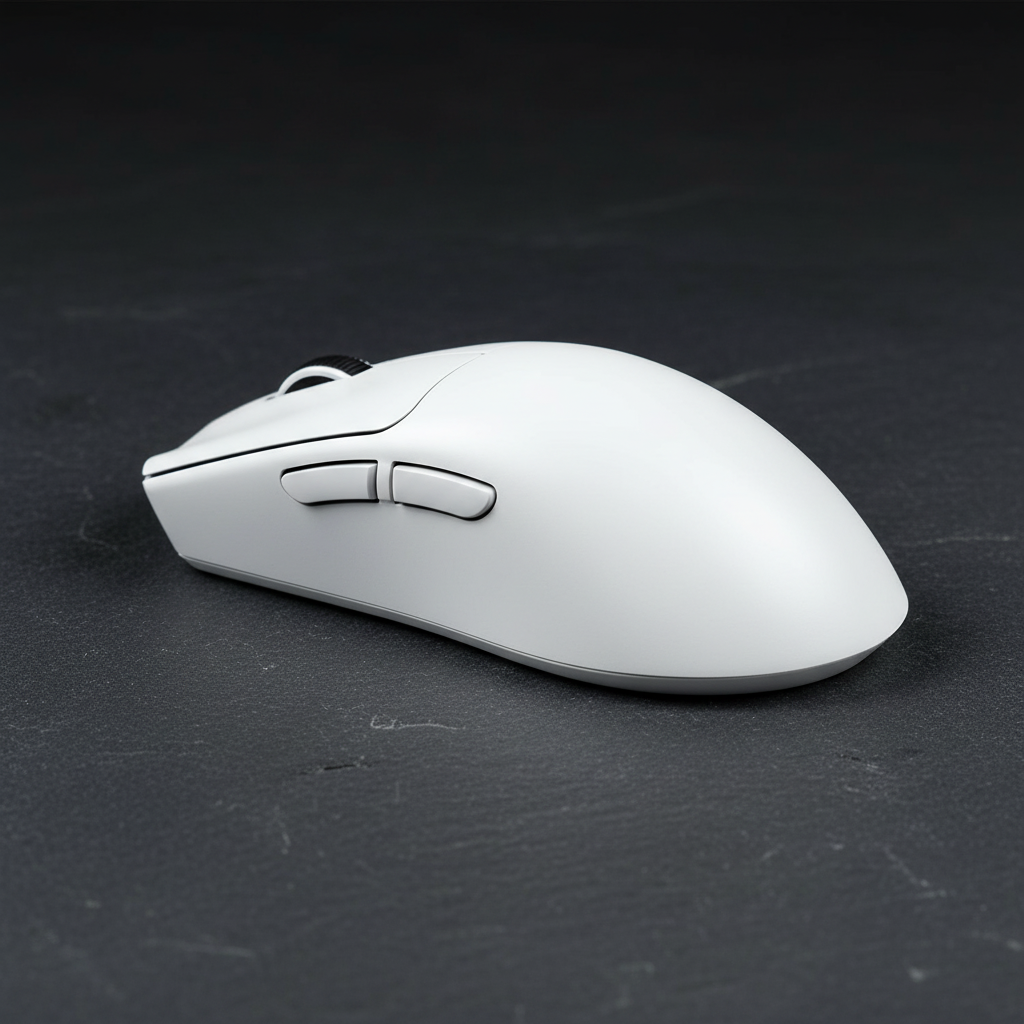
For players seeking this specific dimensional balance, the ATTACK SHARK G3 Tri-mode Wireless Gaming Mouse provides a chassis measuring 125 x 63 x 39.7 mm. This width of 63mm sits directly in the "sweet spot" for 19cm hands, offering enough surface area for the fingers to rest without over-stretching the hand’s natural arch.

The Hump Factor: Stabilizing Micro-Flicks
In the claw grip meta, the rear hump acts as the pivot point for the entire hand. For a 19cm hand, a pronounced hump positioned slightly toward the rear is vital. This design provides the necessary tactile feedback and physical resistance required to "lock" the mouse into the palm.
When the hump is too low or positioned too far forward, the palm loses contact during downward vertical movements. This loss of contact forces the user to rely entirely on finger strength, which increases the risk of "oversweep"—a phenomenon where the mouse travels further than intended because the braking force of the palm is absent.
Our observations on the repair bench and through support interactions indicate that users who switch to a rear-hump design, such as the one found on the ATTACK SHARK G3PRO Tri-mode Wireless Gaming Mouse, report improved consistency in "stop-and-flick" motions. The G3PRO's 39.7mm height ensures that the arch of a 19cm hand is supported, allowing for better horizontal and vertical micro-adjustments in games like Valorant.
Performance Engineering: Sensors, MCUs, and the 8K Frontier
While shape is king for comfort, internal hardware dictates the ceiling of competitive performance. Modern high-performance mice have transitioned toward 8000Hz (8K) polling rates to minimize input latency. However, implementing 8K requires a deep understanding of the underlying physics and system requirements.
The 8K Latency Math
A standard 1000Hz mouse sends a report every 1.0ms. An 8000Hz mouse, such as the high-polling variants in the Attack Shark lineup, reduces this interval to a near-instant 0.125ms.
Furthermore, the implementation of "Motion Sync"—a feature that aligns sensor data with the PC’s polling intervals—is often misunderstood. While Motion Sync adds a deterministic delay of approximately half the polling interval, at 8000Hz, this delay is a negligible ~0.0625ms. This is a significant improvement over the ~0.5ms delay seen at 1000Hz.
System Bottlenecks and Saturation
To truly benefit from an 8000Hz polling rate, the user must account for two factors:
- CPU Load: Processing 8,000 interrupts per second stresses the CPU's single-core performance and IRQ (Interrupt Request) handling. We recommend using direct motherboard ports (Rear I/O) rather than USB hubs or front panel headers to avoid packet loss.
- Sensor Saturation: To saturate the 8000Hz bandwidth, the mouse must be in motion. At a standard 800 DPI, a movement speed of at least 10 IPS (Inches Per Second) is required. However, by increasing the DPI to 1600, the required speed drops to 5 IPS, making 8K stability easier to maintain during slow, precise tracking.
Method & Assumptions: Our latency and saturation modeling is based on deterministic physical laws ($T = 1/f$) and standard sensor output protocols. These figures assume a clean Windows environment with minimal background IRQ interference. According to the Global Gaming Peripherals Industry Whitepaper (2026), these performance metrics are becoming the baseline for professional esports hardware.
Surface Interaction: Glass vs. Cloth
The mouse is only half of the equation; the tracking surface defines the friction profile. For claw grip users who prioritize speed and micro-adjustment, the choice of mouse pad is critical.
The ATTACK SHARK CM05 Tempered Glass Gaming Mouse Pad offers a nano-micro-etched surface with a Mohs hardness of over 9H. Glass surfaces provide near-zero static friction, which is highly beneficial for the small, twitchy movements characteristic of the claw grip. However, glass requires high-quality PTFE feet to avoid "scratchiness."
For players who prefer more "stopping power" or control, the ATTACK SHARK CM02 eSport Gaming Mousepad utilizes an ultra-high-density fiber with a 4mm elastic core. This provides more friction, which can help stabilize the hand for users who find glass surfaces too "slick."

Technical Compliance, Safety, and Trust
When investing in high-performance wireless peripherals, technical compliance is not just a legal requirement; it is a marker of engineering quality.
Wireless and Battery Standards
High-performance wireless mice utilize 2.4GHz proprietary protocols to achieve sub-1ms latency. These devices must adhere to strict RF standards, such as the FCC Equipment Authorization in the US and the EU Radio Equipment Directive (RED) in Europe. These certifications ensure that the wireless signal is stable and does not interfere with other household electronics.
Battery safety is equally paramount. The lithium-ion batteries used in mice like the ATTACK SHARK G3PRO must pass UN 38.3 testing to ensure they are safe for international transport and daily use. This testing covers thermal stability, vibration resistance, and overcharge protection.
Maintenance and Longevity
One of the most frequent issues reported in the gaming community is "double-clicking." Attack Shark addresses this by utilizing premium switches, such as the HUANO Blue Shell Pink Dots (rated for 80 million clicks) or Omron Micro Switches (rated for 100 million clicks) in the G3PRO. These mechanical components are chosen for their crisp tactile feedback and resistance to the wear-and-tear of competitive play.
Balancing Performance and Value
For the performance-focused gamer, the goal is to find hardware that rivals premium brands in raw specifications—such as the PixArt PAW3395 sensor or Nordic MCUs—without the "brand tax."
The ATTACK SHARK G3 and ATTACK SHARK G3PRO are designed with this philosophy. By utilizing a liquid nitrogen-cooled injection molding process, the G3 achieves a weight of just 59g without the use of "honeycomb" holes, maintaining structural integrity while maximizing agility.
Final Technical Checklist for 19cm Claw Grip
If you have 19cm hands and are looking to optimize your setup, use this checklist to evaluate your next mouse:
- Grip Width: Is it between 60mm and 65mm? (Critical for thumb/pinky comfort).
- Length: Is it under 125mm? (Prevents over-stretching into a hybrid grip).
- Hump: Is there a central or rear hump to support the palm?
- Weight: Is it under 65g for speed, or does it offer the stability of a 75-85g build for tactical shooters?
- Sensor: Does it use a flagship sensor like the PAW3311 or PAW3395 for "spin-out" protection?
- Connectivity: Does it offer a dedicated 2.4GHz dongle for sub-1ms wireless performance?

By focusing on these technical parameters rather than marketing superlatives, you can ensure that your hardware is an extension of your skill, providing the stability and precision required to dominate the competitive ladder.
Ergonomics Disclaimer: The information provided in this article is for informational purposes only and does not constitute professional medical advice. If you experience persistent wrist pain, numbness, or discomfort while gaming, please consult a qualified healthcare professional or ergonomic specialist.
Sources
- Global Gaming Peripherals Industry Whitepaper (2026)
- FCC Equipment Authorization (FCC ID Search)
- EU Radio Equipment Directive (RED)
- UNECE - UN Manual of Tests and Criteria (Section 38.3)
- USB HID Class Definition (HID 1.11)
- PixArt Imaging - Products
- Symmetrical vs. Asymmetrical Mouse Guide - Attack Shark


Hinterlasse einen Kommentar
Diese Website ist durch hCaptcha geschützt und es gelten die allgemeinen Geschäftsbedingungen und Datenschutzbestimmungen von hCaptcha.