

The Biomechanics of Desktop Ergonomics: Keyboard Width and Aim Stability
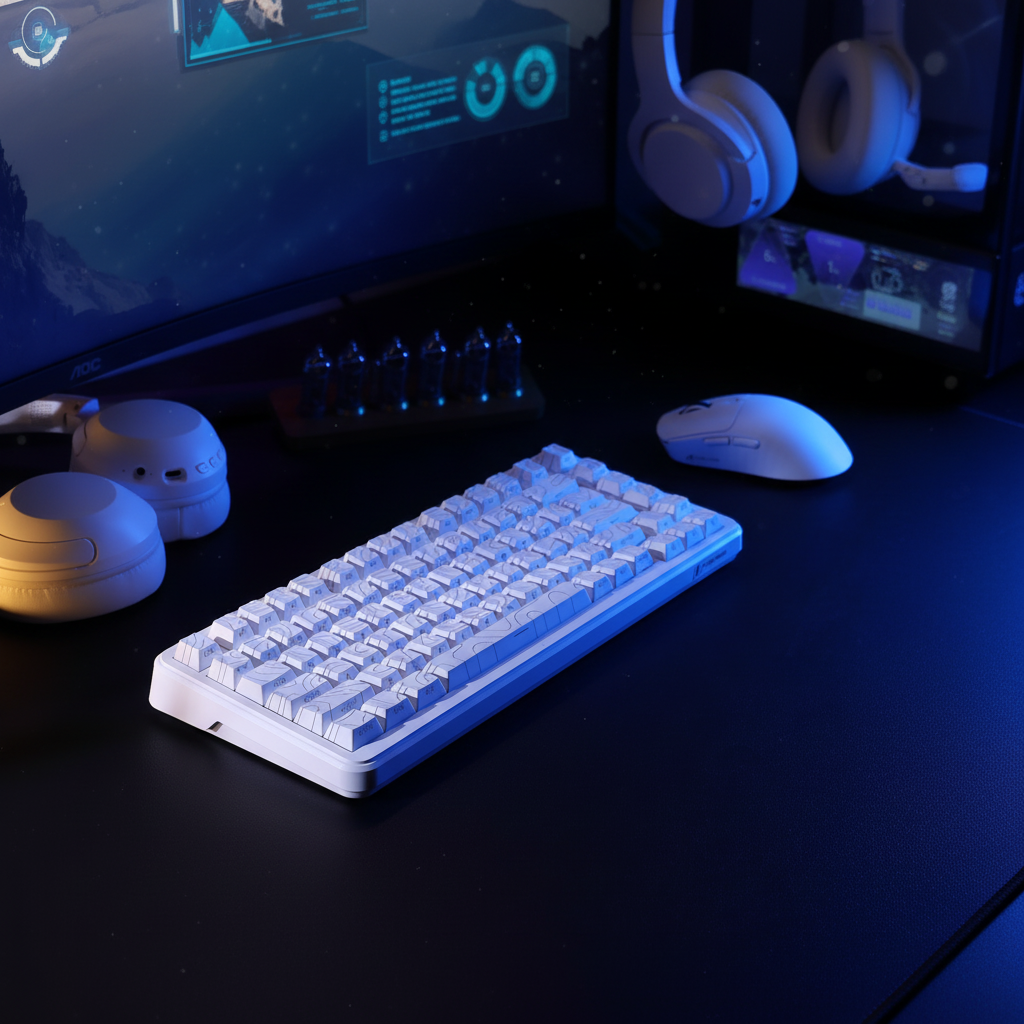
In the pursuit of competitive gaming performance, hardware specifications often center on sensor resolution and switch actuation speeds. However, the physical dimensions of the primary input device—specifically the keyboard's width—exert a profound influence on a player's biomechanical efficiency. The shift from full-sized peripheral layouts to tenkeyless (TKL), 75%, or 65% form factors is frequently marketed as a space-saving measure, but the true advantage lies in the reduction of shoulder abduction and the optimization of the "aiming triangle."
According to the Global Gaming Peripherals Industry Whitepaper (2026) (Industry Whitepaper), the integration of ergonomic principles into peripheral design is a core requirement for high-performance equipment. For the performance-oriented gamer, understanding how keyboard width impacts arm positioning is essential for reducing long-term fatigue and maintaining high-precision mouse control.

Shoulder Abduction and the Anatomy of Fatigue
The most significant ergonomic variable influenced by keyboard width is shoulder abduction—the angle at which the arm moves away from the midline of the body. A standard full-size keyboard includes a dedicated numeric keypad, which adds approximately 4 to 6 inches (100–150mm) to the right side of the chassis. For a right-handed gamer, this extra width often forces the mouse-side shoulder into a greater degree of external rotation to reach the mouse.
Geometric Estimation: Based on a geometric approximation for a user with a 450mm shoulder width and 600mm arm length, removing a standard 120mm numpad section can reduce shoulder abduction by an estimated 5 to 10 degrees. While this may seem marginal, the cumulative effect during a six-hour gaming session is substantial.
Excessive abduction places constant tension on the deltoid and trapezius muscles. When these muscles fatigue, they may lose the ability to provide a stable platform for the arm, potentially leading to what we observe as "aim jitter"—micro-stutters in mouse tracking caused by compensatory muscle firing. By bringing the hands closer together, the player achieves a more neutral shoulder posture, shifting the burden of precision to the fine motor muscles of the wrist and fingers.
Self-Check: Measuring Your Ideal Layout
To determine which keyboard width matches your physiology, follow this simple self-assessment:
- Measure Your Biacromial Width: Use a flexible measuring tape to find the distance between the bony points at the top of your shoulders.
- The "Neutral Reach" Test: Sit at your desk in a comfortable gaming posture. Place your left hand on the WASD keys. Move your right hand to where your mouse naturally sits without "reaching" outward.
-
Calculate the Gap: Measure the distance between your hands.
- Gap < 300mm: Consider a 60% or 65% layout.
- Gap 300–380mm: A 75% or TKL layout is likely your ergonomic "sweet spot."
- Gap > 400mm: You may comfortably use a Full-Size board, though a TKL still offers more mouse room.
The Aiming Triangle: Form Factor Performance Data
Choosing a form factor requires balancing the need for dedicated keys against the physical constraints of the desk environment. The following table provides a comparative look at how common layouts impact the biomechanical "Aiming Triangle."
| Form Factor | Typical Width (mm) | Est. Shoulder Abduction* | Mouse Surface Area | Primary Use Case |
|---|---|---|---|---|
| Full Size (104/108) | 440 - 460 | High (15°+) | Restricted | Data Entry / General Use |
| TKL (87 Keys) | 355 - 370 | Moderate (10-12°) | Improved | Competitive Gaming / FPS |
| 75% / 65% | 310 - 330 | Low (5-8°) | High | Esports / Minimalist Setups |
| 60% | 290 - 300 | Minimal (<5°) | Maximum | Low-DPI FPS Specialists |
*Estimates assume a user within the 50th percentile of biacromial width and a standard mouse placement adjacent to the keyboard.

While the 60% layout offers the most significant reduction in abduction, it introduces a common pitfall: the loss of dedicated arrow keys. For users who do not configure robust function layers, this can lead to "input friction." A 65% or 75% layout is often a more effective middle ground for those who transition between competitive play and productivity.
Anthropometric Constraints: When Narrower is Not Better
A frequent misconception is that a narrower keyboard is universally superior. However, biomechanical efficiency is limited by your individual frame.
According to anthropometric data in the Introduction to Ergonomics (Academic Textbook), individuals with broad shoulders (exceeding 450mm) may find that ultra-compact boards force their shoulders into excessive adduction. This "inward cranking" can create medial strain in the chest and neck. The goal is to achieve a neutral posture where the elbows remain at a relaxed angle of 90 to 110 degrees.
For players with larger frames, a TKL or 75% board often provides a more stable platform. Conversely, players with narrower frames using a standard desk depth will see the most pronounced benefits from 60% or 65% form factors.
Layout Nuances: ANSI vs. ISO and Low-Profile Trade-offs
The physical layout of the keys also plays a role. Research on keyboard key spacing (Academic Study) indicates that even small variations in key shapes—such as the ISO's taller Enter key—can influence typing posture and error rates.
Furthermore, low-profile mechanical switches introduce another variable. While they reduce wrist extension (upward tilt), they may increase error rates for users accustomed to deep tactile feedback. Shorter travel distances (typically 2.0mm to 3.0mm compared to the standard 4.0mm) reduce the margin for error, which can be a factor for gamers with larger hands who require a definitive "bottom-out" sensation to confirm actuation.
The Role of Support and Connectivity
Optimizing keyboard width is only one part of the ergonomic equation. Stability and comfort are reinforced by secondary accessories:
- Wrist Support: Using a palm rest with a gentle 5-to-8-degree tilt helps maintain a neutral wrist position.
- Cable Management: In high-performance setups, cable drag can subtly influence the force required to move the keyboard. Coiled cables with aviation connectors provide a consistent, weighted anchor that prevents the board from shifting.
- Surface Integration: A high-quality mat ensures the keyboard remains stationary while the mouse enjoys ultra-low friction—critical for low-DPI players utilizing large arm movements.
Compliance and Technical Integrity
When selecting wireless compact boards, verify compliance with regional standards to ensure signal stability. The FCC Equipment Authorization (Regulatory Standard) database allows users to verify that a device's 2.4GHz or Bluetooth components meet interference limits. Similarly, the USB HID Class Definition (Technical Standard) ensures these devices communicate efficiently with the OS, providing the near-instant response times required for competitive play.
Ergonomic Modeling: Method and Assumptions
The following model illustrates the relationship between equipment width and physiological strain.
Modeling Note: This data represents a hypothetical estimate based on standard biomechanical heuristics and anthropometric averages. It is intended for equipment selection guidance and is not a clinical study.
| Parameter | Value / Range | Unit | Rationale |
|---|---|---|---|
| User Shoulder Width | 380 - 420 | mm | Average adult range |
| Desk Depth | 600 - 750 | mm | Standard gaming desk depth |
| Keyboard Width (TKL) | 360 | mm | Industry standard for 87-key layouts |
| Abduction Angle | 8 - 12 | Degrees | Estimated angle for neutral mouse reach |
| Aim Jitter Factor | 0.2 - 0.5 | % | Heuristic estimate of micro-tremor increase due to fatigue |
Boundary Conditions:
- Assumes the user sits with elbows at desk height.
- Does not account for "tilted" keyboard usage common in FPS esports.
- Results may vary for users with pre-existing ulnar nerve or carpal tunnel conditions.

Optimizing Your Setup
For the performance-driven gamer, transitioning to a narrower keyboard is one of the most effective ways to improve aim stability. By reducing the physical footprint, you are reclaiming the natural range of motion of your shoulder. When making the switch, prioritize layouts that match your biacromial width and ensure your setup supports both your competitive edge and your long-term health.
Disclaimer: This article is for informational purposes only and does not constitute professional medical advice. If you experience persistent pain or discomfort while gaming, consult a qualified physiotherapist or ergonomic specialist.

Hinterlasse einen Kommentar
Diese Website ist durch hCaptcha geschützt und es gelten die allgemeinen Geschäftsbedingungen und Datenschutzbestimmungen von hCaptcha.