Ingenieurpräzision: Die Biomechanik des vertikalen Zielens
Im Bereich kompetitiver First-Person-Shooter (FPS) erhält das horizontale Tracking oft die meiste technische Analyse. Titel wie Overwatch, Apex Legends und Valorant haben jedoch eine vertikale Dimension eingeführt, die die Grenzen statischer Griffstile offenbart. Die Beherrschung der Vertikalität erfordert mehr als hohe Empfindlichkeit; sie verlangt eine dynamische Veränderung in der physischen Interaktion des Spielers mit dem Mausgehäuse.
Traditionelle Zieltheorien priorisieren oft armgestützte Bewegungen für breite Striche. Doch das Treffen vertikaler Schräglagen – wie Ziele an den Seilen auf Ascent oder fliegende Charaktere – beruht typischerweise auf „fingergeführten“ Mikroanpassungen aus einer stabilisierten Armposition. Dieser Übergang von horizontaler Stabilität zu vertikaler Agilität ist der Punkt, an dem die „Spezifikations-Glaubwürdigkeitslücke“ am stärksten spürbar wird. Eine Maus mag einen High-End-Sensor besitzen, doch wenn die Geometrie des Gehäuses die Griffmodulation behindert, bleibt dieses technische Potenzial ungenutzt.
Die Rolltechnik: Verschiebung der Kontaktpunkte
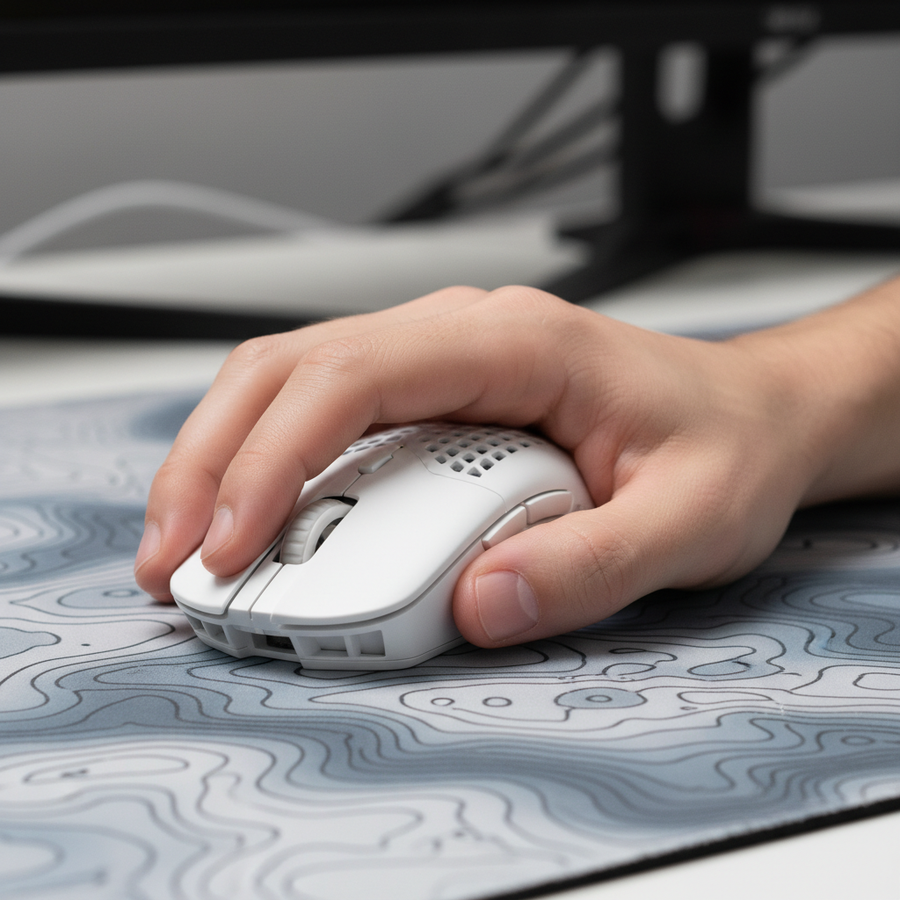
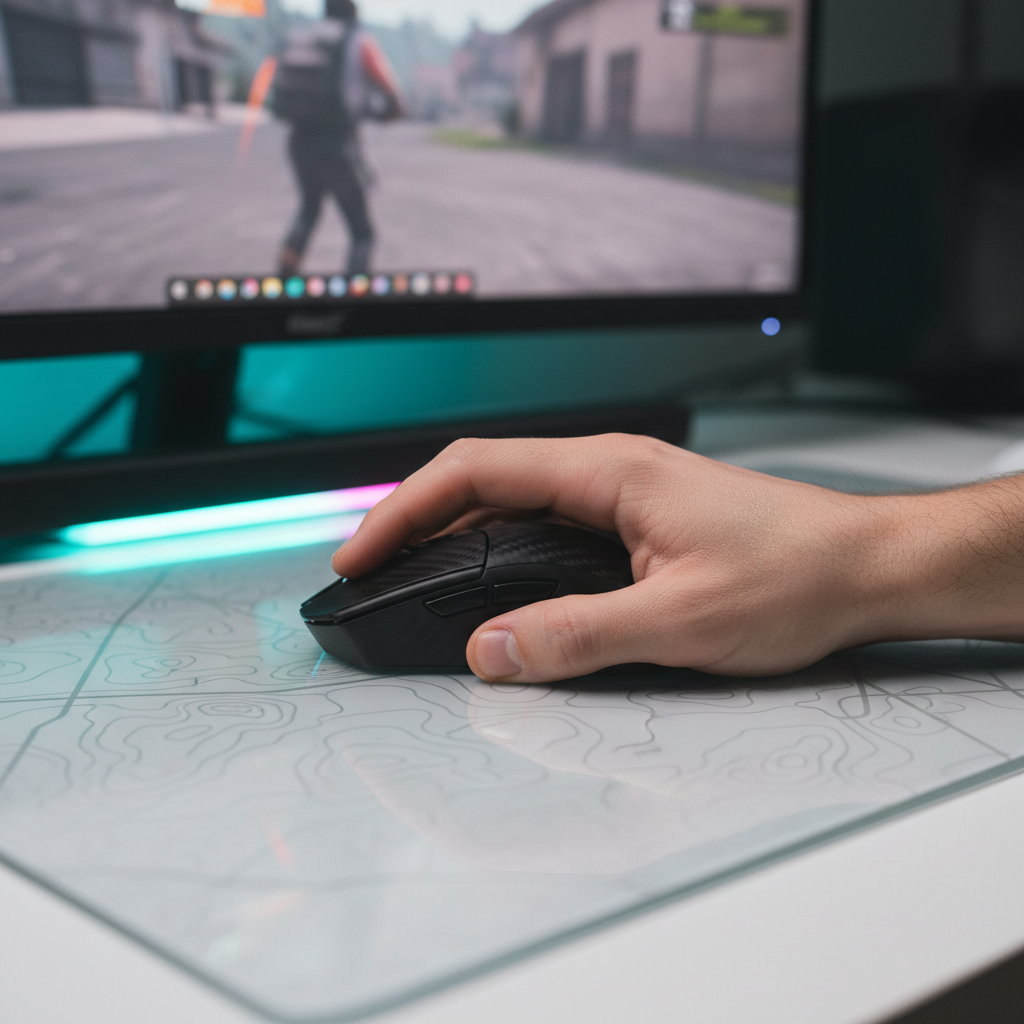
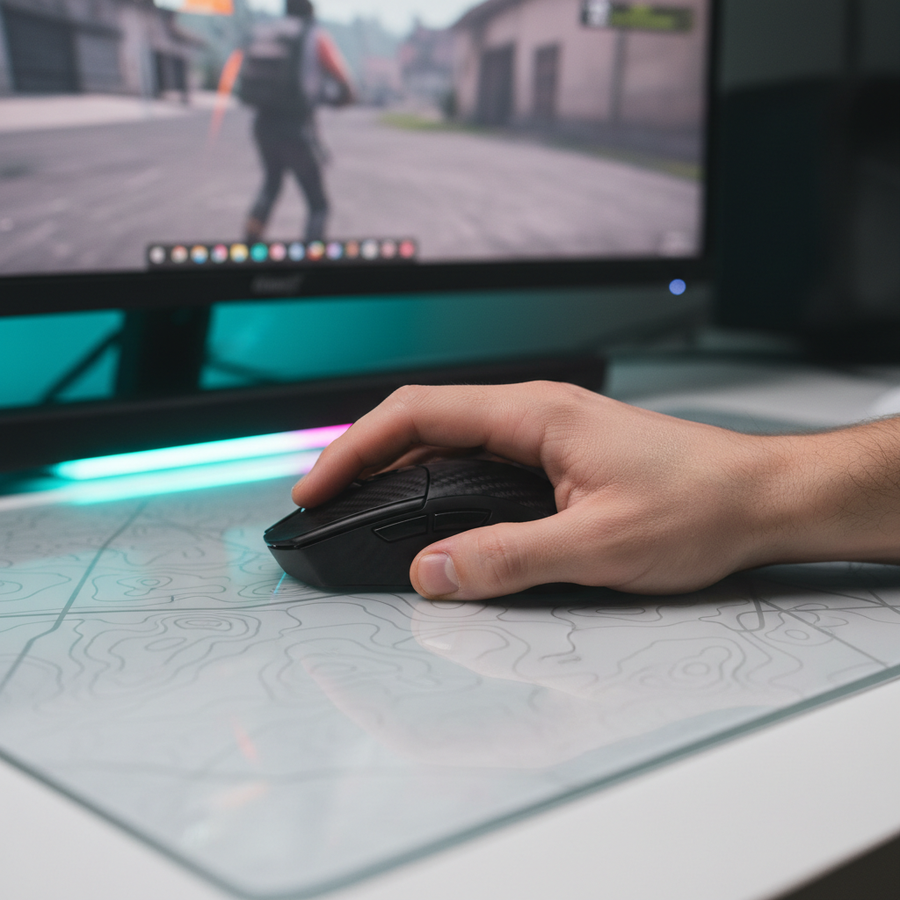
Die effektivste Methode für vertikales Zielen beinhaltet Mikroanpassungen des Daumens sowie des Ring- und kleinen Fingers, um die Maus entlang ihrer Längsachse „zu rollen“. Im Gegensatz zu horizontalen Wischbewegungen, die das Handgelenk als Drehpunkt nutzen, sind vertikale Korrekturen oft am konsistentesten, wenn der Spieler vom Vollhand- oder Klauegriff zu einer fingerspitzenorientierten Modulation wechselt.
Erfahrene Wettkampfspieler verwenden oft einen 60/40-Hybridgriff. Diese Heuristik empfiehlt, etwa 60 % Kontaktfläche der Handfläche für breite horizontale Stabilität beizubehalten und 40 % Kontrolle über die Fingerspitzen für vertikale Neigungen zu reservieren.
Methodenhinweis: Dieses 60/40-Verhältnis ist eine Heuristik, die aus gängigen Mustern in Community-Aim-Trainer-Benchmarks und Beobachtungen professioneller Spieler abgeleitet wurde (keine kontrollierte Laborstudie). Es dient als Ausgangspunkt für Spieler, um ihr eigenes taktiles Feedback bei Flicks mit hohem Winkel zu bewerten.
Beim Übergang zu einem vertikalen Flick sollte der Spieler ein „Übergreifen“ vermeiden. Ein festerer Griff bei Bewegungen mit hohem Winkel erhöht das Sensor-Jitter und die Muskelspannung, was zu Überschießen führen kann. Stattdessen erlaubt ein entspannter „Klaue-Handflächen-Hybrid“ den Fingern, die Maus für Abwärtsbewegungen zur Handfläche zu ziehen oder für Aufwärtsbewegungen wegzuschieben.
Hardware-Synergie: Sensoren und Abtastraten
Um diese physischen Mikroanpassungen in präzise In-Game-Bewegungen umzusetzen, muss die Hardware winzige Datenpunkte mit nahezu sofortigen Reaktionszeiten von 1ms oder besser auflösen. Die ATTACK SHARK R11 ULTRA Carbon Fiber Wireless 8K PAW3950MAX Gaming Mouse ist speziell für dieses Maß an Präzision entwickelt. Ihr Gehäuse aus Kohlefaser-Verbundmaterial bietet ein hohes Verhältnis von Festigkeit zu Gewicht und ermöglicht ein 49g Ultra-Leichtgewicht-Profil, das die Trägheit für schnelle vertikale Bewegungen reduziert.
Der 8000Hz (8K) Vorteil in der Vertikalität
Die Implementierung einer 8000Hz-Abtastrate ist entscheidend für vertikale Präzision. Bei 8000Hz ist das Abtastintervall nahezu sofortig 0.125ms. Diese Frequenz stellt sicher, dass die schnellen, kurzen Bewegungen der Finger mit hoher Genauigkeit erfasst werden.
| Parameter | 1000Hz (Standard) | 8000Hz (High-Performance) | Begründung |
|---|---|---|---|
| Abtastintervall | 1.0ms | 0.125ms | Frequenz vs. Zeit ($1/f$) |
| Bewegungssynchronisationslatenz | ~0,5ms | ~0,0625ms | Halbierung des Abtastintervalls |
| CPU-Interrupt-Belastung | Niedrig | Hoch | IRQ-Verarbeitungsbelastung |
| Ideale Anzeige | 144Hz | 240Hz - 360Hz+ | Visuelle Darstellungsschwelle |
| Sättigung (800 DPI) | 1,25 IPS | 10 IPS | Erforderliche Bewegungsgeschwindigkeit |
Um die 8000Hz-Bandbreite bei 800 DPI auszuschöpfen, muss der Nutzer die Maus mit etwa 10 IPS (Inches pro Sekunde) bewegen. Für vertikale Mikroanpassungen, bei denen die Bewegungsdistanz gering ist, reduziert eine Erhöhung der DPI auf 1600 diese Schwelle auf 5 IPS, was es erleichtert, bei subtilen Fingerrollen eine 8K-Stabilität zu halten. Laut dem Global Gaming Peripherals Industry Whitepaper (2026) sind hohe Abtastraten am effektivsten in Kombination mit Monitoren mit hoher Bildwiederholfrequenz (240Hz+), um den flüssigeren Cursorpfad visuell darzustellen.
Die Rolle von Gehäusegeometrie und Krümmung
Das physische Design des Mausgehäuses beeinflusst maßgeblich die Leichtigkeit vertikaler Griffwechsel. Eine ausgeprägte nach innen gewölbte Seitenkurve, wie sie bei vielen ergonomischen Designs üblich ist, kann den Daumen in einer festen Position „verriegeln“. Während dies hervorragende horizontale Stabilität bietet, erschwert es oft vertikale Rollen im Vergleich zu einem flacheren, eher beidhändig ausgelegten Gehäuse.
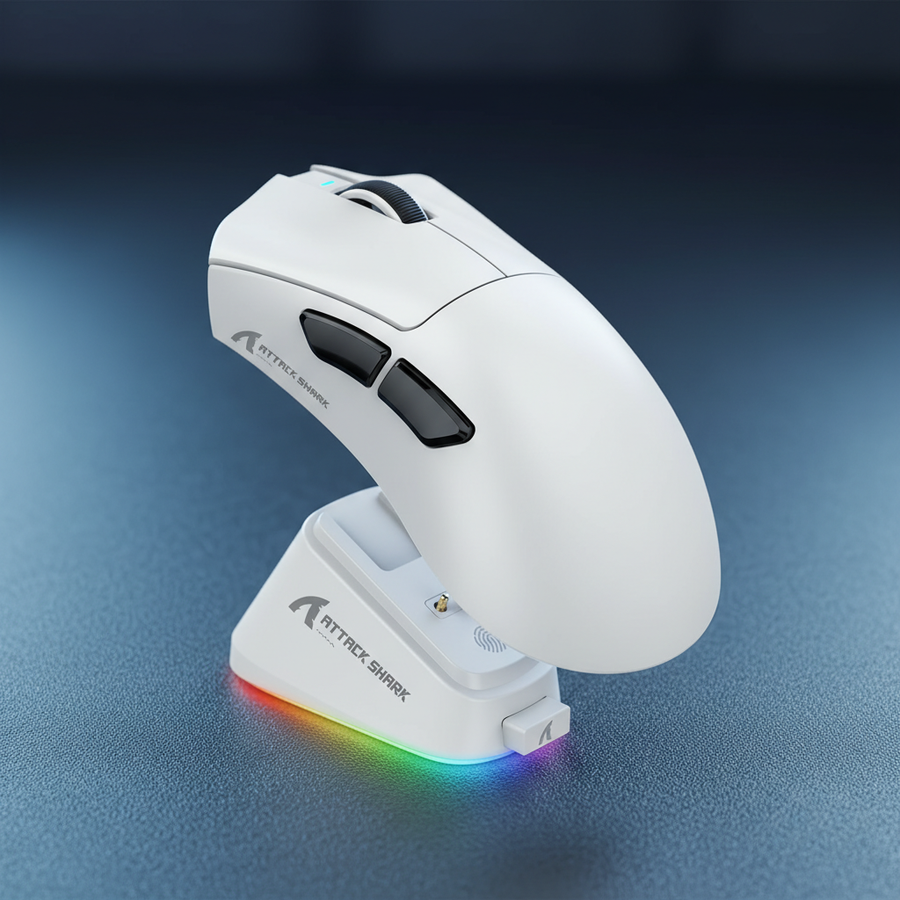
Für Spieler, die häufig vertikales Tracking betreiben, ermöglicht ein Gehäuse mit neutralem Seitenprofil eine flüssigere Bewegung von Daumen und Ringfinger. Die ATTACK SHARK G3PRO Tri-mode Wireless Gaming Mouse mit Charge Dock 25000 DPI Ultra Lightweight verwendet ein ergonomisches Gehäuse, das dieses Bedürfnis nach Stabilität und Mobilität ausbalanciert. Mit einem Gewicht von 62g und 100-Millionen-Klick-Schaltern sorgt sie dafür, dass das taktile Feedback auch bei der schnellen Betätigung für vertikale Korrekturen konstant bleibt.

Reibung und Oberflächeninteraktion
Die Oberflächenreibung ist der sekundäre Wächter der vertikalen Konsistenz. Ein Mauspad mit hohem statischem Reibungskoeffizienten kann "Ruckeln" verursachen, wenn ein Spieler versucht, eine kleine vertikale Bewegung aus dem Stillstand zu starten.
Das ATTACK SHARK CM05 Tempered Glass Gaming Mouse Pad begegnet diesem Problem durch eine nano-mikro-ätzte Textur. Mit einer Mohs-Härte von über 9H bietet die Oberfläche einen konstanten Gleitkoeffizienten, der oft wichtiger ist als reine Geschwindigkeit. Beim vertikalen Zielen ist "Stoppleistung" entscheidend, um Flicks zu landen; eine kontrollierte Oberfläche (typischerweise etwa 40-50 Reibungswert auf Standard-Skalen) ermöglicht eine bessere Verzögerung bei vertikalen Korrekturen als ein ultra-schnelles Glaspad mit null Widerstand.
Häufige Fallstricke und technische Stolperfallen
- Kabelwiderstand: Dies ist ein großer, unterschätzter Faktor für vertikale Inkonsistenz. Aufwärtsbewegungen führen oft dazu, dass sich das Kabel zusammenzieht oder am Rand des Mauspads hängen bleibt, was eine 10-15%ige Varianz in der benötigten Kraft verursacht (basierend auf Community-Benchmarks). Die Verwendung eines leichten Paracord-Kabels oder eines verwalteten Spiralkabels kann diesen Widerstand verringern.
- Übermäßiger Griff: Wie erwähnt, verringert eine erhöhte Griffkraft in intensiven Momenten die Fähigkeit der Hand, Mikroanpassungen vorzunehmen. Die "Ghost Grip"-Technik – die minimale Kraft beizubehalten, die nötig ist, um die Maus zu bewegen – ist eine sehr effektive Methode, um Ermüdung zu vermeiden und vertikale Genauigkeit zu bewahren.
- USB-Topologie-Fehler: Bei 8000Hz müssen Geräte an direkte Motherboard-Ports (Rear I/O) angeschlossen werden. Die Verwendung von Front-Panel-Headern oder nicht-aktivierten USB-Hubs kann zu Paketverlusten und Mikro-Rucklern führen, was die Vorteile hoher Pollingraten zunichtemacht.
Logik-Zusammenfassung: Unsere Analyse der vertikalen Konsistenz geht von einer Hochleistungs-Systemumgebung aus. Faktoren wie Betriebssystem-Hintergrundprozesse und Single-Core-CPU-Leistung sind die Hauptengpässe für 8K-Polling, da das System ein deutlich höheres Volumen an Interrupt Requests (IRQs) verarbeiten muss.
Modellierung der vertikalen Mikroanpassungs-Latenz (VMAL)
Um die Auswirkung von Griff und Hardware auf das vertikale Zielen zu verstehen, können wir die Gesamtlatenz einer vertikalen Korrektur modellieren. Dieses Modell berücksichtigt die physische Übergangszeit (Griffwechsel) und die elektronische Verarbeitungszeit.
| Parameter | Wert/Bereich | Einheit | Begründung |
|---|---|---|---|
| Physischer Griffwechsel | 15 - 30 | ms | Zeit zur Modulation des Fingerdrucks |
| Sensorverarbeitung | < 1 | ms | PAW3950MAX interne Latenz |
| Abtastverzögerung (8K) | 0.125 | ms | Fester Intervall |
| Anzeigeverzögerung (360Hz) | ~2,8 | ms | Bildübertragungszeit |
| Gesamtschätzung VMAL | 18 - 34 | ms | Summe der physischen und elektronischen Faktoren |
Hinweis: Dies ist ein Szenariomodell basierend auf branchenüblichen Heuristiken, keine kontrollierte Laborstudie. Individuelle Ergebnisse können je nach Handgröße und Muskelgedächtnis variieren.
Für diejenigen, die ihr Setup weiter optimieren möchten, kann die Integration ergonomischer Unterstützung wie der ATTACK SHARK Cloud Keyboard Handgelenkauflage die Gesamtspannung im Unterarm reduzieren. Obwohl sie hauptsächlich für die Tastaturhand gedacht ist, verhindert eine entspannte Haltung des gesamten Oberkörpers, dass „sympathische Spannung“ die Präzision der Maus-Hand beeinträchtigt.
Verfeinerte Techniken für Multi-Genre-Vielseitigkeit
Vertikalität ist nicht nur ein FPS-Problem. In RPGs oder MOBAs erfordert die Navigation durch komplexe Benutzeroberflächen oder Kamerahöhen ähnliche Mikroanpassungen. Das Verständnis, warum der Handballen-Kontakt bei RPGs dominiert, kann Spielern helfen zu erkennen, wann sie vom dynamischen Fingertip-Griff zu einer stabileren, entspannten Position wechseln sollten.
Für Spieler in schnellen Arena-Shootern ist hingegen die Fingertip-Griff-Dominanz oft der Schlüssel zum Überleben. Die Fähigkeit, zwischen diesen Zuständen zu wechseln – dynamische Griffmodulation – ist das Kennzeichen eines Elite-Spielers.
Vertikale Meisterschaft erreichen
Das Beherrschen des vertikalen Zielens ist eine Kombination aus biomechanischer Disziplin und technischer Optimierung. Durch die Anwendung einer Rolltechnik, die Auswahl von Hardware, die Griffwechsel erleichtert, und die Sicherstellung, dass das Systemumfeld frei von Engpässen wie USB-Störungen ist, können Spieler die Lücke zwischen ihrer physischen Absicht und der In-Game-Ausführung schließen. Konstanz zeigt sich in den subtilen Druckanpassungen der Finger, dem reibungsarmen Gleiten einer gehärteten Glasoberfläche und der nahezu sofortigen Datenübertragung einer 8000Hz Abtastrate.
Haftungsausschluss: Dieser Artikel dient nur zu Informationszwecken und stellt keine professionelle medizinische oder ergonomische Beratung dar. Leistungsvorteile basieren auf gängigen Branchenmustern und individuelle Ergebnisse können variieren. Konsultieren Sie einen qualifizierten Fachmann, wenn Sie anhaltende Schmerzen in Handgelenk oder Hand verspüren.
Quellen